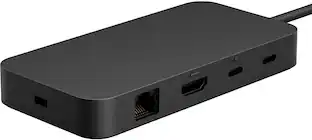
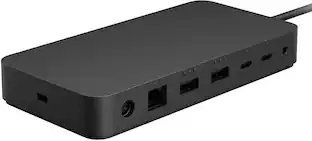
Cables to Go - C2G 4K USB C Dual Monitor Dock HDMI Ethernet USB 3.5mm & 60W Power C2G54488
More Buying Options from Marketplace sellers
Related Item

About This Item
- Key Specs
- Maximum Number of Displays Supported: 2
- Number of DisplayPort Outputs (Total): 0
- General
- Brand: Cables to Go
- Model Number: C2G54488
- Product Name: C2G 4K USB C Dual Monitor Dock HDMI Ethernet USB 3.5mm & 60W Power C2G54488
- Display
- Maximum Number of Displays Supported: 2
- Ports
- Display Connector(s): 1 x HDMI (The number and type of connectors used to connect to an external display.)
- Number of DisplayPort Outputs (Total): 0
- Number of HDMI Ports (Total): 1
- Number of VGA Ports: 0 (VGA (Video Graphics Adapter or Video Graphics Array) is a display standard that transmits via analog signals. This type of interface is typically used to connect a computer to a display device such as a monitor, projector, or TV.)
- Number of USB Ports (Total): 6
- USB Ports: 1 x USB-C 3.1 (The number and type of USB ports the product has.)
- Power
- Powered: true
- Compatibility
- Brand Compatibility: Cables To Go
- Model Compatibility: C2G54488
- Dimensions
- Product Height: 9.84 inches (The out of box height of the item. Height is measured as the vertical distance from the bottom of the item to the top as it would be primarily used or placed.)
- Product Length: 35.43 inches (The out of box length of the item. Length is measured as the longest dimension of the item.)
- Product Width: 13.78 inches (The out of box width of the item. Width is measured as the horizontal distance from one side of the item to the other as it would be primarily used or placed.)
- Product Weight: 0.62 ounces (The out of box weight of the item.)
- Warranty
- Warranty - Parts: Limited Warranty period (parts): 1 year
- Warranty - Labor: Limited Warranty period (labor): 1 year
- Other
- UPC: 757120544883
C2G 4K USB C Dual Monitor Dock HDMI Ethernet USB 3.5mm & 60W Power C2G54488
- 4K HDMI Display Support: Supports single HDMI display resolutions up to 4K (3840 x 2160) at 30Hz for viewing high definition content
Whats Included
- C2G 4K USB C Dual Monitor Dock HDMI Ethernet USB 3.5mm & 60W Power C2G54488
Reviews
This product doesn't have any reviews yet.
Compare similar products
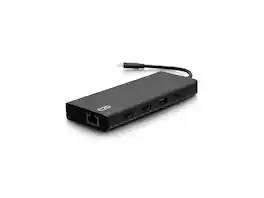
C2G 4K USB C Dual Monitor Dock HDMI Ethernet USB 3.5mm & 60W Power C2G54488

A “do-it-all” dock, the Thunderbolt Certified TBT4-UD5 Plugable Docking Station was awarded The Best Thunderbolt Docking Station by Tom’s Guide (Tom's Guide, July 23rd, 2024). It stands out as a versatile and powerful hub for modern workspaces. Its robust design includes an array of 13 ports, catering to a wide range of connectivity needs. Starting with the 40Gbps Thunderbolt 4 host port, this TB4 dock offers plenty of bandwidth to support two HDMI ports, each capable of driving dual 4K 60Hz displays. A downstream 40Gbps Thunderbolt 4 port is also included to provide high-speed connectivity for advanced Thunderbolt-based applications, such as fast storage devices. In addition to its display options, this Thunderbolt USB4 dock boasts a USB-C port with a 10Gbps transfer rate, ideal for quick file transfers and efficient data management. There are also 4x USB 3.0 ports (2x 10Gbps, 2x 5Gbps), perfect for connecting a variety of peripherals like keyboards, mice, and external drives. Throw in SD and Micro SD slots, a combo audio jack, Gigabit Ethernet, and a slot for a K lock, and this setup ensures that users can create a powerful and integrated workstation. Speaking of power, the TBT4-UD5 docking station Thunderbolt 4 packs it in with up to 100W Power Delivery (96W certified) — more than enough for most power-hungry laptops. Especially useful in business and education environments, the Plugable TBT4-UD5 Docking Station delivers exceptional functionality and convenience.

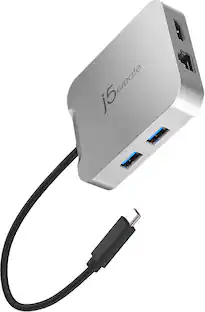
The USB-C to 4-port HDMI Multi-Monitor Adapter functions as an external video card for your MacBook or personal computer. It allows you to add four additional monitors/displays through your USB-C port. This is the perfect alternative to a costly video card. With the JCA366, you can quickly install the driver with a simple USB-C plug-in. Afterwards, connect your device to your monitors using HDMI cables and you have just created a new visual environment in seconds. With this multi-monitor adapter, you can extend your desktop across multiple displays, clone one screen onto another, and have individual applications displayed on each monitor. You can also enable additional features with the Multi-Monitor Assistant Application for your Windows devices.
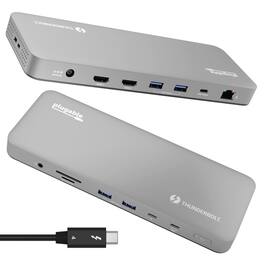
Meet the Plugable TBT-UDM, our premium Thunderbolt 4 docking station, purpose-built for Mac users who want top-tier performance without sacrificing style. Housed in a sleek space-gray aluminum shell to match your Apple setup, this plug-and-play dock delivers the full power of Thunderbolt 4. Expand a single Thunderbolt port into 13 essential connections with this Plugable docking station, including dual HDMI 2.0 ports for up to two 4K 60Hz displays on M4, M3 (in clamshell mode), and Pro/Max M-Series Macs, 100 charging (96W certified) for your laptop, a 40Gbps downstream Thunderbolt port also capable of 15W charging and up to 8K video, plus SD/microSD UHS-II card readers, USB-C and USB-A ports, Ethernet, and audio. It’s plug-and-play ready—no drivers required. For the creative pros, hybrid workers, and power users juggling monitors, drives, and peripherals, this Thunderbolt docking station keeps your workspace clean and connected with one cable. Compatible with Thunderbolt 4 and USB4 systems on both macOS and Windows, it's the perfect dock to streamline your setup and supercharge your workflow.
| Pros for Cables to Go - C2G 4K USB C Dual Monitor Dock HDMI Ethernet USB 3.5mm & 60W Power C2G54488 | |||
|---|---|---|---|
| There were no pros for this product— | There were no pros for this product— | Overall Performance, Ease of use, HDMI, Connectivity, Size | There were no pros for this product— |
| Cons for Cables to Go - C2G 4K USB C Dual Monitor Dock HDMI Ethernet USB 3.5mm & 60W Power C2G54488 | |||
| There were no cons for this product— | There were no cons for this product— | Heat, Compatibility, Driver Installation, Lag, Mac Compatibility | There were no cons for this product— |
Specs
Explore tech essentials Sponsored
 $39.99The price was $79.99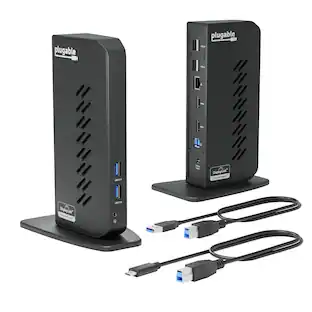
Plugable - USB 3.0 and USB-C Universal Laptop Docking Station for Windows, Mac, ChromeOS | Dual HDMI
$112.95The price was $135.35 $45.99The price was $49.99
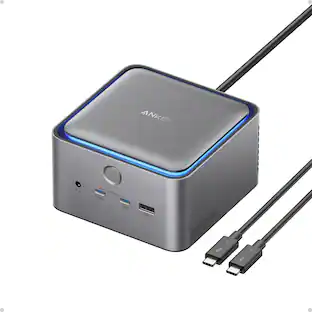 $339.98The price was $399.99