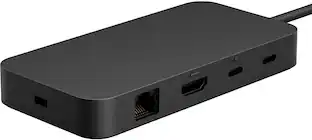
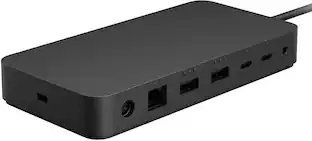
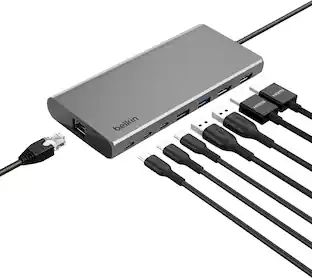
Dell - Pro Smart Dock SD25 - 180W, USB-C, 4 Displays, 6 USB Ports, 2.5G Ethernet
More Buying Options from Marketplace sellers
Related Item

About This Item
- Key Specs
- Maximum Number of Displays Supported: 4
- Number of DisplayPort Outputs (Total): 4
- General
- Brand: Dell
- Model Number: Dell-SD25
- Product Name: Dell Pro Smart Dock SD25 - 180W, USB-C, 4 Displays, 6 USB Ports, 2.5G Ethernet
- Display
- Maximum Number of Displays Supported: 4
- Ports
- Display Connector(s): 4 x DisplayPort (The number and type of connectors used to connect to an external display.)
- Number of DisplayPort Outputs (Total): 4
- Number of HDMI Ports (Total): 0
- Number of VGA Ports: 0 (VGA (Video Graphics Adapter or Video Graphics Array) is a display standard that transmits via analog signals. This type of interface is typically used to connect a computer to a display device such as a monitor, projector, or TV.)
- USB Ports: 4 x USB-A 2.0 (The number and type of USB ports the product has.)
- Power
- Powered: true
- Compatibility
- Brand Compatibility: Dell
- Model Compatibility: Dell Pro Smart Dock SD25
- Dimensions
- Product Height: 3.00 inches (The out of box height of the item. Height is measured as the vertical distance from the bottom of the item to the top as it would be primarily used or placed.)
- Product Length: 12.00 inches (The out of box length of the item. Length is measured as the longest dimension of the item.)
- Product Width: 10.00 inches (The out of box width of the item. Width is measured as the horizontal distance from one side of the item to the other as it would be primarily used or placed.)
- Product Weight: 64.0 ounces (The out of box weight of the item.)
- Warranty
- Warranty - Parts: Limited Warranty period (parts): 1 year
- Warranty - Labor: Limited Warranty period (labor): 1 year
- Other
- UPC: 884116493709
Dell Pro Smart Dock SD25 - 180 W - USB Type C - 4 Displays Supported - 6x USB Ports - 4x USB Type-A Ports - USB Type-A - 2 x USB Type-C Ports - USB Type-C - Wired - 2.5 Gigabit Ethernet
- Dell Command Update Tool: Dell Command Update (DCU)
- Multi-Display Support: Port Disablement
- Remote Management: MAC Address Pass-through
- Feature 4: PXE Boot
- Feature 5: Dock Power Button Sync
Whats Included
- 1
Q: Will this docking station also support a Dell Inspiron 5640?
A: Yes, the Dell Pro Smart Dock SD25 does support the Dell Inspiron 5640.
Q: Does this item come with PSU and Power Cable?
A: Yes, Power Adapter and Power Cord is included.
Reviews
Rating 4.8 out of 5 stars with 4 reviews
The vast majority of our reviews come from verified purchases. Reviews from customers may include My Best Buy members, employees, and Tech Insider Network members (as tagged). Select reviewers may receive discounted products, promotional considerations or entries into drawings for honest, helpful reviews.
Compare similar products
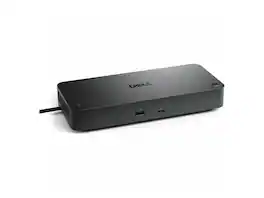
Dell Pro Smart Dock SD25 - 180 W - USB Type C - 4 Displays Supported - 6x USB Ports - 4x USB Type-A Ports - USB Type-A - 2 x USB Type-C Ports - USB Type-C - Wired - 2.5 Gigabit Ethernet

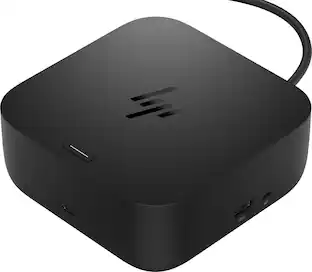
Universal docking for today's laptops. Connect your USB-C-enabled laptop to your displays, accessories, and wired network with the versatile, elegant, and space-saving HP USB-C Dock G5.

Provides up to 100W USB-C power delivery and supports up to 4 external displays, including dual 5K or a single 6K resolution. Features 2× DP 1.4, 1× HDMI 2.1, 1× USB-C DP 1.4, 4× USB-A, and 2 additional ports for versatile connectivity.
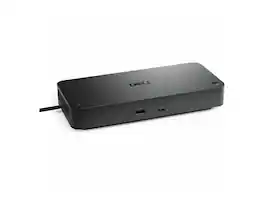
Dell Pro Thunderbolt 4 Smart Dock SD25TB4 - Thunderbolt 4 - 4 Displays Supported - 6x USB Ports - 4x USB Type-A Ports - USB Type-A - 2x USB Type-C Ports - Gigabit Ethernet
| Pros for Dell - Pro Smart Dock SD25 - 180W, USB-C, 4 Displays, 6 USB Ports, 2.5G Ethernet | |||
|---|---|---|---|
| There were no pros for this product— | Overall Performance, Connectivity, Setup, Port Quantity | There were no pros for this product— | There were no pros for this product— |
Specs
Explore tech essentials Sponsored
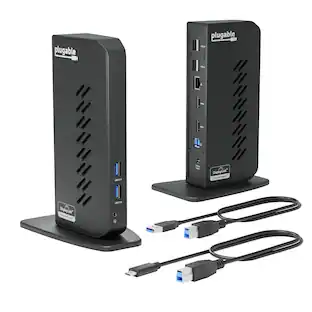
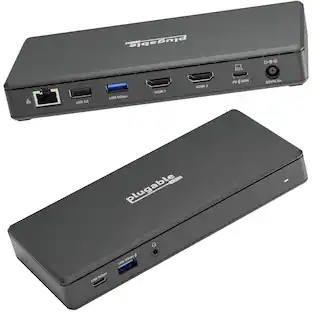
Plugable - USB 3.0 and USB-C Universal Laptop Docking Station for Windows, Mac, ChromeOS | Dual HDMI
$112.95The price was $135.35