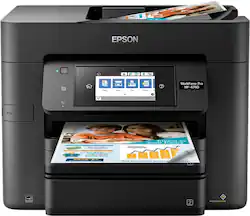
Epson - WorkForce Pro WF-4740 Wireless All-In-One Inkjet Printer - Black
- Key Specs
- Networking: Wired, Wireless
- ENERGY STAR Certified: true (Devices carrying the ENERGY STAR service mark, such as computer products and peripherals, kitchen appliances, and other products, generally use 20% to 30% less energy than required by federal standards.)
- Printer Type: All In One, Copier, Fax, Scanner
- ISO Color Print Speed: 22 pages per minute (The number of color pages able to be printed per minute in the device's default single-side mode, as tested by the International Standards Organization (ISO).)
- ISO Mono Print Speed: 24 pages per minute (The number of black ink (grayscale) pages able to be printed per minute in the device's default single-side mode, as tested by the International Standards Organization (ISO).)
- Output Tray Capacity: 500
- Touch Screen: true (Touch-screen devices make navigating more intuitive. Using a touch-screen display, you can do things such as tap to select, hold and drag to move items, swipe to scroll, and pinch to zoom.)
- General
- Brand: Epson
- Model Number: C11CF75201
- Product Name: WorkForce Pro WF-4740 Wireless All-In-One Inkjet Printer
- Color: Black
- Display Screen: true
- Display Screen Size: 4.3 inches
- Dimensions
- Product Height: 13 inches (The out of box height of the item. Height is measured as the vertical distance from the bottom of the item to the top as it would be primarily used or placed.)
- Product Width: 16.7 inches (The out of box width of the item. Width is measured as the horizontal distance from one side of the item to the other as it would be primarily used or placed.)
- Product Weight: 26 pounds (The out of box weight of the item.)
- Features
- Automatic Document Feeder: true
- Photo Printing: true
- Monochromatic/Color: Color
- Automatic Reduction/Enlargement: true
- Automatic Two-Sided Printing: true
- Tray Capacity: 250
- Duty Cycle: Up to 30,000 (The maximum number of pages per month that the device can produce without failing, as specified by the manufacturer.)
- Certifications Listings & Approvals
- EPEAT Qualified: false (The Electronic Product Environmental Assessment Tool (EPEAT) was designed to provide an environmental assessment tool for purchasers. In order to qualify for EPEAT, a product must meet all 23 required criteria.)
- Scanner Info
- Scanner Type: Flatbed
- Duplex Scan Function: true
- Scanner Resolution: Up to 9600 (Refers to the number of pixels/dots, both horizontally and vertically, of the image produced by the scanner. Generally, the higher the resolution, the sharper and cleaner the produced image.)
- Fax Info
- Integrated Fax: true
- Ink
- Compatible Cartridges: 802 Standard-capacity (BK/Y/C/M), 802XL High-capacity (BK/Y/C/M)
- Memory
- Memory Card Slot: false
- Paper Info
- Automatic Document Feeder Capacity: 50 sheets
- Maximum Document Length: 47.2 inches
- Maximum Document Width: 8.5 inches
- Supported Paper Sizes: 3.5" x 5", 4" x 6", 5" x 7", 8" x 10", Letter, Legal, A4, A6, Half Letter, Executive, User-definable (3.5" - 47.2" in length)
- Paper Feeder: Tray loader
- Paper Handling: Up to 500 sheets
- Compatible Media Types: Plain Paper, Epson Bright White Paper, Brochure and Flyer Paper Matte Double-sided, Presentation Paper Matte, Photo Paper Glossy
- Copier Info
- Maximum Number Of Copies: 999
- Copier Resolution (Black): Up to 4800 x 1200 (Refers to the number of pixels/dots, both horizontally and vertically, of the image produced by the copier in black ink. Generally, the higher the resolution, the sharper and cleaner the produced image.)
- Performance
- Printer Resolution (Black): Up to 4800 x 1200 (Refers to the number of pixels/dots, both horizontally and vertically, of the image produced by the printer in black ink. Generally, the higher the resolution, the sharper and cleaner the produced image.)
- Printer Resolution (Color): Up to 4800 x 1200 (Refers to the number of pixels/dots, both horizontally and vertically, of the image produced by the printer in colored ink. Generally, the higher the resolution, the sharper and cleaner the produced image.)
- Approximate Page Yield (Black): 900
- Approximate Page Yield (Color): 650
- Compatibility
- Works With: Apple HomeKit (Compatible with or able to be connected to other smart devices or applications.)
- Connectivity
- Minimum System Requirements: Windows 10, Windows 8, 8.1, Windows 7, Windows Vista, Windows XP SP3 (32-bit), Windows XP Professional x64 Edition, Windows Server 2003 SP2 - Windows Server 2016, Mac OS X 10.6.8 - macOS 10.12.x
- Other
- UPC: 010343931039
Achieve more with this Epson Workforce all-in-one printer. Its faxing, scanning and copying capabilities complement its built-in duplexing and fast, high-quality printing with its PrecisionCore ink technology, satisfying all your home office needs with one device. This Epson Workforce all-in-one printer offers connections through USB, Gigabit LAN and Wi-Fi for added versatility.
- Be sure you have the right cartridge: Enter your printer's model number into our Ink and Toner Finder to find compatible cartridges. Get started ›
- Prints up to 24 ISO ppm* in black, up to 22 ISO ppm* in color: To generate documents quickly.
- Inkjet printers are best for home or small business use: They offer excellent print quality for photos and documents and accept a variety of paper types and sizes.
- Wireless and mobile printing capability: Connect this printer to your home or office network with built-in Ethernet or wireless LAN. Plus, print from your mobile device with the free Epson iPrint app.
- Tablet and smartphone printing: Epson Connect enables simple wireless printing from most smartphones, tablets and more.
- Up to 4800 x 1200 dpi (dots per inch) color resolution: High resolution for producing incredible quality and detail in documents and photos.
- 4 individual print cartridges are economical: Just replace the ink cartridge (black, cyan, magenta and yellow) when its color runs out.
- Large paper tray for high-volume printing and copying: Reload less often with the 250-sheet input tray. Copy, scan or fax multiple pages easily with the 50-sheet automatic document feeder.
- 4.3" LCD color touchscreen: Use the intuitive touch screen to print, copy and send faxes directly from the printer.
- 1 USB port for simple connectivity: 1 high-speed USB port offers a standard connection to your PC or a simple way to plug in and print with a USB drive, camera or other device.
- More print, copy and scan solutions: Automatically print 2-sided documents, scan documents to your computer or directly to cloud or e-mail, send quick faxes and more.
Whats Included
- 4x DURABrite Ultra Ink cartridges (BK/C/M/Y)
- CD-ROM with drivers
- Epson WorkForce Pro WF-4740 Wireless All-In-One Inkjet Printer
- Instruction booklet
- Power cord
Product Manuals
A: I owned this printer and would not suggest buying it. After having such a bad experience I was also wondering why the reviews were so good. I would reccomend you read them carefully and ask yourself if they seem like they were written by actual consumers versus 'reviewers' .
Q: Can this printer handle heavy cardstock? Are you able to feed the cardstock through the top?
A: I purchased in order to do heat transfers on fairly thick heat transfer paper. Should handle card stock with no problem. Mind you, I fed the paper through the normal trays.
Q: Can you scan documents by putting them in the automatic document feeder?
A: Yes. I have a mac book pro and I open preview to scan and select scan from document feeder. I'm sure a windows pic can do the same.
A: Yes, you can only use the auto feeder for double sided.
A: I have this error. Epson technical support tells me it is a hardware problem. I can either mail this huge thing at my expense to their service center or buy a new one. I asked about a possible driver error, and she said that is not the problem. This is the 2nd Epson I have owned to have this problem. It's like you can only print for so many months or pages and it stops. I will NEVER buy another EPSON!!!!
A: Yes, you can. I have used it to send to my Alienware laptop, and to my iMac. I have also sent docs to One Drive and iCloud.
A: Yes. Page 59 of manual
A: No and no. When you use the wireless setup utility it prompts you to enter your server password. Easy peasy. Every time you ask it to print, you select either black and white or color.
People also viewed
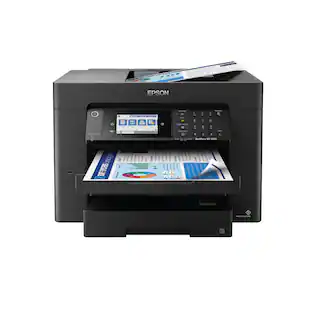 $229.99The price was $379.99
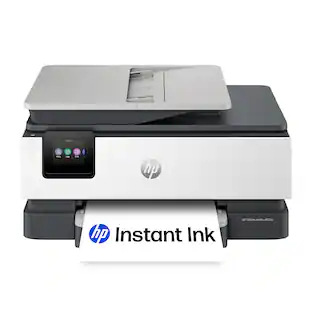 $119.89The price was $179.89
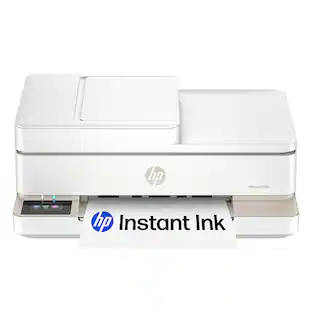 $99.89The price was $179.89
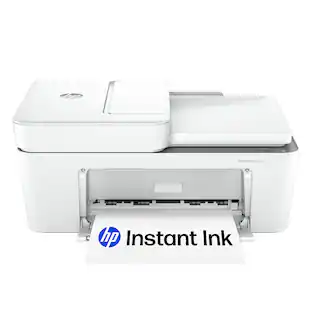 $79.89The price was $109.89
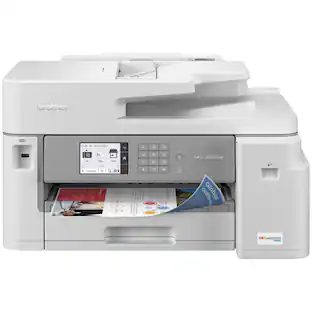 $449.00The price was $450.45
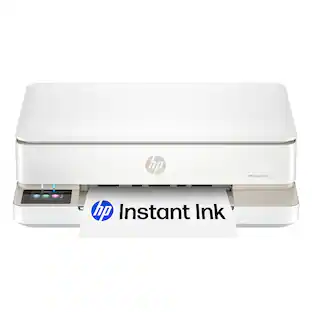 $119.89The price was $159.89





Today's top picks
 $499.99The price was $749.99
 $199.99The price was $249.99
 $789.99The price was $1,049.99