
Epson - WorkForce Pro WF-7820 Wireless Wide-format All-in-One Inkjet Printer - Black
Epson - WorkForce Pro WF-7820 Wireless Wide-format All-in-One Inkjet Printer - Black
Related Item

Specifications
- NetworkingWired, WirelessENERGY STAR CertifiedYesPrinter TypeAll In OneISO Color Print Speed12 pages per minuteISO Mono Print Speed25 pages per minuteTouch ScreenYes
- Key Specs
- Networking: Wired, Wireless
- ENERGY STAR Certified: true (Devices carrying the ENERGY STAR service mark, such as computer products and peripherals, kitchen appliances, and other products, generally use 20% to 30% less energy than required by federal standards.)
- Printer Type: All In One
- ISO Color Print Speed: 12 pages per minute (The number of color pages able to be printed per minute in the device's default single-side mode, as tested by the International Standards Organization (ISO).)
- ISO Mono Print Speed: 25 pages per minute (The number of black ink (grayscale) pages able to be printed per minute in the device's default single-side mode, as tested by the International Standards Organization (ISO).)
- Touch Screen: true (Touch-screen devices make navigating more intuitive. Using a touch-screen display, you can do things such as tap to select, hold and drag to move items, swipe to scroll, and pinch to zoom.)
- General
- Brand: Epson
- Model Number: C11CH78201
- Product Name: WorkForce Pro WF-7820 Wireless Wide-format All-in-One Inkjet Printer
- Color: Black
- Display Screen: true
- Display Screen Size: 4.3 inches
- Dimensions
- Product Height: 18 inches (The out of box height of the item. Height is measured as the vertical distance from the bottom of the item to the top as it would be primarily used or placed.)
- Product Width: 20.3 inches (The out of box width of the item. Width is measured as the horizontal distance from one side of the item to the other as it would be primarily used or placed.)
- Product Depth: 38.4 inches (The out of box depth of the item. Depth is measured as the distance from the front of the item to the back as it would be primarily used or placed.)
- Product Weight: 39.9 pounds (The out of box weight of the item.)
- Features
- Automatic Document Feeder: true
- Photo Printing: true
- Wide Format Printing: true (Machines with this function support printing on media with widths between 18 and 100 inches, such as posters, banners, canvases, and more.)
- Wide Format Scanning: true
- Automatic Reduction/Enlargement: true
- Automatic Two-Sided Printing: true
- Tray Capacity: 250
- Duty Cycle: Up to 50,000 (The maximum number of pages per month that the device can produce without failing, as specified by the manufacturer.)
- Connectivity
- Wired Connectivity: USB-B, Ethernet
- Wireless Connectivity: Wi-Fi (The manner in which a device sends data to another device over a short distance without the use of wires or cables.)
- Scanner Info
- Scanner Type: Flatbed
- Duplex Scan Function: true
- Scanner Resolution: Up to 1200 x 2400 (Refers to the number of pixels/dots, both horizontally and vertically, of the image produced by the scanner. Generally, the higher the resolution, the sharper and cleaner the produced image.)
- Fax Info
- Integrated Fax: true
- Ink
- Compatible Cartridges: Epson T812
- Ink Cartridges Required: 1 x Black, 1 x Cyan, 1 x Magenta, 1 x Yellow (The quantity and color of ink cartridges required for the printer to operate.)
- Ink Cartridges Included: 1 x Black, 1 x Cyan, 1 x Magenta, 1 x Yellow (The quantity and color of ink cartridges included.)
- Ink Bags/Bottles Required: None (The quantity and color of ink bags/bottles required for the printer to operate.)
- Ink Bags/Bottles Included: None (The quantity and color of ink bags/bottles included.)
- Paper Info
- Automatic Document Feeder Capacity: 50 sheets
- Maximum Document Length: 13 inches
- Maximum Document Width: 19 inches
- Paper Feeder: Multipurpose tray
- Paper Handling: 250-sheet trays plain paper up to 80 g/m2, 10 envelopes, 50 sheets photo paper
- Performance
- Printer Resolution (Black): Up to 4800 x 2400 (Refers to the number of pixels/dots, both horizontally and vertically, of the image produced by the printer in black ink. Generally, the higher the resolution, the sharper and cleaner the produced image.)
- Printer Resolution (Color): Up to 4800 x 2400 (Refers to the number of pixels/dots, both horizontally and vertically, of the image produced by the printer in colored ink. Generally, the higher the resolution, the sharper and cleaner the produced image.)
- Approximate Page Yield (Black): 25
- Approximate Page Yield (Color): 12
- Copier Info
- Copier Resolution (Black): Up to 4800 x 2400 (Refers to the number of pixels/dots, both horizontally and vertically, of the image produced by the copier in black ink. Generally, the higher the resolution, the sharper and cleaner the produced image.)
- Copier Resolution (Color): Up to 4800 x 2400 (Refers to the number of pixels/dots, both horizontally and vertically, of the image produced by the copier in colored ink. Generally, the higher the resolution, the sharper and cleaner the produced image.)
- Warranty
- Warranty - Parts: 1 yr
- Warranty - Labor: 1 yr
- Other
- UPC: 010343950382
Amplify office productivity with the high-performance WorkForce Pro WF-7820. Built from the ground up for high-volume, wide-format printing up to 13" x 19", this powerful, duplex solution offers auto 2-sided print, copy, scan and fax, and a convenient 50-sheet ADF. Featuring state-of-the-art PrecisionCore Heat-Free Technology and vivid DURABrite Ultra inks, the reliable WF-7820 delivers high-speed prints with 25 black/12 color ISO ppm†, plus fast first-page-out. Designed with ease-of-use in mind, the WF-7820 offers a variety of features for enhanced convenience and efficiency, including a large, 250-sheet paper capacity, an intuitive 4.3" color touchscreen and simple wireless setup and connectivity.
- High-speed wide-format printing up to 13" x 19": PrecisionCore Heat-Free Technology delivers high-speed prints, with 25 black/12 color ISO ppm and fast first-page-out
- High-precision printing: Accurate dot placement and DURABrite Ultra instant-dry pigment inks for professional-quality prints
- High-volume reliability for heavy workloads: Innovative heat-free technology designed for reliability and reduced downtime
- Complete duplex solution: Auto 2-sided print, copy, scan and fax; plus 50-sheet ADF
- Maximize efficiency: With large, 250-sheet paper capacity
- Easy to use: 4.3" color touchscreen for quick navigation and control, plus all-new Epson Smart Panel App1 for enhanced connectivity and productivity from your mobile device
- Convenient, wireless setup: Using a smartphone or mobile device2 with Bluetooth Low Energy (BLE); also includes built-in wireless, Wi-Fi Direct3 and Ethernet networking
- Seamless scanning: Epson ScanSmart supports easy scanning and editing with a user-friendly interface
- Comprehensive security features: Including secure wireless and Secure Data Erase
- Low energy consumption: With PrecisionCore Heat-Free Technology
Whats Included
- WorkForce Pro WF-7820 printer
- quick setup guide
- CD-ROM with drivers
- power cord
- 4x DURABrite Ultra Ink cartridges (1x Black ink cartridge and 3x color ink cartridges: 1x Cyan, 1x Magenta, 1x Yellow)
Disclaimers
- *Requires a high-speed Internet connection.
Q: What is the screen size on the Epson Workforce Pro WF-7820?
A: The Epson Workforce Pro WF-7820 has a 4.3" color touchscreen.
Q: Does the Epson Workforce Pro WF-7820 have a document feeder?
A: Yes, this printer has a 50-sheet auto document feeder.
Q: Does this Epson printer offer auto two-sided printing?
A: Yes, the Epson Workforce Pro WF-7820 offers auto 2-sided print, copy, scan and fax.
Q: What is the maximum document size that can be printed?
A: The Epson Workforce Pro WF-7820 can print up to 13" x 19".
Q: How fast is the printing speed on the Epson Workforce Pro WF-7820?
A: The Epson Workforce Pro WF-7820 has ISO print speeds up to 25 pages per minute.
Q: What is the paper handling capacity of this Epson printer?
A: This Epson printer has a 250-sheet paper tray for plain paper up to 80 g/m2, 10 envelopes, and 50 sheets of photo paper.
Q: Which one of your printers can print on heat transfer paper
A: Hi Pete, The WF-7820 can print on Epson Iron-on Cool Peel Transfer Paper. See the Epson support site for other models that are compatible with this paper. Regards, Mark - The Epson Team.
Q: Please does it print on cardboard paper?
A: The printer has a "Card Stock" setting. I inserted the backing paper that comes with some photo paper - it is thick with a glossy finish. I used a photo that was copied into photoshop. Using the print settings in photoshop: "Print >> Settings >> Paper Type>> scroll down to "Card Stock"". In addition set the printer: "Settings >> General Settings>>Printer Settings>>>Paper Setting>>"Paper Tray" or Casset"". I tried both. Next "General Settings >> Printer Setting>>scroll to "Thick Paper">>ON"" Next "General Settings>>Printer Setting>>Paper Source Settings>>Paper Setting>>Paper Type>>Card Stock. I tried both the Casset and the Paper Tray; the printer jammed every time. I personally do not like this printer. If I had to do it over I would have bought a different brand with the same capabilities. The main reason is it is an ink hog; I print a lot of photos using PhotoShop. The ink is expensive. I tried to find a source supplier that supplies the ink in larger reservoirs and cheaper; they are out there for other printers but not for this printer. I wrote numerous suppliers and they all said negative things about Epson's blockage of other companies making larger ink cartridges and using non-propriperty Ink; this doesn't occur for other Epson Printers, just this one. Good luck
Compare similar products

Amplify office productivity with the high-performance WorkForce Pro WF-7820. Built from the ground up for high-volume, wide-format printing up to 13" x 19", this powerful, duplex solution offers auto 2-sided print, copy, scan and fax, and a convenient 50-sheet ADF. Featuring state-of-the-art PrecisionCore Heat-Free Technology and vivid DURABrite Ultra inks, the reliable WF-7820 delivers high-speed prints with 25 black/12 color ISO ppm†, plus fast first-page-out. Designed with ease-of-use in mind, the WF-7820 offers a variety of features for enhanced convenience and efficiency, including a large, 250-sheet paper capacity, an intuitive 4.3" color touchscreen and simple wireless setup and connectivity.
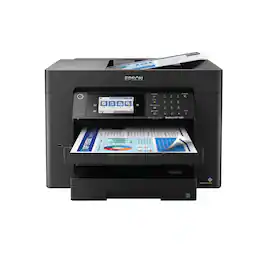
Supercharge workplace efficiency and productivity with the ultra fast WorkForce Pro WF-7840. Offering high-speed wide-format printing, this reliable all-in-one consistently delivers sharp, professional-quality, prints using innovative PrecisionCore Heat-Free Technology and vivid DURABrite Ultra inks. Built from the ground up to meet the demands of fast-paced businesses, the WF-7840 tackles a variety of tasks with wide-format printing up to 13" x 19", auto 2-sided print, copy, scan and fax, a 50-sheet rear tray, and a large, 500-sheet paper capacity. Convenient and easy-to-use, this complete duplex solution offers an abundance of features for simplified operation and navigation, including a 4.3" color touchscreen and wireless setup using mobile devices
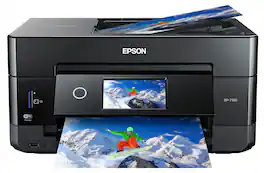
Get creative with this Epson Expression Premium XP-7100 Small-in-One printer. This compact device quickly prints gorgeous, durable photos with smudge-resistant Claria ink and lets you explore your creativity with specialty paper and DVD printing. This Epson Expression Premium XP-7100 Small-in-One printer gets the job done quickly with the 30-page auto document feeder and two-sided printing, scanning and copying.Fast print speeds up to 15.8 ISO ppm* in black, up to 11 ISO ppm* in color; creates a 4" x 6" photo-quality print in as little as 12 seconds.*
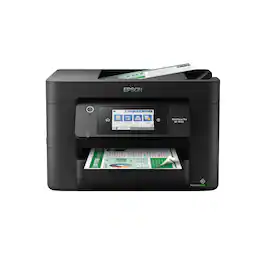
Experience the power of high-performance business printing with the WorkForce Pro WF-4820. Providing high-speed printing, the WF-4820 blazes through high-volume print jobs at an astounding 25 black/12 color ISO ppm†. Built for productivity, this reliable printer consistently delivers sharp, professional-quality prints with innovative PrecisionCore Heat-Free Technology and vivid DURABrite Ultra instant-dry pigment inks. An efficient, easy-to-use solution, the WF-4820 offers convenient features designed to enhance efficiency and streamline workflow, including a large, 4.3" color touchscreen for intuitive navigation, a 250-sheet paper capacity, auto 2-sided printing, wireless connectivity and more.
| Pros for Epson - WorkForce Pro WF-7820 Wireless Wide-format All-in-One Inkjet Printer - Black | |||
|---|---|---|---|
| There were no pros for this product— | There were no pros for this product— | Print Quality, Ease of use, Overall Performance, Size, Setup | Print Quality, Ease of use, Overall Performance, Setup, Size |
| Cons for Epson - WorkForce Pro WF-7820 Wireless Wide-format All-in-One Inkjet Printer - Black | |||
| There were no cons for this product— | There were no cons for this product— | Paper Tray | Scanning |
Specs
Reviews
Customer Images
The vast majority of our reviews come from verified purchases. Reviews from customers may include My Best Buy members, employees, and Tech Insider Network members (as tagged). Select reviewers may receive discounted products, promotional considerations or entries into drawings for honest, helpful reviews.
- Rated 4 out of 5 stars
My very own printer!
It’s a good printer; my trusty old HP printer finally gave up on me last week. It had been with me through late-night college paper sessions, creative projects for the kids, and all my personal printing needs. The cons are that they are very heavy to move around, and all color cartridges run out quickly.
This review is from Epson - WorkForce Pro WF-7820 Wireless Wide-format All-in-One Inkjet Printer - Black
EvaR Posted
- Rated 5 out of 5 stars
Cvt@69
Easy to set up and easy to use.Delivery was prompt
This review is from Epson - WorkForce Pro WF-7820 Wireless Wide-format All-in-One Inkjet Printer - Black
CharityvT Posted
- Rated 5 out of 5 stars
Love it easy setup prints clean!
Amazingprinter for the price. Great for office and ho.e. great display and wifi printin
This review is from Epson - WorkForce Pro WF-7820 Wireless Wide-format All-in-One Inkjet Printer - Black
Eric Posted







