eufy - FamiLock S3 Max WiFi Replacement Deadbolt with 2K Video Doorbell and Palm Scanner - Gray
eufy - FamiLock S3 Max WiFi Replacement Deadbolt with 2K Video Doorbell and Palm Scanner - Gray
Related Item

Highlights
- Key Specs
- Color Finish: Gray
- Lock Type: Deadbolt
- Lock/Unlock Mechanism: Fingerprint, Voice assistant, Keypad, App (There are several technologies used by smart locks to manage access, such as biometrics, Bluetooth, or NFC. Some locks allow codes to be entered via a keypad or touchscreen; digital keys can often be sent to multiple authorized devices or temporarily shared with guests.)
- Power Source: Battery-powered
- Installation Type: Replacement
- Wireless Connectivity: Matter, Wi-Fi, Bluetooth (The manner in which a device sends data to another device over a short distance without the use of wires or cables.)
- General
- Brand: eufy
- Model Number: E85V0JY1
- Product Name: FamiLock S3 Max WiFi Replacement Deadbolt with 2K Video Doorbell and Palm Scanner
- Color: Gray
- Color Finish: Gray
- Features
- Finish: Grey
- Lock Type: Deadbolt
- Lock/Unlock Mechanism: Fingerprint, Voice assistant, Keypad, App (There are several technologies used by smart locks to manage access, such as biometrics, Bluetooth, or NFC. Some locks allow codes to be entered via a keypad or touchscreen; digital keys can often be sent to multiple authorized devices or temporarily shared with guests.)
- Auto Unlock: false (Locks with this feature automatically unlock when certain conditions are met, such as coming within range of a home wireless network or when activated via a mobile app.)
- Unlock Notifications: true
- Number of Keypad Codes Supported: 100 (Multiple keypad codes can be programmed to allow temporary access for guests, deliveries, and more while keeping primary codes secure.)
- Remote Monitoring Capabilities: true (Monitor)
- Power
- Power Source: Battery-powered
- Rechargeable Battery: true
- Battery Chemistry: Lithium-ion
- Low-Battery Indicator: true
- Compatibility
- Installation Type: Replacement
- App Compatible: true (The product can be connected to a program or software application on a mobile device, which then receives collected data from the product.)
- Wireless Connectivity: Matter, Wi-Fi, Bluetooth (The manner in which a device sends data to another device over a short distance without the use of wires or cables.)
- Network Connectivity: 2G, 5G (The manner in which a device sends data to another device over a long distance using a cellular network.)
- Operating System Compatibility: Apple iOS, Android
- Works With: Amazon Alexa, Apple Home, Google Home, SmartThings (Compatible with or able to be connected to other smart devices or applications.)
- Performance
- Minimum Operating Temperature: -22.0 degrees fahrenheit (The lowest recommended ambient (surrounding) temperature in which the product can ideally operate stated by the manufacturer. Generally long-term exposure of the product to temperatures less than the minimum can result in ineffective operation.)
- Maximum Operating Temperature: 158 degrees fahrenheit (The highest recommended ambient (surrounding) temperature in which the product can ideally operate stated by the manufacturer. Generally long-term exposure of the product to temperatures more than the maximum can result in ineffective operation.)
- Warranty
- Warranty - Parts: 18 Month Limited Warranty
- Warranty - Labor: 18 Month Limited Warranty
- Other
- UPC: 194644290276
Take front door protection to the next level with eufy's FamiLock S3 Max, allowing you to effortlessly and securely unlock your door with just a wave of the hand. The 3-in-1 smart lock features a 2K HD camera, video doorbell, and smart lock developed to meet your family's evolving access needs. With accurate, forgery-proof palm vein technology, FamiLock S3 Max recognizes the unique vein pattern on your hand's palm in just 0.1 seconds with up to 99.99999% accuracy. Ideal for the whole household, including kids and older relatives, each person's palm vein data is stored locally on-device, making it only accessible to you. The integrated color video screen on the inner lock provides a seamless, app-free alternative for monitoring who or what is at the front door. Providing peace of mind when older parents or kids arrive home, eufy FamiLock S3 Max keeps you connected and reassured. Gain sharp, clear views from the built-in 2K HD camera and f/1.6 lens that provides detailed footage even in twilight or sunset hours. Goodbye blind spots with the camera's 150° head-to-toe, wide-angle coverage. Innovative PowerDuo technology offers powerful charging options and superior flexibility. Enjoy up to 6 months of power with the 15,000mAH rechargeable battery; and an emergency set of four AAA batteries provide an extra month of charge in case of emergency power outages. Enjoy a robust, customized smart home ecosystem by adding HomeBase 3 for advanced AI features and enhanced security. The eufy app provides remote control and access from anywhere and sends real-time alerts when packages are delivered, or guests stop by. Matter compatibility provides easy, secure connection with Apple Home, Google Home, Alexa, and SmartThings.
- Easier and Faster Unlock with Just Your Palm:: Experience secure, forgery-proof palm vein recognition with 99.99999% accuracy in just 0.1 seconds - based on your unique vein patterns. Ideal for families of all ages as kids no longer fumble with keys, and grandparents enjoy keyless convenience without sacrificing security.
- Local Security*, No Monthly Fees:: Palm vein data is stored locally on the palm smart lock, keeping your privacy entirely in your hands; and with no monthly subscription fees.
- 3-in-1 Front Door Security:: 2K HD camera with an f/1.6 lens + video doorbell + smart lock. Eliminate blind spots and enjoy sharp, clear visibility with 150° head-to-toe wide views - ideal for monitoring packages or checking on visitors. Ideal for times when older people or children are home alone, the integrated smart lock sends real-time visitor alerts.
- See and Decide, No App Needed:: Effortlessly see who and what is at the front door even without the eufy App. The simple, intuitive design is ideal for the elderly and children, offering a quick and hassle-free way to see activity at the door.
- Dual Power Supply System:: Stay powered with a rechargeable battery offering up to 6 months of full functionality. Four complementary AAA batteries provide an extra month of essential functionality in case of power outages
- Works with Matter & Apple Home:: Sync FamiLock S3 Max with eufy HomeBase 3 to take advantage of advanced AI features and enhanced security. Matter compatibility provides easy, secure connections with Apple Home, Google Home, Alexa, and SmartThings.
Whats Included
- 1 x Video Smart Lock S3 Pro Exterior
- 1 x Video Smart Lock S3 Pro Interior
- 1 x Hardware Kit
- 1 x Charging Cable
- 1 x Quick Start Guide
Q: What is the accuracy of the palm vein recognition?
A: The palm vein recognition boasts an accuracy of 99.99999%.
Q: Who is the eufy FamiLock S3 Max designed for?
A: The eufy FamiLock S3 Max is designed for every family member.
Q: Which smart home platforms is this lock compatible with?
A: The lock is compatible with Apple Home, Google Home, Alexa, and SmartThings through Matter.
Q: Does this smart lock require a monthly subscription?
A: No, there are no monthly subscription fees associated with this smart lock.
Q: How long does the battery last on a single charge?
A: The rechargeable battery provides up to 6 months of use on a single charge.
Q: Is there a backup power option if the main battery fails?
A: Yes, four AAA batteries can provide an additional month of essential functionality during power outages.
Q: What is the field of view of the built-in camera?
A: The camera has a 150° wide-angle lens, providing head-to-toe coverage.
Q: Does the S3 Max replace conventional doorbells?
A: I couldn’t find specific information about whether the S3 Max replaces conventional doorbells in the data provided. Based on your query linking to the "S3 Max WiFi Replacement Deadbolt with 2K Video Doorbell and Palm Scanner," it's likely that this product integrates deadbolt lock functionality with a built-in video doorbell. However, whether it fully replaces conventional doorbells depends on its compatibility with your existing doorbell wiring and chime. For accurate details, it's ideal to review its product description or specification directly on the website listing.
Compare similar products

Take front door protection to the next level with eufy's FamiLock S3 Max, allowing you to effortlessly and securely unlock your door with just a wave of the hand. The 3-in-1 smart lock features a 2K HD camera, video doorbell, and smart lock developed to meet your family's evolving access needs. With accurate, forgery-proof palm vein technology, FamiLock S3 Max recognizes the unique vein pattern on your hand's palm in just 0.1 seconds with up to 99.99999% accuracy. Ideal for the whole household, including kids and older relatives, each person's palm vein data is stored locally on-device, making it only accessible to you. The integrated color video screen on the inner lock provides a seamless, app-free alternative for monitoring who or what is at the front door. Providing peace of mind when older parents or kids arrive home, eufy FamiLock S3 Max keeps you connected and reassured. Gain sharp, clear views from the built-in 2K HD camera and f/1.6 lens that provides detailed footage even in twilight or sunset hours. Goodbye blind spots with the camera's 150° head-to-toe, wide-angle coverage. Innovative PowerDuo technology offers powerful charging options and superior flexibility. Enjoy up to 6 months of power with the 15,000mAH rechargeable battery; and an emergency set of four AAA batteries provide an extra month of charge in case of emergency power outages. Enjoy a robust, customized smart home ecosystem by adding HomeBase 3 for advanced AI features and enhanced security. The eufy app provides remote control and access from anywhere and sends real-time alerts when packages are delivered, or guests stop by. Matter compatibility provides easy, secure connection with Apple Home, Google Home, Alexa, and SmartThings.

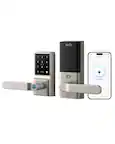
Experience ultra-fast, convenient keyless door unlocking and seamless smart home integration to your new and existing automation devices with eufy Smart Lock E31. Stop fumbling for keys when your hands are full and unlock your front or back door in less than 0.3 seconds using just your fingerprint. The lock’s intelligence improves fingerprint recognition with each use, ensuring quick access for your family. Enjoy multiple door unlocking options: eufy App, built-in keypad, included physical key, or voice commands via Siri, Alexa or Google Assistant. Seamlessly link eufy’s Matter-supported smart lock to your current smart home ecosystem using your existing home automation hub. It features compatibility with all major smart home ecosystems, including Apple Home, Google Home, Alexa, and SmartThings for easy, hands-free management of your Smart Lock and more. It pairs with Apple HomePod or other smart devices to experience simple setup, guest access management, real-time notifications, event logs, and remote unlocking.

eufy Video Smart Lock E330, 3-in-1 Camera+Doorbell+Fingerprint Keyless Entry Door Lock, Smart Built-in Wi-Fi Deadbolt for Front Door, Auto Lock, App Remote Control, Easy Installation, No Monthly Fee

eufy FamiLock S3 Smart Lock With Palm Vein Recognition - Keyless Entry Door Lock for Front Door, 3-in-1 Wi-Fi Keypad Deadbolt+ 2K HDR Camera+ Doorbell, ANSI/BHMA Grade 1, Motion Sensor, No Monthly Fee
| Pros for eufy - FamiLock S3 Max WiFi Replacement Deadbolt with 2K Video Doorbell and Palm Scanner - Gray | |||
|---|---|---|---|
| Battery Life, Overall Performance, Video Quality, Installation Ease, Palm Scanner Performance | Overall Performance, Battery Life, Ease of Use, Fingerprint Sensor, Installation | There were no pros for this product— | There were no pros for this product— |
Specs
Reviews
Customers are saying
Customers have good things to say about the FamiLock S3 Max WiFi Replacement Deadbolt with 2K Video Doorbell and Palm Scanner, particularly regarding its video quality, which users describe as fantastic. The palm scanner is also a well-received feature. Finally, customers appreciate the easy and simple installation process and the system's nice battery life.
- Video Quality (30)
- Installation Ease (25)
- Palm Scanner Performance (20)
Customer Images
The vast majority of our reviews come from verified purchases. Reviews from customers may include My Best Buy members, employees, and Tech Insider Network members (as tagged). Select reviewers may receive discounted products, promotional considerations or entries into drawings for honest, helpful reviews.
- Rated 4 out of 5 stars
Smart and Well built Lock!
This device works very well as a standalone unit that doesn't require a home base. While the home base does provide faster access, I specifically chose this model so my kids can see outside on the screen without opening the door or checking. Two areas for improvement are clear: with a faster connection, loading times can occasionally be longer, and there isn’t a way to hide the door’s frame. Overall, it performs even better with a home base. I also purchased an extra battery to ensure there’s no downtime when the battery runs low.
Muhu Posted
- Rated 5 out of 5 stars
Eufy Smart Locks
I like this eufy smart door lock very much because I don't have to bring any keys with me. This Eufy Smart Lock can read my palm all the time and very easy to go out and in. This lock also has a auto lock when you just close the door for 15 or 20 seconds depending on the setting.
VMoua Posted
- Rated 5 out of 5 stars
All the Features, None of the Hidden Fees
I’ve been looking to replace my front deadbolt with a smart lock, but I wanted one that provided video and a way to see who was on the outside. Our front door doesn’t have a peephole like most, instead it has some windows at the top, but unfortunately, we’re too short to see out them. So, when I saw the Eufy FamiLock S3 Max had a video camera with large screen on the inside, I had to pick one up to try it out. Pros: - Easy install, fits most standard doors. - Large internal screen. - Dual battery system. - No Fee & local storage only. Cons: - Installation video is one video, if you miss a step you will have to go back in the video. - App can be a laggy when registering palms. Setup: Installation of the Eufy FamiLock S3 Max was straight forward and simple. Just remove the old deadbolt, adjust the center of the deadbolt pin with the hole for the lock, slide on the outside keypad, then slide on the backplate and screw into the keyboard. Be mindful of the cables, as the screen on the inside only has just enough wiggle room to attach the cables and align for screwing onto the backplate. Installation took about 30mins, most of that time was spent pausing and backtracking the install video. I wish the installation video was split into steps that you could proceed at your own pace. This is partially my own fault due to my phone lock screen settings. I would watch the video, pause, then do the step, then must unlock my phone, the video would start again, and I would miss the details on that next step. So, I’d have to backtrack in the video, wait till the part I missed came up, then rinse and repeat. It was only a minor annoyance but would be solved by splitting the instruction video up by steps…. Or by removing my screen lock timeout. Once you have everything setup, you can proceed with the app setup steps to connect and configure your FamiLock S3 Max. One of the first steps is calibrating the lock, which ensures the lock mechanism is aligned and able to close the door. Software: The Eufy App is just as easy to use from setting up the Eufy FamiLock S3 Max to adjusting the video settings. The app is exactly what I wanted, simple and straightforward. From the home tab you can easily see the current feed or last event from your device, select it and navigate to the settings for that device. The FamiLock S3 Max comes with many different features from Auto Lock to Quick Responses to Loitering Detection. I really enjoy all the features but what blew me away was that the default settings all made sense and seemed like someone thought about what would be best for the user, me, when setting up the default settings. I only adjusted the distance for detection and moved the center of the video on the internal screen, but the rest of the settings all made sense to leave as is initially. I’ll for sure adjust them if I find any being an issue, but I don’t see a reason to right now. The only issue I’ve had with the Eufy App so far has been the occasional hang up or lag, where the app becomes unresponsive for a duration. This is easily fixed by closing the app and reopening. I hope a future update fixes the issue, but for now it’s not an issue but just an annoyance occasionally. Service & Data Security: Eufy doesn’t require a service fee at access all the features on the smart lock, like video recordings and smart features. These all come with the device, though if you want cloud backup you can pay a monthly fee. One of my favorite details is the data security of the information collected by the Eufy devices. All the data collected such as your palm scan or video recordings are stored locally on the device by default. If you have a HomeBase3 or Chime device, the video recordings will be stored on those devices while all bio metrics are only stored on the device. This additional scrutiny of data storage controls really set Eufy apart from many other options for smart doorbells/locks. User Registration: You have 2 ways to share access to your smart lock with Eufy. To register new users through your app, navigate to the Manage Access for the FamiLock S3 Max in the app. Select Add Access at the bottom, give the access a Name and Pin Code at minimum. You can add Palm Scan for the Left and Right hands if you wish to. Alternatively, you can share your Device with a family or friend who have the Eufy app. They will need to have the App and an existing account to have access via their own device. You can decide to add them as an Admin or Guest, with Guest only having access to view the device. Palm Scan: The Palm Scan was simple, just setup a normal User Access, set the Name and Pin Code, then add the Left- or Right-hand palm scan (you can add both if you want). You must hold your hand about 4in away from the sensor while it scans, but the biggest thing is you need to do this while the door is closed and locked. SO, MAKE SURE YOU HAVE THE KEY OR CODE WITH YOU TO OPEN IT! Or get locked out if the scan doesn’t work. I didn’t have an issue, but did have a good laugh about the warning in the app about getting locked out. Video Doorbell: One of the main reasons I picked out the FamiLock S3 Max was for the large screen on the inside, being able to easily see who is on the other side of the door is a major improvement. Most of the time the screen is off but can easily be turned on with a push of the button below the screen. Which is super helpful for those without the app. Additionally, as mentioned above, you can adjust the focus of the screen to the full fisheye view or zoomed into where someone would stand. This is a huge plus, as about half of the view is our side wall, so being able to move the focus of the screen over gives a view behind to the street, which helps with security. The screen on the back of the door beats stepping up on a stepstool to be able to see out the door windows any day. I’ve yet to have anyone ring the door when we’re not home, so I cannot comment on how well the ringer can hear me, but I’ve been able to trigger the quick responses by standing by the door and they are quite clear. All the video recordings are easy to hear and see what is happening, without any major distortion. Dual Power Supply: The main battery is removeable and rechargeable via a USB-C plug with a backup power supply from 4 AAA Batteries. This dual power supply allows the FamiLock S3 Max to still provide functionality even while the main battery is being charged. Recharging can take from 8 to 10 hours depending on the speed of the charger, with a single full charge lasting roughly 6 months according to Eufy. We’ll see after 6 months go by. Conclusion: If you want a smart lock with all the features, and no subscription, Eufy has you covered with the FamiLock S3 Max! Video Recording and Remote calls without any of the subscription’s fees, while also storing all your data locally on the device for added comfort. Install is simple and straightforward, just like the app. Overall, I’ll be adding the Eufy FamiLock S3 Max to my list of recommendations for smart lock upgrades.
BradfordBT Posted