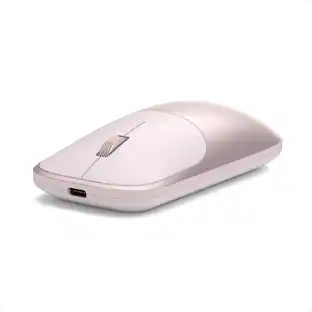
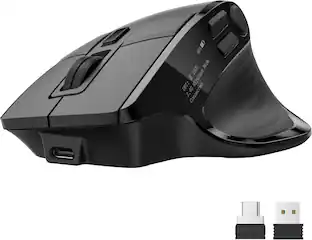
Incase - Microsoft 1850 Mouse - Optical - Wireless - Radio Frequency - USB 2.0 - 1000 dpi - Scroll Wheel - Symmetrical - Wireless - Black
Reviews coming soon
About this product
Microsoft 1850 Mouse - Optical - Wireless - Radio Frequency - Black - USB 2.0 - 1000 dpi - Scroll Wheel - Symmetrical
Features
Designed for Comfort and Portability
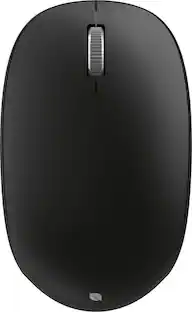
The Wireless Mobile Mouse 1850 is designed for life on the go, offering wireless freedom and built-in transceiver storage for ultimate mobility. Comfortable to use with either hand and a scroll wheel for easy navigation makes this mouse the ideal device for your modern, mobile lifestyle.
Scroll Wheel
Move through documents and webpages quickly.
Comfort and Portability
Compact design to fit in your hand and go wherever you go.
Plug-and-Go Nano Transceiver
Leave the Nano Transceiver plugged in when you're on the go, or stow it away in the mouse.
Comfortable in either hand
Use your mouse with your left or right hand. Ambidextrous design makes it comfortable either way.
Specifications
- Connection TypeWireless
Reviews
This product doesn't have any reviews yet.

- SteelSeries - Rival 3 Gen 2 Wireless Optical Gaming Mouse with Ultra-fast clicks - Wireless - Black$49.99The price was $59.99


Compare similar products

Microsoft 1850 Mouse - Optical - Wireless - Radio Frequency - Black - USB 2.0 - 1000 dpi - Scroll Wheel - Symmetrical

Magic Mouse is wireless and rechargeable, with an optimized foot design that lets it glide smoothly across your desk. The Multi-Touch surface allows you to perform simple gestures such as swiping between web pages and scrolling through documents. The rechargeable battery will power your Magic Mouse for about a month or more between charges.* It’s ready to go right out of the box and pairs automatically with your Mac. It features a USB-C port and includes a woven USB-C Charge Cable that lets you pair and charge by connecting to a USB-C port on your Mac, so you can charge all of your favorite devices with just a single cable.

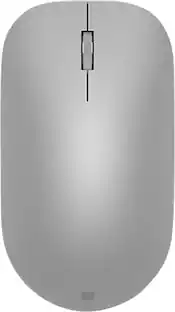
Compact, colorful, wireless. The Bluetooth Mouse, Designed by Microsoft, is a modern and compact mouse that comfortably fits in your hand, no matter where you are. With enhanced, smooth tracking on most surfaces the mouse wirelessly connects and offers up to 12 months of battery life, while coming in several colorways.
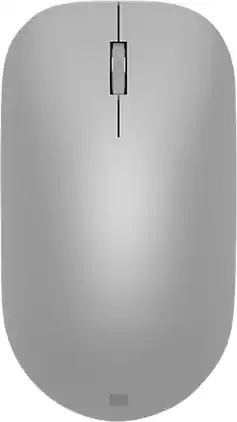
Maintain steady control over your internet browsing and other computing tasks with this Microsoft Surface mouse. It's ergonomically sculpted for comfort, and it has a metal scroll wheel for accurate navigation. This Microsoft Surface mouse is suitable for both left-handed and right-handed users, and Bluetooth connectivity lets you connect wirelessly to your computer.
| Pros for Incase - Microsoft 1850 Mouse - Optical - Wireless - Radio Frequency - USB 2.0 - 1000 dpi - Scroll Wheel - Symmetrical - Wireless - Black | |||
|---|---|---|---|
| There were no pros for this product— | Overall Performance, Battery Life, Ease of Use, Design, Connectivity | Overall Performance, Connectivity, Ease of Use, Size | Design, Battery Life, Ease of use, Bluetooth, Compatibility |
| Cons for Incase - Microsoft 1850 Mouse - Optical - Wireless - Radio Frequency - USB 2.0 - 1000 dpi - Scroll Wheel - Symmetrical - Wireless - Black | |||
| There were no cons for this product— | Charging Port Placement, Scrolling, Size | There were no cons for this product— | Connection, Scroll Wheel |
Specs
Be the first to ask a question.
We’ll try to get your question answered within 24 hours by a Best Buy customer or brand representative.
Customers often buy these together
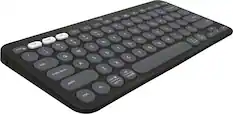
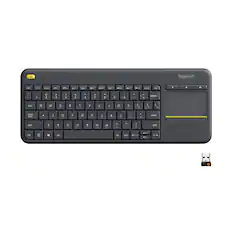
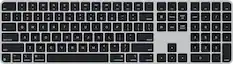
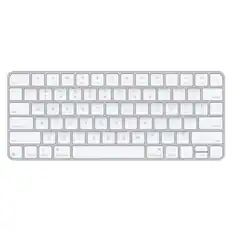
Computer Keyboards

![The text on the image reads:
888 DD DI DD 4 DSC i F2 F3 4 FS T6 ET 1. 1N IN F.. 11 1.. 114 1n F1 F12 118 in9 - a ee 1 8F 2 3 $ 4 % 5 A 6 & 7 . 8 I 9 I 0 ee I + = delete fn home page up clear - / + tab Q W E R T Y U I 0 P { [ ] ] | I delete end page down 7 8 9 ee caps lock A S D F G H J K L : I - return 4 5 6 + shift Z X C V N M < F > ? / shift a 1 2 3 control option 2 command 3 command option control Y - 0 enter
After grouping and correcting the text, it reads:
888 DD DI DD 4 DSC i F2 F3 4 FS T6 ET 1. 1N IN F.. 11 1.. 114 1n F1 F12 118 in9 - a ee 1 8F 2 3 $ 4 % 5 A 6 & 7 . 8 I 9 I 0 ee I + = delete fn home page up clear - / + tab Q W E R T Y U I 0 P { [ ] ] | I delete end page down 7 8 9 ee caps lock A S D F G H J K L : I - return 4 5 6 + shift Z X C V N M < F > ? / shift a 1 2 3 control option 2 command 3 command option control Y - 0 enter](https://pisces.bbystatic.com/image2/BestBuy_US/images/products/f4059d3a-0c2a-46ef-bcfd-4e11b9b26d5d.jpg;maxHeight=232;maxWidth=233?format=webp)



More to consider
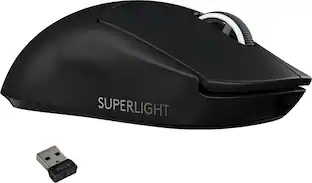
Logitech PRO X SUPERLIGHT Lightweight Wireless Optical Gaming Mouse with HERO 25K Sensor
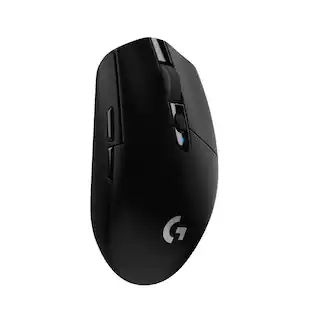
Holiday Deal$109.99The price was $139.99Logitech G305 LIGHTSPEED Wireless Optical 6 Programmable Button Gaming Mouse with 12,000 DPI HERO Sensor
$29.99The price was $49.99Logitech M170 Mouse - Optical - Wireless - Radio Frequency - 2.40 GHz - USB - Symmetrical
$28.12The price was $36.66



Explore tech essentials Sponsored



Keep exploring
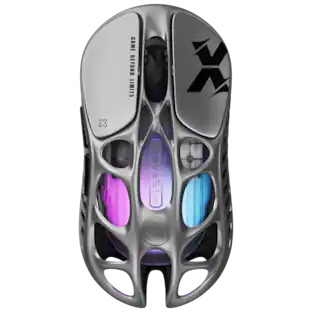
GravaStar Mercury X Wireless Optical Gaming Mouse with 32000 DPI and 49g Magnesium Alloy Frame
$75.95The price was $109.95