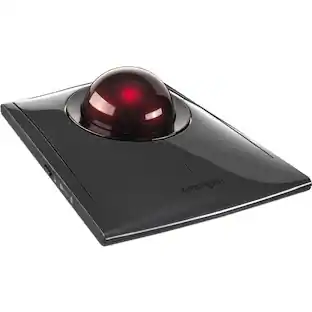
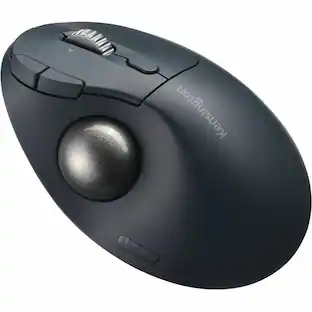
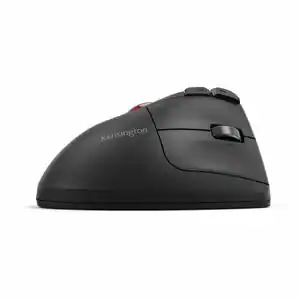
Kensington - Pro Fit Ergo TB450 Trackball - Optical - Wireless - Bluetooth - 2.40 GHz - USB 2.0 Type A - 1600 dpi - Wireless - Black
Reviews coming soon
About this product
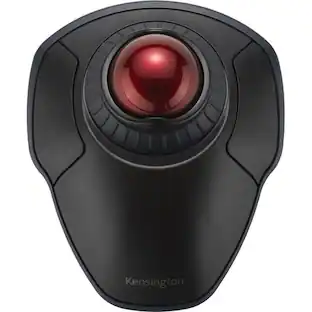
Kensington Pro Fit Ergo TB450 Trackball - Optical - Wireless - Bluetooth - 2.40 GHz - Black - USB 2.0 Type A - 1600 dpi - Trackball, Scroll Wheel - 5 Programmable Button(s) - 1 / Each
Features
Ergonomic Design
The sculpted design provides all-day comfort and features a unique 45° tilt that helps improve wrist and forearm alignment.
Dual Wireless (Bluetooth® + 2.4GHz) Connection Capabi...
The TB450 includes a choice of Bluetooth® Low Energy (LE) and 2.4GHz wireless connection (2.4GHz nano receiver included).
Long Battery Life
The TB450 offers up to 18 months of use with 2.4GHz and up to 15 months of use with Bluetooth®. Use of non-Alkaline batteries may result in shorter battery life.
Adopts GRS-certified 70% Recycled ABS. 50% Of Overall Pla...
Kensington is committed to help reduce the impact of plastic on the global environment.
Patented Cleaning System
The unique, easy-to-clean design features a built-in trackball ejection button to effortlessly remove the trackball for cleaning when needed.
Specifications
- Connection TypeWireless
Reviews
This product doesn't have any reviews yet.
Compare similar products
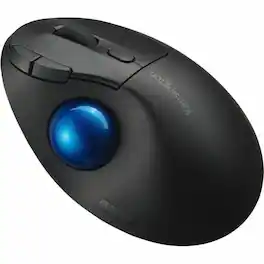
Kensington Pro Fit Ergo TB450 Trackball - Optical - Wireless - Bluetooth - 2.40 GHz - Black - USB 2.0 Type A - 1600 dpi - Trackball, Scroll Wheel - 5 Programmable Button(s) - 1 / Each

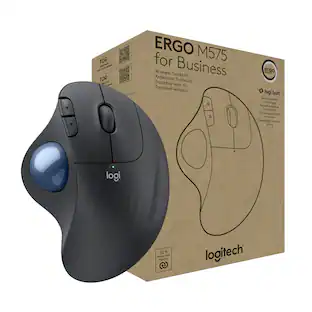
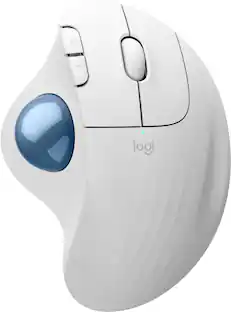
Minimize movement and maximize comfort with the Logitech ERGO M575S wireless trackball mouse. Thumb control lets you move the cursor without moving your arm, while the sculpted ergonomic design fully supports your hand and keeps your forearm in a more natural position. This wireless ergonomic mouse has been developed by Logi Ergo Lab experts, user-tested and certified by ergonomists to give you 25% less muscle strain in your forearm . The smooth and responsive thumb control can be used anywhere – and since it doesn’t need to be moved, the ERGO M575S is perfect for tight setups and busy desks.

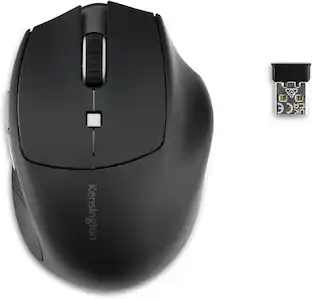
Adesso iMouse T30 Wireless Programmable Ergonomic Trackball Mouse - Optical - Wireless - Radio Frequency - 2.40 GHz - Black - USB - 4800 dpi - Trackball, Scroll Wheel - 7 Button(s) - Right-handed - 2 x AAA Battery Supported

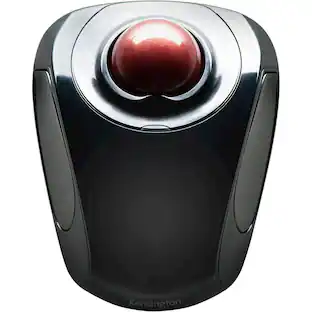
Tackle complex tasks or browse documents effortlessly with this Orbit wireless mobile trackball. An ergonomic setup and ambidextrous design allow for comfortable use, while the touch operation provides accurate, efficient scrolling. Customize the two buttons using free downloadable software for even greater ease of operation. A wireless USB nano receiver makes it easy to connect this Orbit wireless mobile trackball to a PC or Mac device.
| Pros for Kensington - Pro Fit Ergo TB450 Trackball - Optical - Wireless - Bluetooth - 2.40 GHz - USB 2.0 Type A - 1600 dpi - Wireless - Black | |||
|---|---|---|---|
| There were no pros for this product— | Ergonomics, Overall Performance, Ease of Use, Connectivity, Battery Life | There were no pros for this product— | There were no pros for this product— |
| Cons for Kensington - Pro Fit Ergo TB450 Trackball - Optical - Wireless - Bluetooth - 2.40 GHz - USB 2.0 Type A - 1600 dpi - Wireless - Black | |||
| There were no cons for this product— | Button Sensitivity, Compatibility | There were no cons for this product— | There were no cons for this product— |
Specs
Customers often buy these together
Computer Keyboards

![The text on the image reads:
888 DD DI DD 4 DSC i F2 F3 4 FS T6 ET 1. 1N IN F.. 11 1.. 114 1n F1 F12 118 in9 - a ee 1 8F 2 3 $ 4 % 5 A 6 & 7 . 8 I 9 I 0 ee I + = delete fn home page up clear - / + tab Q W E R T Y U I 0 P { [ ] ] | I delete end page down 7 8 9 ee caps lock A S D F G H J K L : I - return 4 5 6 + shift Z X C V N M < F > ? / shift a 1 2 3 control option 2 command 3 command option control Y - 0 enter
After grouping and correcting the text, it reads:
888 DD DI DD 4 DSC i F2 F3 4 FS T6 ET 1. 1N IN F.. 11 1.. 114 1n F1 F12 118 in9 - a ee 1 8F 2 3 $ 4 % 5 A 6 & 7 . 8 I 9 I 0 ee I + = delete fn home page up clear - / + tab Q W E R T Y U I 0 P { [ ] ] | I delete end page down 7 8 9 ee caps lock A S D F G H J K L : I - return 4 5 6 + shift Z X C V N M < F > ? / shift a 1 2 3 control option 2 command 3 command option control Y - 0 enter](https://pisces.bbystatic.com/image2/BestBuy_US/images/products/f4059d3a-0c2a-46ef-bcfd-4e11b9b26d5d.jpg;maxHeight=232;maxWidth=233?format=webp)
More to consider
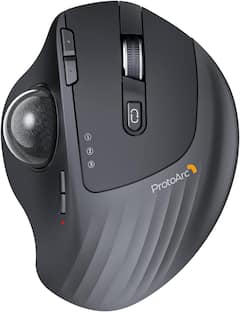
ProtoArc Wireless Trackball Mouse, Rechargeable Thumb Control,Trackball Ergonomic Mouse
$46.99The price was $49.99





Explore tech essentials Sponsored
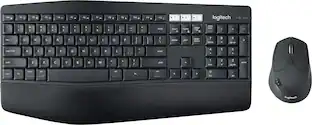
Logitech MK850 Performance Full-size Wireless Membrane Keyboard and Mouse Combo for PC and Mac
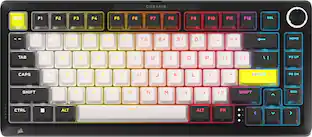
Black Friday Deal$69.99The price was $99.99CORSAIR MAKR PRO 75 Hall Effect DIY keyboard - full aluminum build, gasket mounting, and 8kHz polling
$179.99The price was $249.99
Keep exploring
GravaStar Mercury X Wireless Optical Gaming Mouse with 32000 DPI and 49g Magnesium Alloy Frame
$79.95The price was $109.95