KINESIS - Freestyle2 Split Ergonomic Keyboard for Mac with VIP3 Tenting Kit - Graphite
Reviews coming soon
About this product
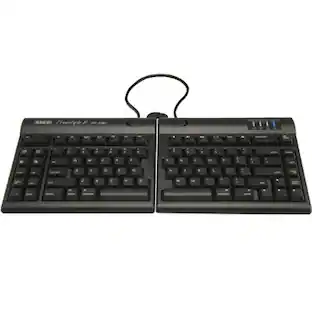
The Kinesis Freestyle2 Ergonomic Keyboard for Mac with VIP3 Tenting Kit is designed to improve comfort and reduce strain during extended typing. Its split keyboard design allows users to position each module to match shoulder width, promoting a natural typing posture. The included VIP3 tenting accessory enables adjustable tenting angles to help reduce forearm pronation and support a more neutral wrist position. The keyboard features low-force membrane keys for a quiet, comfortable typing experience. Designed specifically for Mac users, it includes familiar shortcuts and layout. With plug-and-play USB connectivity and an integrated USB hub, the Freestyle2 is ideal for office and home workstations seeking ergonomic performance and flexibility.
Color
GraphiteFeatures
Split Ergonomic Design
Adjustable split layout supports natural arm positioning and reduces strain.
VIP3 Tenting Kit Included
Adjustable tenting angles help maintain neutral wrist and forearm posture.
Mac Layout
Designed specifically for Mac with familiar shortcuts and key layout.
Quiet Typing Experience
Low-force membrane keys provide smooth and quiet operation.
Integrated USB Hub
Includes built-in USB hub for connecting peripherals.
Specifications
- Form FactorErgonomicConnection TypeWired
Reviews
This product doesn't have any reviews yet.


Compare similar products

The Kinesis Freestyle2 Ergonomic Keyboard for Mac with VIP3 Tenting Kit is designed to improve comfort and reduce strain during extended typing. Its split keyboard design allows users to position each module to match shoulder width, promoting a natural typing posture. The included VIP3 tenting accessory enables adjustable tenting angles to help reduce forearm pronation and support a more neutral wrist position. The keyboard features low-force membrane keys for a quiet, comfortable typing experience. Designed specifically for Mac users, it includes familiar shortcuts and layout. With plug-and-play USB connectivity and an integrated USB hub, the Freestyle2 is ideal for office and home workstations seeking ergonomic performance and flexibility.

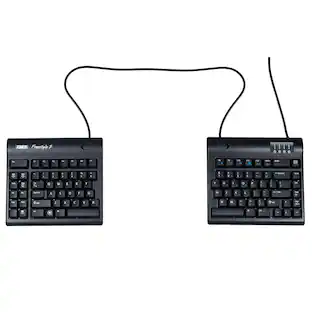
Introducing the Kinesis Freestyle2 ergonomic keyboard for PC, designed with an award-winning split design that allows you to rotate and separate the key modules up to 20 degrees. This flexibility helps achieve natural hand, wrist, and forearm positions tailored to your unique body type and preferences. Featuring a standard Windows layout, the Freestyle2 includes essential hotkeys for Cut, Copy, Paste, and multimedia functionalities, along with an embedded numeric 10-key to enhance your productivity. Best of all, it requires no software or special drivers, making it a user-friendly choice for your computing needs.

The Kinesis Freestyle2 ergonomic keyboard for Mac features a split adjustable design that allows users to position each module independently for improved comfort and reduced wrist strain. Designed specifically for Mac users, it includes a Mac-specific key layout and plug-and-play USB connectivity for easy setup. This model includes the preinstalled V3 Pro Accessory Kit, which enables adjustable tenting and negative tilt to support a more natural wrist and forearm position. Its low-force membrane keys provide a quiet and comfortable typing experience, making it ideal for extended use at home or in the office.
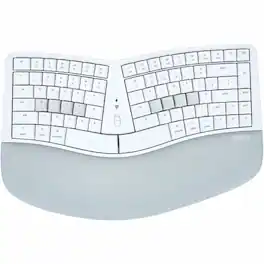
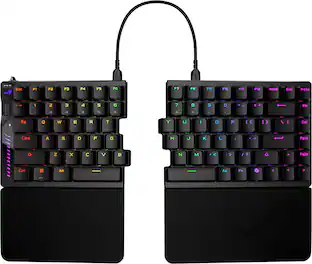
The classic ""sculpt"" design reimagined for a more discerning typists. As the market leader in computer ergonomics, Kinesis has been designing and building premium-grade ergonomic keyboards for more than 25 years. The all-new Kinesis mWave Mechanical Keyboard features a time-tested design UPGRADED for improved typing feel and ergonomics. Fixed Split Design: Split design positions hands closer to shoulder-width in proper typing form to reduce ulnar deviation. Integrated Tenting: Tenting elevates the thumb side of the hand to reduce forearm pronation caused by flat keyboards. Integrated Palm Support: Velvety smooth, washable palm support promotes neutral typing position to reduce wrist extension. Integrated Palm Support: Velvety smooth, washable palm support promotes neutral typing position to reduce wrist extension. Compact Tenkeyless Layout: Tenkeyless layout with embedded keypad results in a smaller footprint for closer mouse placement. Negative Tilt: For those with sensitive wrists, snap on the magnetic feet for a negative typing angle. Tactile Home Row and Arrows: Find the home row and arrow keys without taking your eyes off the screen thanks to their unique sculpted shape. Available Backlighting: Connect the keyboard via USB to illuminate the key legends for working in low light environments.
Specs
Be the first to ask a question.
We’ll try to get your question answered within 24 hours by a Best Buy customer or brand representative.
Customers often buy these together

Razer - Huntsman Mini 60% Wired Optical Clicky Switch Gaming Keyboard with Chroma RGB Backlighting - Black
$68.99The price was $119.99



More to consider
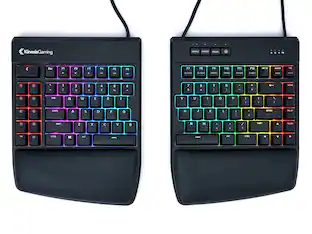
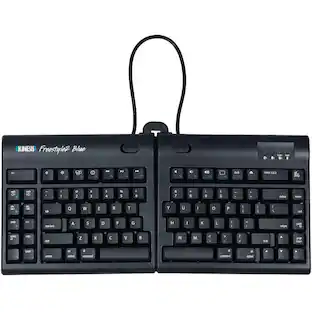
KINESIS KB800PB-BT Wireless Split Keyboard with Bluetooth Multichannel Technology
$120.00The price was $145.11KINESIS Freestyle Edge RGB+ Split Mechanical Keyboard – Linear Switches, Programmable, Ergonomic (KB975-LIN)
$214.75The price was $219.99KINESIS mWave Mechanical Ergonomic Keyboard for Mac with Tactile Switches
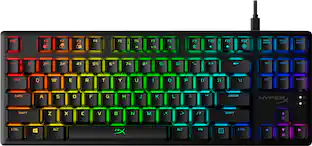
$139.00The price was $145.73HyperX Alloy Origins Core TKL Wired Mechanical Tactile Aqua Switch Gaming Keyboard with RGB Back Lighting
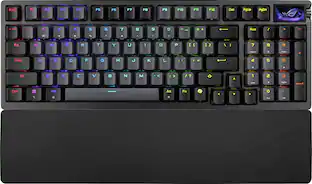
$79.99The price was $104.99ASUS ROG Azoth 96% Wireless Magnetic Hall Effect RGB Gaming Keyboard with Hot-Swappable ROG HFX V2 Switches
$299.99The price was $359.99


Explore tech essentials Sponsored
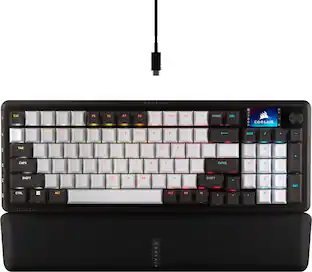
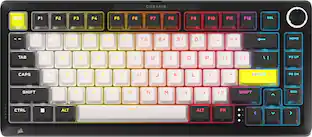
CORSAIR MAKR PRO 75 Hall Effect DIY keyboard - full aluminum build, gasket mounting, and 8kHz polling
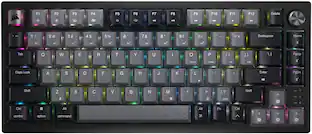
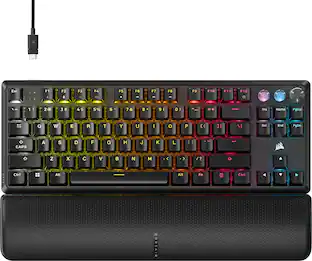
$179.99The price was $249.99CORSAIR K70 PRO TKL Wired Magnetic Hall Effect Programmable Gaming Keyboard with Rapid Trigger
$139.99The price was $169.99
Keep exploring
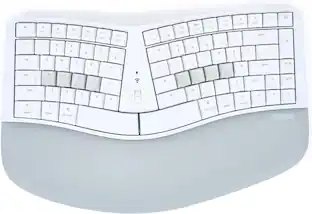
Logitech Wave Keys Ergonomic Wireless Membrane Keyboard for Windows/Mac with Integrated Palm Rest
$89.68The price was $99.99GravaStar Mercury V60 60% Wired Hall Effect Gaming Keyboard with 8000Hz Polling Rate
$129.95The price was $159.95