Rating 4.7 out of 5 stars with 33 reviews
4.7- Screen Size (10)
- Connectivity (4)
- USB-C (4)
- Port Count (3)
- Resolution (3)
Customer Images
The vast majority of our reviews come from verified purchases. Reviews from customers may include My Best Buy members, employees, and Tech Insider Network members (as tagged). Select reviewers may receive discounted products, promotional considerations or entries into drawings for honest, helpful reviews.
- Rated 5 out of 5 stars
No regrets
Best monitor instead of buying multiple. The built in app is a game changer. With its multiple outputs I can hook up my personal laptop, MacBook & work laptop toggle between them without disconnecting
Posted by MeaganD
- Rated 5 out of 5 stars
Picture by Picture
This product was purchased for work. This monitor offers picture by picture which allows the option to use as dual monitors. One of the best features for me is USB-C
Posted by DebraJ
- Rated 5 out of 5 stars
Best Large Monitor
Very easy set up. Comes with proper HDMI and USB-C cords too!
Posted by SheaPenney
- Rated 5 out of 5 stars
Great introduction to curved ultrawide monitors.
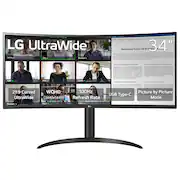
I was hesitant at first if I would like this Curved UltraWide WQHD monitor by LG, since it was only 100Hz. The curved screen was what appealed to me the most and wanted to see how it would work as my daily home office needs. Yes, I was thoroughly impressed with this monitor and what an introduction to the curved monitor world. I was very impressed at how narrow, wide, and how light this monitor is. You can have it attached to the base stand, or have it wall mounted. I chose to have it on the base stand as my wall would not be good for wall mounting. Set up was very easy and once turned on, I was met with a blissful amount of curved screen in HDR that was pleasing to my visual senses. Watching online videos, searching the web, and even doing some light gaming was such a great and fun experience. The ultrawide screen does immerse you into what you are watching. The 3440x1440 resolution monitor is great and offers so much more horizontal space and viewing. Splitting tabs was nice where I no longer needed a second monitor. This really enhanced my productivity when doing projects at home. Even at 100Hz, gaming was great with no dropped frames or issues with pixel clarity. Regarding IO, you have 2 HDMI, Digital Cable, and a USB-C. I connected my USB-C to my Tablet and was able to display my screen on here. Screen quality was clear and a pleasure to view. Overall, what a great screen to have for both productivity uses, video watching, and light gaming. I love the curved screen and high quality. Definitely whets the appetite for this type of screen for my other computers.
Posted by APFLORES413
- Rated 4 out of 5 stars
A Good Ultra Wide With A Lot Of Input Options
LG released another good monitor in their lineup. The 34" Curved UltraWide monitor. The first thing I noticed about it when taking it out of the box was that LG went with connection ports that face straight out of the back of the monitor. So many monitors these days have ports towards the bottom of the monitor that face straight down. I prefer monitors with ports that face straight out of the back as they are much easier to get to and see when trying to plug something into them. The monitor isn't as heavy as I expected. It's easy to move and place where I wanted it. Also the thickness of the monitor's display is less than some other curved monitors that I have. The stand was easy to attach. The vertical part of the stand is a few inches in diameter which gives it a clean look. The base is curved and wide enough that I can set my laptop a few inches inside of the curved part of the base. I'm able to do that with my 15" windows laptop and my MacBook Pro. Connections There are quite a few connections on the back. There are two HDMI, One DP, One USB-C, 3.5mm headphone jack, power adapter port, and two USB-A ports. I connected the USB-C port to my MacBook without any problems. Mac OS recognized the monitor and it's supported resolutions. Setup on the Mac was straight forward. It was the same on Windows through the HDMI port. I needed the extra USB-A ports for my Mac which is why I went the route of using the USB-C port for the Mac. Performance The monitor runs at up to 100Hz which works well with games and is more than enough for desktop application use. I have been using the monitor 8-12 hours a day and, so far, haven't noticed any excessive heat. There hasn't been any flickering and there were no dead pixels. I did have to change the monitor's built-in color profile for the mac. That was easy to do as this is a dedicated monitor and not a monitor/TV (smart monitor) as some new monitors are. The menu system is simple to use and there is a button underneath the center of the bottom of the display that I used to bring up the menu and also traverse through and set the options. The colors are good especially with HDR10 content. Final Thoughts This is a good 21:9 aspect ratio curved monitor. The support of HDR10, Display Port, HDMI, USB-C 65W PD port, and 100Hz refresh rate are all good options added in by LG. I would like to see this in a glossy display version, but even with it being a matte display, it still looks good. For this price point and input options I think you get a lot. I'm happy with it and I'm glad to see this monitor option from LG.
Posted by James