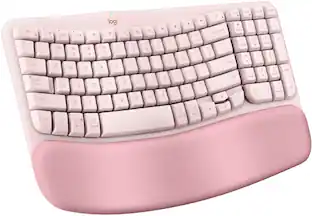
Logitech - Wave Keys for Mac Ergonomic Wireless Membrane Keyboard with Integrated Palm-rest - Off-white
More Buying Options from Marketplace sellers

Specifications
- Lighting TypeNoneForm FactorErgonomic, Full-size, Compact (60%)Keyboard TechnologyMembraneConnection TypeWireless
- Key Specs
- Lighting Type: None
- Form Factor: Ergonomic, Full-size, Compact (60%) (The size, arrangement, and physical configuration of the product.)
- Keyboard Technology: Membrane (Type of technology that detects a key press.)
- Connection Type: Wireless
- General
- Brand: Logitech
- Model Number: 920-012402
- Product Name: Wave Keys for Mac Ergonomic Wireless Membrane Keyboard with Integrated Palm-rest
- Color: Off-white
- Features
- Lighting Type: None
- Numeric Keypad: true
- Touchpad: false
- Palm Rest: true
- Spill Resistant: false (Designed to resist some degree of accidental liquid spill. The level of spill-resistance is indicated by the product manufacturer, but the degree of protection may not be guaranteed after normal wear of the product.)
- Keyboard Features: Wavy keyframe for natural, feel-good typing; Cushioned palm rest for more wrist support; 3-year battery life; Made with recycled plastic
- Keycap Material: Plastic
- Functions
- Form Factor: Ergonomic, Full-size, Compact (60%) (The size, arrangement, and physical configuration of the product.)
- Keyboard Technology: Membrane (Type of technology that detects a key press.)
- Adjustable Tilt Function: true
- Multimedia Keys: true
- Connectivity
- Connection Type: Wireless
- Wireless Connectivity: Bluetooth (The manner in which a device sends data to another device over a short distance without the use of wires or cables.)
- Maximum Wireless Range: 33 feet
- Number of Devices Connectable Simultaneously: 3
- Compatibility
- Operating System Compatibility: Mac, Apple iPadOS, Apple iOS
- System Requirements: Bluetooth Low Energy, macOS 11 or later, iPadOS 14 or later, iOS 14 or later. Compatible with Logi Bolt USB Receiver (not included) (The software that a product must have for it to be able to integrate with another product.)
- Power
- Rechargeable Battery: false
- Battery Size: AAA (The battery size required for operation.)
- Number of Batteries Required: 2
- Battery Chemistry: Alkaline
- Batteries Included: true (Indicates whether the product comes with the required batteries for its operation.)
- On/Off Switch: true
- Dimensions
- Product Height: 1.2 inches (The out of box height of the item. Height is measured as the vertical distance from the bottom of the item to the top as it would be primarily used or placed.)
- Product Width: 14.8 inches (The out of box width of the item. Width is measured as the horizontal distance from one side of the item to the other as it would be primarily used or placed.)
- Product Depth: 8.6 inches (The out of box depth of the item. Depth is measured as the distance from the front of the item to the back as it would be primarily used or placed.)
- Product Weight: 26.46 ounces (The out of box weight of the item.)
- Mouse
- Mouse Included: false
- Warranty
- Warranty - Parts: 1 year
- Warranty - Labor: None
- Other
- UPC: 097855191380
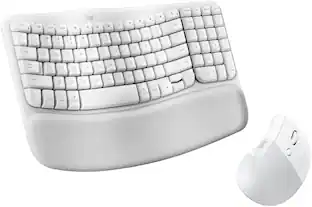
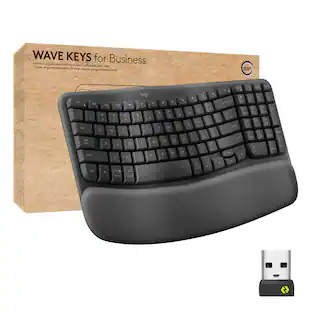
Say hello to your first ergo keyboard, designed for Mac. Wave Keys for Mac wireless ergonomic keyboard is shaped for all-day comfort, with a wavy keyframe design for easy, natural typing. The cushioned palm rest with memory foam, provides 57% more wrist support. Pair Wave Keys for Mac with Lift for Mac for the full comfy experience.
- Say Hello to Logitech Wave Keys for Mac: An ergonomic keyboard shaped for natural, feel-good typing with a cushioned palm rest for all-day support.
- Designed for Mac: This wireless compact keyboard with an ergonomic design and Bluetooth features works with macOS/iPadOS/iOS seamlessly.
- More palm support, less wrist pressure: A cushioned palm rest supports your wrists while you type peacefully on quiet keys even for long hours; up to 3-year battery life. ¹
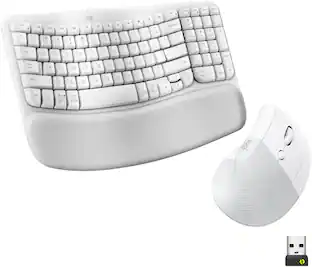
- Comfy just got comfier: Pair this ergonomic wireless keyboard for Mac with Lift for Mac Vertical Ergonomic Mouse to make work days more like feel-good days
- Ergo-certified: Wave Keys for Mac has been designed and tested according to criteria set out by leading ergonomists, and approved by United States Ergonomics.
- Comfier days, lighter footprint: Wave Keys for Mac is a Logitech keyboard made with 46% recycled plastic. ²
- Wireless Mac keyboard: Easily connect this bluetooth keyboard and seamlessly switch typing between your Macbook and iPad or iPhone with a tap using the Easy-Switch keys.
- Smoother days your way: Personalize your workflow on Logitech wireless keyboard with time-saving shortcuts and Smart Actions using the Logi Options+ App. ³
Whats Included
- Ergonomic keyboard (Wave Keys)
- 2x AAA batteries (keyboard)
- Quick Start Guide
Disclaimers
- ¹ Battery life may vary based on user and computing conditions.
- ² Excludes plastic in printed wiring assembly(PWA), cables, and packaging.
- ³ Requires Logi Options+ app, available for macOS at logi.com/optionsplus.
Q: Does this keyboard have a number pad?
A: Yes, this keyboard does have a numeric keypad.
Q: What is the maximum wireless range of this keyboard?
A: The maximum wireless range is 33 feet.
Q: Is this keyboard spill-resistant?
A: No, this keyboard is not spill-resistant.
Q: What type of batteries does this keyboard use?
A: This keyboard uses AAA batteries.
Q: How many devices can be connected to this keyboard simultaneously?
A: You can connect up to 3 devices simultaneously with this keyboard.
Q: Does the Logitech keyboard come with a mouse?
A: No, the Logitech keyboard does not come with a mouse.
Q: Does this keyboard have the MacBook keyboard spacing or a standard keyboard spacing?
A: The spacing is more standard. The ergonomic curve gives you plenty of room to type comfortably.
A: Hey! The Logitech Wave Keys for Mac keyboard does not have a built-in rechargeable battery and cannot be charged via a USB port. Instead, it relies on 2xAAA batteries for power.
Compare similar products
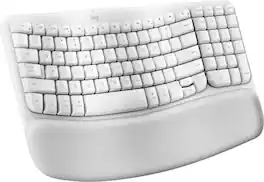
Say hello to your first ergo keyboard, designed for Mac. Wave Keys for Mac wireless ergonomic keyboard is shaped for all-day comfort, with a wavy keyframe design for easy, natural typing. The cushioned palm rest with memory foam, provides 57% more wrist support. Pair Wave Keys for Mac with Lift for Mac for the full comfy experience.
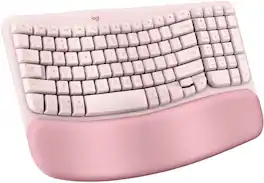
For workdays that go easy on you, Feel the Wave. Wave Keys wireless ergonomic keyboard is shaped to feel instantly familiar and keep you typing all day in a natural position. A cushioned palm rest with memory foam gives your wrists more support throughout the day.

A duo designed for comfier days. Waves Keys for Mac and Lift for Mac are optimized for macOS, and work with iPad. Enjoy familiar, natural typing with a wavy keyframe design and raise your hand into a natural handshake position with Lift for Mac. Relax into focus with quiet typing and clicks, and personalize your experience using the Logi Options+ App.
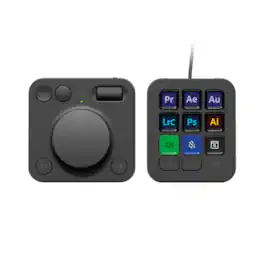
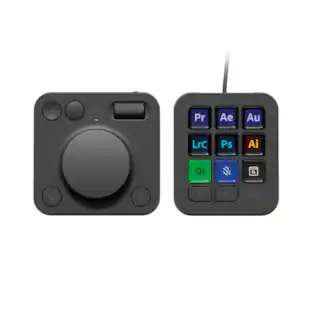
Introducing MX Creative Console, streamline your creative workflow with intuitive and customizable backlit LCD keys and tactile controls for precise adjustments on the dialpad. MX Creative Console lets you quickly access shortcuts and actions on your favorite apps with recommended profile configurations, or customize it to fit your own workflow.
| Pros for Logitech - Wave Keys for Mac Ergonomic Wireless Membrane Keyboard with Integrated Palm-rest - Off-white | |||
|---|---|---|---|
| Overall Performance, Battery Life, Comfort, Connectivity, Noise Level | There were no pros for this product— | Overall Performance, Ergonomics | Battery Life, Overall Performance, Customization, Dial, Button Quality |
| Cons for Logitech - Wave Keys for Mac Ergonomic Wireless Membrane Keyboard with Integrated Palm-rest - Off-white | |||
| Key Size, Backlight | There were no cons for this product— | There were no cons for this product— | Software, Bluetooth |
Specs
Reviews
Rating 4.7 out of 5 stars with 173 reviews
Top Mentions
- Comfort (54)
- Connectivity (29)
- Overall Performance (24)
- Battery Life (12)
- Noise Level (12)
- Key Size (7)
- Backlight (5)
Customer Images
The vast majority of our reviews come from verified purchases. Reviews from customers may include My Best Buy members, employees, and Tech Insider Network members (as tagged). Select reviewers may receive discounted products, promotional considerations or entries into drawings for honest, helpful reviews.
Customers often buy these together
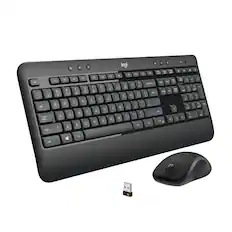
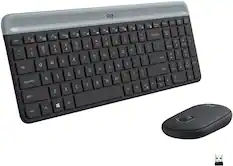
Logitech - MK540 Full-size Advanced Wireless Membrane Keyboard and Mouse Combo for PC - Black
$49.99The price was $59.99
![Sure, here is the corrected and grouped text:
```
ESC F1 F2 F3 F4 F5 F6 F7 F8 F9 F10 F11 F12 1 2 3 logitech - - 1 2 # $ 4 % 5 6 & 7 8 9 0 - - back insert home page up num lock clear / . tab Q W E R T Y U I O P { [ } ] / delete end page down 7 home 8 A 9 P9 up + caps lock A S D F G H J K L : ; a enter 4 5 6 shift Z X C V B N M < > ? shift 1 end 2 3 pg dn enter ctrl fn start alt opt alt crnd x alt cmd x fn ctrl alt opt 0 ins del 1 logitech
```](https://pisces.bbystatic.com/image2/BestBuy_US/images/products/5761/5761911_sd.jpg;maxHeight=232;maxWidth=233?format=webp)

![Sure, here is the corrected and grouped text from the image:
**Top Row:**
- ESC
- F1
- F2
- F3
- F4
- F5
- F6
- F7
- F8
- F9
- F10
- F11
- F12
- PRTSC
- DEL
**Number Row:**
- 1
- 2
- 3
- 4
- 5
- 6
- 7
- 8
- 9
- 0
- -
- =
- \
**Letter Row:**
- TAB
- Q
- W
- E
- R
- T
- Y
- U
- I
- O
- P
- [
- ]
- \
**Letter Row:**
- CAPS
- A
- S
- D
- F
- G
- H
- J
- K
- L
- ;
- '
**Letter Row:**
- SHIFT
- Z
- X
- C
- V
- B
- N
- M
- ,
- .
- /
**Function Row:**
-](https://pisces.bbystatic.com/image2/BestBuy_US/images/products/9be10b95-8e90-4a5d-b85f-cbc6a7d8e8df.png;maxHeight=232;maxWidth=233?format=webp)
![Esc F1 F2 F3 F4 F5 F6 F7 F8 F9 F10 F11 F12 Print Screen Scroll Lock Pause Break 1 2 3 4 5 6 7 8 9 0 - + = Backspace Insert Home H Page Up A Num Look 1 I Tab Q W E R T Y U I o P { [ } ] I I Delete End IN Page Down 7 Home 8 9 Pg Up Caps A Lock A S D F G H J K L ; : DE g Enter 4 5 6 Shift Z X C V N M < > ? I Shift 1 End 2 3 Pp Dn Enter Ctrl Alt Alt Ctrl 0 Ins Del](https://pisces.bbystatic.com/image2/BestBuy_US/images/products/a588d446-5678-40ae-86b8-1f15e0026e66.jpg;maxHeight=232;maxWidth=233?format=webp)
![Sure, here is the corrected and grouped text from the image:
---
**Top Row:**
- Esc
- F1 F2 F3 F4 F5 F6 F7 F8 F9 F10 F11 F12
**Second Row:**
- 1 ! 2 @ 3 # 4 $ 5 % 6 ^ 7 & 8 * 9 ( 0 ) - _ + =
**Third Row:**
- Tab Q W E R T Y U I O P [ { ] } \
**Fourth Row:**
- Caps Lock A S D F G H J K L ; ' Enter
**Fifth Row:**
- Shift Z X C V B N M , . / Shift
**Function Keys:**
- F1 F2 F3 F4 F5 F6 F7 F8 F9 F10 F11 F12
**Right Side:**
- Insert Home Page Up Delete End Page Down
**Bottom Row:**
- Ctrl Alt Spacebar Alt Ctrl
**Additional Keys:**
- Logi
- Scroll Lock
- Pause Break
---
This should match the layout of the keyboard in the image.](https://pisces.bbystatic.com/image2/BestBuy_US/images/products/0ce0f170-380c-41e4-8d6a-fa0aadbd534c.jpg;maxHeight=232;maxWidth=233?format=webp)
![esc ~ ! 1 tab caps lock shift ctrl F2 Fl # 2 3 Q W A S Z start opt L F3 $ 4 E D X alt cmd3 ) FS F4 A % 5 6 R T F G V C logi 44 HI & F9 FID FB F7 F6 * ) - - & 0 8 9 7 O P U I Y K L H J > < N M 1 B PM + = { [ : I ; ? I alt cmd D 2 4 300 3 1 F12 . * page I insert home up clear backspace 8 9 + 7 page A pg up end down home } I delete ] / 6 4 5 4 enter 2 3 enter 1 dn Pg end shift = 0 del ins etrl fn opt](https://pisces.bbystatic.com/image2/BestBuy_US/images/products/6539/6539505_sd.jpg;maxHeight=232;maxWidth=233?format=webp)
More to consider
 $59.99The price was $69.99
 $129.99The price was $149.99
 $119.99The price was $129.99
 $49.99The price was $59.99
 $89.99The price was $99.99
 $38.99The price was $49.99

Explore tech essentials Sponsored
- $119.99The price was $129.99



Discover related products
 $11.99The price was $15.99
 $29.99The price was $32.99









Keep exploring
 $65.31The price was $69.99
Logitech - MK250 Bluetooth Keyboard with Numpad, Recycled Plastic, Spill-Resistant, Comfortable Keys
$27.99The price was $38.08 $97.49The price was $101.99
 $76.49The price was $89.99