FREE shipping to
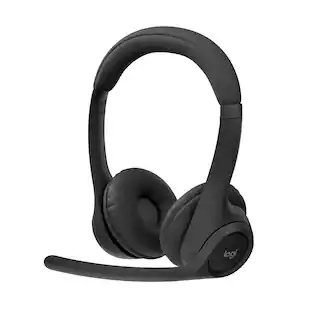
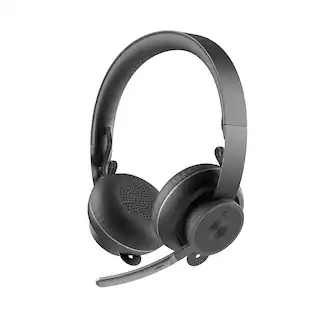
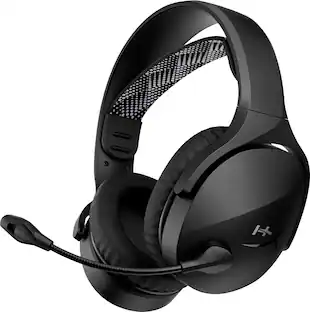
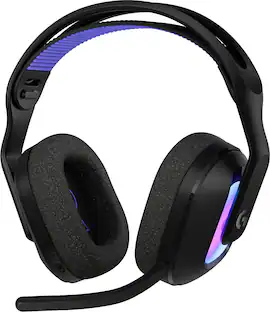
Enjoy exceptionally clear sound with the Logitech Zone 950 Premium Noise Canceling Headset, our best wireless headset. Work from anywhere and ensure you can hear and be heard in busy environments – like open offices and cafes. The Zone 950 noise canceling headphones feature Advanced Call Clarity technology, which uses AI to make it easier to hear the person you’re talking to by suppressing ambient noise. Hybrid active noise cancellation (ANC) blocks distracting background sound. Noise canceling mics elevate your voice while suppressing other sounds. 40 mm speakers deliver premium audio for meetings and music. The free Logi Tune app offers a dynamic and personalized equalizer (EQ) that automatically adjusts the audio to your own hearing range or lets you customize the sound to your preferences. Designed for comfort and a longer life with replaceable earpads and battery.
Q: Will these headphones work with a cable without being charged?
A: Hey! Yes, the Logitech Zone 950 headphones will work with a cable even if they are not charged. These headphones are designed to be used wirelessly with active noise cancellation, but they also function with a wired connection.
A: Hey! Please check this link: https://www.logitech.com/en-us/compare.html?category=products:headsets&products=headsets:zone-950-wireless-headset,headsets:zone-900-wireless,headsets:zone-vibe-series-wireless,headsets:zone-750-wired-usb

Enjoy exceptionally clear sound with the Logitech Zone 950 Premium Noise Canceling Headset, our best wireless headset. Work from anywhere and ensure you can hear and be heard in busy environments – like open offices and cafes. The Zone 950 noise canceling headphones feature Advanced Call Clarity technology, which uses AI to make it easier to hear the person you’re talking to by suppressing ambient noise. Hybrid active noise cancellation (ANC) blocks distracting background sound. Noise canceling mics elevate your voice while suppressing other sounds. 40 mm speakers deliver premium audio for meetings and music. The free Logi Tune app offers a dynamic and personalized equalizer (EQ) that automatically adjusts the audio to your own hearing range or lets you customize the sound to your preferences. Designed for comfort and a longer life with replaceable earpads and battery.

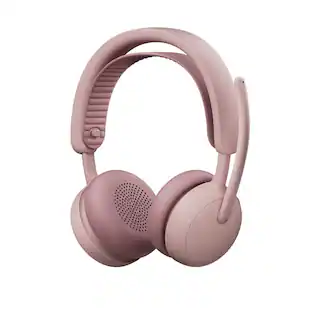
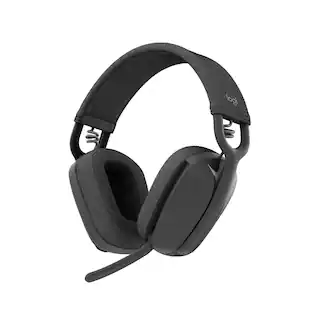
Express your sense of style and experience immersive audio as you work and play with Logitech’s Zone Vibe 100 wireless headphones with microphone. With powerful 40 mm speakers featuring deep, full-bodied bass, crisp highs, and low distortion audio, this Logitech Zone wireless headset brings your meetings to life. These breathable, lightweight headphones weigh just 185 grams and are comfortable enough to wear all day, with soft memory foam ear cushions and an adjustable design. Vibe 100 wireless Bluetooth headphones with microphone make virtual meetings from home seamless with popular video platform compatibility, easy on-ear controls, and a flip to mute, noise canceling microphone. Adjust sidetone, mic level, and EQ for your preferred audio experience using the Logi Tune desktop or mobile app. Keep your devices up to date and join meetings with just one click. Enjoy the freedom to move about and stay connected between devices with multipoint Bluetooth headphones that have up to 30 meters of range, up to 18 hours talk time, and 20 hours listening time. Made with 25% post-consumer recycled plastic, you can feel good about using these Logi over ear Bluetooth headphones.

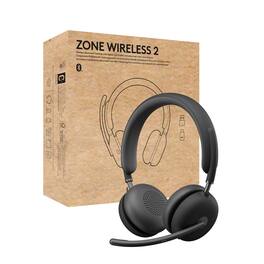
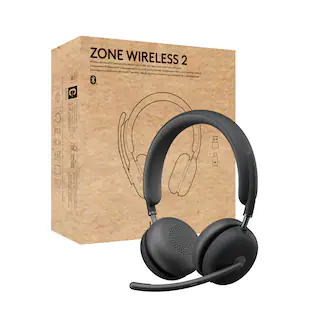
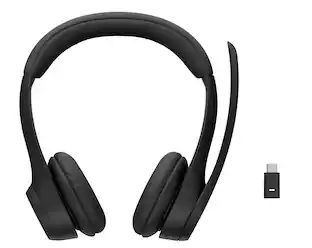
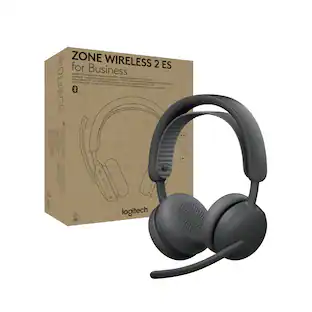
Logitech Zone Wireless is the wireless headset specifically designed for busy workspaces. Connect it to your smartphone and computer and seamlessly switch between connected devices. Great for talking, immersive for music, and active noise cancellation for when you just want to concentrate. With all-day comfort and simple controls, Logitech Zone Wireless is your sound choice.

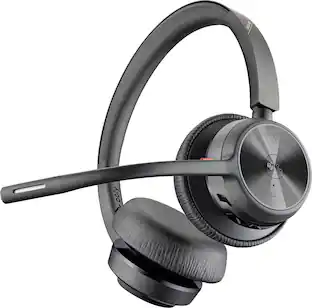
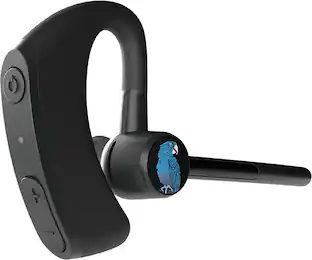
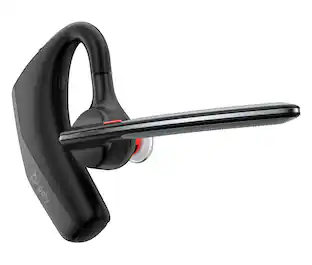
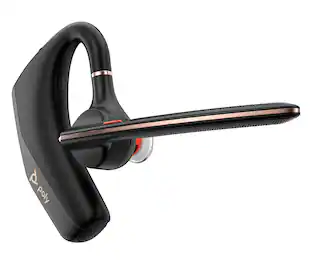
Enjoy the versatile headset for Hybrid work and beyond with the Voyager 4310 Wireless Noise Cancelling Single Ear Headset with mic. It's everything you need to stay productive and connected to all your devices whether at home or in the office. Long day of calls made easier with all-day comfort and dual-mic Acoustic Fence technology that eliminates background noise. Phenomenal flexibility, connectivity Poly (formerly Plantronics) - Voyager 4310 Wireless Noise Cancelling Single Ear Headset with mic – Black, and freedom.
| Pros for Logitech - Zone 950 Wireless Active Noise-Cancelling On-Ear Headset - Graphite | |||
|---|---|---|---|
| There were no pros for this product— | There were no pros for this product— | There were no pros for this product— | Sound Quality, Comfort, Battery Life, Connectivity, Range |
| Cons for Logitech - Zone 950 Wireless Active Noise-Cancelling On-Ear Headset - Graphite | |||
| There were no cons for this product— | There were no cons for this product— | There were no cons for this product— | Fit, Price |
The vast majority of our reviews come from verified purchases. Reviews from customers may include My Best Buy members, employees, and Tech Insider Network members (as tagged). Select reviewers may receive discounted products, promotional considerations or entries into drawings for honest, helpful reviews.
After spending a week with the Logitech Zone 950, it's become clear that this headset has been a significant improvement when in calls and meetings, I recommend it to anyone who is looking to upgrade their headset, especially those who prioritize noise cancellation and clarity for calls. This headset is now my daily driver at work, I love this headset! Crystal-Clear Communication The Zone 950 boasts superior audio capabilities with its active noise-cancelling technology, ensuring that your listening experience remains uninterrupted, no matter your environment. The Active Noise Cancelling feature keeps your focus locked on your audio content without external disturbances. Whether you're in the middle of a bustling office or a busy street, the environmental noise control adjusts to surrounding sounds to maintain a consistent audio experience. Personalized Audio Experience Logitech's LogiTune app offers some customization, allowing users to tweak equalizer settings and control ANC levels. The app is easy to use and gives you the power to basically sculpt your audio environment with personal EQ settings. I played with it a bit, but whatever the EQ settings I left it at, is where the EQ settings will stay, forever. Although, I did pump up the bass so, not a bad app after all. Aesthetic Appeal and Comfort Visually, the Zone 950 is a good-looking headset, nothing too crazy. Its lightweight, modern, and minimalistic design is perfect for the office environment. The breathability factor adds to its allure, making it an ideal companion for those marathon meetings, or listening to music while pretending you’re in a meeting so people don’t ask you questions... Comfort is not merely an afterthought but a cornerstone of the Zone 950's design philosophy, ensuring it feels as good as it looks, even after prolonged use. The on-ear cups are just buttery smooth and perfectly squishy. Technical Prowess Taking quick a look into the technical specifications, the Zone 950 was pretty impressive. The audio spectrum covers the full range from 20 hertz to 20 kilohertz, supported by robust 40mm drivers, promising an immersive listening experience. Connectivity is a breeze with RF dongle and Bluetooth options, offering an impressive 170 feet of wireless freedom. The ability to connect with two devices simultaneously is a nod to the multi-tasking realities of modern life, and the ability to not ever miss either of those double-booked meetings again. You can easily switch the headphone connection from a mobile to a PC and vice versa with both Bluetooth and the USB dongle receiver. Functional Features The built-in microphone with noise-canceling capability and flip-to-mute feature is amazing for those I need to quickly mute moments, I love how Logitech does the flip-up mic to mute on their headsets. The carrying case is for sure a nice touch, both for portability and protection, even has a tiny little pocket for the dongle and USB-C adapter. Buttons on the ear cups control the power, Bluetooth, volume, ANC modes, and call management are strategically placed for easy use. Smart touch is pretty nifty and allows media control and volume controls with a tap or swipe with your finger. The 18-hour talk time and 40 hours of listening time on a full charge ensures that your headset keeps pace with your lifestyle, always ready when you are. I normally get about 2 days of use before needing to charge again. In Conclusion The Logitech Zone 950 is not just an awesome headset; it's a workplace comfort enhancer and makes meetings and phone calls not as bad. It excels in every metric, from call clarity to comfort, from aesthetics to audio personalization. It's a testament to what happens when innovation meets intuition, making it an indispensable tool for professionals and audiophiles who are probably also professionals alike! I really do enjoy this headset and suggest it to anyone who needs to talk to other humans over an internet connection.
This review is from Logitech - Zone 950 Wireless Active Noise-Cancelling On-Ear Headset - Graphite
Posted by RogueWave
I’m not quite on the level of an Audiophile when it comes to sound quality, but I’m more for better quality when it comes to calls. Having a great microphone is a must for working or playing if any form of voice chat is involved. I’m always adjusting my settings to cut out the background typing or noises from the environment, so looking forward to trying out the noise canceling in different settings. But above all, can I wear it for a full day without needing a break as with other On-Ear headsets? Pros: - Noise Canceling on this is amazing, works for Mobile devices as well. - Intuitive design for controls like mute, volume up, down, pause, and play. - Replaceable parts are a huge plus. Cons: - Headset moves on head with any quick movements. - On ear cups take time to get used to. Might not be a great fit for everyone. Out of the box, I had a few issues getting the Logitech Zone 950 to connect to my mobile device without using the Logi Tune App. After installing the app, the setup went smooth. Highly recommend downloading the app before trying to connect a phone or tablet. Connecting to a PC was a breeze, simply plug in the included dongle and connected. Just remember to switch the audio sources if that doesn’t happen automatically. Right away, you can tell the designers of the Zone 950 have been there, on endless calls all day for work while trying to stay connected to what is happening outside of work. The headset feels extra comfortable for an On-Ear headset. I’m not usually a fan of On-Ear preferring an Over the Ear but the ear cushions are extremely soft and have just the right amount grip to hold in place on the head. I did find the headset would move around if I moved quickly or even fall off if I tried to bend down to the floor (often happens to give the doggo pets or take away something they shouldn’t have). Even after 4 hours of straight use, I had no discomfort from using the Zone 950, I barely noticed I still had the headset on. As mentioned, adding a mobile device goes a lot easier once the Logi Tone app is installed. Plus, the app provides endless amounts of configurations and settings that also apply to the other connected devices. I found the mobile version of the app easier to use than the desktop version, mainly because of convenience as I always have my phone nearby. There are several settings that can be configured within the app including Noise Canceling, Equalizer, Sidetone, Advanced Call Clarity, Button Controls, and other system settings for the device. Advanced Call Clarity makes a huge difference to the quality of a call, though having it on High did cause some distortions in my voice for the receiver of my call. I ended up switching to the Low setting and that worked much better. Noise canceling has 4 settings None, Transparency, Low and High. Transparency allows you to be aware of your surroundings but tones down the sounds, it’s great for listening to music in the background while sitting at your desk, so you can hear if any questions are asked but keep your music to yourself. The Low Noise Canceling removes most, if not all the background noise while in an office/home office setting, while the High removes almost everything but does leave a bit of that odd “it’s too quiet” feel that active noise canceling creates. I landed on the Low setting while working in the office. The touch controls are very intuitive, I didn’t even need to look up the guide on how to trigger the volume up, down, or pause and play or answer call features. There is a control option to configure an action for triple tap, but so far, I have not set any action to that command. There is no option to customize the other commands for custom actions. I found out after receiving the Zone 950 that it was designed with replaceable parts in mind, including the battery and earpads! This is a huge plus for me, as one of the main issues I have with wireless headsets is the batteries being non-replaceable leads to needing a new headset every few years due to the battery no longer holding charge. This will greatly increase how long the Zone 950 can be used, so long as the parts remain in stock and affordable, which will need to be seen in time. I’d recommend these for anyone who works from the office, home, and on the go. Just the flexibility of connectivity to devices and ability to connect to multiple devices at the same time makes this headset a standout option for anyone who works from multiple locations and is on long hours of calls. Add in the quality of the other features like Noise Cancelling and Advance Call Clarity, and this is a no brainer choice for one of the best headsets to include with your daily work tech. I’m very happy with the quality of the calls using the Zone 950, not to mention the comfort is outstanding. I’ll be using this for my daily calls from now on, especially when I go into the office.
This review is from Logitech - Zone 950 Wireless Active Noise-Cancelling On-Ear Headset - Graphite
Posted by BradfordBT
Working from home full time, I've found it impossible with all of the distractions to have a meeting where there isn't some background noise that causes issues, whether it be on my side or the other side of the call. This headset fit the requirements. The headset I used prior to this one was a wired headset so I was essentially tethered to my laptop when I was in a meeting. Setup with my PC was really easy. The headset comes with a dongle that plugs directly into a USB-C port (or USB-A with adapter), or what I did was to pair it directly with the built-in Bluetooth on my laptop. I also paired this with my mobile phone so that I could take a phone call without having to switch or take off the headset. Charging is via a USB-C cable, or using the same USB-A adapter, you can basically use any available USB port or any wall adapter (which you'll have to provide on your own). Obviously, if you're using the USB-A adapter for charging, you can't use it at the same time to pair the device to your PC. This didn't apply to me as I mentioned I paired via Bluetooth. For meetings, the sound quality and clarity was excellent. With the ANC on high, I was not distracted at all by any background noise at my home. It was a little disorienting to not even be able to hear myself but in the LogiTune app, you're able to adjust the "Sidetone" which allows you to adjust that to your preference. The headset is comfortable, with large ear pads that are soft and fit comfortably on the ear. The felt a little tight to me at first, but I expect they may loosen up over time and will be very comfortable to wear for extended meetings or calls. I also tested the sound quality with streaming audio and video and was pleased with the quality. Again, with the ANC on high, you just don't hear any background noise which adds to the immersive sound experience. The microphone is ambidextrous so you can wear the headset with it on either side. This is an improvement from my prior headset, but if you switch it, it will also change where the buttons are or the touch controls. I found myself unable to easily find the mute button but then, you can just flip the microphone up to mute as well. The touch controls are extremely easy to use and intuitive. Swipe up/down for volume, double tap for play/pause, triple tap for skip track. You can also tap/hold and it will give you a status of the battery and connectivity. Pros: Adjustable ANC with 4 modes to meet your needs. Multiple simultaneous device connectivity (2) Touch controls Ambidextrous Personalization (available in the LogiTune app) Long battery life Cons: Instructions in the box were limited and a little cryptic (use the QR code to get real instructions). No AC adapter A little bit tight initially Doesn't play all that well with Microsoft Teams (mute functionality doesn't work, you have to mute in the Teams app).
This review is from Logitech - Zone 950 Wireless Active Noise-Cancelling On-Ear Headset - Graphite
Posted by DoubleJ