Apple - Mac Studio - M1 Max - 24C GPU - 512 SSD - Silver
Highlights
- Key Specs
- Processor Model: Apple M1 Max (Your computer's processor is like its brain. Working in combination with system memory, the power of the processor determines the complexity of software you can run, how many programs you can have open at the same time, and how fast those programs will run. Most computers feature an AMD, Intel or Snapdragon processor.)
- Storage Type: SSD
- Total Storage Capacity: 512 gigabytes
- System Memory (RAM): 32 gigabytes (Random-access memory (RAM) is a computing device's short-term data storage, which allows active information to be accessed quickly. The size and type of RAM determines how efficiently the device can handle large amounts of information at one time. For example, gaming or video editing requires more RAM for optimal performance.)
- Graphics Type: Integrated (Dedicated graphics uses a separate graphics card for processing video images. Because it does not use memory from the system's RAM, there is no extra burden on the CPU and graphics are processed more efficiently. Integrated graphics shares system RAM to process video images.)
- Graphics: Apple M1 Max 24-core (Often referred to as a "graphics processing unit" (GPU), this device is responsible for displaying image content and decoding/encoding video content in programs and games.)
- General
- Brand: Apple
- Model Number: MJMV3LL/A
- Product Name: Mac Studio - M1 Max - 24C GPU - 512 SSD
- Color: Silver
- Year of Release: 2022
- Processor
- Processor Brand: Apple
- Processor Model: Apple M1 Max (Your computer's processor is like its brain. Working in combination with system memory, the power of the processor determines the complexity of software you can run, how many programs you can have open at the same time, and how fast those programs will run. Most computers feature an AMD, Intel or Snapdragon processor.)
- Processor Model Number: Apple M1 Max
- Storage
- Storage Type: SSD
- Total Storage Capacity: 512 gigabytes
- Solid State Drive Capacity: 512 gigabytes (The amount of data that can be stored on the device's solid state drive (SSD). SSD is a flash-based storage with faster speeds than a hard disk drive (HDD).)
- Memory
- System Memory (RAM): 32 gigabytes (Random-access memory (RAM) is a computing device's short-term data storage, which allows active information to be accessed quickly. The size and type of RAM determines how efficiently the device can handle large amounts of information at one time. For example, gaming or video editing requires more RAM for optimal performance.)
- Type of Memory (RAM): Not provided (Each type of RAM delivers a different level of speed, bandwidth, energy efficiency and performance.)
- System Memory RAM Expandable To: 64 gigabytes (Adding more random-access memory (RAM) to a computer speeds up performance and improves efficiency. Upgrades to memory are limited by the number of expansion slots for additional RAM and existing RAM installed on the device.)
- Graphics
- Graphics Type: Integrated (Dedicated graphics uses a separate graphics card for processing video images. Because it does not use memory from the system's RAM, there is no extra burden on the CPU and graphics are processed more efficiently. Integrated graphics shares system RAM to process video images.)
- GPU Brand: Apple
- Graphics: Apple M1 Max 24-core (Often referred to as a "graphics processing unit" (GPU), this device is responsible for displaying image content and decoding/encoding video content in programs and games.)
- Compatibility
- Operating System: Mac OS (The operating system manages all software and hardware, including files, memory and connected devices. Most importantly, it lets you interact with your device and your programs in a visual way; otherwise, you'd be typing computer code to get anything done.)
- Connectivity
- Display Connector(s): 4 x Thunderbolt 4 (The number and type of connectors used to connect to an external display.)
- Number of HDMI Outputs (Total): 1
- Number of DisplayPort Outputs (Total): 0
- Number of Thunderbolt Ports (Total): 4
- Number of USB Ports (Total): 4
- Number Of Ethernet Ports: 1
- Cooling
- CPU Cooling System: Air
- Features
- Media Card Reader: true (A hardware device that allows for access to data on a memory card and enables the transfer of its files to a computer. These devices may have one or multiple slots for various types of memory cards, and may be integrated into the computer or available as an external device.)
- Audio Technology: Built-in speaker; 3.5 mm headphone jack with advanced support for high-impedance headphones; HDMI port supports multichannel audio output
- Mac Features: Siri
- Size: Mini
- Dimensions
- Product Height: 3.7 inches (The out of box height of the item. Height is measured as the vertical distance from the bottom of the item to the top as it would be primarily used or placed.)
- Product Width: 7.7 inches (The out of box width of the item. Width is measured as the horizontal distance from one side of the item to the other as it would be primarily used or placed.)
- Product Depth: 7.7 inches (The out of box depth of the item. Depth is measured as the distance from the front of the item to the back as it would be primarily used or placed.)
- Product Weight: 5.9 pounds (The out of box weight of the item.)
- Certifications Listings & Approvals
- ENERGY STAR Certified: true (Devices carrying the ENERGY STAR service mark, such as computer products and peripherals, kitchen appliances, and other products, generally use 20% to 30% less energy than required by federal standards.)
- EPEAT Qualified: false (The Electronic Product Environmental Assessment Tool (EPEAT) was designed to provide an environmental assessment tool for purchasers. In order to qualify for EPEAT, a product must meet all 23 required criteria.)
- Included
- Optical Drive Type: None (An optical disk drive (ODD) uses a laser light to read data from or write data to an optical disc. These discs include CDs, DVDs, and Blu-ray Discs. This allows you to play music or watch movies using prerecorded discs.)
- Keyboard Included: false
- Mouse Included: false
- Warranty
- Warranty - Parts: 1 year
- Warranty - Labor: 1 year
- Other
- UPC: 194252624364
Introducing Mac Studio. A remarkably compact powerhouse that fits right on your desk with advanced connectivity for your studio setup. Choose the ferociously fast M1 Max—the most powerful chip ever created for a computer.
Whats Included
- Mac Studio
- Power cord
Q: Can you use a monitor that is not an Apple monitor with the Studio ?
A: you can use any monitors with this mac studio mini, studio have hdmi you can use any monitor have hdmi use hdmi cable connect . or you can use usb-c thunderbolt on studio you can use any monitors have usb-c and connect it ,or you can use usb-c thunderbolt on studio adapter or cable to HDMI or Display port on monitors and connect it. my set up I'm using macbook pro hdmi to hdmi on LG 34'' untrawide monitor and work good. Every mac work the same.
Q: Which keyboard and mouse would you recommend with this unit?
A: It all comes down to personal preference, but you can't go wrong with Logitech MX Keys or Apple Keyboard. If you're a fan of mechanical keyboards, Das Keyboard for Mac and Keychron make good ones.
Q: Can you use an HDMI splitter on the single hdmi port to then connect dual monitors?
A: Multiple simultaneous displays are supported over Thunderbolt. HDMI splitters would only allow you to have the same image projected to multiple screens; the computer would function as if there is only 1 screen.
Q: Is Mac Studio Empower Station a full computer system
A: Yes, but you WILL need to add the peripherals which is anything else that's plugged into it.
A: The mac studio requires a monitor (or even a tv screen) and is an all around better computer with better specs. The iMac essentially is an all in one computer, meaning the computer itself and monitor are all one single unit. The mac studio has a better and newer M1 processor, as well as 16gb of memory compared to the iMac.
Q: Can I use the SDXC card slot for additional storage since this is only a 512 Gig hard drive?
A: You could but that would be a really bad idea considering how slow they are. A better idea would be the get a external SSD, if you want something small, and plug it into one of the ports. Much faster speeds and still compact and not requiring external power.
Q: If I'm traveling, would my MacBook work with this?
A: all you need is get external monitor portable, external monitor portable sell on amazon have very good price external monitors portable have 14'' In, 15'' In, 17'' In sizes pick any size monitor external portable you like. and get bluetooth or wireless keyboard and mouse small size, I'm use Logitech mouse and keyboard battery last forever. This Mac Studio is small and compact and very good for travel. Portable external monitor on amazon sell very cheap price with different prices for small or bigger sizes. I hope this help.
A: My understanding is the HDMI port is only 2.0 on the Studio. The Thunderbolt ports will do DisplayPort output over USB‑C.
Reviews
Rating 4.8 out of 5 stars with 261 reviews
Customer Images
The vast majority of our reviews come from verified purchases. Reviews from customers may include My Best Buy members, employees, and Tech Insider Network members (as tagged). Select reviewers may receive discounted products, promotional considerations or entries into drawings for honest, helpful reviews.
Customers often buy these together
Office Software


Monitors
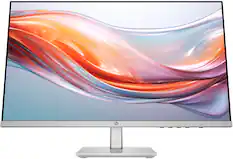
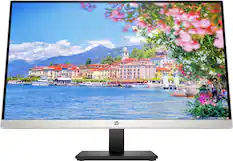
HP - 23.8" IPS LED FHD 100Hz Monitor with Adjustable Height (HDMI, VGA) - Silver & Black
$149.99The price was $189.99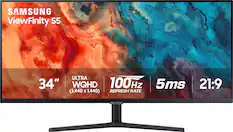
Samsung - 34” ViewFinity S5 Ultrawide QHD 100Hz AMD FreeSync Monitor with HDR10 (DisplayPort, HDMI) - Black
Top Deal$208.99The price was $329.99

Mice

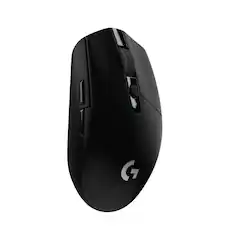
Logitech - Signature M650 L Full-size Wireless Optical Scroll Mouse with Silent Clicks - Wireless - Graphite
Top Deal$33.99The price was $39.99
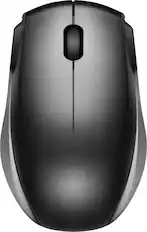
Logitech - M310 Wireless Optical Ambidextrous Mouse - Wireless - Silver
Top Deal$18.99The price was $22.99





More to consider
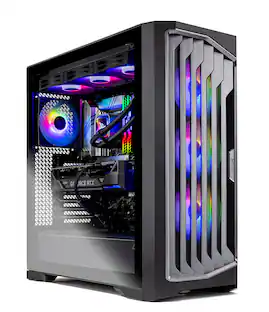 $2,379.99The price was $2,499.99
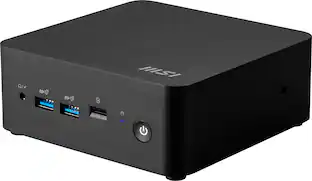 $619.99The price was $759.99
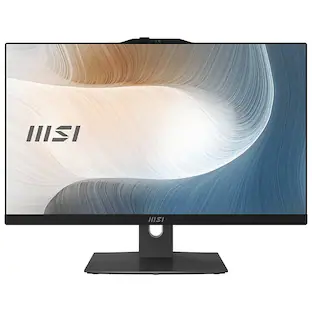 $965.00The price was $1,109.99
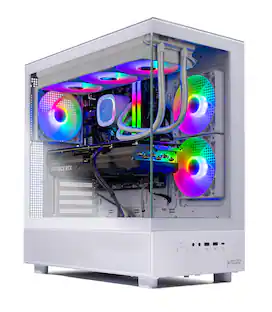 $3,299.99The price was $3,349.99

Discover related products
 $1,399.99The price was $1,449.99
 $13.99The price was $19.99
 $30.99The price was $32.99
 $339.49The price was $365.95








Keep exploring
 $649.99The price was $669.99
 $649.99The price was $799.99
 $309.00The price was $339.00
 $1,849.99The price was $2,135.99