Samsung - 27” Odyssey FHD IPS 240Hz G-Sync Gaming Monitor - Black
Samsung - 27” Odyssey FHD IPS 240Hz G-Sync Gaming Monitor - Black
- Higround - Performance 65 65% Wired Hall-Effect Linear Dynamic Actuation Switch Rapid Trigger Gaming Keyboard with RGB Lighting - Black Ice$139.99$164.99
More Buying Options

Highlights
- Key Specs
- Refresh Rate: 240Hz (The number of frames per second the device can produce natively without enhancement. Higher rates help produce smooth, seamless pictures.)
- Maximum Resolution: 1920 x 1080 (Maximum resolution refers to the highest number of pixels that a screen can process and display. Higher resolution signals produce more detailed images.)
- Response Time: 1 milliseconds (The speed at which pixels can change colors is called response time. It is measured in milliseconds (ms).)
- Panel Type: IPS (Technology that affects response time and image quality.)
- Synchronization Technology: FreeSync Premium (AMD Adaptive Sync), G-SYNC Compatible (NVIDIA Adaptive Sync) (Generally, these technologies allow syncing between a computer/console game's frame rate and the device's refresh rate for a smoother display without tearing.)
- Screen Size: 27 inches (Size of the screen, measured diagonally from corner to corner.)
- Display Connector(s): 1 x DisplayPort 1.2, 2 x HDMI 2.0 (The number and type of connectors used to connect to an external display.)
- General
- Brand: Samsung
- Model Number: LS27BG402ENXGO
- Product Name: 27” Odyssey FHD IPS 240Hz G-Sync Gaming Monitor
- Color: Black
- Operating System Compatibility: Windows
- Display
- Refresh Rate: 240Hz (The number of frames per second the device can produce natively without enhancement. Higher rates help produce smooth, seamless pictures.)
- Maximum Resolution: 1920 x 1080 (Maximum resolution refers to the highest number of pixels that a screen can process and display. Higher resolution signals produce more detailed images.)
- Native Resolution: 1920 x 1080 (Native resolution of a screen refers to its single, fixed resolution. Sometimes screens must scale an image up or down in order to fit the native resolution. This can cause a loss of resolution or detail.)
- Contrast Ratio: 1000:1 (Measured difference between a displayed image's brightest whites and darkest blacks. The larger the first number, the more detail and color that can be displayed.)
- Response Time: 1 milliseconds (The speed at which pixels can change colors is called response time. It is measured in milliseconds (ms).)
- Display Type: LED
- Panel Type: IPS (Technology that affects response time and image quality.)
- Synchronization Technology: FreeSync Premium (AMD Adaptive Sync), G-SYNC Compatible (NVIDIA Adaptive Sync) (Generally, these technologies allow syncing between a computer/console game's frame rate and the device's refresh rate for a smoother display without tearing.)
- Aspect Ratio: 16:9 (The measurement of the width of a screen compared to the height of a screen, expressed as a ratio.)
- Curved Screen: false
- Brightness: 400 candela per square meter (A measure of the total light output.)
- Screen Size: 27 inches (Size of the screen, measured diagonally from corner to corner.)
- High Dynamic Range (HDR): true (An HDR-compatible 4K TV or other HDR-compatible product displays HDR video content when it's available from sources like 4K Ultra HD Blu-ray Discs and 4K streaming services.)
- High Dynamic Range Format: HDR 10 (There are a few HDR formats that tell the TV or other HDR-compatible product how to best utilize its capabilities to display HDR content. HDR technology can support one or multiple formats, each with various benefits to picture quality.)
- Horizontal Viewing Angle: 178 degrees (The maximum angle at which the display can be viewed with acceptable visual performance from either side.)
- Vertical Viewing Angle: 178 degrees (The maximum angle at which the display can be viewed with acceptable visual performance from above or below.)
- Touch Screen: false (Touch-screen devices make navigating more intuitive. Using a touch-screen display, you can do things such as tap to select, hold and drag to move items, swipe to scroll, and pinch to zoom.)
- On-Screen Display Languages: English (The available language options for displayed text.)
- Display Surface: Standard glass
- Connectivity
- Number of DisplayPort Inputs (Total): 1
- Number of HDMI Inputs (Total): 2
- Number of DVI Inputs: 0 (The number of digital cables carrying analog (VGA) video signals that can be connected to the product.)
- Number of Mini DisplayPort Inputs: 0
- Number of Thunderbolt Ports (Total): 0
- Display Connector(s): 1 x DisplayPort 1.2, 2 x HDMI 2.0 (The number and type of connectors used to connect to an external display.)
- Number of USB Ports (Total): 0
- Headphone Jack: true (The device features an interface that allows for the connection of headphones.)
- Compatibility
- Wall Mountable: true (The product is able to be secured to a wall. Some products are designed ready to mount, while others may require additional hardware/accessories for installation.)
- VESA Wall Mount Standard: 100mm x 100mm (VESA wall mount standards refer to the spacing of screw holes built into a TV in order to fit with standard TV wall mounts. These standards are implemented into most TVs and monitors.)
- Voice Assistant Built-in: No (A digital assistant built into the device that uses voice commands to answer questions and control smart devices.)
- Features
- Tiltable: true
- Adjustable Stand Height: true
- Anti-Glare: false (Product has features, such as a matte finish, that reduce the likelihood for screen glare.)
- Eye Relief Features: Environment brightness sensor, Environment color temperature sensor, Flicker free, Low blue light
- Built-In Webcam: false
- Integrated Speaker(s): false
- Smart Capable: false (Smart, or smart-capable devices are able to connect directly to your home network in order to stream content from the Internet, run Internet-based apps, or connect to other smart devices.)
- Dimensions
- Product Height With Stand: 22.5 inches
- Product Height Without Stand: 14.8 inches
- Product Width: 24.2 inches (The out of box width of the item. Width is measured as the horizontal distance from one side of the item to the other as it would be primarily used or placed.)
- Product Depth (With Stand): 9.6 inches
- Product Depth Without Stand: 3.4 inches
- Product Weight: 11.9 pounds (The out of box weight of the item.)
- Stand Included: true
- Cord Length: 59 inches
- Power
- Power Consumption: 48 watts
- Certifications Listings & Approvals
- ENERGY STAR Certified: false (Devices carrying the ENERGY STAR service mark, such as computer products and peripherals, kitchen appliances, and other products, generally use 20% to 30% less energy than required by federal standards.)
- EPEAT Qualified: false (The Electronic Product Environmental Assessment Tool (EPEAT) was designed to provide an environmental assessment tool for purchasers. In order to qualify for EPEAT, a product must meet all 23 required criteria.)
- Warranty
- Warranty - Parts: 1 year
- Warranty - Labor: 1 year
- Other
- UPC: 887276651903
When it comes to gaming performance, the slightest disadvantage can be the difference between winning and losing a match. With a 240Hz refresh rate, lightning fast 1ms (GTG) response time and full adaptive G-Sync compatibility and FreeSync Premium support, you can be sure that the Odyssey G4 won’t let you down on the battlefield.
- 240 refresh rate & 1ms response time: Speed through scenes. 240Hz refresh rate eliminates lag for exhilarating gameplay with ultra-smooth action. Jump on enemies right when you see them with a 1ms response time and blur-free frames.
- FHD resolution & IPS panel: Escape into reality-defying realism. You can see games like never before. IPS panel delivers clear colors and a wide 178º viewing angle for clarity from any viewpoint.
- Nvidia G-Sync compatible: Effortlessly smooth gameplay. G-Sync compatibility keeps the GPU and panel synced up to eliminate choppiness, screen-lag, and image tears. Fast-action and complex game scenes are stable and stutter-free with AMD FreeSync Premium for your competitive edge.
- Ultrawide Game View: Keep your eye on the win. Adjust your screen to 21:9 to discover hidden areas in game scenes with Ultrawide Game View. Now when you play soccer games, see more of the pitch right up to the goalposts.
- Ergonomic stand: Reach the height of winning. Swivel, tilt, and adjust your monitor until all enemies are in perfect view. Your display can be moved freely so you can find total gaming comfort.
- Auto Source Switch+: Power on for instant play. With Auto Source Switch+, your monitor detects when connected devices are turned on and instantly switches to the new source signal. This helps you get to your game action faster without flipping through multiple input sources.
Whats Included
- Samsung 27" Odyssey G40B FHD IPS 240Hz 1ms G-Sync Gaming Monitor
- Stand
- 1.5 m Power Cable
- HDMI Cable
- DP Cable
Q: What is the maximum resolution supported by this monitor?
A: The maximum resolution supported is 1920 x 1080 (FHD).
Q: Does this Samsung monitor support AMD FreeSync?
A: Yes, this monitor supports AMD FreeSync Premium for a smoother gaming experience.
Q: How does the Auto Source Switch+ feature work?
A: The Auto Source Switch+ feature automatically detects and switches to newly connected devices, saving you the hassle of manually changing inputs.
Q: What is the response time of this monitor?
A: This monitor boasts a lightning-fast 1ms (GTG) response time, allowing you to react quickly in-game.
Q: Can I adjust the height of this monitor?
A: Yes, the monitor stand allows for height adjustment.
A: It turns out that the monitor itself has no speakers, even though your computer itself might tell you there are.
Q: Does this monitor have built in speakers?
A: No it does not.
Q: Would this be a good monitor for Xbox series X?
A: It’s a fine monitor for the series X but it’s truly meant for PC as it has the hardware that’s able to take advantage of the 240hz.
Compare similar products

When it comes to gaming performance, the slightest disadvantage can be the difference between winning and losing a match. With a 240Hz refresh rate, lightning fast 1ms (GTG) response time and full adaptive G-Sync compatibility and FreeSync Premium support, you can be sure that the Odyssey G4 won’t let you down on the battlefield.
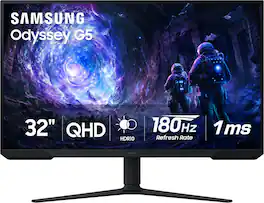
Samsung’s 32” Odyssey G5 G51F Gaming Monitor boasts incredibly detailed, pin-sharp images with QHD resolution (2560x1440). HDR10 provides brighter highlights, improved contrast and color accuracy, making every scene feel more vivid and realistic. 180Hz Refresh Rate and near-instant 1ms Response Time (MPRT) captures all your moves with reduced lag for ultra-smooth gameplay. AMD FreeSync Premium Pro reduces choppiness, screen lag, and image tears. Black Equalizer allows you to adjust dark areas in games, so you can locate opponents hiding in the deepest shadows. Virtual Aim Point allows you to hit your marks with next-level accuracy, giving you the optimal aim with crosshairs on the screen. Auto Source Switch+ instantly switches to a new source signal when connected devices are turned on, without having to use multiple inputs. Ergonomic stand makes it simple to tilt and adjust the monitor for total gaming comfort.
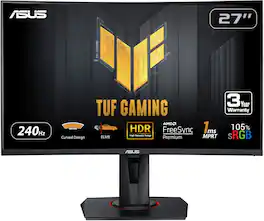
Enjoy a smooth gaming experience with this 27-inch ASUS Full HD monitor. The Shadow Boost feature increases clarity in dark scenes, and the ultrafast response times minimize blurring and streaking for seamless gameplay. This ASUS Full HD monitor has an ergonomic design that allows tilting, swiveling and pivoting as needed.
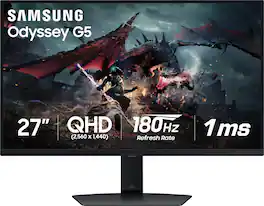
Samsung's Odyssey G50D Gaming Monitor with QHD resolution features incredibly detailed, pin-sharp images. The fast IPS panel delivers clear, vibrant colors and a 178° viewing angle, while the 180Hz refresh rate and 1ms response time (GtG) eliminates lag and enables frames with minimal blur for ultra-smooth gaming action. VESA DisplayHDR 400 offers more clarity, providing dynamic contrast with deeper blacks and brighter whites. AMD FreeSync keeps the monitor and graphics card refresh rate in sync for a seamless experience. Features an ergonomic stand that makes it easy to swivel, tilt, and adjust the height of the monitor, plus Eye Saver mode, which enables more focused gaming with less eye strain, for total comfort even when playing for extended periods of time.
| Pros for Samsung - 27” Odyssey FHD IPS 240Hz G-Sync Gaming Monitor - Black | |||
|---|---|---|---|
| Refresh Rate, Picture Quality, Performance, Price, Ease of use | Overall Performance, Screen Size, Refresh Rate, Resolution | Overall Performance, Refresh Rate, Screen Size, Curvature, HDR | Overall Performance, Refresh Rate, Resolution |
| Cons for Samsung - 27” Odyssey FHD IPS 240Hz G-Sync Gaming Monitor - Black | |||
| Speakers, Screen, Ghosting, Stand, Lag | Speakers, Connectivity, Black Levels, HDR Performance | Resolution | Speakers, Connectivity |
Specs
Reviews
Customers are saying
Customers love the 27” Odyssey FHD IPS 240Hz G-Sync Gaming Monitor for its excellent picture quality and refresh rate, making gameplay smooth and visually appealing. The monitor is also praised for its user-friendly setup and reasonable price. Some customers have noted the absence of speakers and expressed concerns about the stand's balance.
Customer Images
The vast majority of our reviews come from verified purchases. Reviews from customers may include My Best Buy members, employees, and Tech Insider Network members (as tagged). Select reviewers may receive discounted products, promotional considerations or entries into drawings for honest, helpful reviews.
- Rated 5 out of 5 stars
Super Smooth 240Hz Performance
This 240Hz monitor is a huge upgrade and makes an immediate difference. The motion is incredibly smooth, especially for gaming, and everything feels faster and more responsive. Fast-paced games look amazing with no screen tearing or noticeable blur. The display quality is sharp, colors look great, and the refresh rate really shines when gaming competitively. Setup was quick and easy, and it worked perfectly right out of the box. The design is clean and looks great on my desk. Overall, this monitor is absolutely worth it if you want smooth gameplay and high performance. I’d highly recommend it to anyone looking to upgrade to a high refresh rate monitor
AhmadA Posted
- Rated 5 out of 5 stars
Samsung Odyssey G4 Review
The Samsung Odyssey G4 is an impressive monitor for gaming and everyday use. The 240Hz refresh rate and 1ms response time make gameplay extremely smooth with no noticeable lag or ghosting. Colors are bright and accurate, and the overall design looks sleek and modern on my desk. The adjustable stand is a big plus for getting the perfect angle. The only downside is that the built-in settings menu can be a little tricky to navigate at first, and the speakers aren’t very strong — but that’s expected for most gaming monitors. Overall, it’s an excellent choice if you want high performance and great visuals without breaking the bank.
LandonF Posted
- Rated 4 out of 5 stars
Great 1080p monitor for gaming
I really like this monitor! 27" seems to be the perfect size, immersive for gaming without overpowering the desk space. I love the height-adjustable stand and that the monitor can tilt and swivel to pretty much any angle. I'm not sure I'd ever have a use for it vertically, but if I found one, it's nice to have the option. The 1080p display is great. There's a small part of me that wishes I'd gotten a 1440p instead, not gonna lie... but my games look gorgeous on this regardless, so I'm not gonna kick myself too hard over it. I didn't even mess with any settings and the picture is bright, vibrant, and crisp. Even when just web browsing or doing non-gaming activities, the screen is clear at this size and resolution. The 240hz refresh rate is AWESOME too! I upgraded from a 24" 60hz monitor and I could hardly believe the difference. I didn't even realize how many FPS I'd been missing out on, lol. (For the record, I pretty much only play single-player RPGs and nothing competitive, so I can't speak to how it would work for more fast-paced FPS games. I imagine fine due to the high refresh rate and fast response time. But as far as visual fidelity goes, the picture on this is beautiful.) It's nice having 2 HDMI ports plus a display port, so I don't have to use a splitter like I did with my old monitor. The only issue I have is with the feature that's supposed to auto-detect which input your device is using. It never seems to do that for me, so I need to manually change it from DP to HDMI, but I don't switch inputs super often so it's no bother. I don't find the settings menu difficult to navigate either to do so. The only reason I knocked off a star is for the aesthetic factor. This may not be important to a lot of people, but I know a lot of us like our gaming setups to look nice, and this monitor... eh. I wish I'd looked closer at the pictures before I bought cause I probably would have went with something more sleek. It has a pretty thick border/bezel, and I'm not sure what the grills (?) are for on both sides of the bottom border. At first I thought they were speakers, but this monitor doesn't have them built in so idk what that design choice is about, unless someone can enlighten me. What bugs me the most though is the NVIDIA G-sync logo right on the front of the monitor at the bottom left (pictured). It's just... unnecessary? Again, I wish I'd looked at the listing/review photos closer. I was hoping it was just a sticker that could come off, but nope. TLDR: Great display at 1080p, versatile, and easy to set up + use. Just wish it was more attractive. Samsung has been a trusted brand of mine for years, and overall I'm happy with this purchase.
Brooke Posted