TCL - R84 32" QD Mini LED 4K UHD 165Hz 1ms AMD FreeSync Premium Gaming Monitor with DisplayHDR 1400 (USB C, DisplayPort, HDMI) - Black and White
Customers are saying
Customers highly value the monitor's impressive brightness and convenient USB-C connectivity, which are frequently highlighted as standout features. Users also appreciate the smooth gaming experience provided by the high refresh rate and low input lag. Additionally, the display is praised for its solid HDR performance and black levels, while the ease of setup and lack of burn-in risk make it a reliable choice for productivity.
Screen Size
32"Highlights
Features
32” Gaming Monitor with 4K UHD (3840x2160) Resolution
Crisp and clear visuals with lifelike detail on a large 32″ screen—perfect for gaming, streaming, or everyday use.
QD-Mini LED
TCL’s QD-Mini LED delivers brilliant brightness and pinpoint precision — perfect for deep, immersive gameplay.
TCL Halo Control System
An advanced Technology Suite that includes the Powerful Light-emitting Microchip, Super Condensed Micro Lens, Micro-OD Reduced Optical Distance, and High Contrast HVA Panel for Stunning “Halo-Free” Images.
165Hz Native Refresh Rate
Smooth, responsive motion that keeps up with every move—perfect for fast-paced games and fluid visuals.
LD1400 Precise Dimming Series
Smart local dimming that adjusts scene by scene, for deeper blacks and sharper contrast with every frame.
HDR1400 Brightness
Ultra-bright highlights and breathtaking contrast bring every scene to life—whether the room is pitch black or full of sunlight.
1ms (GTG)
Lightning-fast responsiveness for ultra-smooth gameplay and competitive edge.
AMD FreeSync Premium
Enjoy fluid, stutter-free gameplay, even in fast-paced scenes.
QLED
Stunning vibrancy that transforms what you see.
Crosshair Aim Guide
Four on-screen reticles to help you aim faster and more precisely—your competitive edge, built-in.
TÜV Low Blue Light Certification
Engineered for eye comfort—reduced strain during long sessions, without sacrificing image quality.
High Contrast HVA Panel
TCL’s leading HVA panel technology delivers exceptional contrast and rich detail, elevating every scene.
USB-C Power Delivery
Power up and stay connected with USB-C Power Delivery – one cable for charging and video.
2 HDMI Inputs and 1 DisplayPort
Fast, flexible connections for your PC, console, and more—everything you need, ready to plug in.
Built-In Stereo Speakers
Enjoy easy audio with built-in speakers that deliver clear, powerful sound.
Fully Adjustable Stand
Find your perfect viewing angle with a fully adjustable stand for customized comfort and ergonomics.
Specifications
- Refresh Rate165HzMaximum Resolution3840 x 2160Response Time1 millisecondsPanel TypeQLEDSynchronization TechnologyFreeSync Premium (AMD Adaptive Sync)
Reviews
Rating 4.7 out of 5 stars with 30 reviews
- Brightness (14)
- Connectivity (10)
- Refresh Rate (8)
- Black Level (6)
- Burn-in Resistance (4)
Customer Images
The vast majority of our reviews come from verified purchases. Reviews from customers may include My Best Buy members, employees, and Tech Insider Network members (as tagged). Select reviewers may receive discounted products, promotional considerations or entries into drawings for honest, helpful reviews.

Compare similar products
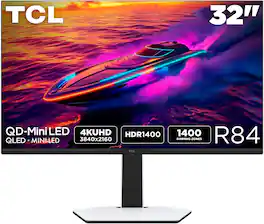
The TCL 32R84 QD-Mini LED Gaming Monitor is perfect for next level gaming with TCL’s Halo Control System that includes the Powerful Light-emitting Microchip, Condensed Micro Lens, Micro OD Reduced Optical Distance, High Contrast HVA Panel, QLED, and Dynamic Light Algorithm for Stunning “Halo-Free” Images. Get sharp, 4K UHD resolution and see all the details. The LD1400 Precise Dimming Series, HDR1400 Brightness, 165Hz native panel refresh rate, and 1ms GTG provide deep contrast, vibrant highlights, and smooth, responsive gameplay. Stutter-free gaming and ultra-smooth frame transitions with AMD FreeSync Premium and NVIDIA G-SYNC Compatible. The built-in Crosshair Aim Guide provides enhanced targeting precision in any game. On-board USB-C Power Delivery provides charging and video, all with one cable. TÜV Low Blue Light certification ensures reduced eye strain and more comfortable viewing.
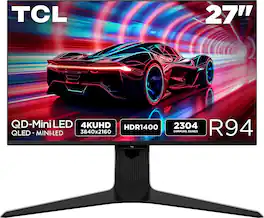
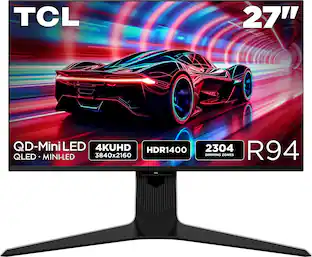
The TCL 27R94 QD-Mini LED Gaming Monitor is ideal for next level gaming with TCL’s Halo Control System that includes the Powerful Light-emitting Microchip, Condensed Micro Lens, Micro OD Reduced Optical Distance, High Contrast HVA Panel, QLED, and Dynamic Light Algorithm for Stunning “Halo-Free” Images. Get sharp, 4K UHD resolution and see all the details. The LD2304 Precise Dimming Series, HDR1400 Brightness, 165Hz native panel refresh rate, and 1ms GTG provides deep contrast, vibrant highlights, and smooth, responsive gameplay. Stutter-free gaming and ultra-smooth frame transitions with AMD FreeSync Premium and NVIDIA G-SYNC. The built-in Crosshair Aim Guide provides enhanced targeting precision in any game. On-board USB-C Power Delivery provides charging and video, all with one cable. TÜV Low Blue Light certification ensures reduced eye strain and more comfortable viewing.
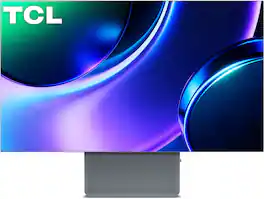
Unlock a competitive edge and stunning visual immersion with the TCL 32X3A 32" 4K OLED gaming monitor. Engineered for ultimate performance, its 240Hz native refresh rate accelerates up to a blazing 480Hz, combining with a 0.03ms GTG response time, Ultra-Fast signal processing, and FreeSync Premium to virtually eliminate motion blur and input lag. Experience cinematic, lifelike AAA worlds via pixel-level dimming, TrueBlack 400, 1,300 peak nits, and a 98%+ DCI-P3 color gamut on an anti-glare panel. Complemented by premium integrated audio by Bang & Olufsen, a bezel-less design, next-gen Dual DisplayPort 2.1/HDMI 2.1 connectivity, and rear LED ambient lighting.
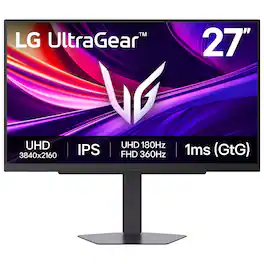
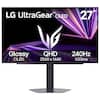
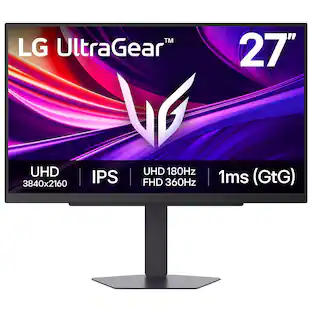
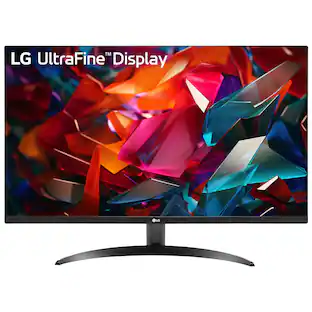
It's time to upgrade your setup with the 27 Inch 4K UHD IPS UltraGear gaming monitor, delivering crisp ultra high (3840 x 2160) resolution, vibrant color with up to 95% DCI-P3 coverage, and striking contrast through VESA DisplayHDR 400. Every detail is vivid, sharp, and designed to elevate your gaming and streaming experience. Stay ahead with a 144Hz refresh rate and lightning-fast 1ms (GtG) response time, ensuring smooth, responsive gameplay. Adaptive sync technologies—NVIDIA G-SYNC compatibility and AMD FreeSync Premium—keep every frame fluid and tear-free. Dual Mode lets you take control of your gaming experience. Enjoy graphically stunning story-driven adventures in 4K UHD at up to180Hz immersing yourself in epic visuals and rich detail. Or game in Full HD at an electrifying 360Hz for ultra-responsive gameplay¹. Stay battle-ready with dual HDMI, DisplayPort 1.4, USB upstream and two downstream ports, plus a 4-pole headphone jack. A slim bezel, fully adjustable stand bring both performance and style to your ultimate gaming setup.
| Pros for TCL - R84 32" QD Mini LED 4K UHD 165Hz 1ms AMD FreeSync Premium Gaming Monitor with DisplayHDR 1400 (USB C, DisplayPort, HDMI) - Black and White | |||
|---|---|---|---|
| Brightness, Connectivity, Refresh Rate, Black Level, Burn-in Resistance | Brightness, Black Level, Connectivity, Build Quality, Port Selection | There were no pros for this product— | Refresh Rate, Overall Performance, Resolution, HDR Performance |
| Cons for TCL - R84 32" QD Mini LED 4K UHD 165Hz 1ms AMD FreeSync Premium Gaming Monitor with DisplayHDR 1400 (USB C, DisplayPort, HDMI) - Black and White | |||
| There were no cons for this product— | Stand Size, Viewing Angle | There were no cons for this product— | Brightness |
Specs
Questions & Answers
This works with nvidia graphics cards?
Answered by TCLExpertYes, the TCL R84 monitor is compatible with NVIDIA graphics cards. As long as your PC has a compatible DisplayPort or HDMI output, you can connect and use the monitor with NVIDIA GeForce GPUs. Thank you, TCL Customer Support
Would you consider this product to be cable ready? I am interested in a product that is compatible with the Spectrum Cable set up.
Answered by TCLExpertYes, it should be cable ready and it has HDMI in. Hope this helps! Thank you, TCL Customer Support
Does the monitor support AMD FreeSync?
Yes, the monitor supports AMD FreeSync Premium.
This question and answer was generated by AI based on customer and product data.What is the maximum resolution supported by this gaming monitor?
The gaming monitor supports a maximum resolution of 3840 x 2160.
This question and answer was generated by AI based on customer and product data.Is the stand for this monitor adjustable?
Yes, the stand is fully adjustable for customized comfort.
This question and answer was generated by AI based on customer and product data.


Customers often buy these together
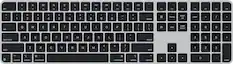
Computer Keyboards
![esc 1 ! 2 @ 3 # 4 $ 5 % 6 ^ 7 & 8 * 9 ( 0 ) - = | F1 F2 F3 F4 F5 F6 F7 F8 F9 F10 F11 F12 tab Q W E R T Y U I O P [ ] { } | caps A S D F G H J K L : : enter shift Z X C V B N M , < > ? shift ctrl alt fn ctrl](https://pisces.bbystatic.com/image2/BestBuy_US/images/products/bc5bce35-ca08-45da-bcc3-8d6fb215154b.jpg;maxHeight=232;maxWidth=233?format=webp)
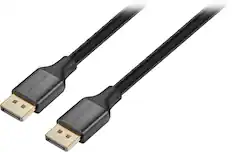
Monitor and Video Cables

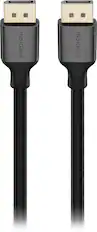
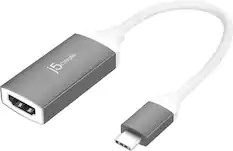

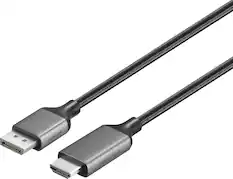

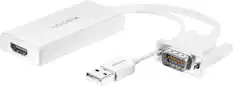
More recommended items
 Computer Speakers
 Mice
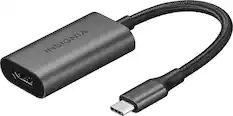
Mice Cables and Adapters
 PC Gaming Headsets
Customers ultimately bought
 Top Deal$399.99The price was $599.99
 $899.99The price was $1,299.99
 $749.99The price was $1,299.99
 $299.00The price was $329.99
 Top Deal$219.99The price was $349.99
 Top Deal$799.99The price was $1,199.99

Explore tech essentials Sponsored
 $1,449.99The price was $2,099.99
Discover related products
 $379.99The price was $499.00






Keep exploring
 $259.99The price was $399.99
 $755.99The price was $971.99
 $299.99The price was $312.00