Main Content

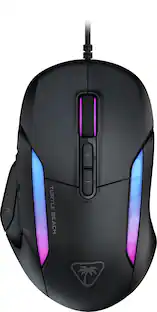
Turtle Beach - Command Series MC7 Advanced Wireless Touchscreen Optical Gaming Mouse for Windows 10/11 PC - Wireless - Black

Model: TBM-1106-05
SKU: 6678596
Sold byBest Buy

About this product

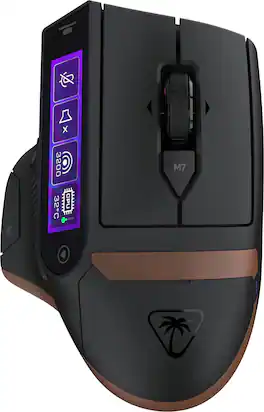
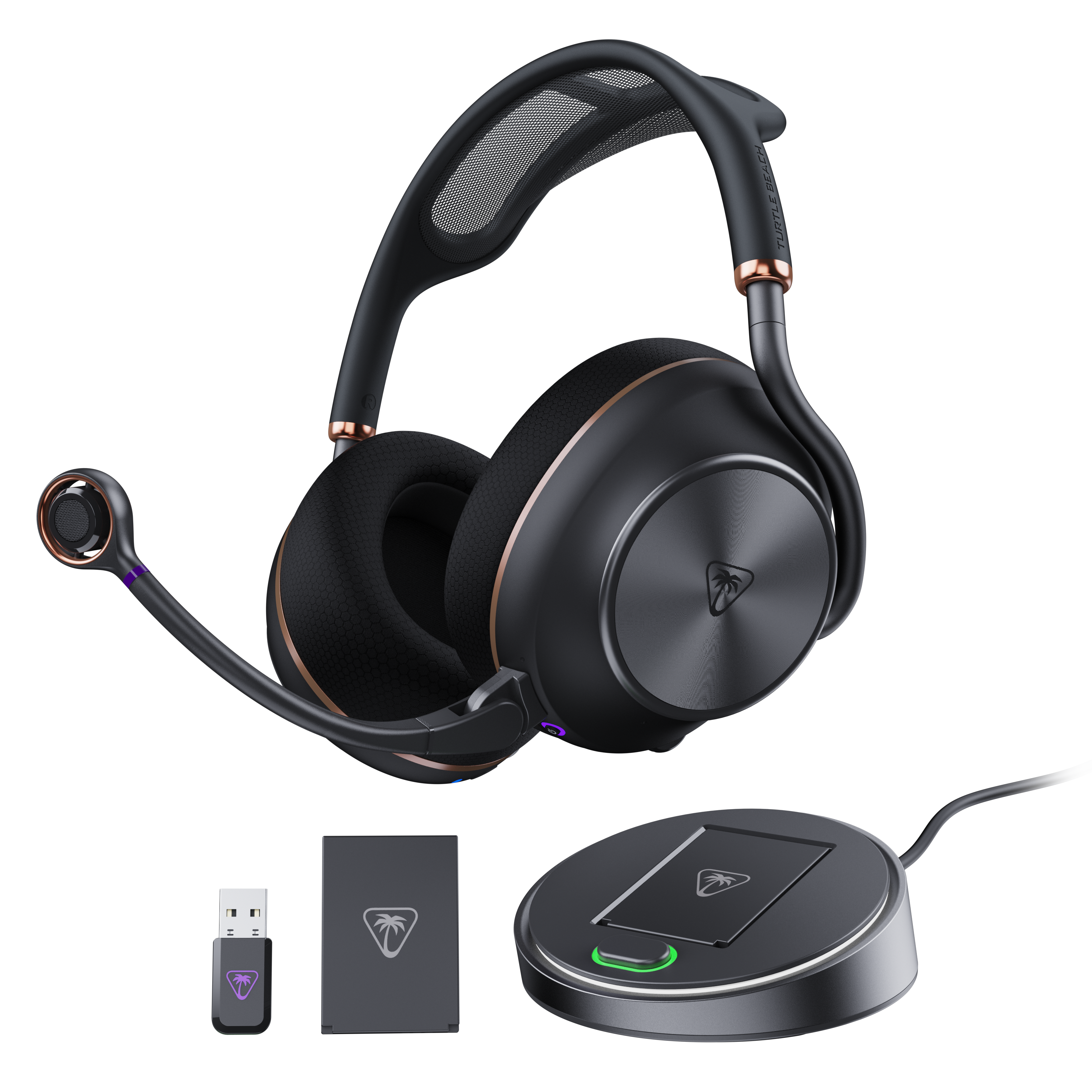
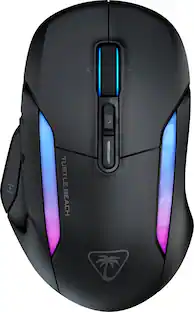
The Turtle Beach Command Series MC7 wireless gaming mouse delivers seamless control for gaming, streaming, and productivity. The Command Touch Display provides intuitive fingertip control without layered software or excess buttons. Quickly adjust DPI, switch profiles, trigger macros, or control apps without breaking focus. For streamers and creators, it becomes a powerful command hub for OBS control, mic muting, and app launches without interruption. With tri-mode connectivity, seamlessly switch between 2.4GHz wireless, Bluetooth, and wired. True 8K polling delivers ultra-low 0.125ms latency, paired with an Owl Eye 30K DPI optical sensor and Titan Optical Switches for flawless tracking and long-term durability. Enjoy zero downtime with dual 1000 mAh hot-swappable batteries and the included charging dock. Each battery delivers up to 10 hours out of the box and up to 15 hours at 8K with LED and LCD lighting off. Even better, these are the same batteries used in Stealth Pro II. Designed for stability and precision, the MC7’s ergonomic right-handed shape supports confident, controlled play with comfortable palm and claw grip support. Paired with an adaptive 4D scroll wheel, customizable RGB lighting, 11 programmable buttons, and onboard profiles, The MC7 is a core component of the Command Series ecosystem.

Features

  • Command Touch Display

    A built-in 2.25” touchscreen puts essential commands directly at your fingertips beyond a traditional mouse. Fine-tune DPI, profiles, macros, and app or OBS control without breaking focus.

  • 24/7 Gaming Power System

    Stay powered with dual 1000 mAh hot-swappable batteries and charging dock. Enjoy up to 10 hours per battery out of the box, or 15 hours at 8K with LED and LCD off. The same batteries can be shared with the Stealth Pro II.

  • True 8K Low‑Latency Wireless

    True 8K polling and 0.125ms latency provide ultra‑responsive performance, up to 8x faster than standard mice for precision aiming and rapid actions.

  • Owl‑Eye 30K DPI Optical Sensor

    Owl‑Eye 30K sensor delivers flawless tracking with 750 IPS speed, 70g acceleration, and consistent performance on nearly any surface.

  • Adaptive 4D Scroll Wheel

    Shift seamlessly precise step scrolling and fast free spin, with side tilt inputs for custom commands. It adapts naturally to gaming and productivity, so every action feels instant and intentional.

  • Tri‑Mode Connectivity

    Switch seamlessly between 2.4GHz wireless, Bluetooth, and USB wired modes for flexible, high‑performance control across gaming and work devices.

  • Titan Optical Switches

    Titan Optical Switches delivers instant actuation, adjustable debounce, and a 150‑million‑click lifespan for fast, accurate, and long‑lasting performance.

  • Pure PFTE Glides

    Pure, heat-treated PTFE feet deliver incredible glide and the smoothest mouse movements right out of the box.

  • Extra Customization & Onboard Profiles

    Customizable RGB lighting, up to 11 programmable buttons, and five onboard profiles allows you to build a personalized experience across games, apps, and workflows.

  • Swarm II Software

    Advanced customization for the Command Touch Display, profiles, RGB lighting, macros, and performance tuning.

Specifications

  • Lighting Type
    RGB
    Maximum Sensitivity
    30000 dots per inch
    Connection Type
    Wireless, Wired
Sponsored

Reviews

Rating 4.2 out of 5 stars with 24 reviews

79% would recommend to a friend

Customer Images

The vast majority of our reviews come from verified purchases. Reviews from customers may include My Best Buy members, employees, and Tech Insider Network members (as tagged). Select reviewers may receive discounted products, promotional considerations or entries into drawings for honest, helpful reviews.

  • Rated 4 out of 5 stars

    Mostly well

    I love how you can customize the background and do your own button mapping although for some reason I have to set the dpi much higher on some games

    Posted by JOSE

  • Rated 4 out of 5 stars

    A Feature Pack Gaming Mouse

    The Turtle Beach Command Series MC7 is one of the most feature packed gaming mice I've come across in some time, and what immediately sets it apart from the other mice on the market is the built in 2.25in color touchscreen. Instead of being just another mouse with a few extra buttons, the MC7 is designed to function like a mini command center for gaming, productivity, and streaming. Between the touchscreen, extensive button customization, high end optical sensor, and hot swappable batteries, there is a lot to like here, especially if you enjoy customizing every aspect of your mouse. The first thing to know is that this is not a lightweight gaming mouse. It weighs approximately 135 grams, making it a fairly beefy mouse compared with the trend of super lightweight models in the market. The larger, ergonomic shape is designed to provide support for palm and claw grips. I personally love the shape because I have a larger than average hand and it fits perfectly. I would expect the extra weight to be noticeable if you're coming from an ultralight mouse, but I personally didn't have any real issues with it. If you prefer a more substantial mouse with plenty of features, the size makes sense. However, players who prioritize fast flicks and minimal weight might find it a little on the heavy side. The touchscreen is easily the stand out feature for the MC7. The 2.25in Command Touch Display gives you direct access to controls and profiles without having to constantly open the Swarm II software. You can use it to adjust DPI, switch profiles, trigger macros, change pulling rate and access applications specific controls like OBS functions for streaming or launching Steam. The display also supports customizable widgets, allowing me to set up shortcuts for things like media playback, volume control, copying/pasting, or taking screenshots. There are multiple pages available for organizing these functions, so you can create separate layouts for gaming, work, streaming, and you can have up to 5 profiles. It's essentially a small control panel built directly into the mouse, which could eliminate the need for some dedicated macro keys or even a separate shortcut device for certain tasks. That being said if you are looking at the screen from an off angle it can look a little distorted if not at 100% brightness and the touch detection isn't always 100% accurate, where if you try swiping between the pages you can accidentally press a mapped button you didn't intend to press. The MC7 also has 11 programmable buttons, including the standard left and right clicks, clickable scroll wheel, two side buttons, a Thumb Button, and a dedicated DPI button. The adaptive 4D scroll wheel supports traditional tactile scrolling, and left and right tilt inputs. That gives you additional commands to assign for gaming or everyday productivity. Easy-Shift is particularly useful because it allows a secondary function to be assigned to compatible buttons while the Easy-Shift button is held down. This effectively expands the number of commands available without requiring even more physical buttons. Between the physical controls and touchscreen, there is a lot of flexibility for creating a layout that fits my needs. For performance, Turtle Beach equips the MC7 with its Owl-Eye 30K optical sensor, which supports sensitivity settings from 50 to 30,000 DPI. The mouse supports an impressive 8,000Hz polling rate over USB, with the wireless connection also advertised as supporting true 8K polling. In practical terms, this means the mouse can report its position to the computer up to 8,000 times per second, which is nice for high refresh rate gaming monitors and competitive play. Of course, the benefits of 8K polling depend on the game, system performance, and your own sensitivity to input responsiveness. The sensor is also advertised as being compatible with glass surfaces. The MC7 is reliant on the Swarm II software, so make sure the software is downloaded before trying to use this mouse. In the Swarm II app is where all the customization options can be mapped. You can configure the DPI levels, adjust the polling rate, remap buttons, create macros, customize the RGB lighting, manage onboard profiles, and personalize the touchscreen layout. Macro support is very useful for repetitive tasks or complex sequences of commands. The software also provides control over the touchscreen's widgets, allowing you to build a more personalized interface rather than sticking with the default layout. There are 5 onboard profiles, which is useful for keeping different configurations for different games or applications. Once the profiles and supported settings are saved, they can be stored on the mouse, although some software-dependent functions may still require Swarm II to be running. There are also special widgets for programs like OBS and stream labs that you can connect with the Swarm app to control settings right from the mouse. The battery design is another area where the MC7 stands out. Instead of relying on a single internal battery that eventually needs to be recharged, it comes with 2x 1,000mAh rechargeable batteries that can be hot swapped. When one battery runs low, you can replace it with the charged spare instead of waiting for the mouse to recharge or being tethered to a wire. The included charging dock makes it easy to keep the spare battery ready to go. Each battery is advertised to provide up to 10-15 hours of use under typical out of the-box conditions. Actual battery life will vary depending on polling rate, lighting, display usage, and other settings. This is a clever solution for anyone who spends long hours at the computer and doesn't want to interrupt a gaming session or workday to charge a mouse. Connectivity is also very flexible in that the MC7 offers 3 connection modes in 2.4GHz wireless through the included USB receiver, Bluetooth, and wired USB connectivity. This makes it very useful across different computers and setups, whether I want low-latency wireless for gaming, Bluetooth for my work laptop, or a wired connection if needed. The included 1.8-meter USB-A to USB-C PhantomFlex charging cable also supports the wired connection and charging setup. One important consideration is that the advanced Swarm II customization features are designed for Windows 10 and Windows 11. So, the mouse can connect to a Mac as a basic pointing and clicking mouse, but the full software customization suite is not available there. Pros 2.25in color touchscreen 11x programmable buttons 30,000 DPI sensor 8,000Hz polling rate 2.4GHz wireless, Bluetooth, and wired USB connectivity 2x hot swappable batteries and charging dock Cons 135g is heavy compared to most gaming mice Touch screen responsiveness and accuracy detection Full customization requires Windows 11 and Swarm II app Battery life depends on polling rate, lighting, and screen usage Large design may not suit smaller hands or fingertip grips Touchscreen features may be unnecessary for some gamers The Turtle Beach Command Series MC7 is a gaming mouse that does more than your typical gaming mouse. The built in touchscreen is a nice addition, letting you adjust DPI settings, set up macros, launch apps, and access streaming controls without having to dig through menus. With 11 programmable buttons, a 30,000 DPI sensor, 8,000Hz polling, and two hot-swappable batteries, there’s a lot to like. The biggest drawbacks are its weight, the time it takes to set everything up, and the fact that you’ll need the Windows software to get the most out of it. If you prefer a larger mouse and enjoy customizing your setup, the MC7 is worth checking out, especially if you want something that works well for gaming, everyday productivity, and

    Posted by Ian L

  • Rated 4 out of 5 stars

    Eats most other meeces to pieces! Excellent!

    Turtle beach Command Series MC7 review: Looks/ materials: It's a handsome piece of kit. The fit and finish is what you'd expect for a mouse at this price point with the exception of the bronze area, you can actually see a bit of light bleeding through from the underglow lighting. They used some translucent plastic and then applied a bronze coating over it, however the lights are so strong, they actually shine through the bronze coating. A little on the heavier side, but that's to be expected with the screen and lights. Feels solid and materials feel nice to the touch; soft touch feel on top and nice and grippy on the sides. The customizable lighting and LED screen enhance the looks and help it stand out from the competition. Buttons are all of good quality with a very satisfying clickiness. Scroll wheel is good, not too heavy on the scroll. Mouse glides pretty well, too. No dragging issues. Customization: You can customize everything on this mouse. The lighting, the screen background picture, what widgets or executables you load onto the screen, DPI, etc. All are accomplished pretty seamlessly in Turtle Beach's Swarm 2 software. Swarm 2 Software: This is the software you'll need to update, customize, and even calibrate your mouse with. Here you can change lighting colors and effects, touchscreen widgets and background image, change the DPI, create your own custom macros or choose from a wide variety of configurations for games like WoW, Path of Exile, Warframe, etc. The menus are all very straightforward and easy to use. I took advantage of the calibration feature in the DPI setting area to calibrate the mouse to my personal reaction time and accuracy. I set my under-glow to white to match the lighting of my keyboard and changed the background image to a Gundam, LOL! Touch screen panel: This is probably the most unique and standout feature of this mouse. It's a pretty impressive little display with decent color and resolution, especially for something that lives inside of a computer mouse. I have it set to display my PC's CPU and GPU utilization, the current mouse DPI setting and a launchable Steam app executable on the first slide, then a suite of media keys on the second slide so I can pause/resume whatever YouTube video I always have playing on my second monitor and then a suite of shortcut keys on the third. There's no delay from the time I touch the Steam icon on the screen and the Steam app launches. It's not the most ergonomic reach across the mouse to activate the touch screen, at least for my hand it felt slightly awkward, so I'd recommend saving this space for executables that you can use at your leisure, like streaming software, recording, OBS, extra media keys, etc. It's kind of like having a mini Elgato Stream Deck inside of your mouse. It has three swipeable menu slides and a hideable readout for things like battery percentage, screen brightness, software version, etc. The battery: Battery life is pretty decent for something with a high sensitivity sensor, touchscreen and under-glow. The best part is the hot-swappable battery packs and separate charger. That is genius. This mouse comes with 2 removable batteries and a charging station. You just pop off the magnetically attached cover and slot the battery into place. That way you have the option to charge the batteries through the plug in charger or through plugging in the mouse itself. Very convenient, especially if you're using this for longer sessions. You can simply have one battery on the charger, waiting in the wings, should you need it. Then you just swap them out, put the dead battery on the charger, and continue enjoying your near seamless wireless mouse experience! Superb!! Performance: The sensor is good. Very good. I daily drive a Logitech PRO Superlight and this sensor did not leave much to be desired in comparison. Though this mouse isn't really the same kind of animal as the Superlight as the superlight's sensor is top notch, so it's worth noting that the MC7 is comparable for wireless sensor performance. I have my DPI set at 3250 on this mouse and it suites me well. Conclusion: All in all, a solid mouse with the very real exception about that issue with the bronze coated plastic. I don't think they should be using a coated translucent plastic in that area in the first place. If that bronze coating ever wears off, it's going to show through even more and really mess with the aesthetics. If the idea of having a stream deck built into your mouse while also being able to house macros and custom profiles for different games sounds appealing to you, this is a solid choice. It's an interesting beast because it screams slower pace gaming mouse, like one you would use for MMO's and Media Consumption, but it has a pretty killer sensor built into it. I say use it to play WoW Forever, Diablo 2 Remaster and Runescape, lol. I think it's a little to heavy for twitchy FPS games. The sensor is willing, but the body is heavy, LOL! 4 out of 5 mice and yup...I recommend this!

    Posted by SSSS

  • Rated 4 out of 5 stars

    Excellent Performance, Highly Customizable

    - Setup Getting started with the MC7 didn't quite make the best first impression. Updates were required for both the charger and mouse through the software. Which wasn't a big deal. However, the way it was guiding me felt a bit counterintuitive. It asked me to plug in the hub/charger with the USB cable to update it. So, I did, and clicked update. Then it said I needed to plug in the mouse, so I unplugged the charger and plugged in the mouse. It then asked me to plug in the hub again. In other words, I needed to have both plugged in, since it was wanting to update both devices. This was partially my fault for misunderstanding, but it was a bit confusing on the way it worked. It would have been helpful to mention they both needed plugged in at once, and that an additional cable would be required. Again, I'm sure part of this was just my misunderstanding. Luckily, that was the only real quirk I had during setup. Once both devices were updated, configuring the mouse buttons is pretty straightforward. I kind of wish that you could wait to sync your changes until you were done making them. The way it works now, if you drop a new shortcut, it immediately syncs. Most of the time, that's probably fine. But when you're making a page of shortcuts, waiting each time you made a change felt a little unnecessary, rather than just have a button that said sync or save once you were done. - Hardware The MC7 is a pretty unique mouse, which is obvious with the touchscreen. And while it is very targeted towards gamers, it has some good applications for daily work as well. Specifically with the customizable touchscreen. I set up profiles for when I'm working, for common tools that I use. Like screenshots or a calculator. These are all useful little things you can do. Beyond just setting shortcuts for gaming things too. I'm curious as to how this will evolve over time as well. What further gaming shortcuts can be added, or other useful tools. My main complaint with the screen is the viewing angle. When viewing the screen from my typical angle, the screen is a bit hard to read, things look pixelated. Turning the mouse, or moving my viewing angle to a more straight-on view makes it much clearer, but kind of feels like it defeats the purpose of having the screen. The mouse itself feels great to use. It's surprisingly lighter than I expected. It also looks very elegant with the black and gold colors. Being able to customize the background of the screens, along with the shortcuts is a nice touch. The polling features are excellent too. Providing VERY accurate responses. The lighting is also nice. It can be subtle, which isn't always an option with gaming hardware. I wasn't crazy about adding another dongle to my PC, but the way it's handled with the charging hub makes it less of an issue. I wanted to take advantage of the fastest polling and least latency, which requires the dongle. Plugging the dongle in the hub makes it only take the one USB slot, while giving you the peace of mind of always having a battery ready. Though, I kind of wish the hub was a sort of charging pad, so you could just place the mouse there when not in use to keep it charged. Buttons and scrolling feel great on the mouse as well. Be aware that the mouse clicks are maybe a bit louder than other mice. I also wish the mouse supported Windows haptics. Especially since it has haptics in place through the Swarm software. Maybe this can be added in a future software update. I have grown to like the feedback of when the mouse is hovering over the close button of a window. Battery life is definitely affected by the screen, polling, and lighting. But the included additional battery makes me not worry about it too much, since swapping them out is quick and painless. The battery cover is easy to remove and snaps back in place magnetically. Pros: excellent idea of customizable touchscreen shortcuts, highly customizable, excellent performance, elegant design, connection options, swapping batteries and boot time is fast Cons: viewing angle of screen can be a bit difficult, some software quirks, requires dongle for maximum performance, battery life can suffer fairly dramatically based on the screen, polling, and lighting

    Posted by dustinw

  • Rated 4 out of 5 stars

    Interesting mouse held back by unreliable software

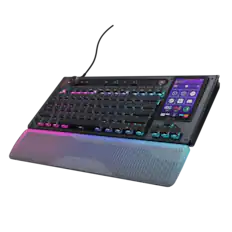
    This mouse is a bold but somewhat ostentatious addition to any PC gamers setup. Turtle beach has created a mouse here that performs exactly how it should as a mouse for daily use and gaming. The wireless connection is stable, the versatility of all hardware buttons is present, and the hot-swappable battery system with TWO included batteries is absolutely awesome, particularly when combined with the fact that the batteries work with other compatible wireless products like the most excellent Turtle Beach Stealth Pro II headset that I use as my daily driver headset! Honestly, just with these features alone, it does not feel like one is paying too much for this mouse. I do just want to quickly mention that this mouse is LARGE. It is the strangest conjunction of being a claw-shape mouse but encourages a palm-based grip. I have medium sized male hands (medium sized medical gloves are just a bit tight on me, for context) and I will be honest that I struggle to control and use this mouse. If you have large hands or longer fingers though, you have found a great candidate with this mouse! If you have small hands, you may want to avoid this entirely. Where it gets tougher to recommend this mouse is surrounding the cool but unnecessary touchscreen and flawed Swarm II software. Admittedly, I am a sucker for data and informatics. The screen on this mouse, however, is akin to the CPU AIO coolers out there that have screens that show temperatures, graphics, etc. It is neat to have this info, but is it necessary or useful to have in this setting? As shown in the pictures, I had a Command series keyboard as well with similar customizable touchscreen and on the mouse in this review, I used it to monitor my hardware temps and utilization which was quite cool indeed! To compliment Turtle beach, the touchscreen is positioned such that you aren’t going to accidentally hit it often unless you have gigantic hands, and when you do touch it, it utilizes haptic feedback to let you know your input was registered. The real fly in the ointment right now though is the unreliable Swarm II software. I was having a lot of difficulty with the most recent updated version of it as of October 18th, 2026 crashing, being extremely slow, and sometimes dropping off software registration of this mouse even though I updated the mouse and dongle’s firmware. The really good news about this single major complaint is that it is easily solvable by future updates. I have enjoyed and used my Turtle Beach Stealth II Pro as my daily driver headset and I have not worried too much about the software until this review, so I am sure this is just growing pains with the addition of this new complex and interesting mouse. Overall, I would say that if you have large hands, like Turtle Beach, are interested in the Command series line of products, I love having extra touch screens and info on your peripherals, this would be a great mouse to consider using. Thanks for reading and I hope this review is helpful!

    Posted by Bren

Compare similar products

Turtle Beach - Command Series MC7 Advanced Wireless Touchscreen Optical Gaming Mouse for Windows 10/11 PC - Wireless - Black
4.2(24)

The Turtle Beach Command Series MC7 wireless gaming mouse delivers seamless control for gaming, streaming, and productivity. The Command Touch Display provides intuitive fingertip control without layered software or excess buttons. Quickly adjust DPI, switch profiles, trigger macros, or control apps without breaking focus. For streamers and creators, it becomes a powerful command hub for OBS control, mic muting, and app launches without interruption. With tri-mode connectivity, seamlessly switch between 2.4GHz wireless, Bluetooth, and wired. True 8K polling delivers ultra-low 0.125ms latency, paired with an Owl Eye 30K DPI optical sensor and Titan Optical Switches for flawless tracking and long-term durability. Enjoy zero downtime with dual 1000 mAh hot-swappable batteries and the included charging dock. Each battery delivers up to 10 hours out of the box and up to 15 hours at 8K with LED and LCD lighting off. Even better, these are the same batteries used in Stealth Pro II. Designed for stability and precision, the MC7’s ergonomic right-handed shape supports confident, controlled play with comfortable palm and claw grip support. Paired with an adaptive 4D scroll wheel, customizable RGB lighting, 11 programmable buttons, and onboard profiles, The MC7 is a core component of the Command Series ecosystem.
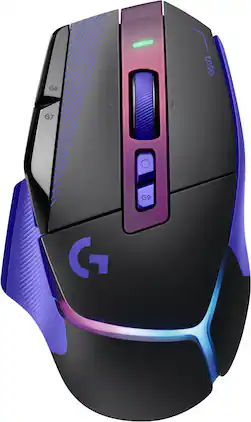
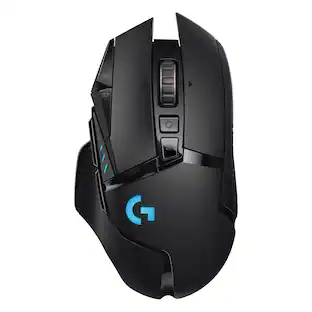
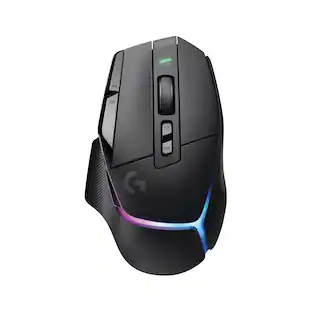
Logitech - G502 X PLUS Wireless Gaming Mouse for Desktop with HERO 44K Sensor and 13 Controls, USB-C mouse for PC, Mac - Wireless - Dark Lilac
5.0(1)

G502 X PLUS is the newest iteration of the world’s most popular gaming mouse, reinvented with breakthrough innovations. It features hybrid optical-mechanical LIGHTFORCE switches for incredible speed and tactical reliability, alongside the all-new, sub-micron HERO 44K sensor. Updated LIGHTSPEED wireless delivers a 68% faster response rate with an optimized battery. Complete with a reversible, removable DPI-shift button, a dual-mode hyper-fast scroll wheel, and an ultra-lightweight design, this iconic weapon ensures absolute execution. It comes fully loaded with a customizable, flowing 8-LED LIGHTSYNC RGB array and is available in premium black or white colorways.
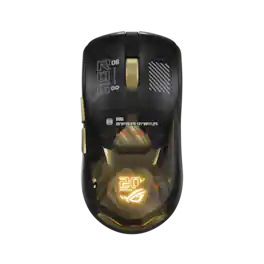
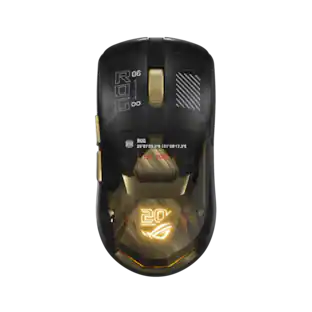
ASUS - ROG Harpe II Extreme Lightweight Optical Gaming Mouse with ROG SpeedNova Wireless Technology and 65K Sensor - Wireless - 20th Edition
4.7(16)

The ROG Harpe II Extreme Edition 20 is a commemorative gaming mouse built on the pro-developed Harpe II Ace. It combines authentic 24K gold-plated detailing with cutting-edge performance, a new 65,000-dpi ROG AimPoint Pro 65K sensor, ROG Optical micro switches, and industry-leading 8,000Hz wireless performance powered by ROG SpeedNova technology.
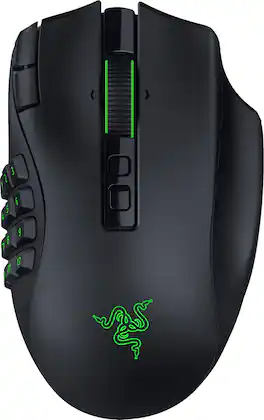
Razer - Naga V3 Pro Modular MMO Optical Gaming Mouse with Swappable Side Plates - Wireless - Black
4.6(80)

Stay one step ahead—no matter how the game changes. The Razer Naga V3 Pro is a modular wireless gaming mouse built to adapt across genres, upgraded to be more customizable, faster, and more precise than ever for MMO, battle royale, FPS, and more. Swap between 12-, 6-, or 2-button magnetic side plates and command up to 23 programmable buttons, including 2 quick-access edge buttons for on-the-fly DPI changes plus a lockable ring finger button for extra control. Take charge of scrolling with the configurable Razer HyperScroll tilt wheel (4-way) with 3 modes: Tactile Cycling, Free-Spinning, or Smart-Reel that auto-switches based on scroll speed (all adjustable in Synapse). Enjoy crisp, rapid clicks from Razer Optical Mouse Switches Gen-4, rated for 100M+ clicks with improved feel and 12% lighter actuation. Aim with next-level accuracy using the Razer Focus Pro 50K Optical Sensor Gen-3 (50K DPI, 930 IPS, 90 G) powered by Frame Sync for reduced latency. Go cable-free with Razer HyperSpeed Wireless for high-performance, ultra-low-latency play even in noisy tournament environments. Power through up to 155 hours on HyperSpeed or 280 hours on Bluetooth, recharge via USB-C, and unlock wireless charging with HyperFlux V2 or Mouse Dock Pro (sold separately). Get smarter control with AI Prompt Master and advanced macros to surface tailored strategies fast and execute chained actions instantly.

Pros for Turtle Beach - Command Series MC7 Advanced Wireless Touchscreen Optical Gaming Mouse for Windows 10/11 PC - Wireless - Black
There were no pros for this product—There were no pros for this product—Design, Overall PerformanceButton Layout, Ergonomics, Battery Life, Build Quality, Sensor Accuracy
Cons for Turtle Beach - Command Series MC7 Advanced Wireless Touchscreen Optical Gaming Mouse for Windows 10/11 PC - Wireless - Black
There were no cons for this product—There were no cons for this product—There were no cons for this product—Weight, Input Control, Noise Level

Specs

Questions & Answers

No content
Sponsored