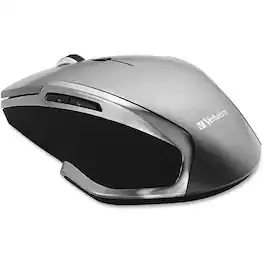
Verbatim - Wireless Notebook 6-Button Deluxe Blue LED Mouse - Blue LED/Optical - Wireless - Radio Frequency - Wireless - Graphite
Reviews coming soon
About this product
Wireless Notebook 6-Button Deluxe Mouse takes navigation and computing efficiency to a new level. Multi-button functionality enables you to navigate within and between applications for the ultimate computing experience. Button functionality includes: Standard Left/Right Button Scroll wheel - click to scroll within web browser or documents - no need to move mouse Back/Forward Buttons - easily navigate between pages in your browser Windows 8 Home Button. Verbatim Wireless Notebook 6-Button Deluxe Mice feature Blue LED technology, allowing users to navigate on virtually any surface, from a glass tabletop to granite countertop. Additionally, 2.4GHz wireless performance allows for lag-free cursor movement. The mouse connects to the computer via a nano receiver, small enough to plug in and leave connected - great for computing on the go. When not in use, the receiver stores conveniently inside the battery compartment. The Wireless Notebook 6-Button Deluxe Blue LED Mouse is backed by a 1-Year Limited Warranty.
Features
Verbatim Wireless Notebook 6-Button Deluxe Blue LED Mouse
Wireless Notebook 6-Button Deluxe Mouse takes navigation and computing efficiency to a new level. Multi-button functionality enables you to navigate within and between applications for the ultimate computing experience. Button functionality includes: Standard Left/Right Button Scroll wheel - click to scroll within web browser or documents - no need to move mouse Back/Forward Buttons - easily navigate between pages in your browser
Ergonomic Comfort
Contoured shape with an easy-grip surface keeps your hand comfortable during extended computing sessions
Precision Navigation
Blue LED technology allows precise control on nearly any surface, including glass, granite, hardwood, and carpet
Multifunction Buttons
Six buttons including scroll wheel, back/forward, and Windows 8 home button enhance browsing and application access
Broad Compatibility
Works with Windows XP and higher, Mac OS X 10.1 and higher, and Linux kernel 2.6 and above
Specifications
- Number of Buttons (Total)6Connection TypeWireless
Reviews
This product doesn't have any reviews yet.





Compare similar products
Wireless Notebook 6-Button Deluxe Mouse takes navigation and computing efficiency to a new level. Multi-button functionality enables you to navigate within and between applications for the ultimate computing experience. Button functionality includes: Standard Left/Right Button Scroll wheel - click to scroll within web browser or documents - no need to move mouse Back/Forward Buttons - easily navigate between pages in your browser Windows 8 Home Button. Verbatim Wireless Notebook 6-Button Deluxe Mice feature Blue LED technology, allowing users to navigate on virtually any surface, from a glass tabletop to granite countertop. Additionally, 2.4GHz wireless performance allows for lag-free cursor movement. The mouse connects to the computer via a nano receiver, small enough to plug in and leave connected - great for computing on the go. When not in use, the receiver stores conveniently inside the battery compartment. The Wireless Notebook 6-Button Deluxe Blue LED Mouse is backed by a 1-Year Limited Warranty.

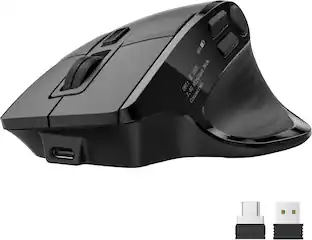
The Logitech MX Master 4 brings immersive control and precision you can feel with haptic feedback. Experience haptic feedback on specific actions, shortcuts, notifications like switching desktops, slider adjustments and more. Customize vibration intensity in Logi Options+. With Actions Ring shortcuts and MX Master 4, save up to 33% of your time by accessing tools and filters at your cursor, reducing repetitive movements by up to 63%. Experience uninterrupted performance with 2X more powerful connectivity, powered by an advanced radio chip, optimized antenna placement, and a new USB-C dongle.
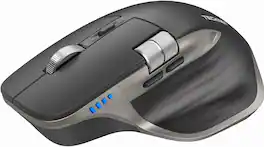
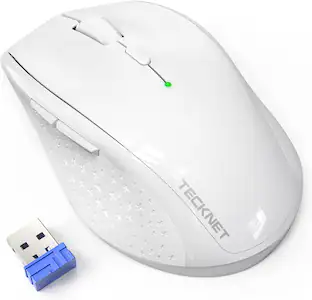
Streamline your setup with the TECKNET Wireless Mouse. Connect up to three devices at once via dual Bluetooth 5.3/5.0 and 2.4GHz USB-A, then switch between them with a single button for smooth multitasking. A precision metal scroll wheel and side scroll wheel deliver smooth vertical and horizontal navigation, while six adjustable DPI levels up to 4800 provide accurate control for detailed work or fast browsing. The rechargeable design charges in 1.5–2 hours and lasts up to 3 months, and silent clicks keep offices, libraries, and shared spaces quiet. Works with Windows, macOS, Chrome, and Linux. Backed by TECKNET’s 24-month warranty (registration required).

Rise to the top of your guild with the Razer Naga V2 HyperSpeed—a best-in-slot wireless ergonomic MMO mouse. Optimize skill rotations with an arsenal of 19 buttons and a dual mode scroll wheel. Power through raid progression with HyperSpeed Wireless, backed by up to 250 hours of battery life.
| Pros for Verbatim - Wireless Notebook 6-Button Deluxe Blue LED Mouse - Blue LED/Optical - Wireless - Radio Frequency - Wireless - Graphite | |||
|---|---|---|---|
| There were no pros for this product— | Ergonomics, Overall Performance, Battery Life, Haptic Feedback, Button Functionality | There were no pros for this product— | Overall Performance, Battery Life, Ergonomics, Button Layout, Wireless |
| Cons for Verbatim - Wireless Notebook 6-Button Deluxe Blue LED Mouse - Blue LED/Optical - Wireless - Radio Frequency - Wireless - Graphite | |||
| There were no cons for this product— | Size, Weight | There were no cons for this product— | Size, Power Source |
Specs
Be the first to ask a question.
We’ll try to get your question answered within 24 hours by a Best Buy customer or brand representative.
Customers often buy these together
Computer Keyboards


![Esc F1 F2 F3 F4 F5 F6 F7 F8 F9 F10 F11 F12 Print Screen Scroll Lock Pause Break 1 2 3 4 5 6 7 8 9 0 - + = Backspace Insert Home H Page Up A Num Look 1 I Tab Q W E R T Y U I o P { [ } ] I I Delete End IN Page Down 7 Home 8 9 Pg Up Caps A Lock A S D F G H J K L ; : DE g Enter 4 5 6 Shift Z X C V N M < > ? I Shift 1 End 2 3 Pp Dn Enter Ctrl Alt Alt Ctrl 0 Ins Del](https://pisces.bbystatic.com/image2/BestBuy_US/images/products/a588d446-5678-40ae-86b8-1f15e0026e66.jpg;maxHeight=232;maxWidth=233?format=webp)
![esc ~ ! 1 tab caps lock shift ctrl F2 Fl # 2 3 Q W A S Z start opt L F3 $ 4 E D X alt cmd3 ) FS F4 A % 5 6 R T F G V C logi 44 HI & F9 FID FB F7 F6 * ) - - & 0 8 9 7 O P U I Y K L H J > < N M 1 B PM + = { [ : I ; ? I alt cmd D 2 4 300 3 1 F12 . * page I insert home up clear backspace 8 9 + 7 page A pg up end down home } I delete ] / 6 4 5 4 enter 2 3 enter 1 dn Pg end shift = 0 del ins etrl fn opt](https://pisces.bbystatic.com/image2/BestBuy_US/images/products/6539/6539505_sd.jpg;maxHeight=232;maxWidth=233?format=webp)





![The text on the image reads:
888 DD DI DD 4 DSC i F2 F3 4 FS T6 ET 1. 1N IN F.. 11 1.. 114 1n F1 F12 118 in9 - a ee 1 8F 2 3 $ 4 % 5 A 6 & 7 . 8 I 9 I 0 ee I + = delete fn home page up clear - / + tab Q W E R T Y U I 0 P { [ ] ] | I delete end page down 7 8 9 ee caps lock A S D F G H J K L : I - return 4 5 6 + shift Z X C V N M < F > ? / shift a 1 2 3 control option 2 command 3 command option control Y - 0 enter
After grouping and correcting the text, it reads:
888 DD DI DD 4 DSC i F2 F3 4 FS T6 ET 1. 1N IN F.. 11 1.. 114 1n F1 F12 118 in9 - a ee 1 8F 2 3 $ 4 % 5 A 6 & 7 . 8 I 9 I 0 ee I + = delete fn home page up clear - / + tab Q W E R T Y U I 0 P { [ ] ] | I delete end page down 7 8 9 ee caps lock A S D F G H J K L : I - return 4 5 6 + shift Z X C V N M < F > ? / shift a 1 2 3 control option 2 command 3 command option control Y - 0 enter](https://pisces.bbystatic.com/image2/BestBuy_US/images/products/f4059d3a-0c2a-46ef-bcfd-4e11b9b26d5d.jpg;maxHeight=232;maxWidth=233?format=webp)






More to consider
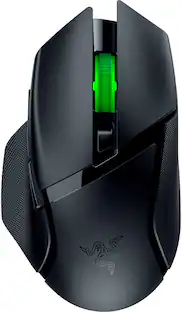
Razer Basilisk V3 X HyperSpeed Optical Gaming Mouse with 9 Customizable Controls
$49.99The price was $69.99







Explore tech essentials Sponsored
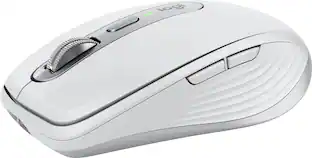
Logitech MX Anywhere 3S Wireless Bluetooth Optical Fast Scrolling Mouse with Programmable Buttons
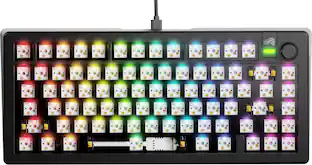
$69.99The price was $89.99Glorious GMMK 3 PRO 75% Barebones Wired Mechanical Linear Switch Gaming Keyboard with Hot-swappable Switches
Clearance$96.99The price was $239.99




Keep exploring
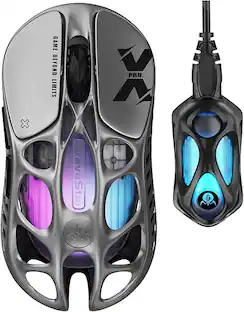
GravaStar Mercury X Pro Wireless 8K Hz Gaming Mouse with 32000 DPI and 49g Magnesium Alloy Frame
$139.95The price was $187.95