Contour Design - RollerMouse Red Plus Ergonomic Wireless Mouse - Wireless - Black
Reviews coming soon
About this product
The RollerMouse Red Plus is adapted for all the functions you can use on a computer today and for all sizes of screens. The roller bar is placed in front of your body, ensuring mouse work with minimal stretching and the centered working position protects against back, neck, and shoulder pain throughout the day. The wide wrist rest made of vegan leather and memory foam has an antibacterial surface with high resistance to infection for optimal hygiene.
Features
Wireless connection
This mouse connects to your computer using a wireless USB receiver
Optical technology
LED lights scan the surface beneath the mouse to detect movement with a fair amount of accuracy
7-button design
Features a scroll wheel and 6 programmable buttons
Ambidextrous design
Can be used comfortably whether you're right- or left-handed
Compatible with most Windows and Mac computers
Works across a wide array of computers
Specifications
- Number of Buttons (Total)7Connection TypeWireless
Reviews
This product doesn't have any reviews yet.


Compare similar products

The RollerMouse Red Plus is adapted for all the functions you can use on a computer today and for all sizes of screens. The roller bar is placed in front of your body, ensuring mouse work with minimal stretching and the centered working position protects against back, neck, and shoulder pain throughout the day. The wide wrist rest made of vegan leather and memory foam has an antibacterial surface with high resistance to infection for optimal hygiene.

RollerMouse Go is a compact and wireless version of Contour's well-known centered mouse. Using the roller bar, you automatically vary your posture by using both the right and left hand. You avoid the potentially harmful movements that occur with classic one-handed mice, which increase the risk of carpal tunnel syndrome.

The SpaceMouse Enterprise Kit offers engineering professionals all tools for an ergonomic and efficient two-handed workflow. CadMouse Pro Wireless comes with a multilayer carrying case with a soft foam interior and an ultra-resistant hard shell exterior, for maximal protection and durability.

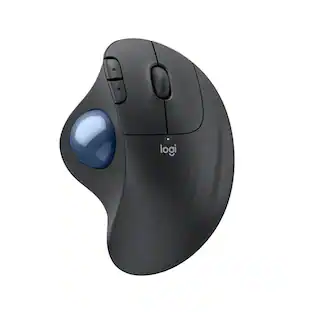
The MX Ergo S Plus is Logitech’s most advanced ergonomic trackball mouse yet, with a 20-degree tilt angle and a 10-degree detachable wedge, and precise thumb control - user-tested and certified by United States Ergonomics. The MX Ergo S wireless ergonomic mouse is sculpted to fit the palm of your hand while keeping it relaxed, and it tilts 20 to 30 degrees for 27% less muscle activity in the forearm, providing elevated comfort throughout your day. Work faster with 6 customizable buttons and a DPI button to effortlessly switch between speed and high-precision tracking. Now with 80% quieter clicks. For even more control that's tailored to your needs, assign time-saving shortcuts and Smart Actions using the Logi Options+ App. Connect your wireless mouse to 2 devices via Bluetooth or the included Logi Bolt receiver and switch between devices with a click of the Easy-Switch button.
| Pros for Contour Design - RollerMouse Red Plus Ergonomic Wireless Mouse - Wireless - Black | |||
|---|---|---|---|
| There were no pros for this product— | There were no pros for this product— | There were no pros for this product— | Ergonomics, Overall Performance, Battery Life, Ease of Use, Connectivity |
| Cons for Contour Design - RollerMouse Red Plus Ergonomic Wireless Mouse - Wireless - Black | |||
| There were no cons for this product— | There were no cons for this product— | There were no cons for this product— | Weight |
Specs
Customers often buy these together
Computer Keyboards

![The text on the image reads:
888 DD DI DD 4 DSC i F2 F3 4 FS T6 ET 1. 1N IN F.. 11 1.. 114 1n F1 F12 118 in9 - a ee 1 8F 2 3 $ 4 % 5 A 6 & 7 . 8 I 9 I 0 ee I + = delete fn home page up clear - / + tab Q W E R T Y U I 0 P { [ ] ] | I delete end page down 7 8 9 ee caps lock A S D F G H J K L : I - return 4 5 6 + shift Z X C V N M < F > ? / shift a 1 2 3 control option 2 command 3 command option control Y - 0 enter
After grouping and correcting the text, it reads:
888 DD DI DD 4 DSC i F2 F3 4 FS T6 ET 1. 1N IN F.. 11 1.. 114 1n F1 F12 118 in9 - a ee 1 8F 2 3 $ 4 % 5 A 6 & 7 . 8 I 9 I 0 ee I + = delete fn home page up clear - / + tab Q W E R T Y U I 0 P { [ ] ] | I delete end page down 7 8 9 ee caps lock A S D F G H J K L : I - return 4 5 6 + shift Z X C V N M < F > ? / shift a 1 2 3 control option 2 command 3 command option control Y - 0 enter](https://pisces.bbystatic.com/image2/BestBuy_US/images/products/f4059d3a-0c2a-46ef-bcfd-4e11b9b26d5d.jpg;maxHeight=232;maxWidth=233?format=webp)


Customers ultimately bought

Explore tech essentials Sponsored
Discover related products
Apple Geek Squad Certified Refurbished 10.2-Inch iPad with Wi-Fi - 256GB
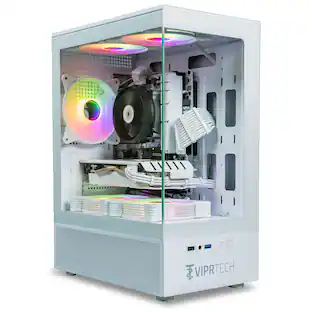
$399.99The price was $479.99ViprTech Stryker Gaming PC - AMD Ryzen 7 (4.1GHz), AMD RX 580 8GB, 16GB DDR4, 500GB SSD, Desktop Computer
Holiday Deal$599.99The price was $799.99Acer USB C Docking Station With 2 HDMI, 9-IN-1 Docking Hub with USB A&C 3.0, SD/Micro SD, 100W Charging
Holiday Deal$36.99The price was $47.99Acer USB C to HDMI Cable for Home Office 6.6FT (4K@60Hz), High-Speed Type C to HDMI 2.0 Braided Cord
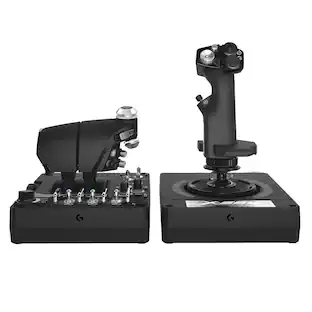
$12.99The price was $13.99Logitech X56 HOTAS Microsoft Flight Simulator RGB Dual-Throttle and Joystick
$249.99The price was $275.00Intel Core i5-14400F 14th Gen 10-Core 16-Thread - 4.7GHz Turbo Socket LGA1700 Unlocked Desktop Processor
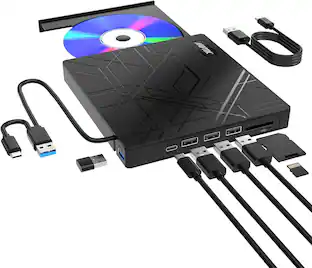
$165.87The price was $197.23AGPtek 8 in 1 External CD/DVD Drive for Laptop, USB 3.0 Ultra Slim Portable CD Burner with 4 USB Ports
$31.99The price was $32.99








Keep exploring
Logitech Design Mouse Limited Edition Wireless Optical 3-button Mouse with Broad Compatibility
$29.46The price was $55.07