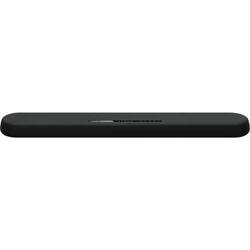
Yamaha - 2.1-Channel Soundbar with 3" Subwoofers - Black
- General
- Product Name: 2.1-Channel Soundbar with 3" Subwoofers
- Brand: Yamaha
- Model Number: YAS-108
- Audio
- Surround Sound Supported: Dolby Pro Logic II, Dolby Digital (Surround sound systems use multiple audio channels and speakers to create an immersive sound experience for the listener. There are also various proprietary technologies that imitate this kind of sound via a device's built-in speakers or soundbar.)
- RMS Power: 120 watts (The maximum amount of continuous power the device is able to handle.)
- Connectivity
- Number of HDMI Inputs (Total): 1
- Number of HDMI Outputs (Total): 1
- Speaker
- Tweeter Size: 1 inches
- Driver Size: 3 inches
- Woofer Size: 8 inches
- Dimensions
- Product Height: 2.1 inches (The out of box height of the item. Height is measured as the vertical distance from the bottom of the item to the top as it would be primarily used or placed.)
- Product Width: 35 inches (The out of box width of the item. Width is measured as the horizontal distance from one side of the item to the other as it would be primarily used or placed.)
- Product Depth: 5.1 inches (The out of box depth of the item. Depth is measured as the distance from the front of the item to the back as it would be primarily used or placed.)
- Product Weight: 7.1 pounds (The out of box weight of the item.)
- Included
- Remote Control Included: true
- Cable(s) Included: None
- Other
- UPC: 027108957326
The simple way to make your TV sound as good as it looks. Built-in subwoofers, virtual 3D surround sound, and slim enough to fit in front of your TV or wall mounted.
- 120W total output power (30W x 2; 60W built-in subwoofer): Provides dynamic sound.
- Two 1" tweeters and two 2-1/8" cone woofers: Enhance the frequency range of audio playback to ensure crisp voices and dynamic soundtracks.
- Two 3" built -in subwoofers: Efficiently transmits bass energy to the room for powerful, tight dynamic bass response.
- Dolby Digital and DTS Virtual:X: Reproduces multichannel audio to deliver a cinematic audio experience.
- Bluetooth music streaming: Makes it easy to enjoy tracks stored on a compatible Bluetooth-enabled device (not included).
- Volume control: Lets you find a comfortable listening level.
- Sleek appearance: Fits seamlessly along most HDTVs for a streamlined look.
- Inputs: Includes optical digital audio, HDMI and mini jack.
- Outputs: Includes HDMI ARC.
- Remote Control and free Home Theater Controller App: Enables simple operation from a distance.
- Wall-mountable design: For versatile placement options.
Whats Included
- Yamaha 2.1-Channel Soundbar with 3" Subwoofers
Q: Can you use your TV remote with this sound bar?
A: Yes, I have a Samsung JU7500 with a one-connect box and the TV remote controls the volume, on, off, etc.etc. of the soundbar using Any-net+ through HDMI connections. DirecTV HDMI-1, ChromeCast Ultra HDMI-2, FireTv Stick HDMI-3, & Samsung 4k M8500 BDP which is connected to the soundbar's HDMI-in and the one-connect box via ARC to the soundbar...so far works perfectly!!! Keep in mind you will still need to download the app to your phone/tablet to control the settings with-in the soundbar. Hope all this helps and Good Luck!
Q: Can the soundbar be connected to a Yamaha reciver"?
A: undefined
A: I have a Yamaha subwoofer, which is why I purchased this sound bar. It has a dedicated plug-in just for it and it works perfectly. I set the subwoofer at high to pick up low frequencies, so it’s on all the time at half volume.
Q: Can this sound bar be mounted on the wall?
A: Yes you can mount it on the wall. There are screw holes in the back.
A: I dont have any problems with the soundbar and optical cable. Although, my tv takes longer than 2 seconds to turn on
Q: Does it work with 220-250 volt power supply
A: undefined
Q: What is the power supply support. Is it 120V or 220V?
A: This product is a USA release and the power required is AC 120 V, 60 Hz.