HP - 27" IPS LED QHD Monitor with Adjustable Height (HDMI, VGA) - Silver & Black
Customers are saying
Customers enjoy the 27" IPS LED QHD Monitor with Adjustable Height (HDMI, VGA) for its screen size, resolution, and ease of use. Many appreciate its overall performance, price, and adjustability. Some customers mention the lack of speakers and DisplayPort as drawbacks. Others would prefer a higher refresh rate and have experienced connectivity issues.
Highlights
Features
More screen in less space
Experience more desk space than you thought possible with this height-adjustable ultra-slim HP display. The attractive, micro-edge design adds stylish beauty to any environment.
Outstanding viewing experience
Get crisp Quad HD resolution with ultra-wide viewing angles that combine to give you an amazing view at up to 178°. Seeing is definitely believing.
Easy connectivity
Get the picture quality you’re looking for without the need for additional dongles. Conveniently connect your devices with HDMI and VGA ports.
3 Sided Micro-edge display
With virtually no bezel encircling the display on three sides, an ultra-wide viewing experience provides for seamless multi-monitor set-ups.
Compact, sleek design
Get everything you need in one elegant package. Just one connection to the wall eliminates cable clutter. Slim design gives you more room for an enhanced computing experience.
Step up to the best
No matter where you stand, an HP IPS monitor delivers clear, vivid images. IPS technology ensures image accuracy and consistency across the ultra-wide viewing spectrum. Enjoy the same wide viewing experience as premium tablets and mobile devices.
Share the panoramic view
Vibrant detail from practically any position with consistent color and image clarity maintained across an ultra-wide 178° horizontal and vertical viewing angles.
QHD Display
Get lost in the captivating definition and ultra-sharp details of 3.7 million pixels. The 2560 x 1440 resolution transforms all your content for an remarkable entertainment experience.
Low Blue Light
Using the Low Blue Light mode subtly shifts your display’s colors to a warmer spectrum, while making whites more natural and putting less strain on your eyes.
Tiltable
Adjust the screen to your personal preference with a 5° forward or 23° backward tilt.
Height adjustment stand
Easily adjust your display to the most comfortable position with 100mm range of travel.
Environmentally conscious
Energy efficient design and components help reduce power consumption and energy costs.
Specifications
- Refresh Rate60HzMaximum Resolution2560 x 1440Response Time5 millisecondsPanel TypeIPSSynchronization TechnologyNot Applicable
Reviews
Rating 4.7 out of 5 stars with 657 reviews
- Screen Size (315)
- Resolution (54)
- Ease of use (51)
- Overall Performance (51)
- Adjustability (25)
- Speakers (8)
- DisplayPort (6)
- Connectivity (5)
- Refresh Rate (5)
- Eye Strain (3)
Customer Images
The vast majority of our reviews come from verified purchases. Reviews from customers may include My Best Buy members, employees, and Tech Insider Network members (as tagged). Select reviewers may receive discounted products, promotional considerations or entries into drawings for honest, helpful reviews.

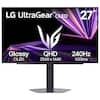
- LG - UltraGear evo 45" 5K2K OLED 165Hz 0.03ms G-SYNC FreeSync Premium Pro Gaming Monitor with DisplayHDR400 TRUE - Black$1,699.99The price was $1,999.99
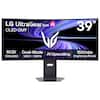
- LG - UltraGear evo GX9 39" 5K2K OLED 165Hz 0.03ms G-SYNC FreeSync Premium Pro Gaming Monitor with DisplayHDR TRUE 500 - Black$1,599.99The price was $1,799.99
Compare similar products

Enjoy a height-adjustable 27-inch diagonal big screen experience with this stylish, ultra-slim display. A vibrant QHD screen and exceptional ultra-wide viewing angles up to 178° make this a great value.
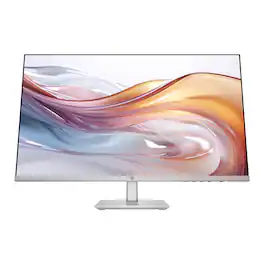
When you need the right tech to take on a day full of projects, meetings, and more, you need the HP Series 5 27-inch FHD Height Adjust Monitor. Its sleek design complements any workspace. And its beautiful screen, adjustable stand, and comfort features take your productivity to the next level. Bring flexibility to the way you work through enhanced visual performance, contrast ratio, and refresh rate.
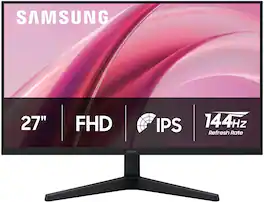
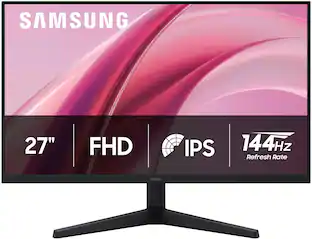
Samsung's 27" Essential Monitor G3 (G31H) offers sharp visuals from every angle ensuring a productive, comfortable experience for both work and entertainment. The IPS Panel keeps colors consistently bright and clear across the entire screen regardless of viewing angle, with reduced color washout. The 144Hz Refresh Rate and 1ms response time (MPRT) reduces lag and motion blur, while enabling fast reactions for smooth performance. By syncing the panel with the GPU, Variable Refresh Rate (VRR) and AMD FreeSync™ reduce choppiness, screen lag, and image tearing, ensuring fast-paced action remains stable with minimal stutter Game Mode, with optimizable game settings, allows instant adjustments to color and contrast. Eye Saver Mode and Less Screen Flickering decreases eye strain by reducing blue light and minimizing irritating screen flicker. Multiple connectivity (with HDMI and DP ports) makes it easy to connect peripherals to the monitor for increased flexibility and an easy, convenient setup. Samsung is the #1 Monitor Brand 4 years in a row.

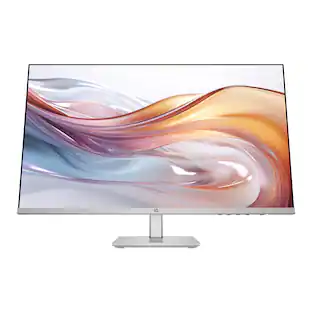
Get more out of your workday with the HP Series 5 Pro 27" QHD Monitor. Create the setup that works for the way you work, wherever you work, with refined visual clarity and adjustable comfort built into a sleek, modern design.
| Pros for HP - 27" IPS LED QHD Monitor with Adjustable Height (HDMI, VGA) - Silver & Black | |||
|---|---|---|---|
| Screen Size, Ease of use, Overall Performance, Adjustability, Resolution | Screen Size, Overall Performance, Adjustability, Ease of use, Design | There were no pros for this product— | There were no pros for this product— |
| Cons for HP - 27" IPS LED QHD Monitor with Adjustable Height (HDMI, VGA) - Silver & Black | |||
| Speakers, DisplayPort, Connectivity, Refresh Rate, Eye Strain | Speakers, Price | There were no cons for this product— | There were no cons for this product— |
Specs
Questions & Answers
How long is the power cord? Good for 2 monitor setup?
Answered by HP TeamHi, thank you for asking. The 27mq monitor's power cord is six feet long. The HDMI cable included is 5.9 feet. Yes, this would be great fo a 2-monitor set up.

I purchased this monitor as second monitor of my desktop PC. Somehow the highest resolution I got was 1920 X 1200. Can someone advise me how to get the 2560 X 1440 resolution? Thanks.
Answered by HP TeamThank you for the question. It may be because of your PC's graphics card. Does it support QHD 2560 x 1440? Have you tried updating the graphics card's driver? Are you connecting with the included HDMI cable? Please reach out to Support.HP.com or call 800-474-6836 for assistance.
how do you adjust the height I'm having problems adjusting its stuck won't move
Answered by HP TeamThe stand on this monitor is not adjustable, however the monitor does have a tilt angle of 5° forward or 23° backward.
How is this monitor environmentally conscious?
The monitor has an energy-efficient design and components to help reduce power consumption and energy costs.
This question and answer was generated by AI based on customer and product data.Does this HP monitor have built-in speakers?
No, this monitor does not have built-in speakers.
This question and answer was generated by AI based on customer and product data.

Customers often buy these together
Computer Keyboards
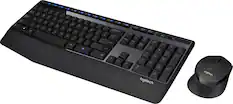
Logitech - MK345 Full-size Wireless Membrane Keyboard and Mouse Combo for PC, Laptop with Palm Rest - Graphite
Holiday Deal$31.99The price was $34.99


Monitor and Video Cables
More recommended items
 Computer Speakers
 Cables and Adapters
 Web Cameras
More to consider
Samsung 27" G3 (G31H) IPS FHD 144Hz 1ms AMD FreeSync Monitor (HDMI, DisplayPort)
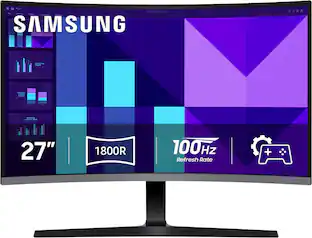
Black Friday Deal$89.99The price was $139.99Samsung 27" S39GD Series Curved FHD 100Hz Monitor with Built-in Speakers
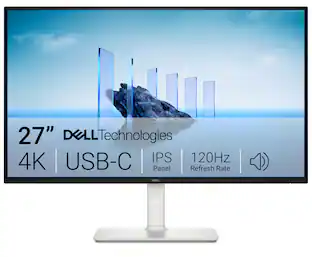
$159.99The price was $199.99Dell S2725QC 27" IPS LED 4K UHD 120Hz 8ms FreeSync Premium Monitor with HDR (HDMI, DisplayPort, USB)
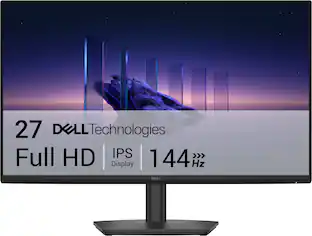
$349.99The price was $369.99Dell SE2726HS 27" IPS LCD FHD 144Hz FreeSync Height Adjustable Monitor (HDMI, USB)
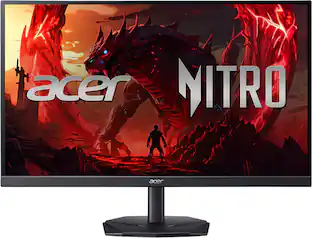
Holiday Deal$109.99The price was $139.99Acer Nitro KGB271U 27" WQHD IPS Up to 200Hz 0.5ms FreeSync Premium Gaming Monitor with HDR10 (DisplayPort, HDMI)
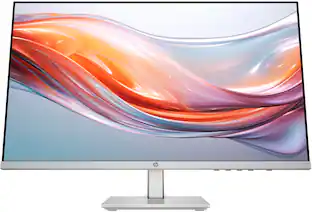
$149.99The price was $199.99HP 527pq 27" Class WQHD LED Monitor - 16:9 - 27" Viewable - In-plane Switching (IPS) Technology - LED Backlight
$216.93The price was $349.99Insignia™ 27" Class IPS FHD 144Hz Monitor with AMD FreeSync (HDMI, VGA)
Black Friday Deal$74.99The price was $149.99


Explore tech essentials Sponsored
Samsung 27" G3 (G31H) IPS FHD 144Hz 1ms AMD FreeSync Monitor (HDMI, DisplayPort)
Black Friday Deal$89.99The price was $139.99Samsung S30B 32” LED FHD FreeSync and G-SYNC Compatible Monitor (HDMI, DisplayPort)
$169.99The price was $199.99Dell SE2726HS 27" IPS LCD FHD 144Hz FreeSync Height Adjustable Monitor (HDMI, USB)
Holiday Deal$109.99The price was $139.99
Discover related products
Plugable USB 3.0 and USB-C Universal Laptop Docking Station for Windows, Mac, ChromeOS | Dual HDMI
$99.84The price was $143.99Acer USB C to HDMI Cable for Home Office 6.6FT (4K@60Hz), High-Speed Type C to HDMI 2.0 Braided Cord
$12.99The price was $13.99Plugable Thunderbolt 4 Dock for Quad Monitors 100W, Connects up to Four 4K Monitors for Windows & Mac Laptops
$299.99The price was $319.99Acer USB C Docking Station With 2 HDMI, 9-IN-1 Docking Hub with USB A&C 3.0, SD/Micro SD, 100W Charging
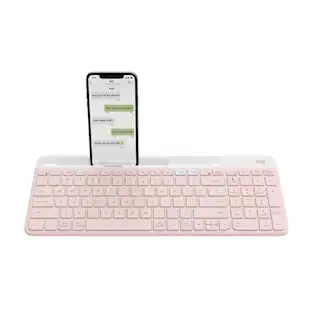
$42.99The price was $47.99Logitech K585 Slim Multi-Device Wireless, Compact and Quiet Keyboard (Rose)
$52.99The price was $83.84



Keep exploring
Z Z-Edge UG27F 27" IPS FHD 180Hz 1ms MPRT FreeSync Gaming Monitor, HDMI & DP, HDR10, 120% sRGB, Crosshair
$109.99The price was $129.99Deco Gear 27" QHD OLED Gaming Monitor 280Hz 0.03ms HDR400 Adaptive Sync HDMI 2.1/DP 1.4
$329.99The price was $599.99Samsung 57-Inch Odyssey Neo G9 G95NC Dual UHD Quantum Matrix Gaming Monitor
$1,599.99The price was $2,097.99ASUS Zenscreen 16 inch 60Hz USB-C OLED Portable Computer Monitor MQ16FC)
$279.99The price was $294.99MSI MAG 272QP QD-OLED 27" 240Hz Gaming Monitor, 0.3ms, WQHD, DP 1.4a, HDMI 2.1, HDR, G-SYNC & FreeSync
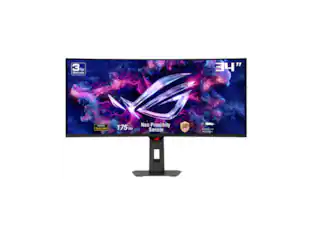
$419.99The price was $453.31ASUS ROG Strix 34" OLED Gaming Monitor - 3440x1440, 175Hz, 0.03ms, G-SYNC, True 10-bit
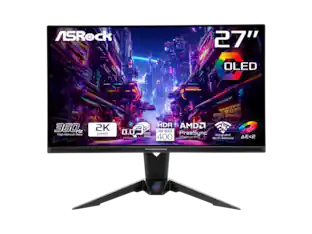
$679.49The price was $1,019.00ASRock Phantom Gaming 27" QHD 360Hz 0.03ms OLED Monitor, FreeSync Premium Pro, HDR400, Adjustable Stand
$376.99The price was $469.67