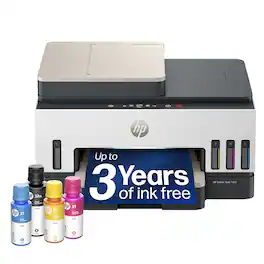
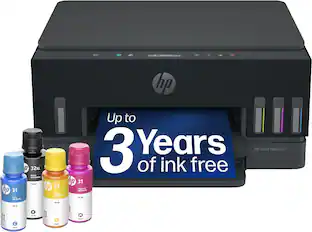
Customers are enthusiastic about the excellent print quality and the fast, easy setup process of this printer. Users also appreciate its quiet operation, reliable wireless connectivity, and compact design that saves valuable space. Overall, the feedback highlights a highly functional and user-friendly device.
Generated by AI based on customer reviews.
Color:
White
See it in-store:Roseville has a demo model on display.
Features
The last printer you'll ever need
Set it up once and print with confidence; no complicated maintenance, just easy, reliable printing you can count on
Ink for years, not months
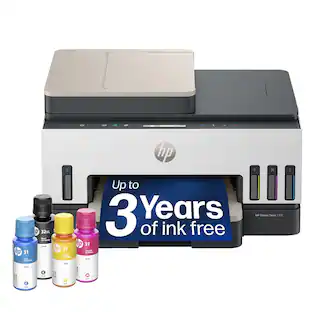
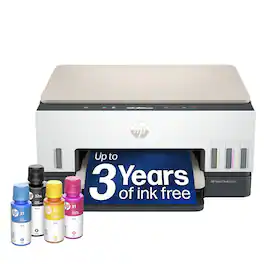
Up to 3 years of ink included¹; get thousands of pages of cartridge-free printing—more pages, less hassle
Optimize print formatting with HP AI³
Print web pages and emails with precision—no wasted pages or awkward layouts; HP AI easily removes unwanted content, so your prints are just the way you want
Innovation you can trust
Cartridge-free printing that keeps you printing longer with fewer interruptions, powered by the trusted HP innovation you rely on today
Mess-free refill
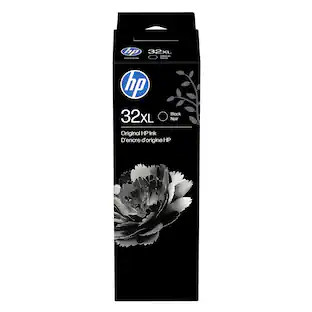
Replenish ink with HP's easy-access, mess-free refill system; simply plug the ink bottles into this cartridge-free ink tank and let them drain—no squeezing, no spilling
Best print quality, period
Sharper text, richer colors—only with HP Smart Tank⁵
Key features
Print, copy and scan and fax, auto document feeder, magic touch control panel, plus borderless prints, mobile and wireless printing
Fully loaded with savings
Best for low-cost, high-volume printing—3 years of Original HP Ink included¹; get up to 8,000 color pages or 6,000 black pages right out of the box⁴.
Customers are sayingCustomers are enthusiastic about the excellent print quality and the fast, easy setup process of this printer. Users also appreciate its quiet operation, reliable wireless connectivity, and compact design that saves valuable space. Overall, the feedback highlights a highly functional and user-friendly device.
This summary was generated by AI based on customer reviews.
Print Quality (112)
Ease of Setup (67)
Noise Level (18)
Connectivity (14)
Design (8)
Customer Images
The vast majority of our reviews come from verified purchases. Reviews from customers may include My Best Buy members, employees, and Tech Insider Network members (as tagged). Select reviewers may receive discounted products, promotional considerations or entries into drawings for honest, helpful reviews.
Rated 5 out of 5 stars
Great printer
HP has always been my favorite and this 7603 printer does not disappoint. Decent print speed and it has all of the features like copy, scan, print and fax. Plus it has the smart ink tank which saves on ink costs. This was easy to set up and get running. HP software is also very good.
Posted by GlennaC
Rated 5 out of 5 stars
Fast and easy
Very fast and no internet issues at all. I will another one for my office
Posted by Nandu
Rated 5 out of 5 stars
Love it!
I purchased this as an upgrande from the 6000 series printer I had previously that I thought had died, but turned out there was a different problem. So far, this upgrade has worked perfectly and done everything I asked it to do!
Posted by VALERIAJ
Rated 5 out of 5 stars
Changed my mind about HP...
The HP - Smart Tank 7603 Wireless All-in-One was a game changer for me. Admittedly, I'm not a big fan of HP printers (historically) because of wonky software, the varying quality of actual support (when needed) and general printer performance. All that has changed...
I chose the 7603 because I wanted to experience the HP "take" on tank filling ink jets. The entire adventure didn't go exactly smoothly but I consider it a blip-stuff-happens event... and I'll explain more on that a bit later.
What I loved about setting up this printer (well, actually two of them), is just how simple yet thoughtfully guided the entire process was. I can say without reservation that on this particular model, that on-top display guided each step and for me, everything was clear -- from start to finish.
The pleasant experience started with the critical task of filling the tanks. I have tried other brands and a couple in particular can lead to messy & frustrating outcomes. Not here, on the Smart Tank 7603. I've gone through the process twice now and in both instances, there simply was no fuss or muss - and most importantly, NO MESS. Not a drop!
The guided setup takes you through tank filling, print head installation and then self-calibration, which involves a print specimen that the printer then requests that you place on the scanner glass and let it do its thing. No guess work - by human eye. It just does it. The guided setup process also includes steps to connect the printer to a WiFi network, and it was a breeze to do. I didn't manage to try the USB and Ethernet connectivity steps, but I can't imagine those being very complicated at all.
All-in-all, the entire set up process was simple, went smoothly and the "guidance" built in absolutely helped. And here's the kicker: I actually set up two of these painlessly, without using any mobile app or computer aided connection. It was all done on my countertop, sitting in front of me and through the cool touchscreen. I experienced the same ease-of-setup on a HP Laserjet recently as well and I have to hand it to HP now; they've perfected the "by hand" setup experience.
In terms of overall performance, the printer is relatively quiet but still pretty quick. Print quality is stellar. A few of the samples I typically use to evaluate color printers looked fantastic on standard, 20lb stock. I really like this machine!
So, the "did this twice" part - explained. The first printer I received had some contamination underneath the glass, within the flat-bed scanning unit. It was just enough to throw ghost/shadow specks onto scans & copies. HP was super responsive in reaching back out, investigating the issue and getting me a replacement. That entire process was unexpected by me and restored lost confidence from days gone by. Needless to say, the replacement HP - Smart Tank 7603 Wireless All-in-One arrived in pristine shape & performed great + the scanning deck is clean as a whistle!
Pros:
Big tank windows so one can actually see the reserves
Prints fast and prints clean, with sharp edges
Copies blazing fast; acts a scanner to a connected device equally fast
Self "guided" setup via the onboard touch screen ran beautifully
Relatively quiet in operation and for the noise it does make, it's smooth sounding and not clunky
Wireless network connectivity is solid
Overall build quality (structurally) is high, and it looks modern & sleek
Cons:
None
Notable:
Make sure to pay close attention for possible scanner bed contamination or specks, within your return window - because I wouldn't advise anyone to attempt cleaning underneath the glass via disassembly. Scanning blank sheet of white paper and also testing via copying of the same, will show you if anything is less-than-clean.
Posted by YourMainDude
Rated 5 out of 5 stars
Superb Unit + No More Expensive Ink Cartridges!
This printer is a superb choice if quality and cost per page is important to you. The HP 7603 Smart Tank Wireless All-in-One Printer is a very reliable, feature-rich but inexpensive, easy to use device which will economically and quietly print large quantities of documents at an excellent quality level.
HP Inc. is the personal computer and printer unit spun off from the original Hewlett-Packard company. (The remaining units became Hewlett-Packard Enterprise and are focused on the corporate market.) Hewlett-Packard was founded in 1939, operating out of a garage in Palo Alto and was the original Silicon Valley tech company. It designed and built precision instruments, then created its first minicomputers in 1966. These were followed by programmable calculators, including the famous HP-80 handheld calculator. In 1984 HP introduced its first desktop inkjet and laser printers. HP developed its own personal computers then merged with Compaq in 2002. Today HP is the second-largest personal computer manufacturer (after Lenovo.) The HP Imaging and Printing Group is the leading provider in the world for personal printers, scanners and supplies.
Here are the key features of this great multifunction printer:
• HP 7603 Smart Tank All-in-One Color Inkjet Printer/Copier/Scanner/FAX (Model ST 7603/9B5D1A#B1H)
• 3 inch LCD touch control screen
• Connectivity: Self-healing Wireless (802.11b/g/n/ac), Bluetooth, USB, Ethernet 10/100
• Ink capacity/page yield: Black 90 ml = approx. 6,000 pages, Cyan/Yellow/Magenta 70 ml each = approx. 8,000 pages
• Print resolution: up to 4800 x 1200 dpi (color), 1200 x 1200 dpi (b&w)
• ISO print speed: 15 ppm (Black), 9 ppm (Color)
• Automatic document feeder capacity: 35 sheets
• Automatic duplex (two-sided) printing
• HP AI scanning/printing system
• Multi-page printing on a single sheet – up to 16 pages/images per side
• ISO duplex print speed: 6.5 ppm (Black), 4.5 ppm (Color)
• Paper capacity: 250 sheets in lower tray, up to 30 envelopes
• Output tray capacity: 100 sheets
• Paper sizes: Adjustable down to 3.5” width, Letter, A4, Legal, #10 envelopes
• Duty cycle: Up to 6,000 pages/month
• Scan function: up to 1200 x 1200 resolution, 8.5” x 11.7” flatbed (A4 paper size)
• Copy function: up to 99 copies, 600 x 600 resolution, reduce/enlarge (25% to 400%), borderless, duplex
• USB port on front
• Full function HP Smart app for PC, Mac and smart phones
• Dimensions: 16.8 inch Wide x 14.3 inch Deep x 9.5 inch Tall
• Weight: 17.0 pounds
• One year parts and labor warranty
• Extended 2 year and 3 year next business day exchange service available
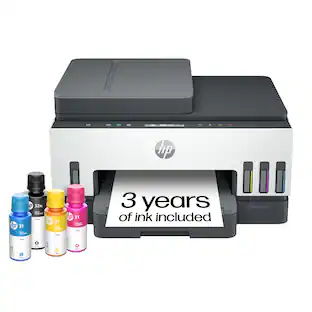
First impression: elegantly sculpted in a beautiful combination of arctic white, grey and slate with alternating colors and right angles that make the HP 7603 seem smaller than it is. It has a compact footprint (just 16.8” x 14.3”) and stands just 9.5” tall. HP cleverly designed the sheet feeder to fold flat when not in use, minimizing both the height and the width of the printer. The power cord has no bulky transformer on it so it adds to the clean look. Overall you will be pleased to share your home or your office with this attractive unit, especially since it is very quiet. Wirelessly connected, it can be located in any convenient space – it does not need to be next to the PC it is serving - ideal for homes and small offices since you can also use this great device as a supplemental copier.
Setting up this printer is quite easy. HP protects the printer during shipping with tape around key parts, but all of the tape is bright blue and very easy to remove. The quick setup instructions are well-written and you could just read them. But an even easier method is to download the HP Smart app to your phone. Attach the power cord to the printer, turn it on and add some paper to the tray. Then just obey the illustrated step-by-step instructions in the app. Filling the printer ink tanks is color-coded and seems foolproof. Once ink is loaded, snap the print heads into position and an automatic alignment process will be conducted.
The HP Smart app will connect the printer to your wireless network. This was the easiest step in the setup process. The printer will automatically join the WiFi network to which your smart phone is connected. At that point the printer will be accessible to any computer or phone on that network. There are also two alternates to wireless connections: attaching an Ethernet cable to your router or using a USB cable to your PC.
If at any point in the setup you need assistance, HP has prepared excellent videos to explain the process.
If you have a Windows PC just go to Settings, then Devices and select Add Printer. The HP 7603 printer will be discovered and the driver automatically downloaded. Any computer on your network should be able to access all of the printer features with the HP Smart app - a superbly designed software suite, containing easy-to-follow printing, scanning, copying, faxing and photo printing controls.
The HP 7603 has a large (250 sheet) paper capacity in the lower paper drawer. It loads easily and is adjustable for multiple paper sizes. To print envelopes you must remove the paper and adjust the paper guides to the width of the envelope. If you want to use legal-size paper, the end of the paper tray extends to accommodate the longer paper stock.
Print quality is really excellent, even in the economy (standard) mode. In the higher quality (business document) mode the print quality matches most laser printers I have used. The printer driver provides nice printing options like 2 on 1, 4 on 1 and up to 16 on 1 (number of page images on a single sheet of paper), borderless, scaled, fit-to-page, booklet and others. The most useful option is the automatic duplexing (two-sided printing) which it manages without drama.
HP has introduced “AI Printing” with this generation of printers. This is useful for condensing the printout of articles from web pages (eliminating ads and large white spaces on the page). This works pretty well but I noticed that the resolution of images was reduced.
Photo printing quality is quite good and will satisfy most purposes. This printer’s color capability will be best used in printing business documents (graphs, multi-colored text, PowerPoint slide copies, etc.) and it does a nice job on such tasks. The printing speed is not equal to that of a laser printer but certainly acceptable at about 15 pages/minute (black) and about 9 pages/minute for color documents (speeds confirmed by my own testing.) For home use/small offices this is more than adequate. (If you want really outstanding photo printing quality you should invest in a dedicated photo printer with more than three ink colors.)
Scanning, at resolutions up to 1200 x 2400 dpi, can be managed from the HP Smart app which will scan to a PDF, stich large documents together and facilitate OCR, among other features.
Unlike most printers today, the HP 7603 includes a FAX function. This used to be a standard feature twenty-five years ago for “all-in-one” printers but with the dominance of email today it has become rare. However, there are still times when a FAX is useful (e.g., some government offices require a FAX for some functions.) I had no problem attaching the printer to my VOIP phone system and then sending out a test FAX. I didn’t test reception.
The controls on the printer are all found in a bright, touch-sensitive LCD screen which brings up a menu of selections. This is a nice improvement over the old, physical buttons and hard-to-read greyscale LCD screen on the previous generation of HP printers.
However, I think most users would be better served by using the HP Smart app on their computer rather than the on-printer controls.
I tested each feature of the HP 7603 and all worked flawlessly. The unit seems very solid and I expect that it will work for years without complaint, given its HP heritage.
The most important feature of the HP 7603 is its massive ink tanks. It holds 90 ml of black ink and a total of 210 ml of color ink (70 ml each of cyan, yellow and magenta). Those ink tanks will print about 6,000 sheets of black ink documents and about 8,000 sheets of color documents. If you print ten pages a day that initial ink supply will last you nearly four years! The best part is the incredibly low cost of the ink. The refills for the ink tanks are far less expensive than replacement cartridges. The cost comparison to standard ink cartridges is amazing. A typical replacement inkjet cartridge for other printers costs $30 to $40 and will print 220-350 pages at an ink cost per page of about $0.09. The ink cost per page of the HP Smart Tank system is about $0.004 – less than 5% of the cost of a standard inkjet printer! And the ink levels are backlit so you can see it at a glance!
With a traditional inkjet printer you probably minimize your printing to avoid costly ink cartridge replacements. This HP 7603 will free you to print much more readily since you have a cost per page lower than almost any other printing device on the market.
Those savings are due to the fact that you are not replacing the print head, as you must with each new ink cartridge, and the elimination of the plastic cartridge body cost. The ecological benefit of eliminating this waste is a nice bonus. And having a large supply of ink will eliminate that dreaded emergency trip to the all-night office supply store to replace an empty cartridge when you need to print a document for an early morning meeting!
One caution: Be sure to print at least one page in black ink and one color copy each month to keep the ink lines from potentially drying out from lack of use.
In summary, the HP Smart Tank 7603 All-in-One Inkjet Printer/Copier/Scanner/FAX is flawless. I give this great device a full five stars and my unqualified endorsement. You won’t regret this purchase!
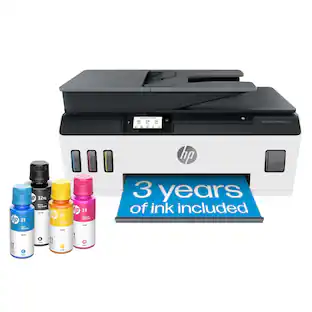
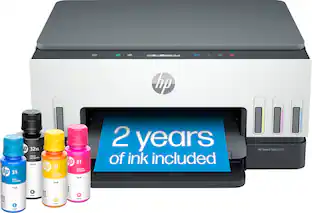
From America's most trusted printer brand², the HP Smart Tank 7603 is a smart, connected and refillable tank printer that makes printing seamless for your home and small business with its high capacity, wireless connectivity and Ethernet networking. Create everyday color documents at a low cost with 3 years of Original HP Ink included in the box¹. It's AI-enabled³ to intuitively adapt to your workflow, with wireless and security features that keep your multifunction printer up to date and secure.
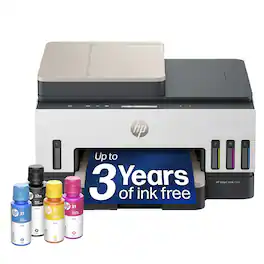
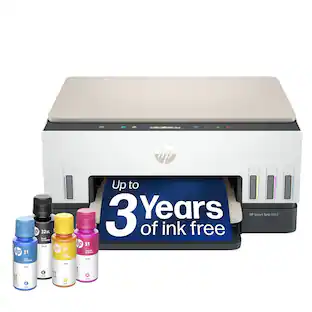
From America's most trusted printer brand², the HP Smart Tank 7303 is a smart, connected and refillable tank printer that makes printing seamless for your home and small business with its high capacity, wireless connectivity and Ethernet networking. Create everyday color documents at a low cost with 3 years of Original HP Ink included in the box¹. It's AI-enabled³ to intuitively adapt to your workflow, with wireless and security features that keep your multifunction printer up to date and secure.
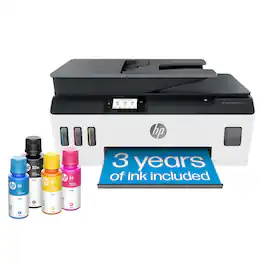
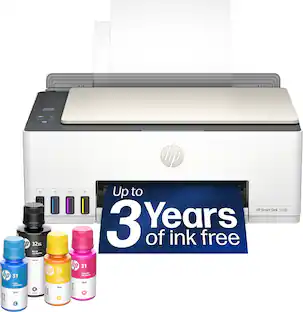
Whether you are a teacher or student, get back-to-school ready for the classroom with this HP Smart Tank wireless all-in-one printer! This high-quality ink tank printer with an automatic document feeder plus fax delivers up to 2 years of ink in bottles included in the box¹. Get faster connections with dual-band Wi-Fi, and easy mobile printing with HP Smart app.
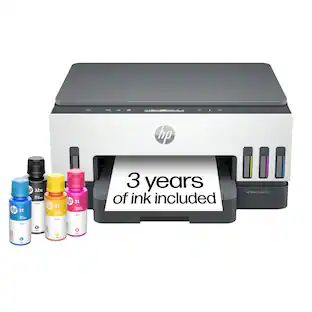
From America's most trusted printer brand², the HP Smart Tank 6003 is a smart, connected and refillable tank printer that makes printing seamless for the whole family with its high capacity and wireless connectivity. Create everyday color documents at a low cost with 3 years of Original HP Ink included in the box¹. It's AI-enabled³ to intuitively adapt to your workflow, with wireless and security features that keep your multifunction printer up to date and secure.
Pros for HP - Smart Tank 7603 Wireless All-in-One AI-Enabled Cartridge-Free Supertank Inkjet Printer w/ Fax and 3 Yrs of Ink Included¹ - White
Print Quality, Ease of Setup, Noise Level, Connectivity, Design
Print Quality, Connectivity, Ease of Setup, Design, Noise Level
Print Quality, Connectivity, Overall Performance, Ease of use, Setup
Print Quality, Ease of Setup, Noise Level
Cons for HP - Smart Tank 7603 Wireless All-in-One AI-Enabled Cartridge-Free Supertank Inkjet Printer w/ Fax and 3 Yrs of Ink Included¹ - White
There were no cons for this product—
Connectivity, Document Feeder
Specs
Questions & Answers
Can this do a 2-sided scan?
Yes, this printer supports automatic two-sided scanning through the automatic document feeder, allowing you to scan both sides of a document.
Answered by HP Team
Trying to find a tank printer that does duplex printing and duplex scanning.
This printer supports automatic two-sided printing and can scan two-sided documents using the automatic document feeder.
Answered by HP Team
I BOUGHT A 7602 SMART TANK IN APRIL 2026, RAN OUT OF BLACK INK IN OCTOBER 2026, STORE SAID I MUST HAVE REACH A PAGE AND COULD NOT GET FREE INK ONLY USED THE PRINTER THOSE 6 MONTHS WHAT ABOUT FREE INK
The included ink is designed to last up to the advertised period based on typical usage, but it is not a free ink replacement program. Actual ink usage and page yield will vary based on what you print.