Samsung - 27" ViewFinity S8 (S80HF) 5K UHD High Resolution Monitor with USB-C and Ergonomic Stand (HDMI, USB-C, DP) - Black
About this product
Samsung’s 27" ViewFinity S8 (S80HF) High Resolution Monitor delivers exceptional clarity and speed for a more productive workflow. 5K resolution (5120x2880) with high pixel density of 218 PPI provides a larger and sharper screen space, and a more streamlined experience for multi-tasking. HDR10 optimizes contrast, offering a gamut of more than 1 billion accurate colors with darker blacks and brighter highlights for engaging content. USB-C port allows simultaneous 90W charging and data transfer, while the built-in LAN port offers seamless Ethernet connectivity for a laptop. Easy Connection keeps frequently-used ports in reach for a more efficient workspace; built-in KVM switch enables connection and control of two sources at once. Picture-in-Picture and Picture by Picture allows effortless viewing of documents, chat windows, or entertainment alongside the main screen. Ergonomic Design provides enhanced viewing angles by tilting, swiveling, and adjusting the height of the screen. Eye comfort technology certified by TÜV includes Eye Saver Mode which reduces eye strain by minimizing blue light and prevents screen flickering to stay comfortable during long sessions. Samsung Display Manager enables easy access to split screen setup, brightness adjustment and more. MAPT (Mac Address Pass Through) allows business users to reliably track connected devices on their network.
Highlights
Features
5K Resolution
With 77% more pixels than 4K, 5K (5120x2880) resolution provides a larger and sharper screen space with 218 PPI for incredible detail. Now you can handle multiple tasks effortlessly on the ViewFinity S8 S80HF for a more productive workflow.¹
HDR10
HDR10 ensures true-to-life color representation of over 1 billion colors, with darker blacks and brighter highlights. Experience a wide gamut of colors for stunning accuracy and detail on the ViewFinity S8 S80HF. Your content becomes engaging, just as intended.¹
USB-C & LAN Port
The USB-C port allows simultaneous 90W charging and data transfer, while the built-in LAN port offers seamless Ethernet connectivity for your laptop. Enjoy an enhanced workspace with integrated connectivity, giving you effortless control of the ViewFinity S8 S80HF and connected devices.
Easy Connection
Easy Connection Easy Connection keeps frequently used ports within reach, so you can connect devices without fumbling for hard-to-reach ports. It’s designed to keep fast‑paced work running smoothly on your monitor for a more efficient workspace.
Built-in KVM Switch
The built-in KVM switch lets you connect and control two sources at once with just one keyboard and mouse. Now you can avoid multi-device hassle and multitask seamlessly with easy input switching on the ViewFinity S8 S80HF.
Picture-in-Picture & Picture-by-Picture
Stay focused without switching screens or missing important updates on your monitor. Picture-in-Picture allows you to effortlessly view documents, chat windows or entertainment alongside your main content with a secondary sub-screen. And Picture-by-Picture helps you work across devices by splitting the screen in half and using two inputs at their native resolution.
Ergonomic Design
Find the angle that keeps you comfortable thanks to this monitor's Ergonomic Design. Simply tilt, swivel and adjust the height of your screen for the best position and ultimate utility. And this monitor can pivot the screen 90 degrees so you can view long documents with less scrolling.
Eye Saver Mode & Less Screen Flickering
Protect your vision with advanced eye comfort technology, certified by TÜV. Eye Saver Mode reduces eye strain by minimizing blue light, and Less Screen Flickering helps prevent irritating screen flicker, so you can stay comfortable while using your monitor — even during long sessions.¹
Samsung Display Manager
Samsung Display Manager helps you easily access features like split-screen setup, brightness adjustment, KVM, PIP/PBP and precise color calibration. Just click on the floating menu on your desktop and enjoy advanced screen controls at your fingertips. For business users, the MAPT (Mac Address Pass Through) feature allows asset managers to reliably identify and track connected devices on their network.*
Samsung Display Manager helps you easily access features like split-screen setup, brightness adjustment, KVM, PIP/PBP and precise color calibration. Just click on the floating menu on your desktop and enjoy advanced screen controls at your fingertips. For business users, the MAPT (Mac Address Pass Through) feature allows asset managers to reliably identify and track connected devices on their network.²
Specifications
- Refresh Rate60HzMaximum Resolution5120 x 2880Panel TypeIPSSynchronization TechnologyNot ApplicableScreen Size27 inches
Reviews
This product doesn't have any reviews yet.

Compare similar products
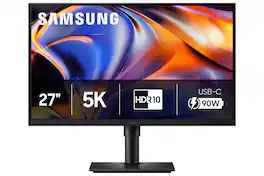
Samsung’s 27" ViewFinity S8 (S80HF) High Resolution Monitor delivers exceptional clarity and speed for a more productive workflow. 5K resolution (5120x2880) with high pixel density of 218 PPI provides a larger and sharper screen space, and a more streamlined experience for multi-tasking. HDR10 optimizes contrast, offering a gamut of more than 1 billion accurate colors with darker blacks and brighter highlights for engaging content. USB-C port allows simultaneous 90W charging and data transfer, while the built-in LAN port offers seamless Ethernet connectivity for a laptop. Easy Connection keeps frequently-used ports in reach for a more efficient workspace; built-in KVM switch enables connection and control of two sources at once. Picture-in-Picture and Picture by Picture allows effortless viewing of documents, chat windows, or entertainment alongside the main screen. Ergonomic Design provides enhanced viewing angles by tilting, swiveling, and adjusting the height of the screen. Eye comfort technology certified by TÜV includes Eye Saver Mode which reduces eye strain by minimizing blue light and prevents screen flickering to stay comfortable during long sessions. Samsung Display Manager enables easy access to split screen setup, brightness adjustment and more. MAPT (Mac Address Pass Through) allows business users to reliably track connected devices on their network.
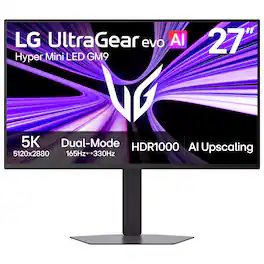
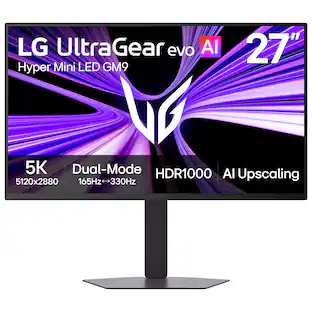
Powered by UltraGear evo’s next-generation Hyper Mini LED¹ technology, the GM9 (27GM950B-B) 27-inch 5K (5120×2880) gaming monitor delivers extraordinary clarity, brightness, and speed. With over 14 million pixels, VESA DisplayHDR 1000, and up to 1250 nits peak brightness, games appear vivid and detailed with brilliant highlights and deep contrast. Precision backlighting with 9,216 LEDs helps suppress blooming while revealing finer textures across bright and dark scenes. AI Upscaling² enhances content toward 5K resolution without requiring a GPU upgrade, while 218 PPI pixel density keeps text, HUDs, and game details exceptionally sharp. Dual-Mode refresh rates let you switch between 5K at 165Hz for reponsive, cinematic gameplay or QHD at 330Hz for ultra-fast competitive gaming, supported by a 1ms (GtG) response time and NVIDIA G-SYNC Compatible³ and AMD FreeSync Premium technologies. Next-gen connectivity including DisplayPort 2.1⁴ (UHBR20), USB-C with 90W power delivery, and HDMI 2.1 supports high-performance PCs and consoles, while AI Scene Optimization, AI Sound, and built-in speakers help create a smarter, more immersive gaming setup.

ProArt Display PA27JCV is a 27-inch 5K HDR monitor designed for professional content creators. This Calman Verified display boasts a wide gamut with 99% DCI-P3, 100% sRGB and 95% Adobe RGB coverage, and it’s factory calibrated to Delta E<2 for exceptional color accuracy. Built-in Auto KVM allows for convenient, effortless switching between two connected laptops or PCs using a single keyboard and mouse. To ensure brightness and color temperature accuracy, ambient light and backlight sensors automatically adjust visual settings. Plus, a USB-C port offers DisplayPort support and enables superfast data transfers and 96-watt power delivery via a single cable.
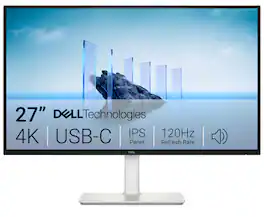
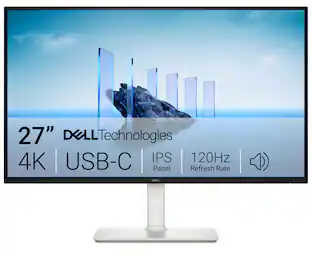
Dell 27 Plus 4K USB-C Monitor - S2725QC. Whether you're watching movies or playing games, enjoy an immersive viewing experience with improved eye comfort on a 4-star certified monitor*.
| Pros for Samsung - 27" ViewFinity S8 (S80HF) 5K UHD High Resolution Monitor with USB-C and Ergonomic Stand (HDMI, USB-C, DP) - Black | |||
|---|---|---|---|
| There were no pros for this product— | Display Resolution, Build Quality | Connectivity, Port Count, Adjustability, Color Accuracy, Resolution | Connectivity, Port Count, Adjustability, Image Quality, Refresh Rate |
| Cons for Samsung - 27" ViewFinity S8 (S80HF) 5K UHD High Resolution Monitor with USB-C and Ergonomic Stand (HDMI, USB-C, DP) - Black | |||
| There were no cons for this product— | Local Dimming Performance | Speaker Quality, Refresh Rate | Volume Control |
Specs
Be the first to ask a question.
We’ll try to get your question answered within 24 hours by a Best Buy customer or brand representative.
Customers often buy these together
Monitor and Video Cables

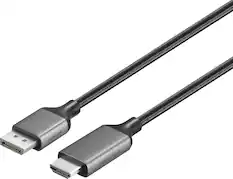

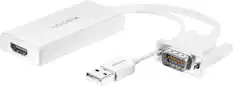
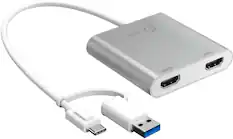


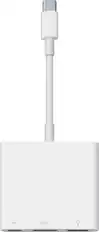
Customers ultimately bought
ASUS ROG Strix 27" 4K OLED 240Hz 0.03ms Gaming Monitor with FreeSync Premium Pro and HDR (DisplayPort, HDMI)
Top Deal$719.99The price was $799.99LG UltraGear evo AI GM9 27" 5K Hyper Mini LED 165Hz 1ms G-SYNC FreeSync Premium Gaming Monitor with DisplayHDR1000
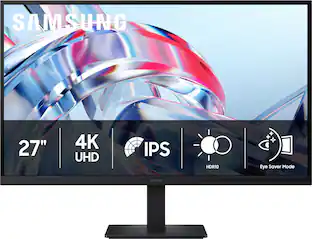
$899.99The price was $1,199.99Dell S2725QC 27" IPS LED 4K UHD 120Hz 8ms FreeSync Premium Monitor with HDR (HDMI, DisplayPort, USB)
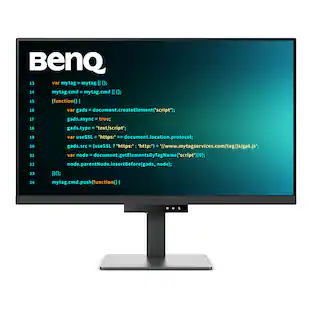
Top Deal$299.99The price was $369.99BenQ RD320U 31.5" IPS LED 4K Programming Monitor with MoonHalo Backlight (HDMI/DP/USB-C 90W)
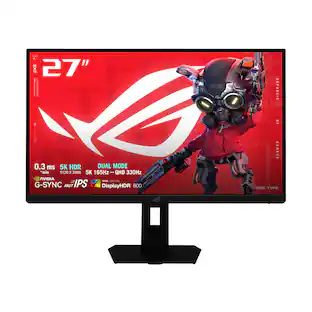
$679.99The price was $749.99ASUS ROG Strix 27" Dual Mode (5K 165Hz, 2K 330Hz) 1ms Gaming Monitor with FreeSync Premium Pro and HDR
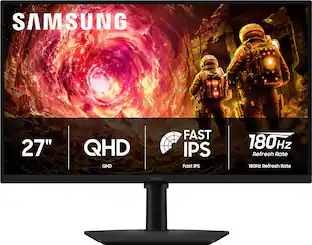
$729.99The price was $789.99Samsung 27" Odyssey G5 (G50F) QHD Fast IPS 180Hz 1ms G-Sync & FreeSync Compatible Gaming Monitor (DisplayPort, HDMI)
Top Deal$169.99The price was $279.99
Explore tech essentials Sponsored
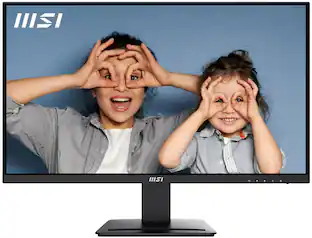
MSI PRO MP273U 27" UHD 60Hz 4ms Adaptive Sync Monitor with HDR ready ,Built-in Speakers (DisplayPort, HDMI )
$162.99The price was $199.99

Discover related products
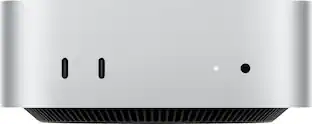
Apple Mac mini Desktop - M4 chip - Built for Apple Intelligence - 16GB Memory - 512GB SSD
$899.99The price was $999.00Acer USB C Docking Station With 2 HDMI, 9-IN-1 Docking Hub with USB A&C 3.0, SD/Micro SD, 100W Charging
$42.99The price was $47.99Acer USB C to HDMI Cable for Home Office 6.6FT (4K@60Hz), High-Speed Type C to HDMI 2.0 Braided Cord
$12.99The price was $13.99Logitech X56 HOTAS Microsoft Flight Simulator RGB Dual-Throttle and Joystick
$247.00The price was $275.00











Keep exploring
Samsung 57-Inch Odyssey Neo G9 G95NC Dual UHD Quantum Matrix Gaming Monitor
$1,199.99The price was $2,097.99Deco Gear 49" QD-OLED 240Hz Curved Super Ultrawide Gaming Monitor 5K DQHD 0.03 ms HDR400 90W USB-C
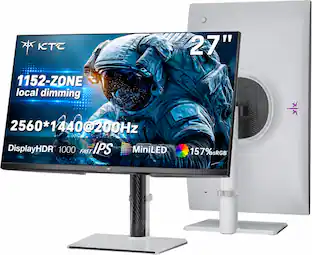
$849.99The price was $1,539.99KTC M27T6S 27" QHD 200Hz Mini LED Gaming Monitor, 2560×1440, HDR1000, 1152-Zone Local Dimming, Fast IPS, 1ms
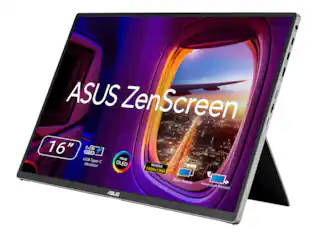
$259.99The price was $299.99ASUS Zenscreen 16 inch 60Hz USB-C OLED Portable Computer Monitor MQ16FC)
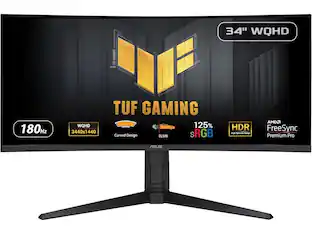
$279.99The price was $294.99ASUS TUF Gaming 34" 1440P 1500R Curved Monitor - 180Hz, 1ms, Freesync Pro, HDR, 3 Year Warranty
$269.99The price was $323.99