8BitDo - Wireless USB Adapter for Most Gaming Controllers - Brick Red
FREE shipping to
 REDRAGON - Wireless Gaming Mouse, 7200 DPI, RGB Backlit, High Precision Sensor, 7 Programmable Buttons for PC/Mac/Laptop - Wireless - Black$29.99$36.99
Related Item

About This Item
- General
- Brand: 8BitDo
- Model Number: 83DA
- Product Name: Wireless USB Adapter for Most Gaming Controllers
- Color: Brick Red
- Dimensions
- Product Height: 0.31 inches (The out of box height of the item. Height is measured as the vertical distance from the bottom of the item to the top as it would be primarily used or placed.)
- Product Length: 2.2 inches (The out of box length of the item. Length is measured as the longest dimension of the item.)
- Product Width: 0.94 inches (The out of box width of the item. Width is measured as the horizontal distance from one side of the item to the other as it would be primarily used or placed.)
- Product Weight: 0.02 pounds (The out of box weight of the item.)
- Other
- Output(s): USB
- Battery Size: N/A (The battery size required for operation.)
- Number of Batteries Required: 0
- UPC: 6922621500285
Play with your favorite controller using this 8BitDo wireless USB adapter. The versatile design and USB connectivity let you use a variety of wireless controllers to play games on Nintendo Switch, Windows PC, macOS, Raspberry Pis and more. Featuring advanced Bluetooth connectivity, this 8BitDo wireless USB adapter lets you play games without tangled cables and offers smooth, lag-free response. Compatible with 8BitDo Ultimate Software, it gives you elite control for PS5, PS4, Xbox One and Switch Pro controllers on Switch and Windows. Comes with customizeable button mapping, adjust stick & trigger sensitivity.
- Wide compatibility range: Works with all 8BitDo Bluetooth controllers and arcade sticks, Xbox One Bluetooth controller,PS5 DualSense DualShock 3, DualShock 4, DualShock 4 Pro, Wii Remote, Wii U Pro, Switch Joy-Con, Switch Pro controllers
- Built-in Bluetooth 2.1: Ensures lag-free gaming
- Easy connection: Simply bind this adapter to your wireless controller to enable the same wireless experience you are used to on all the best platforms.
- USB output: Allows for use with Nintendo Switch, Windows, and macOS PCs, Android TV box, Raspberry Pi, and Retrofreak
- Upgradable firmware: Support 8BitDo Ultimate Software for PS5, PS4, Xbox One, and Switch pro controllers on Switch and Windows
- Wide compatibility range: Works with all 8BitDo Bluetooth controllers and arcade sticks, Xbox One Bluetooth controller,PS5 DualSense DualShock 3, DualShock 4, DualShock 4 Pro, Wii Remote, Wii U Pro, Switch Joy-Con, Switch Pro controllers
- Built-in Bluetooth 2.1: Ensures lag-free gaming
- Easy connection: Simply bind this adapter to your wireless controller to enable the same wireless experience you are used to on all the best platforms.
- USB output: Allows for use with Nintendo Switch, Windows, and macOS PCs, Android TV box, Raspberry Pi, and Retrofreak
- Upgradable firmware: Support 8BitDo Ultimate Software for PS5, PS4, Xbox One, and Switch pro controllers on Switch and Windows
Whats Included
- 8BitDo Wireless USB Adapter for Most Gaming Controllers
- 8BitDo Wireless USB Adapter for Most Gaming Controllers
Q: How many gaming devices it connects to the PC?
A: We have used it for a ps4 controller and an xbox controller for pc gaming. Have to pair whichever controller you want to use at the time. We purchased 2 so we can keep each one paired to a specific controller and play split screen 2 player games from the pc.
Q: Will it work with a wireless Xbox 360 controller? Or just the Xbox One Controllers?
A: It only works with Bluetooth controllers so it will not work with the Xbox 360 controller which uses Microsoft only protocol. The adapter works with the following 8BitDo controllers and arcade sticks (excluding 2.4G controllers) Xbox Bluetooth® controller, DualShock 3, DualShock 4, DualShock 4 Pro Wiimote, Wii U Pro, Switch Joy-Cons, Switch Pro
A: Step 1 - Make Sure Your DUALSHOCK®4 is Properly Connected to Your PS4™ Follow these steps to below: Make sure that the PS4™ system and TV are turned on. The light should be white on the PS4™. Connect your DUALSHOCK®4 (micro USB port located on the back) to your PS4™ (USB port located on the front), using the USB cable that came with your PS4™. While the DUALSHOCK®4 and PS4™ are connected, press the PS button on the controller. You should hear a beep and the controller light should change from orange to white. This starts the pairing process. The light bar on the controller turns blue when properly paired. If the light bar is not blue or the PS button is not responsive: Try a different USB port on the PS4™ you may need to fully charge your controller. If that doesn’t work try a different USB cable. If that doesn’t work, try a different DUALSHOCK®4. If none of the above work, try resetting your DUALSHOCK®4 controller.
A: plug the usb adaptor in the back of your switch like you would a wired controller. Hold the sync button on the ps5 while you hold the botton on the usb device. they will both start flashing and sync up automatically. you cannot use special features like motion controls in splatoon, everything else works fine
A: One device per adapter so if you want to use a headset and a controller you would need two of these
A: From what I remember you can only connect one controller per red brick adapter. It should work fine with whatever other controllers your using on your switch.
Q: Can I use this to use my 8bitdo controller on my PS4
A: Only if you have another adapter that makes it compatible. This red brick adapter lets you use your PlayStation 4/Xbox one controller on the switch only. I bought a separate adapter so I can use my 8bitdo controller on my Xbox to play apex. So yes my Xbox has an Xbox 360 to Xbox one adapter in the usb and then the 8bitdo adapter plugged into that lol. It leaves a long usb sticking out so I plugged it In the back of the Xbox one where no one will bump it.
Q: Will this device work with my Wii to connect with my Sony smart TV?
A: No it wont work on the Wii.
Reviews
Customers are saying
Customers have good things to say about the Wireless USB Adapter for Most Gaming Controllers, especially its compatibility and ease of use. The USB stick generally works as expected, and once paired, the adapter provides satisfactory overall performance. Some customers have reported connection issues and lag, while others have noted issues with pairing to specific controllers or a desire for clearer instructions.
Customer Images
The vast majority of our reviews come from verified purchases. Reviews from customers may include My Best Buy members, employees, and Tech Insider Network members (as tagged). Select reviewers may receive discounted products, promotional considerations or entries into drawings for honest, helpful reviews.
Compare similar products

Play with your favorite controller using this 8BitDo wireless USB adapter. The versatile design and USB connectivity let you use a variety of wireless controllers to play games on Nintendo Switch, Windows PC, macOS, Raspberry Pis and more. Featuring advanced Bluetooth connectivity, this 8BitDo wireless USB adapter lets you play games without tangled cables and offers smooth, lag-free response. Compatible with 8BitDo Ultimate Software, it gives you elite control for PS5, PS4, Xbox One and Switch Pro controllers on Switch and Windows. Comes with customizeable button mapping, adjust stick & trigger sensitivity.

System Compatibility Switch . PlayStation 3 . Windows . Steam Deck, Raspberry Pi. macOS . NEOGEO mini . NEOGEO Arcade Stick PRO . SEGA Genesis Mini . SEGA Mega Drive Mini . Sega Astro City MiniController Compatibility Bluetooth Controllers: DualSense, DualShock 4, DualShock 3, Xbox Series X/S, Xbox One Bluetooth controllers, Xbox Elite Wireless Controller Series 2, Switch Pro, Switch Joy-Con, Wii Remote, Wii U Pro.Wired USB Controllers: DualSense, DualShock 4, DualShock 3,Xbox Bluetooth Controller, Switch Pro, ASTRO Gaming C40 TR Controller PlayStation 4, PlayStation 4 SCUF Vantage 2 Controller, SEGA MEGA DRIVE and SEGA Genesis Mini USB Controller Pads, Logitech rumble gamepad F510 and F310, PS Classic Controller, Switch Taiko Drum, PS4 Taiko Drum.Features Supports 6-axis motion on Switch and Vibration on Switch, Xinput and PS3. The vibration intensity and dead zone can be adjusted. 7 levels of the vibration intensity and deadzone. Supports Turbo and Auto Fire.
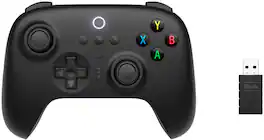
Play any game, anywhere. Windows PC, Android, and Raspberry Pi. 8BitDo controllers are designed to be as versatile as possible with each of your modern devices. Now with a 2-way mode switch, you can instantly pair your controller via 2.4G connectivity.
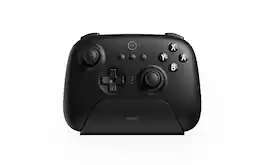
Play any game, anywhere. Nintendo Switch and Windows PC. 8BitDo controllers are designed to be as versatile as possible with each of your modern devices. Now with a 2-way mode switch, you can instantly pair your controller via Bluetooth.
| Pros for 8BitDo - Wireless USB Adapter for Most Gaming Controllers - Brick Red | |||
|---|---|---|---|
| Overall Performance, Compatibility, Ease of use, USB, Price | There were no pros for this product— | Connectivity, Overall Performance, Ergonomics, Battery Life, Charging Dock | Connectivity, Battery Life, Charging Dock, Ergonomics, Build Quality |
| Cons for 8BitDo - Wireless USB Adapter for Most Gaming Controllers - Brick Red | |||
| Size, Connection, Lag, Instructions, Pairing | There were no cons for this product— | Stick Drift | Stick Drift, Size, NFC |