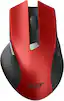
Acer - Wireless Mouse for Laptop, 2.4GHz Computer Mouse 3 Adjustable DPI Office Cordless USB Mice with USBA Receiver - Wireless - Red
Color
Red
Specifications
- Connection TypeWireless
- Key Specs
- Connection Type: Wireless
- General
- Brand: Acer
- Product Name: Acer Wireless Mouse for Laptop, 2.4GHz Computer Mouse 3 Adjustable DPI Office Cordless USB Mice with USBA Receiver
- Color: Red
- Features
- Mouse Type: Standard
- Performance
- Tracking Method: Optical (There are several types of computer mice, optical and laser being among the most common. Optical mice detect less detail and provide more precise and accurate movement. Laser mice detect more detail and can be used on a wider variety of surfaces, but are more sensitive to small movements.)
- Connectivity
- Connection Type: Wireless
- Operating System Compatibility: Universal
- Dimensions
- Product Height: 1.6 inches (The out of box height of the item. Height is measured as the vertical distance from the bottom of the item to the top as it would be primarily used or placed.)
- Product Length: 5.1 inches (The out of box length of the item. Length is measured as the longest dimension of the item.)
- Product Width: 3.3 inches (The out of box width of the item. Width is measured as the horizontal distance from one side of the item to the other as it would be primarily used or placed.)
- Product Weight: 120 grams (The out of box weight of the item.)
- Warranty
- Warranty - Parts: 12-month warranty
- Other
- UPC: 195133334228
The wireless computer mouse features 2.4GHz connectivity, delivering a stable, interference-free connection up to 32ft. Designed for medium to large sized hands, it ensures comfortable use all day. Simply plug in the USB-A receiver for instant pairing—no drivers needed. If the mouse isn’t suitable, place the USB receiver in the battery compartment and return both.
- Plug and Play for Home Office: The wireless computer mouse features 2.4GHz connectivity, delivering a stable, interference-free connection up to 32ft. Designed for medium to large sized hands, it ensures comfortable use all day. Simply plug in the USB-A receiver for instant pairing—no drivers needed.
- 3 Levels Adjustable DPI: This travel USB mouse offers 3 adjustable DPI settings (800, 1200, 1600), allowing you to customize sensitivity for precise design work. Effortlessly switch to match your task and elevate your productivity. Please remove the film at the bottom of the mouse before use.
- Effortless Browsing: Equipped with forward and backward buttons, this computer mice streamlines your workflow, making it easy to navigate through web pages and files with a simple click. Side button does not work on Mac.
Q: Why does the mouse go to sleep when not in use? Is their any way to turn this feature off ?
A: The Wireless Mouse for Laptop (2.4GHz) goes to sleep to save battery life, automatically entering a low-power mode after 5–10 minutes of inactivity. This feature is usually hard-coded into the mouse's firmware, meaning you cannot completely turn it off; however, you can wake it instantly with a click.
Q: How do I set the right and left buttons to do anything?
A: To customize your Acer-M04B wireless mouse buttons, use the operating system's mouse settings to swap left/right clicks or remap buttons with a third-party utility like XMouse Control. For basic swaps, go to Settings > Devices > Mouse in Windows and change the "Primary button" to Left or Right
Compare similar products

The wireless computer mouse features 2.4GHz connectivity, delivering a stable, interference-free connection up to 32ft. Designed for medium to large sized hands, it ensures comfortable use all day. Simply plug in the USB-A receiver for instant pairing—no drivers needed. If the mouse isn’t suitable, place the USB receiver in the battery compartment and return both.

Eliminate the most common computer mouse issue—the cord. With the Best Buy Essentials Wireless Mouse with USB Receiver, you can navigate the web with speed and accuracy. Compatible with both Windows and Mac computers, simply insert the included nano receiver into one of your computer’s USB ports to wirelessly connect the mouse. It has just 3 buttons and an ambidextrous design for simple control. Optical technology detects when the mouse moves to deliver an accurate 1600 DPI response. We also included a AA battery, so you won’t have to worry about keeping the mouse powered until the LED indicator starts to blink. Let us improve your computer navigation by going wireless with this Best Buy-backed mouse.
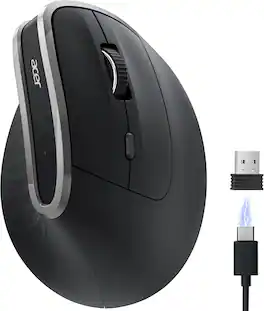
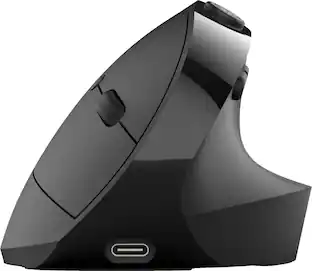
acer Ergonomic Mouse Wireless, Vertical Computer Mouse for Office, Ergo Mice Rechargeable for Right Hand, 2.4GHz USB Receiver, 800/1200/1600 DPI, 6 Buttons for Laptop, PC and Desktop

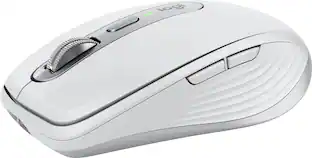
The Logitech M325s offers a great blend of comfort and control, with micro-precise scrolling designed for web use. Its contoured shape and textured grips keep your hand comfortable, even during long sessions. With up to 18 months of battery life, it's a reliable, hassle-free companion for everyday productivity.
| Pros for Acer - Wireless Mouse for Laptop, 2.4GHz Computer Mouse 3 Adjustable DPI Office Cordless USB Mice with USBA Receiver - Wireless - Red | |||
|---|---|---|---|
| There were no pros for this product— | Overall Performance, Ease of use, Price, Size, Wireless | Ergonomics | Overall Performance |
| Cons for Acer - Wireless Mouse for Laptop, 2.4GHz Computer Mouse 3 Adjustable DPI Office Cordless USB Mice with USBA Receiver - Wireless - Red | |||
| There were no cons for this product— | Click Sound, Grip | There were no cons for this product— | There were no cons for this product— |
Specs
Reviews
Rating 4.7 out of 5 stars with 24 reviews
Customer Images
The vast majority of our reviews come from verified purchases. Reviews from customers may include My Best Buy members, employees, and Tech Insider Network members (as tagged). Select reviewers may receive discounted products, promotional considerations or entries into drawings for honest, helpful reviews.
Explore tech essentials Sponsored
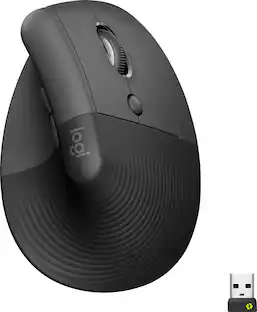 Memorial Day Deal$69.99The price was $79.99