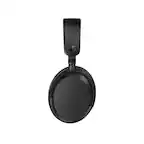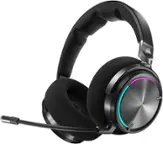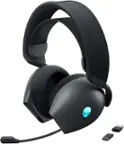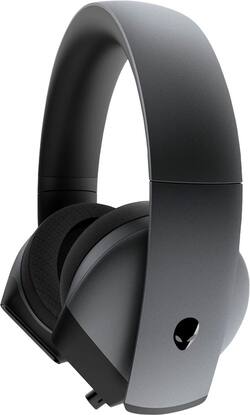
Alienware - AW510H Wired 7.1 Gaming Headset - Dark Side of the Moon
- Key Specs
- Noise Cancelling (Active): true
- Sound Mode: Surround
- Connection Type: Wired
- Built-In Microphone: true
- Headphone Fit: Over-the-Ear
- Adjustable Headband: false
- General
- Brand: Alienware
- Model Number: AW510H-D
- Product Name: AW510H Wired 7.1 Gaming Headset
- Color: Dark Side of the Moon
- Audio
- Noise Cancelling (Active): true
- Sound Isolating: false
- Minimum Frequency Response: 20 hertz (Describes the maximum range of frequencies or musical tones a product can reproduce, from very low tones to very high treble tones. The minimum frequency or musical tone the speaker can reproduce. High treble tones have higher frequencies while low tones and deep bass have lower frequencies.)
- Maximum Frequency Response: 40 kilohertz (Describes the maximum range of frequencies or musical tones a product can reproduce, from very low tones to very high treble tones. The maximum frequency or musical tone the speaker can reproduce. High treble tones have higher frequencies while low tones and deep bass have lower frequencies.)
- Impedance: 32 ohms (Describes the resistance of an electric signal throughout the system. Devices with low impedance require less power to deliver optimal signals but are more at risk for damage from overloading. Higher impedance requires more power but is more protected from overload damage.)
- Sound Mode: Surround
- Connectivity
- Connection Type: Wired
- Connector Size: 1/8 in. (3.5mm)
- Features
- Built-In Microphone: true
- Controls: Mute, Volume
- Design
- Headphone Fit: Over-the-Ear
- Adjustable Headband: false
- Other
- UPC: 884116349433
Make yourself heard with this Alienware 7.1 wired gaming headset. Alienware Immersive Audio technology with custom-tuned drivers provides superior sound quality, while the cushioned headband and cooling ear cups ensure comfort during long multiplayer sessions. This Alienware 7.1 wired gaming headset features a retractable mic with noise cancellation to help communicate clearly during intense matches.
- Alienware Area-51m and Aurora R9 compatible: Also works with M15, M17, Inspiron 3590, 5590, 7590 and 7790 AIO devices.
- Built-in microphone: Enables simple hands-free chatting via a compatible device.
- Headset controls: Include mute and volume.
- Alienware Area-51m and Aurora R9 compatible: Also works with M15, M17, Inspiron 3590, 5590, 7590 and 7790 AIO devices.
- Built-in microphone: Enables simple hands-free chatting via a compatible device.
- Headset controls: Include mute and volume.
Whats Included
- Alienware AW510H Wired 7.1 Gaming Headset
- Alienware AW510H Wired 7.1 Gaming Headset
Q: Is this over ear or on ear? Please get back to me it’s a Christmas present Thank you
A: It’s over the ear and very comfy! My son loves it as his ears don’t get smashed lol
A: Come with USB cable and just regular headphones port. Plug and play.
Q: Is it compatible with the ps4?
A: Yes, this is compatible with the PS4.
A: As a general rule most surround sound in console games or movies have common standards and use software and other codecs that are common to PC. The Playstation ecosystem may have proprietary tweaks and there are plenty of PS5 branded products but the hardware and software has not changed that much and I doubt there is anything particularly unique to the latest audio Sony uses. However, I wanted to respond to the first answer given by a user who dismissed surround sound on the PC. Ihave no idea what their reference for audio was (speakers vs headset) and onboard Realtek sound drivers can often be a headache. BUT I disagree on the state of PC audio. Windows 10 has made getting the right drivers in place easier and there are many low-to-mid tier headsets (under $50) that when combined together realy do an amazing job of creating immersion and giving the listener a sense of space and directional cues like footsteps or gunshots. The way most of the surround headsets work I can't imagine them not sounding awesome. I invested a ton of time on a surround sound for my office but now I still use the headset most of the time because I cannot improve on the subtle details headsets can give. I still play music and movies over speakers but if there is any great value today its all these headsets under $50. I would go in person if you can and try several different brands. They all have slightly different features and more expensive is not necessarily better audio or comfort. I bought the HyperX Cloud Stinger over a year ago and since then I bought the 7.1 upgrade and tried Logitech, Razr and others. The way it fits my head and how the drivers signal in my ears is perfect. /Protip if you are a frustrated PC user with bad onboard Realtek sound woes search for Realtek DCH Audio Driver Mods - Alan Finotty's Repository Only for Windows 10 - Starting from Creators Update. You can get free driver mods that would great on Asus and other Realtek based mobos all safe and verified and FREE! It will change your mind if you think surround sound for PC audio is sub-par. Reading is required.
Q: Does 6397796 have unidirectional microphone?
A: Yes, this has a unidirectional microphone.
Q: Can you use these headphones on a ps5
A: yes it works I use it with ps5
Q: Will this work with a Alienware X17 R1?
A: Yes, this headset will work with Alienware X17 R1.
A: We recommend you to reach out to the Dell technical support team and get this sorted out. They are available on • Twitter:@DellCares and Facebook:Direct Message Dell Technologies, 24/7.