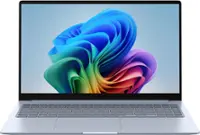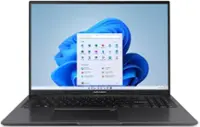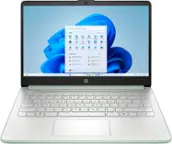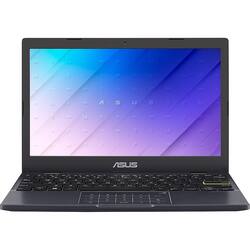
ASUS - L210 11.6" Netbook - Intel Celeron - 4 GB Memory - 64 GB eMMC - Star Black
- Key Specs
- Screen Size: 11.6 inches (Size of the screen, measured diagonally from corner to corner.)
- Screen Resolution: 1366 x 768 (HD) (Screens come in a range of resolutions (measured in pixels, horizontal x vertical). The higher the resolution, the greater the picture quality.)
- Touch Screen: false (Touch-screen devices make navigating more intuitive. Using a touch-screen display, you can do things such as tap to select, hold and drag to move items, swipe to scroll, and pinch to zoom.)
- Processor Model: Intel Celeron (Your computer's processor is like its brain. Working in combination with system memory, the power of the processor determines the complexity of software you can run, how many programs you can have open at the same time, and how fast those programs will run. Most computers feature an AMD, Intel or Snapdragon processor.)
- Storage Type: eMMC
- Total Storage Capacity: 64 gigabytes
- System Memory (RAM): 4 gigabytes (Random-access memory (RAM) is a computing device's short-term data storage, which allows active information to be accessed quickly. The size and type of RAM determines how efficiently the device can handle large amounts of information at one time. For example, gaming or video editing requires more RAM for optimal performance.)
- Graphics: Intel UHD Graphics 600 (Often referred to as a "graphics processing unit" (GPU), this device is responsible for displaying image content and decoding/encoding video content in programs and games.)
- 2-in-1 Design: false (A laptop and a tablet combined in one lightweight, portable device. Sometimes referred to as "convertible" or "hybrid" laptops, these devices deliver the processing power and keyboard of a laptop. When you're ready to play, either detach the screen or fold your 2-in-1 into tablet mode to comfortably watch movies, play games, read an e-book and more.)
- Backlit Keyboard: false (Integrated lights allow for visibility of the keys in low-light conditions.)
- General
- Brand: ASUS
- Model Number: L210MA-DB02
- Product Name: L210 11.6" Netbook - Intel Celeron - 4 GB Memory - 64 GB eMMC
- Color: Star Black
- Display
- Screen Size: 11.6 inches (Size of the screen, measured diagonally from corner to corner.)
- Screen Resolution: 1366 x 768 (HD) (Screens come in a range of resolutions (measured in pixels, horizontal x vertical). The higher the resolution, the greater the picture quality.)
- Touch Screen: false (Touch-screen devices make navigating more intuitive. Using a touch-screen display, you can do things such as tap to select, hold and drag to move items, swipe to scroll, and pinch to zoom.)
- Processor
- Processor Brand: Intel
- Processor Model: Intel Celeron (Your computer's processor is like its brain. Working in combination with system memory, the power of the processor determines the complexity of software you can run, how many programs you can have open at the same time, and how fast those programs will run. Most computers feature an AMD, Intel or Snapdragon processor.)
- Processor Model Number: N4020
- Storage
- Storage Type: eMMC
- Total Storage Capacity: 64 gigabytes
- eMMC Capacity: 64 gigabytes (The amount of data that can be stored on the device's embedded Multimedia Card (eMMC). eMMC is a flash-based storage used in smartphones and personal computers; it typically has a smaller capacity than HDD or SSD storage.)
- Memory
- System Memory (RAM): 4 gigabytes (Random-access memory (RAM) is a computing device's short-term data storage, which allows active information to be accessed quickly. The size and type of RAM determines how efficiently the device can handle large amounts of information at one time. For example, gaming or video editing requires more RAM for optimal performance.)
- Type of Memory (RAM): DDR4 SDRAM (Each type of RAM delivers a different level of speed, bandwidth, energy efficiency and performance.)
- Graphics
- Graphics Type: Integrated (Dedicated graphics uses a separate graphics card for processing video images. Because it does not use memory from the system's RAM, there is no extra burden on the CPU and graphics are processed more efficiently. Integrated graphics shares system RAM to process video images.)
- GPU Brand: Intel
- Graphics: Intel UHD Graphics 600 (Often referred to as a "graphics processing unit" (GPU), this device is responsible for displaying image content and decoding/encoding video content in programs and games.)
- Compatibility
- Operating System: Windows 10 Home in S mode (The operating system manages all software and hardware, including files, memory and connected devices. Most importantly, it lets you interact with your device and your programs in a visual way; otherwise, you'd be typing computer code to get anything done.)
- Voice Assistant Built-in: No (A digital assistant built into the device that uses voice commands to answer questions and control smart devices.)
- Connectivity
- Number of USB Ports (Total): 3
- Power
- Power Supply Maximum Wattage: 33 watts
- Battery Cells: 2-cell
- Camera
- Front-Facing Camera: true
- Features
- 2-in-1 Design: false (A laptop and a tablet combined in one lightweight, portable device. Sometimes referred to as "convertible" or "hybrid" laptops, these devices deliver the processing power and keyboard of a laptop. When you're ready to play, either detach the screen or fold your 2-in-1 into tablet mode to comfortably watch movies, play games, read an e-book and more.)
- Backlit Keyboard: false (Integrated lights allow for visibility of the keys in low-light conditions.)
- Dimensions
- Product Height: 0.67 inches (The out of box height of the item. Height is measured as the vertical distance from the bottom of the item to the top as it would be primarily used or placed.)
- Product Width: 11 inches (The out of box width of the item. Width is measured as the horizontal distance from one side of the item to the other as it would be primarily used or placed.)
- Product Depth: 7 1/2 inches (The out of box depth of the item. Depth is measured as the distance from the front of the item to the back as it would be primarily used or placed.)
- Product Weight: 2.31 pounds (The out of box weight of the item.)
- Certifications Listings & Approvals
- ENERGY STAR Certified: true (Devices carrying the ENERGY STAR service mark, such as computer products and peripherals, kitchen appliances, and other products, generally use 20% to 30% less energy than required by federal standards.)
- EPEAT Qualified: false (The Electronic Product Environmental Assessment Tool (EPEAT) was designed to provide an environmental assessment tool for purchasers. In order to qualify for EPEAT, a product must meet all 23 required criteria.)
- Included
- Optical Drive Type: None (An optical disk drive (ODD) uses a laser light to read data from or write data to an optical disc. These discs include CDs, DVDs, and Blu-ray Discs. This allows you to play music or watch movies using prerecorded discs.)
- Other
- UPC: 195553264976
With the compact and lightweight ASUS L210, productivity is always within reach. It easily slips into a backpack so you can create content anywhere.
- Windows 10 operating system: Windows 10 brings back the Start Menu from Windows 7 and introduces new features, like the Edge Web browser that lets you markup Web pages on your screen.
- 11.6" Display: Anti-glare Screen reduces eyestrain and widens the field of view. 1366 x 768 HD resolution. Supports 720p content.
- Intel® Celeron® processor N4020: Enjoy a computer with an Intel® Celeron® processor. Experience Intel performance with entertainment features and fast connectivity. The Intel Celeron processor delivers performance in a new computer that fits your lifestyle and budget.
- 4GB system memory for basic multitasking: Adequate high-bandwidth RAM to smoothly run multiple applications and browser tabs all at once.
- 64 GB eMMC flash memory: This ultracompact memory system is ideal for mobile devices and applications, providing enhanced storage capabilities, streamlined data management, quick boot-up times and support for high-definition video playback.
- Intel® HD Graphics: On-processor graphics with shared video memory provide everyday image quality for Internet use, basic photo editing and casual gaming.
- Weighs 2.31 lbs and measures 0.67" thin: Ultrathin and ultralight for maximum portability, featuring a smaller screen size and omitting the DVD/CD drive to achieve the compact form factor. 2-cell battery.
- HDMI output expands your viewing options: Connect to an HDTV or high-def monitor to set up two screens side by side or just see more of the big picture.
Whats Included
- Asus L210MA-DB02 Netbook
- Lithium Ion Battery
- AC Adapter
Product Manuals
Q: Does this model have a backlight keyboard? If so how is it activated
A: The L210 does not appear to support keyboard backlighting. ASUS documentation says the backlight symbol is usually a half-sun. If your ASUS laptop has a key with this symbol, simultaneously press Fn and the half-sun key. One other ASUS page said to try Fn and F7, but that does nothing on my L210.
Q: Can this ASUS - L210 be able to upgrade Free to Windows 11?
A: I have an L210 with the 60GB drive. Windows Update keeps telling me the computer can run Windows 11 and keeps offering to upgrade for free. My main concern is that Windows 11 needs more memory than Windows 10, and the L210 has only 4GB. Win 10 does run decently fast, but I am not sure if Win 11 will due to memory. Another slight concern is free space on the drive. Right now, with only a moderate number of apps installed, I have only 11GB free. I am sure I will find a way, though, when I decide to upgrade.