ASUS - ZenScreen 27" 4K IPS Smart Monitor with HDR (DisplayPort, HDMI, USB-C) - Silver
 ASUS - ROG Falchion Ace 65% Wired Analog Gaming Keyboard with ROG HFX Magnetic Switches and Rapid Trigger Toggle - Black$199.99

More Buying Options
Related Item

Highlights
- Key Specs
- Refresh Rate: 60Hz (The number of frames per second the device can produce natively without enhancement. Higher rates help produce smooth, seamless pictures.)
- Maximum Resolution: 3840 x 2160 (Maximum resolution refers to the highest number of pixels that a screen can process and display. Higher resolution signals produce more detailed images.)
- Response Time: 5 milliseconds (The speed at which pixels can change colors is called response time. It is measured in milliseconds (ms).)
- Panel Type: IPS (Technology that affects response time and image quality.)
- Synchronization Technology: Not Applicable (Generally, these technologies allow syncing between a computer/console game's frame rate and the device's refresh rate for a smoother display without tearing.)
- Screen Size: 27 inches (Size of the screen, measured diagonally from corner to corner.)
- Display Connector(s): 1 x DisplayPort 1.4, 1 x HDMI 2.0, Display connection via USB port (The number and type of connectors used to connect to an external display.)
- General
- Brand: ASUS
- Model Number: MS27UC
- Product Name: ZenScreen 27" 4K IPS Smart Monitor with HDR (DisplayPort, HDMI, USB-C)
- Color: Silver
- Operating System Compatibility: Windows, Mac, Chrome, Linux
- Display
- Refresh Rate: 60Hz (The number of frames per second the device can produce natively without enhancement. Higher rates help produce smooth, seamless pictures.)
- Maximum Resolution: 3840 x 2160 (Maximum resolution refers to the highest number of pixels that a screen can process and display. Higher resolution signals produce more detailed images.)
- Native Resolution: 3840 x 2160 (Native resolution of a screen refers to its single, fixed resolution. Sometimes screens must scale an image up or down in order to fit the native resolution. This can cause a loss of resolution or detail.)
- Contrast Ratio: 1000:1 (Measured difference between a displayed image's brightest whites and darkest blacks. The larger the first number, the more detail and color that can be displayed.)
- Response Time: 5 milliseconds (The speed at which pixels can change colors is called response time. It is measured in milliseconds (ms).)
- Display Type: LED
- Panel Type: IPS (Technology that affects response time and image quality.)
- Synchronization Technology: Not Applicable (Generally, these technologies allow syncing between a computer/console game's frame rate and the device's refresh rate for a smoother display without tearing.)
- Aspect Ratio: 16:9 (The measurement of the width of a screen compared to the height of a screen, expressed as a ratio.)
- Curved Screen: false
- Brightness: 350 candela per square meter (A measure of the total light output.)
- Screen Size: 27 inches (Size of the screen, measured diagonally from corner to corner.)
- High Dynamic Range (HDR): true (An HDR-compatible 4K TV or other HDR-compatible product displays HDR video content when it's available from sources like 4K Ultra HD Blu-ray Discs and 4K streaming services.)
- High Dynamic Range Format: HDR 10, HDR 10+, Hybrid Log-Gamma (HLG), VESA Certified DisplayHDR 400 (There are a few HDR formats that tell the TV or other HDR-compatible product how to best utilize its capabilities to display HDR content. HDR technology can support one or multiple formats, each with various benefits to picture quality.)
- Horizontal Viewing Angle: 178 degrees (The maximum angle at which the display can be viewed with acceptable visual performance from either side.)
- Vertical Viewing Angle: 178 degrees (The maximum angle at which the display can be viewed with acceptable visual performance from above or below.)
- Touch Screen: false (Touch-screen devices make navigating more intuitive. Using a touch-screen display, you can do things such as tap to select, hold and drag to move items, swipe to scroll, and pinch to zoom.)
- On-Screen Display Languages: English (The available language options for displayed text.)
- Display Surface: Anti-glare
- Color Gamut (Standard RGB): 99 percent
- Connectivity
- Number of DisplayPort Inputs (Total): 1
- Number of HDMI Inputs (Total): 1
- Number of Thunderbolt Ports (Total): 1
- Display Connector(s): 1 x DisplayPort 1.4, 1 x HDMI 2.0, Display connection via USB port (The number and type of connectors used to connect to an external display.)
- Number of USB Ports (Total): 3
- USB Ports: 2 x USB-A 2.0, 1 x USB-C (The number and type of USB ports the product has.)
- Number of USB-C Charging Ports: 1
- Headphone Jack: true (The device features an interface that allows for the connection of headphones.)
- Compatibility
- Wall Mountable: true (The product is able to be secured to a wall. Some products are designed ready to mount, while others may require additional hardware/accessories for installation.)
- VESA Wall Mount Standard: 100mm x 100mm (VESA wall mount standards refer to the spacing of screw holes built into a TV in order to fit with standard TV wall mounts. These standards are implemented into most TVs and monitors.)
- Features
- Tiltable: true
- Adjustable Stand Height: true
- Anti-Glare: true (Product has features, such as a matte finish, that reduce the likelihood for screen glare.)
- Eye Relief Features: Anti-glare, Flicker free, Low blue light
- Built-In Webcam: false
- Integrated Speaker(s): true
- Built-in Speaker Type: Front firing (Backward, downward, and front-firing speakers direct sound into the room from those respective directions. A soundbar is typically long and rectangular, and designed to act as an all-in-one speaker with greater sound production than that of a TV alone. An acoustic surface is the result of small sound actuators embedded directly behind the screen, turning the entire screen's surface into a speaker.)
- Smart Capable: true (Smart, or smart-capable devices are able to connect directly to your home network in order to stream content from the Internet, run Internet-based apps, or connect to other smart devices.)
- Dimensions
- Product Height With Stand: 20.04 inches
- Product Width: 24.15 inches (The out of box width of the item. Width is measured as the horizontal distance from one side of the item to the other as it would be primarily used or placed.)
- Product Depth (With Stand): 6.69 inches
- Product Weight: 13.23 pounds (The out of box weight of the item.)
- Stand Included: true
- Power
- Power Consumption: 30 watts
- Power Saving/Off Mode: 0.5 watts (This mode will turn the display and/or the device off, or into a standby mode, after a preset length of time with no activity to conserve power.)
- Certifications Listings & Approvals
- ENERGY STAR Certified: false (Devices carrying the ENERGY STAR service mark, such as computer products and peripherals, kitchen appliances, and other products, generally use 20% to 30% less energy than required by federal standards.)
- EPEAT Qualified: false (The Electronic Product Environmental Assessment Tool (EPEAT) was designed to provide an environmental assessment tool for purchasers. In order to qualify for EPEAT, a product must meet all 23 required criteria.)
- Warranty
- Warranty - Parts: 3 years
- Warranty - Labor: 3 years
- Other
- UPC: 197105634640
Level up your desktop setup with ZenScreen Smart MS27UC ― a 27-inch monitor that’s ideal for more than work. View images or play games on its stunning 4K HDR panel, or watch anything you want with Google TV and its library of over 10,000+ apps*. And if you’re a streamer, go live on all your favorite sites with ZenScreen Smart MS27UC’s multi-platform streaming app. Work hard, play harder, all on one sleek screen.
- 4K Resolution: 27-inch UHD (3840 x 2160) IPS panel with 99% sRGB
- Connectivity: Extensive connectivity: USB-C (90 W PD), HDMI, DisplayPort, USB hub
- Streaming: Powered by Google TV, featuring over 10,000 apps and personalized recommendations
- Wi-Fi: WiFi 2.4 GHz /5 GHz & Bluetooth 5.0
Whats Included
- MS27UC Monitor
- DisplayPort Cable
- HDMI Cable
- Power Cord
- Remote Controller
- USB-C Cable
- AAA Battery x2
- Quick Start Guide
- Warranty Card
Q: What is the weight of the monitor?
A: The product weight is 13.23 pounds.
Q: Does the monitor have a built-in webcam?
A: This monitor does not have a built-in webcam.
Q: Can the monitor be wall-mounted?
A: This monitor can be wall-mounted.
Q: What is the maximum resolution of the monitor?
A: The maximum resolution of the monitor is 3840 x 2160.
Q: What is the refresh rate of the monitor?
A: The refresh rate of this monitor is 60Hz.
Q: Are there any integrated speakers in the monitor?
A: This monitor does have integrated speakers.
Q: Can you connect blutooth headphones to it
A: Yes it has a 3.5mm headphone jack in the back of it.
Compare similar products

Level up your desktop setup with ZenScreen Smart MS27UC ― a 27-inch monitor that’s ideal for more than work. View images or play games on its stunning 4K HDR panel, or watch anything you want with Google TV and its library of over 10,000+ apps*. And if you’re a streamer, go live on all your favorite sites with ZenScreen Smart MS27UC’s multi-platform streaming app. Work hard, play harder, all on one sleek screen.
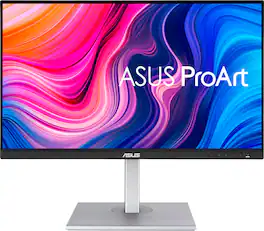
4 times the resolution of full HD 1080p with HDR for stunning details and image quality. IPS technology is optimized for the finest image quality with 178° wide-viewing-angle.
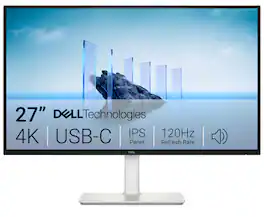
Dell 27 Plus 4K USB-C Monitor - S2725QC. Whether you're watching movies or playing games, enjoy an immersive viewing experience with improved eye comfort on a 4-star certified monitor*.
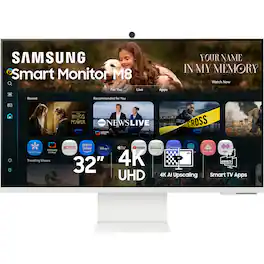
Samsung’s 32" M8 Smart Monitor, with the NQM AI Processor and featuring 4K UHD resolution, delivers an AI-powered experience. Smart TV Apps provide instant access to your favorite content. The processor upscales lower-resolution content to 4K, while the AI Picture Optimizer adapts visuals for optimal quality whether you're working, gaming, or watching videos. Knox Security protects your data and enhances the safety of your IoT connections through tightly controlled access. Click-to-Search provides instant content details. Gaming Hub gives access to the biggest games from top streaming partners with no PC or console required. Active Voice Amplifier Pro uses advanced audio processing to ensure dialogue comes through clearly. SmartThings enables control of connected devices, turning your monitor into a central IoT hub. The SlimFit Camera attaches to the monitor and provides clear picture quality. The ergonomically designed stand supports comfortable viewing with height adjustment, tilt, and pivot capabilities. Multiple ports, including USB-C, HDMI, and USB-A, make connectivity simple.
| Pros for ASUS - ZenScreen 27" 4K IPS Smart Monitor with HDR (DisplayPort, HDMI, USB-C) - Silver | |||
|---|---|---|---|
| Sound Quality | Connectivity, Color Accuracy, USB-C, Resolution, Build Quality | Connectivity, Screen Quality, Refresh Rate, Overall Performance, Port Count | There were no pros for this product— |
| Cons for ASUS - ZenScreen 27" 4K IPS Smart Monitor with HDR (DisplayPort, HDMI, USB-C) - Silver | |||
| There were no cons for this product— | Speakers, Refresh Rate | There were no cons for this product— | There were no cons for this product— |
Specs




Reviews
Customers are saying
Customers commend the ZenScreen 27" 4K IPS Smart Monitor for its exceptional sound quality. Users specifically highlight that the screen quality is on point. There are no cons mentioned for this product.
The vast majority of our reviews come from verified purchases. Reviews from customers may include My Best Buy members, employees, and Tech Insider Network members (as tagged). Select reviewers may receive discounted products, promotional considerations or entries into drawings for honest, helpful reviews.
- Rated 4 out of 5 stars
Poor documentation
Very decent image quality and resolution. The matte finish deals very well with front-glass reflections. The smart monitor entertainment functions can be an enjoyable feature. As a computer monitor it frustrated me a lot because I couldn't get it to wake from sleep after my laptop (plugged in via USB-C) went to sleep. When waking up my laptop, the monitor remained off. I finally figured out the settings to get it to sleep and wake properly - it's buried under two sub-menus: "Enable mouse/keyboard to wake up monitor." Because this monitor is designed to pair directly to a bluetooth keyboard and mouse, it wasn't clear at all that this includes a connected laptop. Documentation is very poor which is why it took so long to figure out.
Posted by Peepee21
- Rated 4 out of 5 stars
Amazing when you dial it in
Once you find the settings that work for you set-ups this is a very good monitor it does wonders with the color profiles and is able to pull image details out of older media without the overly processed looks that sometimes happens when you play an older piece of media on a new system. I have not found myself using the Google TV feature considering there’s two computers hooked up to it and the Google TV’s factory settings had poor refresh rates and pixelization. The Usb-c setting was tricky to start. For whatever reason it wouldn’t display initially. I had to turn on my Windows PC and switch over to my my MacBook and then when I jiggled the mouse on the Windows PC it worked. Idk, but thats what it wanted. I turned settings to DCI-P3, HDR standard, No dynamic backlight, Normal color temp., low blue off, PC mode off, low latency on, shadow detail 0, Dynamic black equalizer 0, basic settings are all at 50 except sharpness is 40, and all professional settings are turned off. The sound mode is standard and the audio processing is Dolby Audio Processing for Apple Music and what not. I also added Dolby Atmos to the Windows PC (economically smart or not, its made a good audio experience for games, music, and movies). The H&K speakers do surprisingly well for the size. I don’t play any competitive type game so I don’t benefit from an enhanced framerate so 60fps is just fine for the semi-casual single player experiences and does wonders for emulated games that didn’t anticipate high-hertz rate gaming. I don’t notice any issues that wouldn’t happen gaming on a decent TV. I am very happy with the purchase, overall, but I wish it would have ran this nice from the manufacturer. Then again this is an issue with all modern panels (TV’s and Monitors).
Posted by ThotHoThongSnizzmark
- Rated 5 out of 5 stars
Great Monitor
Bought this monitor to pair with my mac mini. It's a perfect combination. I love the colors that come out of it, and the quality of the speakers. Most monitor speakers aren't the greatest, but these put out fairly decent audio.
Posted by Sara