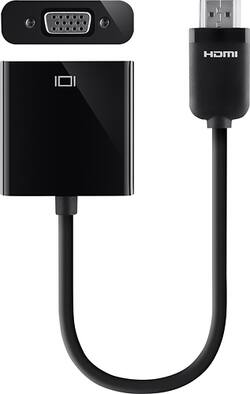
Belkin - HDMI-to-VGA Adapter - Black/White
- Key Specs
- Connector Type (End 1): HDMI Type A
- Gender (End 1): Male
- Connector Type (End 2): VGA
- Gender (End 2): Female
- Connector Finish: Copper
- General
- Product Name: HDMI-to-VGA Adapter
- Brand: Belkin
- Quantity: 1
- Compatibility: Apple TV
- Model Number: AV10145BT
- Color: Black/White
- Connectivity
- Cable Type: HDMI
- Product Type: Adapter
- Connector Type (End 1): HDMI Type A
- Gender (End 1): Male
- Connector Type (End 2): VGA
- Gender (End 2): Female
- Material
- Connector Finish: Copper
- Other
- UPC: 722868967836
Stream content wirelessly from your Apple® iPad®, Mac or other compatible device to a projector through your Apple TV with this Belkin AV10145BT HDMI-to-VGA adapter, which converts digital HDMI output to an analog VGA signal for a crisp image.
- HDMI-to-VGA adapter: Connects your Apple TV to a VGA-enabled projector, and converts digital HDMI output to an analog VGA signal for clear video quality.
- Allows you to stream and present content wirelessly: From your Apple iPad, Mac or other compatible device for versatile use.
- 3.5mm audio port: Lets you enjoy audio through speakers or a display to enhance your presentation.
Whats Included
- Belkin HDMI-to-VGA Adapter
Q: Audio output? Does this adapter have one?
A: Yes it has an audio out jack.
Q: HDMI to VGA adapter connection issues
A: The HDMI adaptor is digital to analog (VGA) and I found that I could not adjust the resolution of the New Computer low enough to maintain a stable connection with my lower resolution VGA projector. Even a member of my local Geek Squad acknowledged this problem. I had to use use a USB to VGA adaptor which worked like a charm.
Q: Can this be used with an HP computer or is it just compatible with Apple products?
A: This adapter works perfectly with any I/O that is standard HDMI shaped and standard VGA.... I personally have this adapter connected from a Windows PC to an external monitor, and although I'm sure it will work well with Apple products as well, it definitely works fine with PC hardware!
Q: HDMI TO VGA
A: The Belkin HDMI-VGA adapter (AV10145bt) is designed to allow you to view MacBook, iPad, or other iOS device on a bigger screen. We cannot guarantee you that it will work perfectly with a Windows computer. Try to use and a supported Appe device and compare the result.
Q: Does this product have a port to connect a sound cord?
A: No, Charles. This cable is for video only and a separate audio cable is required.
Q: It says in its features it has a 3.5 mm jack is that true???
A: Hi, Joh. The adapter does not have an audio jack. It is for video only -- it would require you a separate audio cable.
A: The Belkin adapter is not tested to work with the type of setup that you're referring to, DavidJames; it's designed to plug into the HDMI port of your Apple TV and connect to any VGA projector.
A: Easiest fix: buy a vga male to vga male cable.















