
Brother - INKvestment 6960 Wireless Color All-in-One Inkjet Printer with 11”x17” capabilities/2 Paper Trays (MFCJ6960DW) - Gray
Brother - INKvestment 6960 Wireless Color All-in-One Inkjet Printer with 11”x17” capabilities/2 Paper Trays (MFCJ6960DW) - Gray
More Buying Options
Related Item

Specifications
- NetworkingWireless, WiredENERGY STAR CertifiedYesPrinter TypeAll In One, Printer, Copier, ScannerISO Color Print Speed30 pages per minuteISO Mono Print Speed31 pages per minuteOutput Tray Capacity100
- Key Specs
- Networking: Wireless, Wired
- ENERGY STAR Certified: true (Devices carrying the ENERGY STAR service mark, such as computer products and peripherals, kitchen appliances, and other products, generally use 20% to 30% less energy than required by federal standards.)
- Printer Type: All In One, Printer, Copier, Scanner
- ISO Color Print Speed: 30 pages per minute (The number of color pages able to be printed per minute in the device's default single-side mode, as tested by the International Standards Organization (ISO).)
- ISO Mono Print Speed: 31 pages per minute (The number of black ink (grayscale) pages able to be printed per minute in the device's default single-side mode, as tested by the International Standards Organization (ISO).)
- Output Tray Capacity: 100
- Touch Screen: true (Touch-screen devices make navigating more intuitive. Using a touch-screen display, you can do things such as tap to select, hold and drag to move items, swipe to scroll, and pinch to zoom.)
- General
- Brand: Brother
- Model Number: MFCJ6960DW
- Product Name: Brother INKvestment 6960 Wireless Color All-in-One Inkjet Printer with 11”x17” capabilities/2 Paper Trays (MFCJ6960DW)
- Color: Gray
- Display Screen: true
- Display Screen Size: 3.5 inches
- Dimensions
- Product Height: 14.8 inches (The out of box height of the item. Height is measured as the vertical distance from the bottom of the item to the top as it would be primarily used or placed.)
- Product Width: 22.7 inches (The out of box width of the item. Width is measured as the horizontal distance from one side of the item to the other as it would be primarily used or placed.)
- Product Depth: 18.8 inches (The out of box depth of the item. Depth is measured as the distance from the front of the item to the back as it would be primarily used or placed.)
- Product Weight: 51.4 pounds (The out of box weight of the item.)
- Features
- Automatic Document Feeder: true
- Photo Printing: true
- Wide Format Printing: true (Machines with this function support printing on media with widths between 18 and 100 inches, such as posters, banners, canvases, and more.)
- Wide Format Scanning: true
- Monochromatic/Color: Color
- Automatic Reduction/Enlargement: true
- Automatic Two-Sided Printing: true
- Tray Capacity: 500
- Duty Cycle: Up to 35,000 (The maximum number of pages per month that the device can produce without failing, as specified by the manufacturer.)
- Connectivity
- Wired Connectivity: USB-B
- Wireless Connectivity: Wi-Fi (The manner in which a device sends data to another device over a short distance without the use of wires or cables.)
- Minimum System Requirements: Windows: 10 Home / 10 Pro / 10 Education / 10 Enterprise, Windows 11 Home / 11 Pro / 11 Education / 11 Enterprise, Windows Server 2016 / 2019 / 2022; Mac(7): macOS v13 / v14 / v15, ChromeOS, Linux (Supported Package Management System: dpkg, rpm).
- Certifications Listings & Approvals
- EPEAT Qualified: true (The Electronic Product Environmental Assessment Tool (EPEAT) was designed to provide an environmental assessment tool for purchasers. In order to qualify for EPEAT, a product must meet all 23 required criteria.)
- EPEAT Level: Silver (The Electronic Product Environmental Assessment Tool (EPEAT) was designed to provide an environmental assessment tool for purchasers. In order to qualify for EPEAT, a product must meet all 23 required criteria. Products are rated Bronze, Silver or Gold based on how many of 28 optional criteria they meet (below 50%, 50%, 75%).)
- TWAIN Compliant: true (Products with this label are compliant with standards set by the TWAIN Working Group for regulating communication between software and digital imaging devices. Devices that are TWAIN compliant are compatible for use with each other without requiring additional software, even if they have different capabilities.)
- Scanner Info
- Scanner Type: Flatbed, Sheetfed
- Duplex Scan Function: true
- Scanner Resolution: Up to 1200 x 2400 (Refers to the number of pixels/dots, both horizontally and vertically, of the image produced by the scanner. Generally, the higher the resolution, the sharper and cleaner the produced image.)
- Fax Info
- Integrated Fax: true
- Ink
- Compatible Cartridges: Brother LC506
- Ink Subscription Service Available: true (The printer monitors ink usage and alerts the subscription provider when levels are low. A purchased subscription provides refills of ink based on usage.)
- Ink Cartridges Required: 1 x Black, 1 x Cyan, 1 x Magenta, 1 x Yellow (The quantity and color of ink cartridges required for the printer to operate.)
- Ink Cartridges Included: 1 x Black, 1 x Cyan, 1 x Magenta, 1 x Yellow (The quantity and color of ink cartridges included.)
- Ink Bags/Bottles Required: None (The quantity and color of ink bags/bottles required for the printer to operate.)
- Ink Bags/Bottles Included: None (The quantity and color of ink bags/bottles included.)
- Memory
- Memory Card Slot: false
- Paper Info
- Automatic Document Feeder Capacity: 50 sheets
- Maximum Document Length: 17 inches
- Maximum Document Width: 11 inches
- Supported Paper Sizes: Upper/Lower Trays: Up to 11" x 17" (Ledger); Multipurpose Tray: Up to 11" x 17" (Ledger); Duplex: Up to 11" x 17" (Ledger); ADF: Up to 11" x 17" (Ledger)
- Paper Feeder: Cassette tray
- Paper Handling: 600
- Compatible Media Types: Upper Tray/Multipurpose Tray: Plain Paper, Inkjet Paper, Glossy Paper, Recycled Paper, Envelopes, Index Cards; Lower Tray: Plain Paper, Recycled Paper
- Copier Info
- Maximum Number Of Copies: 999
- Copier Resolution (Black): Up to 600 x 600 (Refers to the number of pixels/dots, both horizontally and vertically, of the image produced by the copier in black ink. Generally, the higher the resolution, the sharper and cleaner the produced image.)
- Copier Resolution (Color): Up to 600 x 600 (Refers to the number of pixels/dots, both horizontally and vertically, of the image produced by the copier in colored ink. Generally, the higher the resolution, the sharper and cleaner the produced image.)
- Performance
- Printer Resolution (Black): Up to 4800 x 1200 (Refers to the number of pixels/dots, both horizontally and vertically, of the image produced by the printer in black ink. Generally, the higher the resolution, the sharper and cleaner the produced image.)
- Printer Resolution (Color): Up to 4800 x 1200 (Refers to the number of pixels/dots, both horizontally and vertically, of the image produced by the printer in colored ink. Generally, the higher the resolution, the sharper and cleaner the produced image.)
- Approximate Page Yield (Black): 1800
- Approximate Page Yield (Color): 750
- Warranty
- Warranty - Parts: 2-year limited warranty
- Warranty - Labor: not applicable
- Other
- UPC: 012502682004
The INKvestment 6960 Wireless Color Inkjet All-in-One Printer was designed with impressive business-minded features to tackle your most robust day-to-day tasks. Optimize your productivity with print, copy, scan, and fax capabilities up to 11” x 17”, single-pass duplex (2-sided) copy and scan capabilities for up to 50-sheets via the automatic document feeder (ADF)(1), a 500-sheet paper capacity between two trays, and 100-sheet multi-purpose tray(1). Convenient dual band wireless(2) and Cloud connectivity options(3) are available on the 3.5” color touchscreen. Maintain superior productivity from day one with fast print speeds and the right amount of ink in-box. This color inkjet printer reliably outputs vibrant colors and bold, rich blacks, and Page Gauge(4) monitors your ink usage so you know when you’re running low. When paired with the Brother Mobile Connect app, setup is quick and easy – plus, you’ll gain the ability to print from virtually anywhere on your mobile device(5). Engineered with MAXIDRIVE Technology with impressive print speeds of up to 31 pages per minute (ppm) in black and up to 30 ppm in color(7), you can produce beautiful prints in vibrant color and bold blacks with Brother Genuine LC506 Ink cartridges – the only brand we recommend for your Brother printer.
- All-in-One Printer: This multifunction printer makes it easy to print, copy, scan, and fax on up to 11”x17” paper —all in one impressive device, and includes one 1,800-page yield black ink cartridge and one 750-page yield ink cartridge for each color in cyan, magenta, and yellow(6).
- Productivity-Focused Features: A 500-sheet capacity between two trays(1), 100-sheet multipurpose tray(1), single-pass duplex (2-sided) copy and scan for up to 50-pages via the automatic document feeder (ADF)(1), and automatic duplex (2-sided) printing with media-handling capabilities up to 11”x17”.
- Superior Print Speeds: Engineered with MAXIDRIVE Technology with impressive print speeds of up to 31 pages per minute (ppm) in black and up to 30 ppm in color(7).
- Print Quality: Crisp, efficient printing. Our PerfectPrint Auto Detection System helps support reliable and consistent print quality for results you can be proud of.
- Innovative Technology: Enhance your workflow with Wi-Fi Direct, which allows you to print wirelessly even without an external network connection.
- Cloud App Connections: Print from and scan to popular Cloud apps(3), including Google Drive, Dropbox, Box, OneDrive, and more, from an impressive 3.5” color touchscreen that enhances clarity and ensures effortless operation.
- Wireless, Ethernet and USB Connectivity: Connect your way. Multiple users can interface with your printer on your wireless network, or you can connect directly via Ethernet or USB.
- The Brother Mobile Connect app: Put the power of printing at your fingertips. Go mobile with the simple-to-use Brother Mobile Connect app(5) that delivers easy onscreen menu navigation for printing, copying, scanning, and device management from your mobile device.
- Brother Customer Support: For customer service, visit us at Brother Support
- Brother Genuine Ink: Reliable performance you can count on. Brother Genuine Ink is quality-tested to work seamlessly with your Brother printer. Choose Brother Genuine LC506 Ink, the only brand we recommend for use with your printer.
- All-in-One Printer: This multifunction printer makes it easy to print, copy, scan, and fax on up to 11”x17” paper —all in one impressive device, and includes one 1,800-page yield black ink cartridge and one 750-page yield ink cartridge for each color in cyan, magenta, and yellow(6).
- Productivity-Focused Features: A 500-sheet capacity between two trays(1), 100-sheet multipurpose tray(1), single-pass duplex (2-sided) copy and scan for up to 50-pages via the automatic document feeder (ADF)(1), and automatic duplex (2-sided) printing with media-handling capabilities up to 11”x17”.
- Superior Print Speeds: Engineered with MAXIDRIVE Technology with impressive print speeds of up to 31 pages per minute (ppm) in black and up to 30 ppm in color(7).
- Print Quality: Crisp, efficient printing. Our PerfectPrint Auto Detection System helps support reliable and consistent print quality for results you can be proud of.
- Innovative Technology: Enhance your workflow with Wi-Fi Direct, which allows you to print wirelessly even without an external network connection.
- Cloud App Connections: Print from and scan to popular Cloud apps(3), including Google Drive, Dropbox, Box, OneDrive, and more, from an impressive 3.5” color touchscreen that enhances clarity and ensures effortless operation.
- Wireless, Ethernet and USB Connectivity: Connect your way. Multiple users can interface with your printer on your wireless network, or you can connect directly via Ethernet or USB.
- The Brother Mobile Connect app: Put the power of printing at your fingertips. Go mobile with the simple-to-use Brother Mobile Connect app(5) that delivers easy onscreen menu navigation for printing, copying, scanning, and device management from your mobile device.
- Brother Customer Support: For customer service, visit us at Brother Support
- Brother Genuine Ink: Reliable performance you can count on. Brother Genuine Ink is quality-tested to work seamlessly with your Brother printer. Choose Brother Genuine LC506 Ink, the only brand we recommend for use with your printer.
- All-in-One Printer: This multifunction printer makes it easy to print, copy, scan, and fax on up to 11”x17” paper —all in one impressive device, and includes one 1,800-page yield black ink cartridge and one 750-page yield ink cartridge for each color in cyan, magenta, and yellow(6).
- Productivity-Focused Features: A 500-sheet capacity between two trays(1), 100-sheet multipurpose tray(1), single-pass duplex (2-sided) copy and scan for up to 50-pages via the automatic document feeder (ADF)(1), and automatic duplex (2-sided) printing with media-handling capabilities up to 11”x17”.
- Superior Print Speeds: Engineered with MAXIDRIVE Technology with impressive print speeds of up to 31 pages per minute (ppm) in black and up to 30 ppm in color(7).
- Print Quality: Crisp, efficient printing. Our PerfectPrint Auto Detection System helps support reliable and consistent print quality for results you can be proud of.
- Innovative Technology: Enhance your workflow with Wi-Fi Direct, which allows you to print wirelessly even without an external network connection.
- Cloud App Connections: Print from and scan to popular Cloud apps(3), including Google Drive, Dropbox, Box, OneDrive, and more, from an impressive 3.5” color touchscreen that enhances clarity and ensures effortless operation.
- Wireless, Ethernet and USB Connectivity: Connect your way. Multiple users can interface with your printer on your wireless network, or you can connect directly via Ethernet or USB.
- The Brother Mobile Connect app: Put the power of printing at your fingertips. Go mobile with the simple-to-use Brother Mobile Connect app(5) that delivers easy onscreen menu navigation for printing, copying, scanning, and device management from your mobile device.
- Brother Customer Support: For customer service, visit us at Brother Support
- Brother Genuine Ink: Reliable performance you can count on. Brother Genuine Ink is quality-tested to work seamlessly with your Brother printer. Choose Brother Genuine LC506 Ink, the only brand we recommend for use with your printer.
Whats Included
- Brother MFC-J6960DW
- Starter Black Ink Cartridge (1,800 pages)(18), Starter Cyan, Magenta, Yellow Ink Cartridges (750 pages)(18)
- AC Power Cord
- Product Safety Guide
- Reference Guide
- Warranty Card
- Quick Setup Guide
- Brother MFC-J6960DW
- Starter Black Ink Cartridge (1,800 pages)(18), Starter Cyan, Magenta, Yellow Ink Cartridges (750 pages)(18)
- AC Power Cord
- Product Safety Guide
- Reference Guide
- Warranty Card
- Quick Setup Guide
- Brother MFC-J6960DW
- Starter Black Ink Cartridge (1,800 pages)(18), Starter Cyan, Magenta, Yellow Ink Cartridges (750 pages)(18)
- AC Power Cord
- Product Safety Guide
- Reference Guide
- Warranty Card
- Quick Setup Guide
Disclaimers
- (1)Maximum Capacity based on using 20lb. paper.
- (2)Wireless connection required.
- (3) Requires an internet connection and an account with desired service.
- (4) Page Gauge is an estimate for informational purposes only. For actual cartridge yield information refer to go.brother/pageyield.
- (5) Free Brother Mobile Connect App download, wireless connection and connection of an eligible printer with Brother are required. Compatibility may vary by device, operating system and country.
- (6) Approximate page yields in accordance with ISO/IEC 24711. For additional page yield information, see go.brother/pageyield.
- (7) Based on ISO/IEC 24734 (after first set of ISO test pages). For inkjet print speed methodology, please visit www.brother-usa.com/printspeed. Print speeds vary with use. See manufacturer for info on print speed.
- (18)Approx. ink cartridge yield in accordance with ISO/IEC 24711 (letter/A4)
- (1)Maximum Capacity based on using 20lb. paper.
- (2)Wireless connection required.
- (3) Requires an internet connection and an account with desired service.
- (4) Page Gauge is an estimate for informational purposes only. For actual cartridge yield information refer to go.brother/pageyield.
- (5) Free Brother Mobile Connect App download, wireless connection and connection of an eligible printer with Brother are required. Compatibility may vary by device, operating system and country.
- (6) Approximate page yields in accordance with ISO/IEC 24711. For additional page yield information, see go.brother/pageyield.
- (7) Based on ISO/IEC 24734 (after first set of ISO test pages). For inkjet print speed methodology, please visit www.brother-usa.com/printspeed. Print speeds vary with use. See manufacturer for info on print speed.
- (18)Approx. ink cartridge yield in accordance with ISO/IEC 24711 (letter/A4)
- (1)Maximum Capacity based on using 20lb. paper.
- (2)Wireless connection required.
- (3) Requires an internet connection and an account with desired service.
- (4) Page Gauge is an estimate for informational purposes only. For actual cartridge yield information refer to go.brother/pageyield.
- (5) Free Brother Mobile Connect App download, wireless connection and connection of an eligible printer with Brother are required. Compatibility may vary by device, operating system and country.
- (6) Approximate page yields in accordance with ISO/IEC 24711. For additional page yield information, see go.brother/pageyield.
- (7) Based on ISO/IEC 24734 (after first set of ISO test pages). For inkjet print speed methodology, please visit www.brother-usa.com/printspeed. Print speeds vary with use. See manufacturer for info on print speed.
- (18)Approx. ink cartridge yield in accordance with ISO/IEC 24711 (letter/A4)
Q: Does this come with a warranty
A: The Brother MFC‑J6960DW includes a 2‑year limited warranty.
Compare similar products
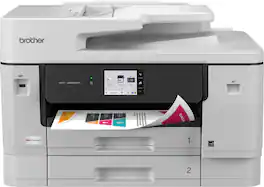
The INKvestment 6960 Wireless Color Inkjet All-in-One Printer was designed with impressive business-minded features to tackle your most robust day-to-day tasks. Optimize your productivity with print, copy, scan, and fax capabilities up to 11” x 17”, single-pass duplex (2-sided) copy and scan capabilities for up to 50-sheets via the automatic document feeder (ADF)(1), a 500-sheet paper capacity between two trays, and 100-sheet multi-purpose tray(1). Convenient dual band wireless(2) and Cloud connectivity options(3) are available on the 3.5” color touchscreen. Maintain superior productivity from day one with fast print speeds and the right amount of ink in-box. This color inkjet printer reliably outputs vibrant colors and bold, rich blacks, and Page Gauge(4) monitors your ink usage so you know when you’re running low. When paired with the Brother Mobile Connect app, setup is quick and easy – plus, you’ll gain the ability to print from virtually anywhere on your mobile device(5). Engineered with MAXIDRIVE Technology with impressive print speeds of up to 31 pages per minute (ppm) in black and up to 30 ppm in color(7), you can produce beautiful prints in vibrant color and bold blacks with Brother Genuine LC506 Ink cartridges – the only brand we recommend for your Brother printer.
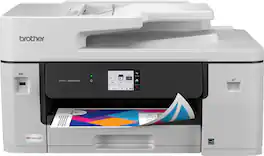
With advanced features designed to improve your productivity, the INKvestment 6560 Wireless Color Inkjet All-in-One Printer means business. Handle your toughest tasks with print, copy, scan, and fax capabilities up to 11” x 17”, automatic duplex (2-sided) printing on standard or ledger/tabloid sized paper, a 250-sheet paper tray, 1-sheet manual feed slot, and a 50-page single-sided automatic document feeder(1). Convenient dual band wireless(2) and Cloud connectivity options(3) are available on the generously sized 2.7” color touchscreen. Maintain superior productivity from day one with fast print speeds and the right amount of ink in-box. This color inkjet printer reliably outputs vibrant colors and bold, rich blacks, and Page Gauge(4) monitors your ink usage so you know when you’re running low. When paired with the Brother Mobile Connect app, setup is quick and easy – plus, you’ll gain the ability to print from virtually anywhere on your mobile device(5). Engineered with MAXIDRIVE Technology with impressive print speeds of up to 31 pages per minute (ppm) in black and up to 30 ppm in color(7), you can produce beautiful prints in vibrant color and bold blacks with Brother Genuine LC506 Ink cartridges – the only brand we recommend for your Brother printer.

Great for small businesses, the Brother MFC-3780CDW wireless digital color all-in-one printer with copy, scan, and fax functionalities offers remarkable efficiency with impressive print speeds and productivity-centric features. Consistently produces smudge-free, laser-quality prints for documents that garner the attention of colleagues, clients, and customers. Achieves print speeds up to 31 ISO pages per minute (ppm)(1) and scan speeds up to 29/22 ISO images per minute (ipm)(2) (black/color). With its versatile paper handling and an intuitive 3.5” touchscreen, it is engineered to help boost productivity, simplify tasks, and keep your business thriving. Advanced security features help safeguard sensitive information while printing and include the added protection of an NFC card reader for badge authentication. Engineered and supported by Brother, the MFC-L3780CDW is an industrious addition to any small workspace.
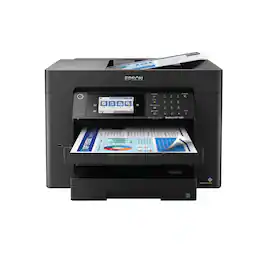
Supercharge workplace efficiency and productivity with the ultra fast WorkForce Pro WF-7840. Offering high-speed wide-format printing, this reliable all-in-one consistently delivers sharp, professional-quality, prints using innovative PrecisionCore Heat-Free Technology and vivid DURABrite Ultra inks. Built from the ground up to meet the demands of fast-paced businesses, the WF-7840 tackles a variety of tasks with wide-format printing up to 13" x 19", auto 2-sided print, copy, scan and fax, a 50-sheet rear tray, and a large, 500-sheet paper capacity. Convenient and easy-to-use, this complete duplex solution offers an abundance of features for simplified operation and navigation, including a 4.3" color touchscreen and wireless setup using mobile devices
| Pros for Brother - INKvestment 6960 Wireless Color All-in-One Inkjet Printer with 11”x17” capabilities/2 Paper Trays (MFCJ6960DW) - Gray | |||
|---|---|---|---|
| There were no pros for this product— | There were no pros for this product— | Print Quality, Overall Performance, Setup, Ease of use, Connectivity | Print Quality, Ease of use, Overall Performance, Setup, Paper Tray |
| Cons for Brother - INKvestment 6960 Wireless Color All-in-One Inkjet Printer with 11”x17” capabilities/2 Paper Trays (MFCJ6960DW) - Gray | |||
| There were no cons for this product— | There were no cons for this product— | Weight, Software | Weight, Size, Connectivity |
Specs



Reviews
Customer Images
The vast majority of our reviews come from verified purchases. Reviews from customers may include My Best Buy members, employees, and Tech Insider Network members (as tagged). Select reviewers may receive discounted products, promotional considerations or entries into drawings for honest, helpful reviews.
- Rated 5 out of 5 stars
A flawless behemoth built for everything
To start, this printer has been the easiest, fastest printer to set up that I've ever used. I have used several before, and there was always some kind of hiccup with 2.4 GHz issues, bugs that needed firmware updates, etc. Here, I turned on the printer, scanned the barcode, and I was up and running within three minutes. So easy and headache-free. That alone is worth mentioning. Now, the other surprising factor is the size. On the side of the box it says “print, scan, fax all-in-one compact printer.” This is not a compact printer unless you are comparing it to a full-scale office printer. In that case, yes. Compared to typical home printer sizes, it's huge. I put a picture of it next to my past HP OfficeJet, and it's at least 25% bigger. This is not a negative per se—just pointing it out if you're wondering about the form factor. With that size comes an amazing machine. It's able to handle all types of paper, from 11x17 all the way down to envelopes and photo printing. So far, nothing has jammed. Everything has moved smoothly and printed quickly and efficiently. And this printer is fast! The print quality is on par with the best I've used—vibrant, true to life, and a good representation. Like many printers, blacks and grays in headers can fade over time, but I expect that with any copy machine. The touchscreen is very responsive, easy to read, and extremely bright. My wife had an issue with our last printer because she wears readers and constantly had to call me over to read what the text said. No issue here. With a larger printer came a larger screen, and with its adjustable angles, it's very easy for anyone to use. One feature in a printer that we have grown attached to is the top-feed scanner. Unfortunately, with my last printer, depending on the document size, you would constantly get jams and/or pages not separating correctly. So far, I've had no issues here. I loaded a stack of documents, and they went through smoothly, copied, and printed with no problems. This also included small brochure cards that I needed to scan. Because this printer is large, the huge flatbed scanner comes in handy when scanning larger documents that my daughter may need for school. With the ease of the PC connection, scanning to a computer is very simple, whether using Windows built-in software or the Brother software. Another small note I would like to mention is the cable management. The power cable is right-angled, and the Ethernet and fax ports are underneath the scanner bed, so they're out of the way. This means I can place it against the wall without having to reach behind the printer to attach cables, while still having easy access if they need to be connected or disconnected. A simple feature, but well thought out. The free software that comes with this printer has plenty of options. If you are creative, have someone in school, or run a business looking for good templates, there are lots of things to choose from. With so many possibilities, it creates its own workstation in one. One thing I haven't set up is the inkjet refill service. My preference is to stay away from this based on past experiences, but if you use it, it seems pretty easy to set up. I'm really glad they allow you to register your printer without having to sign up for the service. My last printer made it a necessity and made changing out ink cartridges very tedious. I think I've covered everything. After using this printer, I don't see myself changing it out or switching anytime soon. It has been excellent in all its executions and adds features that I never thought I would use in a printer. It is huge, but with that size comes excellent capability.
This review is from Brother - INKvestment 6960 Wireless Color All-in-One Inkjet Printer with 11”x17” capabilities/2 Paper Trays (MFCJ6960DW) - Gray
JKhan Posted
- Rated 5 out of 5 stars
Extremely Capable, Many Options, Large Footprint
The Brother INKvestment 6960 Wireless Color All-in-One Inkjet Printer is one of Brother’s latest offerings. This is a powerhouse of a printer with features that make it suitable for both residential or commercial applications. These include dual paper trays, multipurpose tray, single-pass duplex copy and scan, automatic duplex printing, and paper capabilities up to 11 x 17”; this printer is a standout option. IN THE BOX: Brother MFC-J6960DW Printer Starter Ink Cartridges Power Cable Product Safety Guide,Quick Setup Guide SETUP: Upon unboxing, you’ll immediately notice the size of this machine. It measures approximately 18” deep and 24” wide. Make sure you have enough room to fit this machine comfortably including the multipurpose tray in the rear. This can be closed to sit flush against the wall but it will need an additional 2” or so of space if you plan on using it. Once plugged in, the printer boots up to a screen with a QR code that allows setup via mobile device or you can select the traditional method of setting it up manually on the screen, connecting it to Wi-Fi (or ethernet), and finding the machine on your computer or connected device. I chose to set it up via the latter method and it worked flawlessly. Once connected to my Wi-fi with the ink installed, it prompted for a software update which took about 2-3 minutes. It will ask you to calibrate the print head by placing a specific printed sheet onto the scanner during setup. USAGE: It is recommended to download the desktop and/or mobile app to use this printer although it is not necessary. I installed the Brother application on my computer which allowed for control of the printer, settings adjustments, and additional features. Typically I am only printing on a regular 8.5 x 11” printer/copy paper so it’s nice to have two trays. One that holds the normal paper and one that holds other sizes that I may want to use. All of the trays have labels for the adjustable paper holders so you know that you are installing the paper correctly. One of the things I noticed right away was the fact the printed paper comes out sideways vs other printers that print vertically. This is likely due to the fact this printer can handle 11 x 17” paper. The print quality looks great. Of course this is a brand new machine and it should look good but the colors are vibrant and lines are crisp. The scanner is massive and allows for duplex scanning via the feeder tray on the top. This is a great time saver as you aren’t having to manually flip the page over each time. The multifunction tray is also very nice for printing items you may only do once in a while so you don’t need to change out the paper tray. OVERALL: The Brother INKvestment 6960 Wireless Color All-in-One Inkjet Printer has been a pleasure to use. Given the features it has to offer the only real downside is the size. If you are planning to put this in a home office or smaller desk space, I would highly recommend measuring first to make sure you have a comfortable amount of space. The second paper tray makes it sit up taller than most printers as well. Even with this slight negative, I would recommend this printer to anyone looking for a high end and capable printer that should last for many years with great flexibility.
This review is from Brother - INKvestment 6960 Wireless Color All-in-One Inkjet Printer with 11”x17” capabilities/2 Paper Trays (MFCJ6960DW) - Gray
Justin Posted
- Rated 5 out of 5 stars
Large Format Mutifunction Printer
I’ve been putting the Brother MFC-J6960DW through its daily paces, and for a busy office, it’s a serious workhorse. If your workflow involves a lot of 11x17 documents, the value here is hard to beat. Right out of the box, the size is the first thing you notice. It’s a large machine, but it has to be to handle the bigger paper sizes. Setup was actually pretty painless using the mobile app, though I hit a small snag trying to connect to an open Wi-Fi network. I ended up just finishing the connection on the printer’s touchscreen, which was easy enough and got me up and running quickly. In terms of speed, this thing is fast. Whether it's standard black-and-white forms or full-color charts, it doesn't lag. The text is sharp, and the color fidelity—especially on photo paper—is impressive. I haven't run into any of the usual annoyances like streaks or misaligned pages so far. The best feature for me is how it handles 11x17. The duplex scanning and copying on the larger format are great. The document feeder is reliable, too—I’ve run multi-page jobs through it without a single jam or skewed page. Having two trays (500 sheets in the main and 100 in the multipurpose) is a huge convenience; I can keep my standard letter paper in one and 11x17 or photo paper in the other without constantly having to get up and swap them out. Software and Connectivity The Mobile Connect app is actually well-designed and reliable, which isn't always the case with printer software. I can print straight from my phone without any issues. It also works with Google Drive and OneDrive for scanning. The connection has been rock solid using my laptop, desktop, or phone—no "printer not found" errors or random disconnects. The Bottom Line It’s a quiet, efficient that Mutifunction Printer/Scanner/Fax that just works. The ink usage seems low so far, and the cost per page is very reasonable for a business setting. If you need a printer that can handle larger formats and high-volume duplexing without constant hand-holding, this is a great investment.
This review is from Brother - INKvestment 6960 Wireless Color All-in-One Inkjet Printer with 11”x17” capabilities/2 Paper Trays (MFCJ6960DW) - Gray
Idoc Posted





