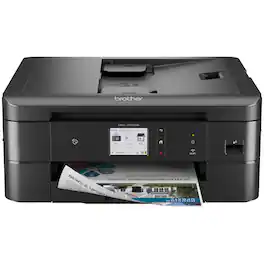
Brother - MFC-J1170DW Wireless Color All-in-One Refresh Subscription Eligible Inkjet Printer - Black
Related Item

Specifications
- NetworkingWireless, WiredENERGY STAR CertifiedYesPrinter TypeAll In One, Printer, Copier, ScannerISO Color Print Speed16.5 pages per minuteISO Mono Print Speed17 pages per minuteTouch ScreenYes
- Key Specs
- Networking: Wireless, Wired
- ENERGY STAR Certified: true (Devices carrying the ENERGY STAR service mark, such as computer products and peripherals, kitchen appliances, and other products, generally use 20% to 30% less energy than required by federal standards.)
- Printer Type: All In One, Printer, Copier, Scanner
- ISO Color Print Speed: 16.5 pages per minute (The number of color pages able to be printed per minute in the device's default single-side mode, as tested by the International Standards Organization (ISO).)
- ISO Mono Print Speed: 17 pages per minute (The number of black ink (grayscale) pages able to be printed per minute in the device's default single-side mode, as tested by the International Standards Organization (ISO).)
- Touch Screen: true (Touch-screen devices make navigating more intuitive. Using a touch-screen display, you can do things such as tap to select, hold and drag to move items, swipe to scroll, and pinch to zoom.)
- General
- Brand: Brother
- Model Number: MFCJ1170DW
- Product Name: MFC-J1170DW Wireless Color All-in-One Refresh Subscription Eligible Inkjet Printer
- Color: Black
- Display Screen: true
- Display Screen Size: 2.7 inches
- Dimensions
- Product Height: 15.7 inches (The out of box height of the item. Height is measured as the vertical distance from the bottom of the item to the top as it would be primarily used or placed.)
- Product Width: 13.5 inches (The out of box width of the item. Width is measured as the horizontal distance from one side of the item to the other as it would be primarily used or placed.)
- Product Depth: 13.5 inches (The out of box depth of the item. Depth is measured as the distance from the front of the item to the back as it would be primarily used or placed.)
- Product Weight: 16.4 pounds (The out of box weight of the item.)
- Features
- Automatic Document Feeder: true
- Photo Printing: true
- Monochromatic/Color: Color
- Automatic Reduction/Enlargement: true
- Automatic Two-Sided Printing: true
- Tray Capacity: 150
- Duty Cycle: Up to 2,500 (The maximum number of pages per month that the device can produce without failing, as specified by the manufacturer.)
- Connectivity
- Wired Connectivity: USB-A, Ethernet
- Wireless Connectivity: Wi-Fi (The manner in which a device sends data to another device over a short distance without the use of wires or cables.)
- Minimum System Requirements: PC: Windows 7 SP1 / 8.1 / 10 Home / 10 Pro / 10 Education / 10 Enterprise Windows 2008 R2 / 2012 / 2012 R2 / 2016 / 2019 Windows Server 2008; MAC®: OS v10.14.6, 10.15.x, 11
- Certifications Listings & Approvals
- EPEAT Qualified: false (The Electronic Product Environmental Assessment Tool (EPEAT) was designed to provide an environmental assessment tool for purchasers. In order to qualify for EPEAT, a product must meet all 23 required criteria.)
- TWAIN Compliant: true (Products with this label are compliant with standards set by the TWAIN Working Group for regulating communication between software and digital imaging devices. Devices that are TWAIN compliant are compatible for use with each other without requiring additional software, even if they have different capabilities.)
- Scanner Info
- Scanner Type: Flatbed, Sheetfed
- Duplex Scan Function: false
- Scanner Resolution: Up to 1200 x 2400 (Refers to the number of pixels/dots, both horizontally and vertically, of the image produced by the scanner. Generally, the higher the resolution, the sharper and cleaner the produced image.)
- Fax Info
- Integrated Fax: true
- Ink
- Compatible Cartridges: Brother LC401
- Ink Subscription Service Available: true (The printer monitors ink usage and alerts the subscription provider when levels are low. A purchased subscription provides refills of ink based on usage.)
- Ink Cartridges Required: 1 x Black, 1 x Cyan, 1 x Magenta, 1 x Yellow (The quantity and color of ink cartridges required for the printer to operate.)
- Ink Cartridges Included: 1 x Black, 1 x Cyan, 1 x Magenta, 1 x Yellow (The quantity and color of ink cartridges included.)
- Ink Bags/Bottles Required: None (The quantity and color of ink bags/bottles required for the printer to operate.)
- Ink Bags/Bottles Included: None (The quantity and color of ink bags/bottles included.)
- Memory
- Memory Card Slot: false
- Paper Info
- Automatic Document Feeder Capacity: 20 sheets
- Maximum Document Length: 8.5 inches
- Maximum Document Width: 14 inches
- Supported Paper Sizes: Up to 8.5" x 11.7" (Letter size)
- Paper Feeder: Cassette tray
- Paper Handling: 150 Sheets
- Compatible Media Types: Letter, Envelope, Legal, Executive, A4, A6, Envelope (C5), Envelope (DL), Envelope (Monarch), Photo (3.5" x 5"), Photo (4" x 6"), Photo (5" x 7"), Photo (5" x 8"), Photo (8" x 10")
- Performance
- Printer Resolution (Black): Up to 6000 x 1200 (Refers to the number of pixels/dots, both horizontally and vertically, of the image produced by the printer in black ink. Generally, the higher the resolution, the sharper and cleaner the produced image.)
- Printer Resolution (Color): Up to 6000 x 1200 (Refers to the number of pixels/dots, both horizontally and vertically, of the image produced by the printer in colored ink. Generally, the higher the resolution, the sharper and cleaner the produced image.)
- Approximate Page Yield (Black): 200
- Copier Info
- Copier Resolution (Black): Up to 1200 x 1200 (Refers to the number of pixels/dots, both horizontally and vertically, of the image produced by the copier in black ink. Generally, the higher the resolution, the sharper and cleaner the produced image.)
- Copier Resolution (Color): Up to 1200 x 1200 (Refers to the number of pixels/dots, both horizontally and vertically, of the image produced by the copier in colored ink. Generally, the higher the resolution, the sharper and cleaner the produced image.)
- Warranty
- Warranty - Parts: 1 year limited
- Warranty - Labor: 1 year limited
- Compatibility
- Works With: Amazon Alexa (Compatible with or able to be connected to other smart devices or applications.)
- Other
- UPC: 012502663966
The Brother MFC-J1170DW is the perfect color inkjet all-in-one printer for your home office and small office needs. The MFC-J1170DW is easy to connect and operate along with being compact and economical. This printer’s multiple flexible connection options include a built-in wireless(2) interface for sharing with multiple users on your network, Wi-Fi Direct, Ethernet or connect locally to a single computer via a USB interface. This printer delivers robust features, business-centric functionality, high-quality output, two-sided (duplex) printing and fast inkjet print speeds – up to 17 ppm black and white and 16.5 ppm color.(3) Its generous 2.7” color touchscreen provides easy navigation and simple icons for accessing powerful features along with print-from and scan-to popular cloud services including Google Drive, Dropbox, Box, OneDrive and more,(4) directly from the printer. Users enjoy reliable printing, copying, scanning and faxing plus wireless printing from a desktop, laptop, smartphone or tablet.(2) Featuring the Brother Mobile Connect(5) App, a user-friendly interface that gives you the freedom to print and manage your printer from virtually anywhere. The MFC-J1170DW features the unique Brother Page Gauge(6) which estimates remaining ink and page levels, so you always know how much ink you have left and how many pages you can print.
- Ensure optimal performance with Brother Genuine Ink: Choose LC401 Standard or LC401XL High-Yield replacement cartridges. And with Refresh Subscription Service, you’ll never worry about running out and you’ll enjoy savings up to 50%(7) on Brother Genuine Ink. Get started with a Free Trial(8).
- Delivering full functionality in a small space: There’s no sacrificing features with this sleek, compact design. A welcome addition to any home, home office or small office space - perfect where space is at a premium.
- Page Gauge empowers worry-free printing: Eliminate the guesswork of ink replacement when you use access Page Gauge that uses intelligent printer technology so you know the amount of ink you’ve used and the amount of ink you have remaining(6).
- The Brother Mobile Connect App puts the power of printing at your fingertips: Go mobile with the simple to use Brother Mobile Connect(5) App that delivers easy onscreen menu navigation for printing, copying, scanning, and device management from your mobile device.
- Print more and wait less with fast inkjet print speeds: The MFC-J1170DW prints up to 17 ppm for black and 16.5 ppm for color. (3)
- Versatile connection options let you connect your way: Multiple connection options include built-in wireless (2), Wi-Fi Direct, Ethernet or connect locally to a single computer via USB interface. Works with Alexa.
- Get true mobility with wireless printing and scanning capabilities: Experience printing as mobile as you are. Print and scan wirelessly from your desktop, laptop, smartphone and tablet.(2)
- Ease of operation with intuitive Cloud connection through an easy-to-use 2.7” color touchscreen: Easily navigate on screen menus that include powerful features. Print-from and scan-to popular Cloud services including Google Drive, Dropbox, Box, One Drive and more(4) directly from the printer.
- Near Field Communications (NFC) one “touch to connect” print capabilities: There’s no network setup needed for NFC one "touch to connect" printing from a cell phone or other mobile device for true ease-of-use.(1)
- Versatile paper handling options for all your printing needs: Use the 20-page capacity automatic document feeder for quick copying and scanning. The generous 150-sheet capacity paper tray adjusts for letter or legal-size paper. Automatic duplex (2-sided) printing helps save paper.
- Featuring Brother At Your Side support: Comes with a 1-Year Limited Warranty and At Your Side support for the life of your product including online, live chat or phone support.
Whats Included
- Brother MFC-J1170dw
- Black, Cyan, Magenta, Yellow Starter Ink Cartridges
- Quick Setup Guide
- Product Safety Guide
- Reference Guide
- Warranty Card
- Telephone Line Cord
Disclaimers
- *Requires a high-speed Internet connection.
Q: Does this printer have a touchscreen?
A: Yes, it has a 2.7-inch color touchscreen for easy navigation.
Q: What is the paper handling capacity of this Brother printer?
A: This printer has a 150-sheet capacity paper tray that adjusts for letter or legal-size paper.
Q: What is the print speed of this printer?
A: The MFC-J1170DW prints at speeds up to 17 pages per minute for black and white and 16.5 pages per minute for color.
Q: Does this all-in-one printer have a fax function?
A: Yes, the Brother MFC-J1170DW has an integrated fax function.
Q: How do I connect this printer to my computer?
A: This printer offers multiple connection options including built-in wireless, Wi-Fi Direct, Ethernet or you can connect locally to a single computer via USB interface.
Q: Can this printer print on both sides of the paper?
A: Yes, the MFC-J1170DW supports automatic duplex (2-sided) printing.
Q: Will the MFC-J1170DW print on card stock? What are the card stock weight limits?
A: The Brother MFC-J1170DW supports card stock paper of up to 58 lbs. Heavier card stock is not supported by the machine.
Q: Will this printer allow me to print only in black print if I choose?
A: Yes the Brother MFCJ1170DW is able to print in black and white only. You can always scan to PC or media even if your machine displays "Replace Ink. Based on your printing volume and page coverage, you can print up to four (4) weeks in B&W mode. You'll be able to receive and print B&W faxes. If you're sent a color fax, the machine will convert the face and print it in black and white. You won't be able to print on photo paper or other special media during B&W mode. Only plain paper can be used. Below is an answer link with more information on Black and White printing only with the Brother MFCJ1170DW. Answer Link: "B&W Print Only"
Compare similar products
The Brother MFC-J1170DW is the perfect color inkjet all-in-one printer for your home office and small office needs. The MFC-J1170DW is easy to connect and operate along with being compact and economical. This printer’s multiple flexible connection options include a built-in wireless(2) interface for sharing with multiple users on your network, Wi-Fi Direct, Ethernet or connect locally to a single computer via a USB interface. This printer delivers robust features, business-centric functionality, high-quality output, two-sided (duplex) printing and fast inkjet print speeds – up to 17 ppm black and white and 16.5 ppm color.(3) Its generous 2.7” color touchscreen provides easy navigation and simple icons for accessing powerful features along with print-from and scan-to popular cloud services including Google Drive, Dropbox, Box, OneDrive and more,(4) directly from the printer. Users enjoy reliable printing, copying, scanning and faxing plus wireless printing from a desktop, laptop, smartphone or tablet.(2) Featuring the Brother Mobile Connect(5) App, a user-friendly interface that gives you the freedom to print and manage your printer from virtually anywhere. The MFC-J1170DW features the unique Brother Page Gauge(6) which estimates remaining ink and page levels, so you always know how much ink you have left and how many pages you can print.
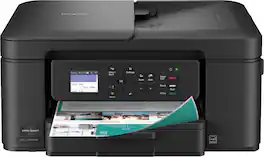
The Brother Work Smart 1360 Wireless All-in-One Refresh Subscription Eligible Inkjet Printer is the perfect choice for a reliable printer with robust efficiency-boosting features. With tools like automatic duplex (2-sided) printing, a 20-page single-sided automatic document feeder(1), and wireless(2) and Cloud connectivity(3) options available on the 1.8” color display, this multifunction printer helps you get your work done with simplicity and ease. Perfect for printing anything from to-do lists to business reports, this color inkjet printer outputs quality prints at fast speeds. Brother Page Gauge(4) monitors your ink usage so you know when you’re running low. When paired with the Brother Mobile Connect app(5), setup is quick and easy – plus, you’ll be able to print from virtually anywhere on your mobile device(6). Print Confidently with Brother Genuine LC501 Ink in your Brother Work Smart 1360 for reliable, consistent prints –it’s the only brand we recommend for your Brother printer.
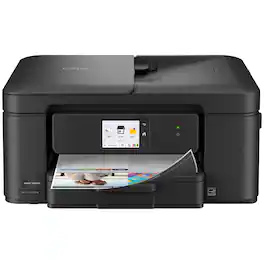
Experience true reliability and ease of use with the Brother Work Smart 1410 Wireless Color Inkjet All-in-One Printer. A 2.7” color touchscreen display lets you connect to popular Cloud apps(1) directly from your printer. Automatic duplex (2-sided) printing, a 20-sheet single-sided automatic document feeder (ADF)(2), and a 150-page paper tray(2) bring modern convenience to this compact printer. Engineered to produce great prints, this color inkjet printer outputs vibrant colors and bold, rich blacks at fast print speeds, and Page Gauge(3) monitors your ink usage so you know when you’re running low. When paired with the Brother Mobile Connect app(4), setup is quick and easy – plus, you can print from virtually anywhere on your mobile device(5). Print Confidently with Brother Genuine LC501 Ink in your Work Smart 1410 for reliable, consistent prints –the only brand we recommend for your Brother printer.

Looking for reliable printing with powerful efficiency-boosting features? The INKvestment 1365 Wireless Color Inkjet All-in-One Printer delivers. With versatile tools like automatic duplex (2-sided) printing, a 20-page single-sided automatic document feeder,(1) and wireless(2) and Cloud connectivity options(3) available on the 1.8” color display, this multifunction printer helps you get your work done easily. Perfect for printing anything you need with the right amount of ink in-box, this color inkjet printer outputs vibrant colors and bold, rich blacks at fast print speeds, and Page Gauge(4) monitors your ink usage so you know when you’re running low. When paired with the Brother Mobile Connect app,(5) setup is quick and easy – plus, you can print from virtually anywhere on your mobile device.(6) Produce beautiful prints in vibrant color and bold blacks at fast print speeds with Brother Genuine LC504 Ink cartridges – the only brand we recommend for your Brother printer.
| Pros for Brother - MFC-J1170DW Wireless Color All-in-One Refresh Subscription Eligible Inkjet Printer - Black | |||
|---|---|---|---|
| Print Quality, Size, Ease of use, Wireless, Setup | Print Quality, Size, Setup Ease, Connectivity, Noise Level | There were no pros for this product— | There were no pros for this product— |
Specs



Reviews
Customers are saying
Customers value the MFC-J1170DW Wireless Color All-in-One Inkjet Printer for its print quality, ease of use, and wireless capabilities. Many find the printer setup to be simple, and appreciate its compact size. The touch screen and included software are also well-received.
Customer Images
The vast majority of our reviews come from verified purchases. Reviews from customers may include My Best Buy members, employees, and Tech Insider Network members (as tagged). Select reviewers may receive discounted products, promotional considerations or entries into drawings for honest, helpful reviews.
- Rated 4 out of 5 stars
Best Value home printer
Best Value printer. Small footprint to fit in tight spaces. Easy setup. No usb cable supplied if using a hard-wired connection to your computer
Posted by OhNoBillS
- Rated 4 out of 5 stars
Nice Entry Level Printer, Mostly For Home Use
The Brother - MFC-J1170DW Wireless Color All-in-One inkjet printer in black is a nice, compact printer that is mostly easy to install. Since I am a CPA in public practice, I use all kinds of printers for all sorts of applications-mostly laserjet for fast numerous printing of lengthy tax returns, but all in one inkjets for billing and other miscellaneous printing jobs. The only hiccup that I had was after I had officially set up the printer. So, on its LCD screen there was a message that a firmware update was available. I hit the arrow that takes you through a series of prompts to eventually have to enter a password. Well, silly me, I thought the password was the same one as my online Brother account and even changed that thinking I had it wrong when the message on the machine's screen kept telling me that I had the incorrect password. Little did I realize that on the back of the machine there is a little stamped area that not only has the machine's serial number, but also has a PWD and I believe 7 combo of letters, caps and lower case, numbers, and special characters. The easiest way for me to enter and read was to use my phone's camera to take a picture and read and enter it into the machine. I did wind up calling Brother's toll free number, speak with someone off shore, I believe from their accent, which I do not like. However, after almost pulling my hair out over this password thing, all was done. I already had the Brother set-up program and its utility type programs so downloading the necessary software to my older desktop was easy. I have a newer Dell 2 in 1 on a different floor and that connected to this new Brother machine quite easily, too. Pros-small enough to set on an ottoman, see attached picture, or on any desk surface area. Quick 1st paper out, quality of print, and speed. This is good for smaller office type jobs or smaller home type jobs. I also had the Brother Mobile Connect app already downloaded to my smartphone and I love using that to print necessary items right from my phone. The literature states that ISO print speeds are up to 17ppm for black print and up to 16.5 ppm for color print. I used wireless connectivity, but there is ethernet available, automatic duplex (2 sided) printing, and many things , like the Cloud, Dropbox, etc., can be reached directly from the machine itself, and a 20 page auto doc feeder. Con-Does not state on the box that it is compatible with the recently release Windows 11, so I would call the toll free Brother number and get an opinion on that if you have that operating system. I have not priced replacement Brother brand ink for this machine-there is a "Refresh" Brother program found at www.RefreshmentEZPrint.com that is similar to that of HP's instant ink program where the machine communicates with them seamlessly and for a monthly fee, based on projected number of pages to be printed on a monthly basis, you will receive ink without even having to request it by mail or some other delivery service of their choosing. This machine comes with only starter cartridges for Bk/C/M/Y. The standard ones per Brother will print around 200 pages where the high yield print up to 500 ;ages. I will be looking into the best ink pricing to see what is the most economical way to buy ink because unfortunately, that can be more in the long run than the machine itself.
Posted by KansasMeddlingMom
- Rated 5 out of 5 stars
A Solid Everyday @Home Printer!
TLDR; 17ppm black, 16.5ppm color. Capable of 2-sided printing. Has both scanner feed and scanner bed. Scanner only capable of single-sided scans. Can perform faxes, if needed. Can be connected via ethernet or wirelessly. With a Brother account set up, you can print wirelessly from anywhere (remote printing) using the Brother Mobile Connect App. Ink is a 4 cartridge setup, and the cartridges are relatively small. Brother encourages you to sign up for their Refresh Program, automatically sending you ink when you’re running low. Program is a monthly fee. The Brother MFC-1170DW mult-function printer can print, scan/copy and fax, plain and simple. But at the price point, I'm very impressed with what it has to offer. Firstly, the printer itself is very good at printing everyday documents and I really had no complaints here. Once out of the box and plugged in, the printer will prompt for the installation of ink cartridges and then follow-up by performing its self-diagnostic (checking for clogs, alignment). This is a relatively painless process time-wise, and once complete you’re off to the races. During my tests, I did a combination of multi-page pdf documents as well as some documents with color in them. One print job was a welcome packet from a doctor’s office that was about 14 pages, and the Brother ink-jetted its way to completion. I would say that the claimed 17ppm is about in-line with what I was experiencing. I reprinted the same doctor’s office doc, but this time 2-sided and similarly it performed very well. I think 2-sided printing is a huge plus here and I would think at an entry-level, this printer would not include that feature. For color documents, I copied a couple of work orders from the service center for our vehicle. The original document was printed on watermarked paper and the Brother’s copy came out almost identical. The printer did a fairly decent job replicating the tiny disclaimer text usually found on the bottom corners of these work orders. A quick tweak of the scanner and printer DPI settings should probably take care of this a lot better. I only have one complaint about this printer thus far, and that it only does one-sided scanning. Wireless printing set up is also straightforward as the unit guides you step-by-step. The end result is that your printer is now part of your home wireless network. And since it’s on your wireless network, anyone with access to your network can use your printer. But it doesn’t end there; if you acknowledge and consent to remote printing, you’ll be able to print documents from anywhere as long as you have access to the internet. This is done using the Brother Mobile Connect App. The Brother Mobile Connect App allows easy use of your printer for document printing, photo printing, scan/copy and maintenance, all through your phone. The app uses content on your phone (docs, photos) and it makes it easy to select these files and send them off to print. Lastly, there is the Refresh Program, which is Brother’s direct-to-home ink service. This isn’t like your typical “Subscribe-and-Save” program, if you know what I mean. It’s actually a bit more complicated actually. Based on the subscription service you choose, you’ll be allocated a page allowance and based on that page allowance, you’ll pay a relatively low monthly fee! This is made possible by the printer sending your print statistics to big Brother (zing!). So maybe I'll use myself as an example here. I signed up for the Moderate Plan ($4.49/month) that gives me 80 pages a month as a print allowance. If I end up printing less than 80 for the month, my pages carry over as an extra allowance (max carry over of 80 pages). Now if I go over my 80 page allowance in a month, every 10 pages I print will cost me an additional $1. I guess it’s worth mentioning that when the ink does get low, Brother will automatically send you a fresh batch of ink. So the name of the game here is to find out what your level of use really is, and you can save a lot of money on ink. They have various plans with adjusted allowances and page rollover and overage costs. If I do the math (and I stay consistent with printing use), I would only spend $60/year for ink using the service. If I chose to not use the service and bought ink locally, I calculated it to be about $120 for the same amount of pages. Not too shabby! If you find yourself using less or more, you can change your plan at any time, or cancel if you no longer need the plan altogether.
Posted by softwareEngineer