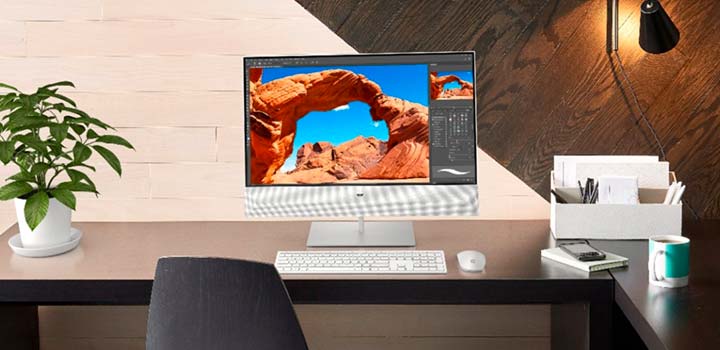
See why a desktop may be the right solution for you.
Processing power and performance:
Desktops commonly sport robust processing chips, a large amount of random-access memory (RAM) and large storage drives.
Easy upgrades:
The design of a desktop means you can customize your setup with new memory or storage and specialized components.
Different desktop options:

All-in-one computer: Combines a monitor and computer desktop into a single unit that stays in one place.
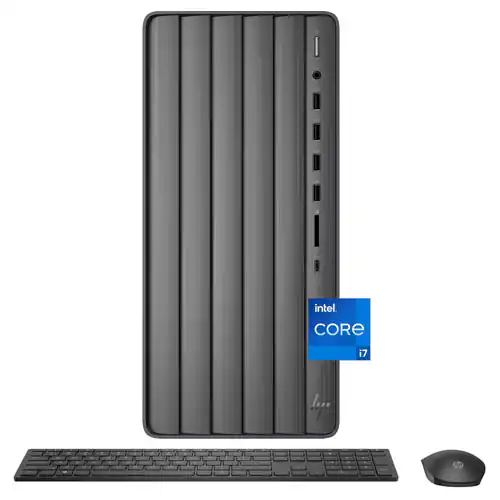
Tower desktop: A PC that houses all the main components in a case that must stay in a fixed location and you must attach a monitor to function.

Mini PC: A small and compact, yet powerful, computer that has the same performance and specs as a traditional desktop.

Windows Copilot+ PC desktop: A traditional desktop with a premium processor for high-performance tasks, including Copilot+ PC AI.
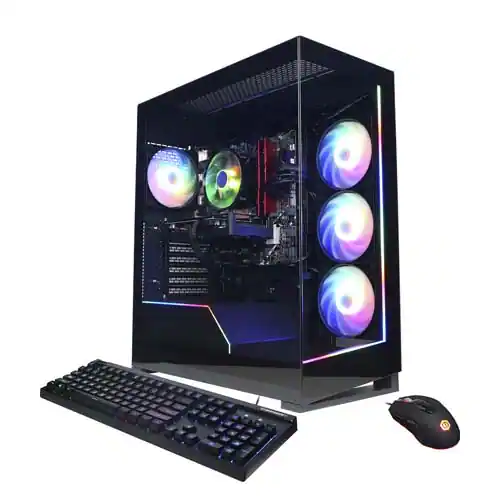
Gaming desktop: A premium computer designed with a powerful processor, RAM and graphics card, specifically designed to deliver the performance needed for intensive video games.
How will you use your PC?
This is the heart of your desktop. The operating system manages all software and hardware, including files, memory and connected devices. Most importantly, it lets you interact with your computer and your programs in a visual way (otherwise, you'd be typing a bunch of computer code to get anything done).

macOS
- Elegant and easy-to-use interface
- Sleek aesthetics, high build quality and sophisticated ergonomics
- Historically fewer issues with viruses and malware
- Higher price point than all-in-one PCs; the entry-level Mac mini (without monitor, keyboard and mouse) is more budget-friendly than the iMac
- No Mac model to date includes touch-screen functionality

Windows
- Can be used with a traditional mouse and keyboard, but is designed specifically around an intuitive touch-screen interface to expand your navigation options
- Integrated, enterprise-grade secure Windows Hello feature lets you log in quickly using a look or a touch instead of a password (if your PC setup includes a webcam or touch screen)
- Updated task manager, streamlined file management and a suite of built-in apps
Your computer’s processor is like its brain. Working in combination with system memory, the power of the processor determines the complexity of software you can run, how many programs you can have open at the same time, and how fast those programs will run. Most desktops include an Intel® or AMD processor.
Intel processors
Designed for gamers and creatives, power-efficient Intel® Core™ Ultra desktop processors (series 2) are engineered for the most demanding tasks.
- Core Ultra 9: Designed to deliver cooler, quieter gameplay, while conserving system power. These power-efficient processors feature fast cores and AI-driven performance.
- Core Ultra 7: Affordable processors that can handle gaming and still use less system power.
- Core Ultra 5: Ideal for light gaming and content creation, stay in the game with fast frames per second (FPS).
Core 14th Gen
Designed for multitasking, these processors maximize real-world performance in productivity and collaboration applications. You’ll enjoy a smooth, no-lag experience while streaming videos or playing games in full HQ.
AMD processors
Designed for gamers and content creators, Zen architecture runs the powerful AMD Ryzen™ 5000 Series desktop processors.
- Ryzen 5: Ideal for home, school and office, features ultraresponsive 7 nm Zen 2 or Zen 3 cores with integrated AMD Radeon graphics to stream up to 4K.
- Ryzen 7: Features smooth frame rates for editing videos, running demanding applications, and playing the latest games and esports. Eight high-performance 7 nm Zen 3 cores are optimized for pairing with high-performance discrete graphics cards.
- Ryzen Threadripper: Ultrahigh single-thread and multi-thread performance with 64 cores to help gamers and creators win.
- Ryzen 9: High-performance Zen 3 with ultrahigh single-thread and multi-thread performance for gamers and creators alike.
Athlon: An advanced entry-level processor featuring built-in Radeon Vega graphics for fast responsiveness.
A-Series: Designed for value, these processors are made for everyday productivity.
A graphics processing unit (GPU) is a microprocessor specifically designed to render graphics. You can find a range of technology to deliver an immersive experience when gaming, video editing, utilizing AI and more. The design of a desktop allows you to easily upgrade the graphics card to suit your needs. Some of the most common graphics cards are from AMD and NVIDIA.

AMD Radeon RX 9000 Series
Designed to offer advanced graphics for gamers, you’ll find features like AI accelerators and hyperrealistic ray tracing, as well as machine learning upscaling and advanced frame generation technologies to boost performance.
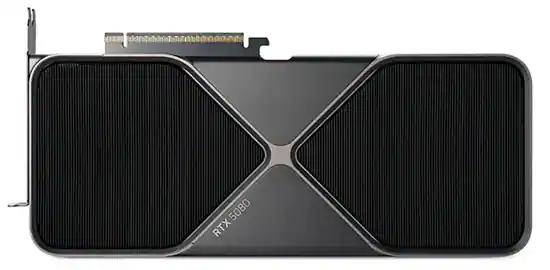
NVIDIA GeForce RTX50 Series
Powered by NVIDIA Blackwell, experience game-changing capabilities with a massive level of AI horsepower, improved precision from NVIDIA Reflex, full ray tracing, and more. Plus, unleash your creativity with NVIDIA Studio tools.

Random-access memory (RAM) — also called system memory — is important because it helps your processor tackle multiple tasks at once. 8GB or 16GB is recommended for basic computing and will give you enough capacity to multitask.
Your choice of storage is important because it determines how much stuff you'll be able to keep on your computer and how fast you'll be able to access it.
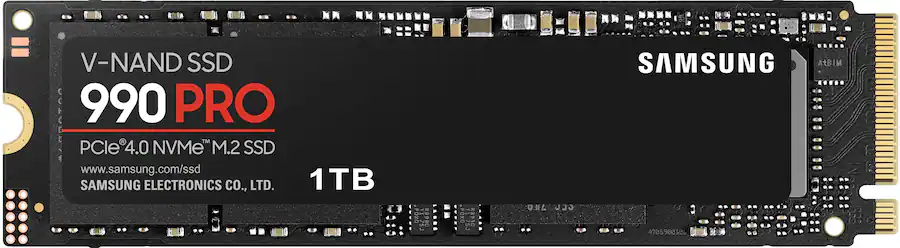
Solid state drive (SSD)
The next-generation storage option, SSDs are flash-based with no moving parts to wear out. SSDs are many times faster than hard disk drives, delivering faster performance when starting, launching software and saving files, all while creating less heat and no noise. 256GB or 512GB is suitable for basic computing needs, while an upgrade to 1TB is ideal for gaming, content creation and storing large media files.
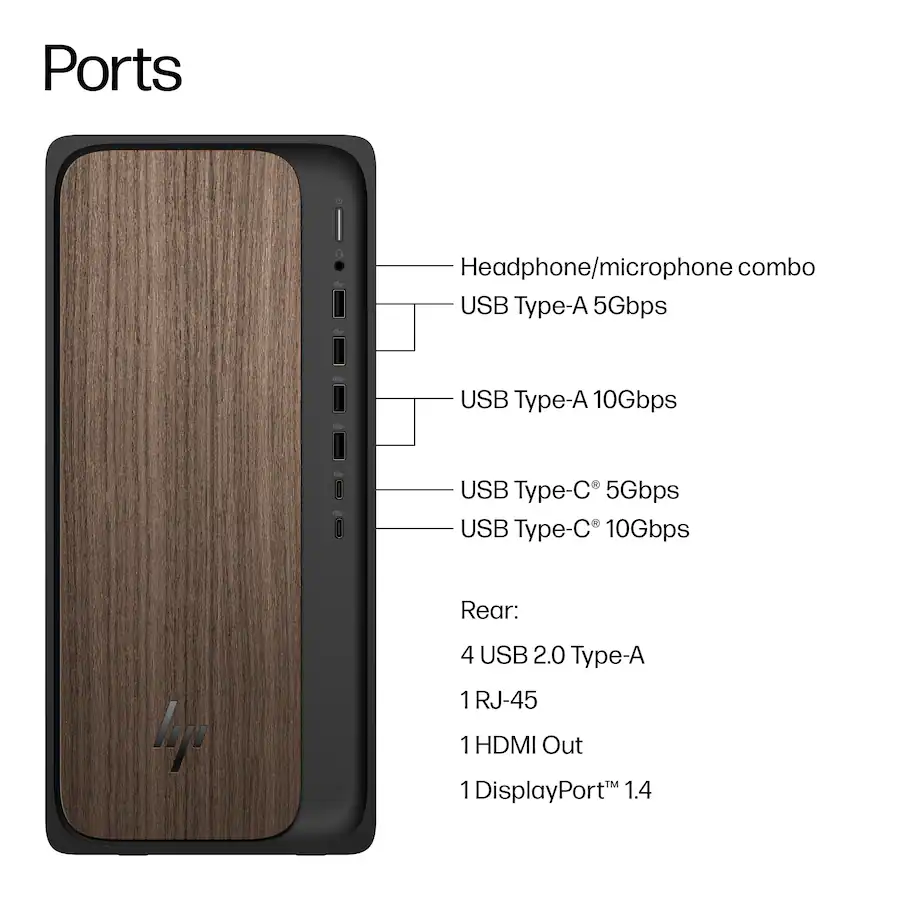
Desktops tend to offer multiple ports of various types to support an array of accessories and devices. These may be positioned in the front for easy access or tucked in the back to hide away the cables.
- USB Type-A: Often found on external drives and gaming controllers, Type-A handles lower speeds like 2.0 or 3.0. The connection is distinguished by a blue insert.
- USB Type-C: Created for faster speeds like 3.1 or 3.2, the reversible connector features identical ends. Adapters allow for video as well as backward compatibility with Type-A ports.
- HDMI: Connect a monitor, projector or HDTV.
- DisplayPort: Connect a monitor or projector.
- Media card slots: Transfer photos or videos directly from the memory card used in your digital camera, camcorder or smartphone. Supported card formats vary from desktop to desktop.
- Ethernet: Provides a hard-wired connection to your router for a stable connection and consistent speed that aren’t subject to environmental interference, freeing up your bandwidth for mobile devices.

Desktops tend to offer multiple ports of various types to support an array of accessories and devices. These may be positioned in the front for easy access or tucked in the back to hide away the cables.
- Monitors: Traditional desktops are sold without a monitor so you can browse the various display types, key features and specs to find the ideal option for your purposes.
- Printers: There’s a printer type to suit any need, from photo printing to newsletter printing and more.
- Microsoft Office software: Install popular applications like Word, Excel and PowerPoint for everyday productivity.
- Webcams, speakers and microphones: Create the best connection for streaming, meetings and more with a variety of devices that will upgrade your experience.
- Mice and keyboards: Most mainstream desktops include a basic mouse and a keyboard in the box, but you may wish to upgrade to wireless or ergonomic models.
- External hard drives and flash drives: Easily add storage, back up your data, or transfer files between computers.
- Surge protectors and battery backups: Safeguard your computer and its data from power spikes, brownouts, and blackouts.

Buying a new computer?
Become a Total member and get up to two years of product protection, including AppleCare+.
Exclusions, claim limits, service fees, terms and conditions apply.
Learn MorePC setup and data transfer has never been easier.
Total members get in-store and remote PC setup and basic data transfer services included.
Learn MoreDon’t forget to protect your new computer, tablet or printer.
Add protection and get extended coverage on your new purchase from Best Buy.