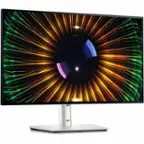
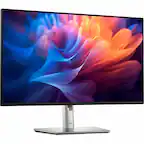
Dell - UltraSharp 27" IPS LED 120Hz Monitor (USB, HDMI) - Black, Silver, Dual Color
Color
Black, Silver, Dual ColorFREE shipping to
 Bestier - 59" Wide Office Desk with Four Drawers and File Drawer Computer Desk - Cherry$249.99$289.99

More Buying Options
Related Item

Highlights
- Key Specs
- Refresh Rate: 120Hz (The number of frames per second the device can produce natively without enhancement. Higher rates help produce smooth, seamless pictures.)
- Maximum Resolution: 2560 x 1440 (Maximum resolution refers to the highest number of pixels that a screen can process and display. Higher resolution signals produce more detailed images.)
- Response Time: 5 milliseconds (The speed at which pixels can change colors is called response time. It is measured in milliseconds (ms).)
- Panel Type: IPS (Technology that affects response time and image quality.)
- Synchronization Technology: Not Applicable (Generally, these technologies allow syncing between a computer/console game's frame rate and the device's refresh rate for a smoother display without tearing.)
- Screen Size: 27 inches (Size of the screen, measured diagonally from corner to corner.)
- Display Connector(s): 2 x DisplayPort, 1 x HDMI (The number and type of connectors used to connect to an external display.)
- General
- Brand: Dell
- Model Number: DELLU2724DE
- Product Name: UltraSharp 27" IPS LED 120Hz Monitor (USB, HDMI)
- Color: Black, Silver, Dual Color
- Operating System Compatibility: Not Applicable
- Display
- Refresh Rate: 120Hz (The number of frames per second the device can produce natively without enhancement. Higher rates help produce smooth, seamless pictures.)
- Maximum Resolution: 2560 x 1440 (Maximum resolution refers to the highest number of pixels that a screen can process and display. Higher resolution signals produce more detailed images.)
- Native Resolution: 2560 x 1440 (Native resolution of a screen refers to its single, fixed resolution. Sometimes screens must scale an image up or down in order to fit the native resolution. This can cause a loss of resolution or detail.)
- Contrast Ratio: 2000:1 (Measured difference between a displayed image's brightest whites and darkest blacks. The larger the first number, the more detail and color that can be displayed.)
- Response Time: 5 milliseconds (The speed at which pixels can change colors is called response time. It is measured in milliseconds (ms).)
- Display Type: LED
- Panel Type: IPS (Technology that affects response time and image quality.)
- Synchronization Technology: Not Applicable (Generally, these technologies allow syncing between a computer/console game's frame rate and the device's refresh rate for a smoother display without tearing.)
- Aspect Ratio: 16:9 (The measurement of the width of a screen compared to the height of a screen, expressed as a ratio.)
- Curved Screen: false
- Brightness: 350 candela per square meter (A measure of the total light output.)
- Screen Size: 27 inches (Size of the screen, measured diagonally from corner to corner.)
- High Dynamic Range (HDR): false (An HDR-compatible 4K TV or other HDR-compatible product displays HDR video content when it's available from sources like 4K Ultra HD Blu-ray Discs and 4K streaming services.)
- Horizontal Viewing Angle: 178 degrees (The maximum angle at which the display can be viewed with acceptable visual performance from either side.)
- Vertical Viewing Angle: 178 degrees (The maximum angle at which the display can be viewed with acceptable visual performance from above or below.)
- Touch Screen: false (Touch-screen devices make navigating more intuitive. Using a touch-screen display, you can do things such as tap to select, hold and drag to move items, swipe to scroll, and pinch to zoom.)
- Display Surface: Anti-glare
- Color Gamut (Standard RGB): 100 percent
- Connectivity
- Number of HDMI Inputs (Total): 1
- Display Connector(s): 2 x DisplayPort, 1 x HDMI (The number and type of connectors used to connect to an external display.)
- Number of USB Ports (Total): 6
- Compatibility
- Wall Mountable: true (The product is able to be secured to a wall. Some products are designed ready to mount, while others may require additional hardware/accessories for installation.)
- Voice Assistant Built-in: No (A digital assistant built into the device that uses voice commands to answer questions and control smart devices.)
- Features
- Tiltable: true
- Adjustable Stand Height: true
- Anti-Glare: true (Product has features, such as a matte finish, that reduce the likelihood for screen glare.)
- Eye Relief Features: Anti-glare, Low blue light, Flicker free
- Built-In Webcam: false
- Integrated Speaker(s): false
- Dimensions
- Product Height With Stand: 21 9/100 inches
- Product Height Without Stand: 13 9/10 inches
- Product Width: 24 1/10 inches (The out of box width of the item. Width is measured as the horizontal distance from one side of the item to the other as it would be primarily used or placed.)
- Product Depth (With Stand): 7 57/100 inches
- Product Depth Without Stand: 2 inches
- Product Weight: 11.53 pounds (The out of box weight of the item.)
- Stand Included: true
- Power
- Power Consumption: 225 watts
- Power Saving/Off Mode: 300 watts (This mode will turn the display and/or the device off, or into a standby mode, after a preset length of time with no activity to conserve power.)
- Certifications Listings & Approvals
- ENERGY STAR Certified: true (Devices carrying the ENERGY STAR service mark, such as computer products and peripherals, kitchen appliances, and other products, generally use 20% to 30% less energy than required by federal standards.)
- EPEAT Qualified: true (The Electronic Product Environmental Assessment Tool (EPEAT) was designed to provide an environmental assessment tool for purchasers. In order to qualify for EPEAT, a product must meet all 23 required criteria.)
- EPEAT Level: Gold (The Electronic Product Environmental Assessment Tool (EPEAT) was designed to provide an environmental assessment tool for purchasers. In order to qualify for EPEAT, a product must meet all 23 required criteria. Products are rated Bronze, Silver or Gold based on how many of 28 optional criteria they meet (below 50%, 50%, 75%).)
- Warranty
- Warranty - Parts: 3 year limited
- Warranty - Labor: 3 Year Limited
- Other
- UPC: 884116452164
New level of visual comfort with the Dell UltraSharp 27 Thunderbolt Hub Monitor. Protect your eyes from harmful blue light emission without sacrificing color with improved ComfortView Plus that reduces harmful blue light to less than 35%. Combined with 120Hz refresh rate and ambient light sensing, it achieves 5 star certification from TUV Rheinland for all-day eye comfort. Experience deeper blacks with 2000:1 contrast ratio on an IPS Black panel. See vibrant colors with 98% DCI-P3, 98% Display P3, 100% sRGB and 100% BT.709 color space and easily calibrate your colors with Dell Color Management software. Streamline productivity with a single Thunderbolt 4 cable that transmits data and video signals while delivering up to 90W of power and 2.5GbE speeds with RJ45 connectivity for a fast and stable network connection. Expand your productivity by connecting 2 PCs and multitask seamlessly across both PC with KVM, Picture-in-Picture (PiP) and Picture-by-Picture (PbP).
- Viewing angle: This stylish LED Monitor offers 178/178 degree viewing angles for some great viewing experience no matter where and how you look at it
- VESA compatible: VESA mount compatibility allows you to mount the display on a wall or with a stand depending on your specific needs
- Brightness: View your content easily in well-lit areas with 350 Nit brightness
- Picture-in-Picture: Picture-in-Picture (PiP) mode enables you to view content from multiple inputs simultaneously
- Thunderbolt: Thunderbolt I/O technology lets you move data between your devices and your computer with unprecedented speed
- Viewing angle: This stylish LED Monitor offers 178/178 degree viewing angles for some great viewing experience no matter where and how you look at it
- VESA compatible: VESA mount compatibility allows you to mount the display on a wall or with a stand depending on your specific needs
- Brightness: View your content easily in well-lit areas with 350 Nit brightness
- Picture-in-Picture: Picture-in-Picture (PiP) mode enables you to view content from multiple inputs simultaneously
- Thunderbolt: Thunderbolt I/O technology lets you move data between your devices and your computer with unprecedented speed
Whats Included
- UltraSharp U2724DE Widescreen LED Monitor
- Stand Riser
- Stand Base
- Quick Setup Guide
- Safety
- Environmental and Regulatory Information
- Factory Calibration Report
- 1 x Power Cable
- 1 x DisplayPort 1.4 Cable - 1.8 m
- 1 x USB Type-A to USB Type-C Gen 2 Cable - 1 m
- UltraSharp U2724DE Widescreen LED Monitor
- Stand Riser
- Stand Base
- Quick Setup Guide
- Safety
- Environmental and Regulatory Information
- Factory Calibration Report
- 1 x Power Cable
- 1 x DisplayPort 1.4 Cable - 1.8 m
- 1 x USB Type-A to USB Type-C Gen 2 Cable - 1 m
Q: What is the maximum resolution of the monitor?
A: The maximum resolution of the monitor is 2560 x 1440.
Q: Can you connect multiple devices to the monitor?
A: You can expand your productivity by connecting two PCs to the Dell UltraSharp 27 Thunderbolt Hub Monitor.
Q: Is the monitor compatible with a wall mount?
A: This monitor is wall mountable.
Q: What is the refresh rate of the monitor?
A: The refresh rate of this monitor is 120Hz.
Q: Is the HDMI port the same resolution and refresh rate as the display ports?
A: Yes, Both HDMI and DisplayPort support 3840 × 2160 (4K UHD) @ 120Hz.
Q: Can this monitor be removed from the base for a VESA mount for a clutter less desktop?
A: Yes, the monitor actually is boxed with the base detached. You snap the base onto the display if you don't want to utilize the VESA mount.
Q: Does this purchase come with display port cables?
A: Yes, it does come with one DisplayPort 1.4 six foot cable. See https://www.dell.com/en-us/shop/dell-ultrasharp-27-thunderbolt-hub-monitor-u2724de/apd/210-bksj/monitors-monitor-accessories scrolled down to near the middle for a list of ports and slots and cables included.
Compare similar products
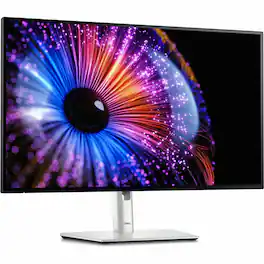
New level of visual comfort with the Dell UltraSharp 27 Thunderbolt Hub Monitor. Protect your eyes from harmful blue light emission without sacrificing color with improved ComfortView Plus that reduces harmful blue light to less than 35%. Combined with 120Hz refresh rate and ambient light sensing, it achieves 5 star certification from TUV Rheinland for all-day eye comfort. Experience deeper blacks with 2000:1 contrast ratio on an IPS Black panel. See vibrant colors with 98% DCI-P3, 98% Display P3, 100% sRGB and 100% BT.709 color space and easily calibrate your colors with Dell Color Management software. Streamline productivity with a single Thunderbolt 4 cable that transmits data and video signals while delivering up to 90W of power and 2.5GbE speeds with RJ45 connectivity for a fast and stable network connection. Expand your productivity by connecting 2 PCs and multitask seamlessly across both PC with KVM, Picture-in-Picture (PiP) and Picture-by-Picture (PbP).

The UltraGear OLED 32GX870A is built for gamers who demand both visual precision and speed. Dual Mode refresh rate lets you switch between stunning 4K/UHD at up to 240Hz for graphics-driven adventures or Full HD at an ultra-responsive 480Hz for lightning-fast competitive play—all with a quick hotkey press.¹ The 32” OLED panel with VESA DisplayHDR True Black 400 brings HDR games to life as developers intended, delivering deep blacks, bright highlights—up to 1300 nits peak brightness—and rich contrast for immersive visuals that pull you in. NVIDIA G-SYNC compatibility and AMD FreeSync Premium Pro ensure ultra-smooth, tear-free gameplay. This UltraGear is loaded with connectivity options, including DisplayPort 2.1 for ultra-fast, high-bandwidth performance. Built-in speakers provide crisp, immersive audio without extra clutter. Designed to be the centerpiece of any battlestation, the virtually bezel-less 32GX870A is height, tilt, swivel, and pivot adjustable for the perfect setup.

Dell UltraSharp 4K Thunderbolt Hub Monitors. Experience enhanced IPS Black with 3000:1 contrast ratio, improved ComfortView Plus technology, an ambient light sensor, and a 120Hz refresh rate display.
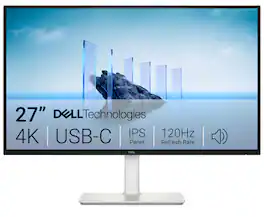
Dell 27 Plus 4K USB-C Monitor - S2725QC. Whether you're watching movies or playing games, enjoy an immersive viewing experience with improved eye comfort on a 4-star certified monitor*.
| Pros for Dell - UltraSharp 27" IPS LED 120Hz Monitor (USB, HDMI) - Black, Silver, Dual Color | |||
|---|---|---|---|
| There were no pros for this product— | Overall Performance, Refresh Rate, OLED Quality, Resolution, Size | There were no pros for this product— | Refresh Rate, Overall Performance, Screen Quality, Connectivity, Port Count |
| Cons for Dell - UltraSharp 27" IPS LED 120Hz Monitor (USB, HDMI) - Black, Silver, Dual Color | |||
| There were no cons for this product— | Brightness | There were no cons for this product— | There were no cons for this product— |
Specs
Reviews
The vast majority of our reviews come from verified purchases. Reviews from customers may include My Best Buy members, employees, and Tech Insider Network members (as tagged). Select reviewers may receive discounted products, promotional considerations or entries into drawings for honest, helpful reviews.
- Rated 4 out of 5 stars
Brilliant KVM Monitor with One Glaring Flaw
The display quality is excellent, and I love the single-cable setup for my MacBook. As a KVM switch to go between my Mac and a Windows PC, it's been surprisingly reliable. The huge letdown is the lack of a remote or any decent way to switch inputs quickly. You'd think their software would be the answer, but the Dell Display Manager app is sluggish and a resource hog. The hotkey feature to switch inputs is completely unreliable, which defeats the whole purpose. So you're forced to fumble with the joystick on the back. For a normal monitor, that's an annoyance. For a KVM monitor where switching is the main event, it's a critical design flaw that keeps it from being a perfect product. Not including a simple IR remote is baffling for a premium monitor.
This review is from Dell - UltraSharp 27" IPS LED 120Hz Monitor (USB, HDMI) - Black, Silver, Dual Color
Posted by Eddd
- Rated 5 out of 5 stars
Super high quality 27" computer display.
Fantastic monitor with excellent factory calibration setup. As with all Dell Ultrasharp series monitors, the quality is visible right off the bat. From the colors on the display to the super crisp pixels, this display is made for extended use in a production environment. I also love that this monitor can act as a KVM and port replicator for easy and quick connectivity with multiple computers.
This review is from Dell - UltraSharp 27" IPS LED 120Hz Monitor (USB, HDMI) - Black, Silver, Dual Color
Posted by MikeK
- Rated 5 out of 5 stars
Amazing Monitor for switching between PC/Mac
I use a Surface laptop for work and love havjng an external monitor. I also have a M4 MacMini and was looking for an all in one soliution I could use with both computers. The monitor is amazing for its cost and allows for me to plug in an external headset, external mic, and external webcam directly into the monitor and easily use with either computer just by switching inputs.
This review is from Dell - UltraSharp 27" IPS LED 120Hz Monitor (USB, HDMI) - Black, Silver, Dual Color
Posted by VideoGuy