Elgato - Wave XLR - XLR/USB-C Microphone Interface & Digital Mixing Solution - Black

- General
- Brand: Elgato
- Model Number: 10MAG9901
- Product Name: Wave XLR - XLR/USB-C Microphone Interface & Digital Mixing Solution
- Color: Black
- Warranty
- Warranty - Parts: 2 years
- Warranty - Labor: 2 years
- Other
- Product Width: 3.47 inches (The out of box width of the item. Width is measured as the horizontal distance from one side of the item to the other as it would be primarily used or placed.)
- Product Length: 4.63 inches (The out of box length of the item. Length is measured as the longest dimension of the item.)
- Product Weight: 0.66 pounds (The out of box weight of the item.)
- Headphone Jack: true (The device features an interface that allows for the connection of headphones.)
- Input(s): 3.5mm audio
- Volume Control: true
- UPC: 840006642886
Wave XLR does the work of multiple devices and packs features you won't find in conventional audio interfaces. Like proprietary Clipguard anti-distortion technology, a capacitive mute button, and integration with custom Wave Link mixing software. With up to 75 dB of ultra-low-noise gain, even notoriously insensitive dynamic mics sound loud and clear. 48 volts of phantom power bring condenser mics to life, and two switchable low-cut filters let you remove low frequencies for close and distant mic positions. You can even swap out the faceplate and control dial. Wave XLR — a compact USB interface that gives your mic superpowers.
- Frequency Response: Preserve your mic’s tone and sound signature with a frequency range of 20hz-20khz.
- Dynamic Range: Be heard with up to 100 dB of dynamic range (120 dB with Clipguard engaged)
- Equivalent Input Noise (EIN): Ensure an ultra-clean signal with an EIN of -130 dBV @ 60 dB gain.
- Gain Range: Up to 75 dB of ultra-low-noise gain amplifies insensitive mics.
- Phantom Power: 48 V phantom power drives condenser microphones.
- Maximum Input Level: 10 V @ 0 dB gain (Clipguard engaged)
- Maximum Output Level: Power high fidelity headphones with up to 77 mW of output.
- Resolution / Sample Rate: 24-bit 48/96 kHz audio ensures professional broadcast audio quality.
- Interface: Features a modern USB-C port.
- Frequency Response: Preserve your mic’s tone and sound signature with a frequency range of 20hz-20khz.
- Dynamic Range: Be heard with up to 100 dB of dynamic range (120 dB with Clipguard engaged)
- Equivalent Input Noise (EIN): Ensure an ultra-clean signal with an EIN of -130 dBV @ 60 dB gain.
- Gain Range: Up to 75 dB of ultra-low-noise gain amplifies insensitive mics.
- Phantom Power: 48 V phantom power drives condenser microphones.
- Maximum Input Level: 10 V @ 0 dB gain (Clipguard engaged)
- Maximum Output Level: Power high fidelity headphones with up to 77 mW of output.
- Resolution / Sample Rate: 24-bit 48/96 kHz audio ensures professional broadcast audio quality.
- Interface: Features a modern USB-C port.
Whats Included
- Wave XLR
- USB-C Cable
- Quick Start Guide
- Wave XLR
- USB-C Cable
- Quick Start Guide
Q: Does the Elgato Wave XLR support phantom power?
A: Yes, it provides 48 V of phantom power for condenser microphones.
Q: What kind of connector does the Elgato Wave XLR use?
A: This device uses a modern USB-C port.
Q: What is the frequency response of this microphone interface?
A: The Elgato Wave XLR has a frequency response of 20hz-20khz.
Q: How much gain does the Elgato Wave XLR offer?
A: It offers up to 75 dB of ultra-low-noise gain.
Q: What is the maximum input level of the Elgato Wave XLR?
A: The maximum input level is 10 V @ 0 dB gain (Clipguard engaged).
Compare similar products

Wave XLR does the work of multiple devices and packs features you won't find in conventional audio interfaces. Like proprietary Clipguard anti-distortion technology, a capacitive mute button, and integration with custom Wave Link mixing software. With up to 75 dB of ultra-low-noise gain, even notoriously insensitive dynamic mics sound loud and clear. 48 volts of phantom power bring condenser mics to life, and two switchable low-cut filters let you remove low frequencies for close and distant mic positions. You can even swap out the faceplate and control dial. Wave XLR — a compact USB interface that gives your mic superpowers.

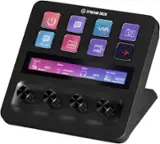
Short on ports? Now your Stream Deck + doubles as a USB Hub. Around back, connect up to four devices, from peripherals to external drives. It also powers your laptop, freeing the port you‘d nor?mally use for charging. Transfer files fast at speeds up to 5 Gb/s via USB-C, or use the convenient SD card reader on its side. USB Hub stows away and hides cables, keeping your workspace clean. Plus, your ports are always within arm’s reach, and it assembles in seconds—no drivers needed. Everything you need to expand and streamline your setup, all from one device.

Iconic Stream Deck tech with LCD keys, dials, and touch strip. Fully customizable. Perfect for any workflow. Stream Deck + is your audio mixer, studio controller, production console – anything you want it to be. Trigger actions. Control mics and cameras. Adjust volume, lighting, and much more. Create limitless pages for different apps and swipe between them on the fly. Set up with ease in the Stream Deck app. Unlock Elgato Wave Link mixing software, and hit the Stream Deck Store for plugins, icon packs, thousands or royalty-free music tracks, sound effects, and more. With new plugins and updates added regularly, Stream Deck + evolves with your workflow.

With Prompter, create and connect with confidence. Present video scripts, read Twitch chat, or Zoom conference with natural eye contact. Streamline your setup with Prompter’s built-in 9“ display, unlike other teleprompters that require an extra tablet or smartphone. Prompter works with almost any webcam or camera (even the widest DSLR lenses) and connects directly to your PC or Mac. Customize its display using Camera Hub software, or drag and drop any window — just like a monitor. Swap out cameras with ease using an intuitive backplate system, then plug in with a single USB cable
| Pros for Elgato - Wave XLR - XLR/USB-C Microphone Interface & Digital Mixing Solution - Black | |||
|---|---|---|---|
| Ease of use, Quality, Compatibility, USB-C | There were no pros for this product— | Ease of use, Quality, Knobs, Customization, Volume Control | Ease of use |
| Cons for Elgato - Wave XLR - XLR/USB-C Microphone Interface & Digital Mixing Solution - Black | |||
| Software, Mute Button | There were no cons for this product— | There were no cons for this product— | There were no cons for this product— |
Specs
Reviews
Customers are saying
Customers praise the Wave XLR for its ease of use and high-quality performance with XLR microphones. Users appreciate its compatibility and USB-C connectivity. However, some customers have expressed concerns regarding the complexity of the software and the functionality of the mute button.
- Rated 5 out of 5 stars
A Complete Solution
This review will encompass the Elgato Wave DX dynamic mic, the Elgato XLR, the XLR microphone cable, and Elgato's Wave Link software as they all work together as a complete solution. When I started streaming a year ago, I went with the Elgato Wave 3 condenser mic because it was a very cost-effective option and it gave me access to their Wave Link digital mixing software. As I became more experienced in streaming and audio configuration, I upgraded to the XLR system using the Wave DX dynamic microphone. You can do your own research regarding the differences between condenser mics and dynamic mics, but in a nutshell the dynamic mic produces better audio, but requires amplification and mixing through a physical hardware device (enter the Wave XLR). Dynamic mics also work better in environments where you don't want the mic to pickup background noise, which is the reason why virtually every professional podcaster and radio stations exclusively use them. As a whole, the Elgato ecosystem with the Wave DX, Wave XLR, XLR mic cable, and Wave Link software is a great option for people looking for professional quality audio without spending two or three times more for other brands.
Posted by RonnieRukus
- Rated 5 out of 5 stars
Looks nice and sounds great!
Works amazingly with my XLR microphone and the software is excellent with lots of available plugins for Noise Suppression, De-essing, etc.
Posted by JonathanM
- Rated 5 out of 5 stars
Easy xlr
Amazing product. Easy to use and set up works well with my podcast mic
Posted by RyanH