Epson - PowerLite 1781W WXGA Wireless 3LCD Projector - Black
FREE shipping to
More Buying Options
Related Item

Specifications
- Product Weight4 poundsLight SourceLampResolution800pWhite Brightness (ISO)3200 lumensContrast Ratio10000:1Projector UseBusiness
- Key Specs
- Product Weight: 4 pounds (The out of box weight of the item.)
- Light Source: Lamp
- Resolution: 800p (Refers to the number of pixels, both horizontally and vertically, used to capture video/images. The higher the resolution the finer the detail that can be seen.)
- White Brightness (ISO): 3200 lumens (Measurement of the device's white light output measured in accordance with standards established by the International Organization for Standardization (ISO). The more lumens, the brighter the output. In large and/or well-lit environments, such as auditoriums or rooms with plenty of natural light, a higher brightness improves the quality of the projected image.)
- Contrast Ratio: 10000:1 (Measured difference between a displayed image's brightest whites and darkest blacks. The larger the first number, the more detail and color that can be displayed.)
- Projector Use: Business
- Projector Throw Type: Standard Throw (The distance from the screen that the projector can be placed to project images. Standard throw projectors typically need to be at least 6 feet away while short throw and ultra short throw projectors can be placed closer to the screen for use in smaller rooms.)
- Portability: Portable (Fixed projectors are ideal when creating an authentic theater atmosphere in your home. Often designed to stay in one place they may require significant recalibration if moved. Portable projectors, weighing around 5 pounds, are easy to move, but will still require set-up calibration and often have technology to reduce the complexity. Ultra-portable projectors are very light, often battery-powered, and ideal for on-the-go use.)
- Wireless Connectivity: Wi-Fi (The manner in which a device sends data to another device over a short distance without the use of wires or cables.)
- Display Connector(s): No external display connection (The number and type of connectors used to connect to an external display.)
- Power Source: Plug-in
- General
- Brand: Epson
- Model Number: POWERLITE 1781W PROJECTR V11H7
- Product Name: PowerLite 1781W WXGA Wireless 3LCD Projector
- Color: Black
- Dimensions
- Product Height: 1.7 inches (The out of box height of the item. Height is measured as the vertical distance from the bottom of the item to the top as it would be primarily used or placed.)
- Product Width: 11.5 inches (The out of box width of the item. Width is measured as the horizontal distance from one side of the item to the other as it would be primarily used or placed.)
- Product Depth: 8.4 inches (The out of box depth of the item. Depth is measured as the distance from the front of the item to the back as it would be primarily used or placed.)
- Product Weight: 4 pounds (The out of box weight of the item.)
- Display
- Light Source: Lamp
- Display Technology: 3LCD (Denotes the product’s visual process, sometimes manufacturer specific, used to display an image.)
- Resolution: 800p (Refers to the number of pixels, both horizontally and vertically, used to capture video/images. The higher the resolution the finer the detail that can be seen.)
- Resolution (Native): 1280 x 800 (Native resolution of a screen refers to its single, fixed resolution. Sometimes screens must scale an image up or down in order to fit the native resolution. This can cause a loss of resolution or detail.)
- 3-Chip Technology: true (Projectors with this technology are able to display images with optimal brightness, color, and detail. Because of their high-performance design, these projectors are primarily used in large venues and digital cinemas.)
- White Brightness (ISO): 3200 lumens (Measurement of the device's white light output measured in accordance with standards established by the International Organization for Standardization (ISO). The more lumens, the brighter the output. In large and/or well-lit environments, such as auditoriums or rooms with plenty of natural light, a higher brightness improves the quality of the projected image.)
- High Dynamic Range (HDR): false (An HDR-compatible 4K TV or other HDR-compatible product displays HDR video content when it's available from sources like 4K Ultra HD Blu-ray Discs and 4K streaming services.)
- Light Source Life (Economy Mode): 7000 hours (The light source's estimated length of operating time when economy mode is enabled.)
- Light Source Life (Normal Mode): 4000 hours (The light source's estimated length of operating time when normal operating mode is enabled.)
- Contrast Ratio: 10000:1 (Measured difference between a displayed image's brightest whites and darkest blacks. The larger the first number, the more detail and color that can be displayed.)
- Aspect Ratio: 16:10 (The measurement of the width of a screen compared to the height of a screen, expressed as a ratio.)
- Throw Ratio Range: 1.04 - 1.26:1 (This measurement indicates what size of projected image can be produced from a certain distance. The smaller the ratio, the closer the projector can be to the screen while still producing a large image.)
- Digital Keystone Correction: true ("Keystone effect" refers to the distortion of an image when it is projected on an angled surface or when the projector is positioned too high or too low from the center of the display. Projectors with a digital keystone correction feature are able to scale the image as needed before it is projected, resulting in the correct image orientation no matter where it is displayed.)
- 3D Technology: false
- Viewing
- Minimum Projector Distance: 2.2 feet (Minimum distance that the projector can be placed from the screen to produce a display with acceptable visual performance.)
- Maximum Projector Distance: 26.8 feet (Maximum distance that the projector can be placed from the screen to produce a display with acceptable visual performance.)
- Minimum Viewable Screen Size: 30 inches
- Maximum Viewable Screen Size: 300 inches
- Features
- Projector Use: Business
- Projector Throw Type: Standard Throw (The distance from the screen that the projector can be placed to project images. Standard throw projectors typically need to be at least 6 feet away while short throw and ultra short throw projectors can be placed closer to the screen for use in smaller rooms.)
- Portability: Portable (Fixed projectors are ideal when creating an authentic theater atmosphere in your home. Often designed to stay in one place they may require significant recalibration if moved. Portable projectors, weighing around 5 pounds, are easy to move, but will still require set-up calibration and often have technology to reduce the complexity. Ultra-portable projectors are very light, often battery-powered, and ideal for on-the-go use.)
- Remote Control Included: true
- Exposure Control
- Focus Adjustment: Manual (The method used to focus the device in order to view or display a sharper image.)
- Minimum Aperture: f/1.5 (The smallest opening of a lens, typically expressed in f-numbers. The larger the number, the smaller the aperture and the less light that can enter the lens. A smaller aperture creates a larger depth of field, which keeps both foreground and background in focus.)
- Maximum Aperture: f/1.7 (The limit to how wide a lens can be open, typically expressed in f-numbers. The smaller the number, the larger the aperture and the more light that can enter the lens. A larger aperture creates a shallower depth of field, helpful for keeping subjects in focus and blurring background details.)
- Digital Zoom Capability: true (Projectors with this feature allow for digital adjustment to the projected image size without changing the location of the projector.)
- Connectivity
- Number of HDMI Inputs (Total): 1
- Wireless Connectivity: Wi-Fi (The manner in which a device sends data to another device over a short distance without the use of wires or cables.)
- Display Connector(s): No external display connection (The number and type of connectors used to connect to an external display.)
- Network Connector(s): 1 x LAN
- Audio Only Outputs: No audio only outputs
- Number of USB Port(s): 2
- Audio
- Sound Mode: Mono
- Integrated Speaker(s): true
- Speaker(s) Included: true
- Watts Per Channel: 1 watts
- Power
- Power Source: Plug-in
- Warranty
- Warranty - Parts: 2 years
- Warranty - Labor: 2 years
- Other
- UPC: 010343930988
Be prepared for presentations anywhere with this Epson Powerlite projector. Its small size and low weight make it portable for business travel, and its LCD display provides 1280 x 800 WXGA resolution for sharp images at up to 3200 lumens of brightness. This Epson Powerlite projector includes NFC connectivity for wireless communication.

- Portable design: Weighs 4 lbs. for easy transport to meetings, presentations and more.
- Wireless capability: Lets you present wirelessly over a network via PC or Mac.
- 3LCD 3-chip technology: Delivers best-in-class Color Brightness* and reliable performance with no rainbow effect.
- ±30° keystone correction: For distortion-free images.
- 3200 lumens of color brightness and 3200 lumens of white brightness: Boost display visibility and produce clear, vibrant on-screen images.
- 1280 x 800 WXGA resolution: Delivers crisp, detailed high-definition images.
- HDMI input: Makes it easy to connect to high-definition sources.
- 30" - 300" viewable screen size: Allows everyone in the room to enjoy a clear view.
- 2.2' - 26.8' projector distance: Allows flexible placement.
- 1.04 - 1.26:1 throw ratio range: Reproduces wide images in their correct proportions.
- USB Plug 'n Play instant setup: Instantly projects audio and video from a PC or Mac via a USB connection.
- Horizontal and vertical image correction: Projects rectangular images from any angle; just move the easy-slide control bar to make the necessary horizontal image adjustments; vertical adjustments are automatic.
- Manual zoom: Offers setting versatility.
- 214W lamp: Delivers up to 7,000 hours of lamp life in ECO mode and up to 4,000 hours of lamp life in normal mode for extended use.
- 30-39dBA fan noise: Ensures quiet operation.
- Built-in 1W speaker: Provides crisp sound.
- Remote: Enables operation from a distance.
- Portable design: Weighs 4 lbs. for easy transport to meetings, presentations and more.
- Wireless capability: Lets you present wirelessly over a network via PC or Mac.
- 3LCD 3-chip technology: Delivers best-in-class Color Brightness* and reliable performance with no rainbow effect.
- ±30° keystone correction: For distortion-free images.
- 3200 lumens of color brightness and 3200 lumens of white brightness: Boost display visibility and produce clear, vibrant on-screen images.
- 1280 x 800 WXGA resolution: Delivers crisp, detailed high-definition images.
- HDMI input: Makes it easy to connect to high-definition sources.
- 30" - 300" viewable screen size: Allows everyone in the room to enjoy a clear view.
- 2.2' - 26.8' projector distance: Allows flexible placement.
- 1.04 - 1.26:1 throw ratio range: Reproduces wide images in their correct proportions.
- USB Plug 'n Play instant setup: Instantly projects audio and video from a PC or Mac via a USB connection.
- Horizontal and vertical image correction: Projects rectangular images from any angle; just move the easy-slide control bar to make the necessary horizontal image adjustments; vertical adjustments are automatic.
- Manual zoom: Offers setting versatility.
- 214W lamp: Delivers up to 7,000 hours of lamp life in ECO mode and up to 4,000 hours of lamp life in normal mode for extended use.
- 30-39dBA fan noise: Ensures quiet operation.
- Built-in 1W speaker: Provides crisp sound.
- Remote: Enables operation from a distance.
Whats Included
- Carrying case, wireless remote control
- Epson PowerLite 1781W WXGA Wireless 3LCD Projector
- VGA cable
- Carrying case, wireless remote control
- Epson PowerLite 1781W WXGA Wireless 3LCD Projector
- VGA cable
Product Manuals
A: Yes it does - USB Mass Storage Class-compliant (not all USB Mass Storage Class devices are supported) • Formatted in FAT or FAT32 • Self-powered by their own AC power supplies (bus-powered hard drives are not recommended) • Does not have multiple partitions You can project slide shows from image files on a connected USB device
Q: Can I connect an external speaker using Bluetooth or a cable?
A: Hi JohnS, The PowerLite 1781W has a built-in speaker, but does not have a speaker output connection. Regards, Mark - The Epson Team.
A: I had same issue. Read the manual and install a software for laptop/ desktop, which is available online as well as in the CD. Follow the instructions in the CD and it will take care of the problem. Once connected through the software, use that for a wireless connection. They also have Apps for iPhone, which is good for presentations but does not work with video.
Q: Can I connect the projector to my computer via Bluetooth?
A: Hi, The PowerLite 1781W does not have Bluetooth capabilities. It connects using your Wi-Fi network. You can project from your laptop, tablet, or smartphone without plugging into the projector using the free Epson iProject software. Regards, Dylan - The Epson Team.
Q: Can I use the 1781w with Teams?
A: Hello wisgirda. The 1781W Projector can be connected to a computer running Teams via USB, HDMI, or VGA connections. Regards, Kevin - The Epson Team.
Q: What is the Model #? Only part of it shows on the specifications part.
A: Hi Ombudsman, The Epson model number for the PowerLite 1781W Projector is V11H794120. Regards, Mark - The Epson Team.
Q: Can this project on multiple screens
A: Hello BB. Unfortunately not, the Epson PowerLite 1781W can only project to a single screen via HDMI, VGA port, or a component and composite video connections. Regards, Kevin - The Epson Team.
A: Hello Kurtiz. You can try connecting your PowerLite 1781W projector wireless to our iProjection app. The iProjection app enables web browsing within the app using a fully-featured internet browser, enabling you to project web pages on the big screen. Depending on different variables with how your HR's website is set up, your results can vary when trying to play a video. Regards, Kevin - The Epson Team.
Compare similar products
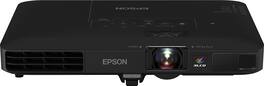
Be prepared for presentations anywhere with this Epson Powerlite projector. Its small size and low weight make it portable for business travel, and its LCD display provides 1280 x 800 WXGA resolution for sharp images at up to 3200 lumens of brightness. This Epson Powerlite projector includes NFC connectivity for wireless communication.

The Lifestudio family of Epson projectors are designed to create moments that bring us together. They offer unique ways to connect with family and friends, helping you create, share, and relive the experiences that matter most. Put your personal devices aside and gather around the big screen. Whether it’s a family movie night under the stars, the ultimate birthday celebration, gaming with friends, or a cozy evening indoors, Lifestudio projectors make experiences feel bigger, brighter and more connected. Because memories aren’t just seen—they’re shared. Transform any gathering into a memorable event with the Lifestudio Pop Plus personal lifestyle projector. Delivering a sharp 4K PRO-UHD¹ picture up to 150", it elevates everyday moments into extraordinary experiences. Equipped with Epson exclusive 3-chip 3LCD Triple Core Engine technology and housed in a sleek, compact design, it effortlessly projects vibrant, high-quality images on nearly any flat surface. And it offers 700 Lumens of Color Brightness (IDMS Rated) and 700 Lumens of White Brightness (ISO Rated)² for a bright, balanced picture that feels true to life. Enjoy immersive sound that fills the room with the world’s first smart streaming projectors featuring Sound by Bose technology. The custom-designed stereo system creates audio you can feel, delivering rich, balanced sound, pulling you—and everyone around you—right into the action. Our unique Epson Projection Studio app³ for iOS and Android is a whole new way to play. Liven up your next event with personalized videos that bring your favorite moments to the big screen. We can’t wait for you to see it. Finding something to watch has never been easier. Just power on your Lifestudio personal lifestyle projector and the built-in Google TV⁴ puts over 10,000 streaming apps at your fingertips⁵, including Netflix, Disney+, and Hulu. Plus, with Google Assistant you can use the included voice remote to search across all apps, including live TV and even YouTube to find exactly what you’re looking for. Welcome to the Epson family of Lifestudio projectors. What unforgettable moments will you create?

Designed for modern hybrid workspaces, the Pro EX9270 offers a bright, dynamic display that elevates visibility and cultivates collaboration. See and be seen with images up to 300''—4x the size of a 75'' flat panel—perfect for maximizing productivity. The Pro EX9270 offers 4,100 lumens of color brightness (IDMS rated) and 4,100 lumens of white brightness (ISO Rated)¹ for bright images—even in well-lit spaces. Stunning Full HD 1080p resolution, combined with real-time adaptive scene-by-scene color processing, helps ensure vibrant colors and sharp contrast, every time you display. With Apple AirPlay, wirelessly stream videos, music, photos and presentations to your projector right from your iPhone, iPad, or Mac for hassle-free content sharing². Plus, easily mirror your screen and stream directly from your Windows PC using Miracast³. With a wide range of connectivity options and a built-in speaker, you can connect devices such as Amazon Fire, Apple TV, Roku and Chromecast for streaming⁴, right out of the box. In addition, you can connect laptops for seamless video conferencing, Zoom meetings and more. And enjoy easy installation in nearly any space with 1.6x optical zoom, keystone correction and four-corner adjustment for accurate alignment.
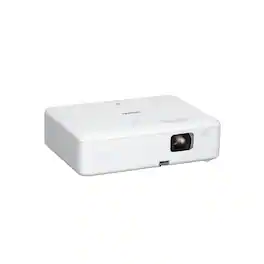
Enjoy versatile projection for remote work, home entertainment and beyond with the Epson EpiqVision Flex CO-W01 Portable Projector. Designed to bring more ease and convenience to your workday, the Epson EpiqVision Flex CO-W01 Portable Projector delivers a widescreen picture up to 300"—that’s four times larger than a 75" flat panel—for collaborative online meetings and detailed presentations. Perfect for engaging at-home learning, immersive movie watching and more, this 3,000-lumen projector1 offers Best-in-Class Color Brightness2 to deliver crisp, colorful images in virtually any lighting environment—even during the daytime. Sleek and compact, this portable projector can be easily carried in bags and backpacks for easy viewing virtually anywhere. And, with a built-in HDMI port and speaker, you can conveniently stream movies, TV shows and more using your favorite streaming device for a truly amazing viewing experience.
| Pros for Epson - PowerLite 1781W WXGA Wireless 3LCD Projector - Black | |||
|---|---|---|---|
| There were no pros for this product— | Portability, Connectivity, Sound Quality, Autofocus | Brightness, Connectivity | Portability, Brightness, Overall Performance, Noise Level, Resolution |
| Cons for Epson - PowerLite 1781W WXGA Wireless 3LCD Projector - Black | |||
| There were no cons for this product— | Brightness | Noise Level | Connectivity, Heat Dissipation |
Specs
Reviews
Customer Images
The vast majority of our reviews come from verified purchases. Reviews from customers may include My Best Buy members, employees, and Tech Insider Network members (as tagged). Select reviewers may receive discounted products, promotional considerations or entries into drawings for honest, helpful reviews.
- Rated 5 out of 5 stars
Crystal clear image! Extreme lightweight!
This is a review for the Epson Powerlite 1781W Projector that I received free of charge to do a beta test and review. I'm just recently received this Epson projector and stray away from the unboxing you can tell very clearly what differentiates this projector from the rest. It is very carefully and properly packed to ensure Safety and Security until it reaches the consumer. Setting up his projector was a true breeze. Firstly it comes with just about every single connector cable that you could possibly need in order to project whatever you need from whatever device you need. Plugging it in and getting it setup projecting my computer screen took about 45 seconds. The projector automatically scans all the input ports and automatically detects the correct source. Then it automatically adjust to whatever projection screen or wall that you have set up. It Auto adjust the angle and Keystone by detecting the surface and making it basically plug-and-play. The quality is crystal clear, and I really like the fact that I can adjust the focus if it needs fine-tuning from both the remote and the projector itself. Once we're on the top of the remote, just about every feature can be done from both the remote and from the projector itself. The projector comes a built-in adjustable stand to help project it at the perfect angle. It also has a easy shrink / enlarge feature to make it to the correct screen size. Another amazing feature that this projector has is it extreme easiness to connect to. You could connect it from either your computer or your network or even directly from your phone with their very easy to set up app. You can even connect it directly to your wireless network and projected wirelessly that way as well. To go back to the app Feature for a second, it allows you to project a mirror image of your screen enabling you to have the flexibility of projecting from whatever device you need. All in all this is a extremely solid and reliable projector that can provide for all your needs in every setting with its extreme lightweight, small size, and quietness. It even comes with a very convenient travel bag that holds all the necessary wires and remotes and makes it very easy to take it on the go.
This review is from Epson - PowerLite 1781W WXGA Wireless 3LCD Projector - Black
Posted by birne
- Rated 5 out of 5 stars
Epson Powerlite 1781W – The Superb Projector
This projector is easy to setup and even easier to connect to. The projector has mounting whole that can hold the it in on ceiling or stand alone. The stand can be adjusted with ease and get the right high. The smart image adjustment is out of this world. You can setup on the right or left side of your conference room and it will adjust the image for you and it will look like the projection is coming from straight forward. Just amazing. The Wifi compatibility and range is great. It allows for users to connect via wifi and a QR code for even easier connection through phone (iPhone / android). The projector can be connected to the PC via HDMI or Wifi making it very versatile. The Epson Projector App can help also gain access to the internal functions of the projector (but not a must have) All in all the picture quality is superb even with light on the camera and sensors seem to be able to adjust the image nicely. I can only say that this is the best projector our office had. Note that the projector comes with a case therefore the storage and mobility is great. For larger firms like ours we use administrative storage system, meaning we sign in and out projectors all the time. Our staff prefers this projector to all others! Also for the occasional sports game Highly recommended from not only myself, but also dozens of other colleagues. This is a review for the Epson Powerlite 1781W Projector that I received free of charge to do a beta test and review Please note, even though I have received this projector free of charge. We highly recommend it. Buy it and see for yourself. You have nothing to lose and a great projector to gain.
This review is from Epson - PowerLite 1781W WXGA Wireless 3LCD Projector - Black
Posted by Klaus
- Rated 5 out of 5 stars
Sleek design and clear images
This is a review for the Epson Powerlite 1781W Projector that I received free of charge to do a beta test and review. This is my first Epson projector though I own a few LED projectors that are not nearly as good. The Epson Powerlite 1781W is more than half the size and weight than my other projectors. It is similar to the thickness of an older laptop. One thing that totally "Wow's me" is the auto fitting to the screen. My older projectors need to be lined up perfectly and the only corrections possible were manual focus and keystone correction, with the Epson projector a simple one touch automatically fits it to the screen. The brightness and color accuracy is amazing. Even in a lit room you can read or watch what is on the projector. My old projectors only worked in a dark room. The fan is somewhat noisy as is common with all similar projectors. The sound is not that loud so I use it with an external speaker for clear crisp sound. It comes in a carrying case making it easy for travel and demonstrations. The app makes it easy to control content from your smartphone straight to the projector. If you are looking for a high quality projector that produces clear images, has quick setup and is portable this a clear winner. My only recommendation is to bring an external speaker for better sound.
This review is from Epson - PowerLite 1781W WXGA Wireless 3LCD Projector - Black
Posted by AbeF