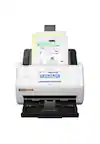
Epson - WorkForce ES-580W Wireless Duplex Touchscreen Desktop Document Scanner - Black
Epson - WorkForce ES-580W Wireless Duplex Touchscreen Desktop Document Scanner - Black
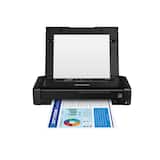
- Epson - WorkForce WF-110 Wireless Inkjet Printer - Black$349.99
Related Item

Specifications
- NetworkingWiredScan (Color) Speed35 copies per minuteScan MethodSingle passDuplex Scan FunctionYes
- Key Specs
- Networking: Wired
- Scan (Color) Speed: 35 copies per minute (The number of color pages able to be scanned per minute.)
- Scan Method: Single pass
- Duplex Scan Function: true
- General
- Brand: Epson
- Model Number: B11B258201
- Product Name: WorkForce ES-580W Wireless Duplex Touchscreen Desktop Document Scanner
- Color: Black
- Connectivity
- Scanner Connectivity: USB
- Minimum System Requirements: Windows® 10 (32-bit, 64-bit), Windows 8/8.1 (32-bit, 64-bit), Windows 7 (32-bit, 64-bit) SP1 Mac® OS X® 10.11.x to macOS® 10.15x
- Dimensions
- Product Height: 6.6 inches (The out of box height of the item. Height is measured as the vertical distance from the bottom of the item to the top as it would be primarily used or placed.)
- Product Width: 11.6 inches (The out of box width of the item. Width is measured as the horizontal distance from one side of the item to the other as it would be primarily used or placed.)
- Maximum Document Length: 53 inches
- Maximum Document Width: 8.5 inches
- Product Weight: 8.2 pounds (The out of box weight of the item.)
- Features
- Automatic Document Feeder Capacity: 100 sheets
- Automatic Document Feeder Included: true
- Scanner Type: Sheetfed
- Transparency Scanning: false (This function supports scanning of transparent media, such as film slides or negatives.)
- Scanner Resolution: Up to 1200 (Refers to the number of pixels/dots, both horizontally and vertically, of the image produced by the scanner. Generally, the higher the resolution, the sharper and cleaner the produced image.)
- Memory Card Slot: false
- Scanner Info
- Scan (Monochromatic) Speed: 35 copies per minute (The number of monochromatic grayscale pages able to be scanned per minute.)
- Scanner Bit Depth: 24 (Refers to the number of bits used to define each pixel in the captured image and determines the number of colors or tones that can be represented. Generally, the greater the bit depth, the better the image quality.)
- Included
- Included Software: Yes
- Certifications Listings & Approvals
- ENERGY STAR Certified: true (Devices carrying the ENERGY STAR service mark, such as computer products and peripherals, kitchen appliances, and other products, generally use 20% to 30% less energy than required by federal standards.)
- TWAIN Compliant: true (Products with this label are compliant with standards set by the TWAIN Working Group for regulating communication between software and digital imaging devices. Devices that are TWAIN compliant are compatible for use with each other without requiring additional software, even if they have different capabilities.)
- Warranty
- Warranty - Parts: 1 year
- Warranty - Labor: 1 year
- Other
- UPC: 010343953505
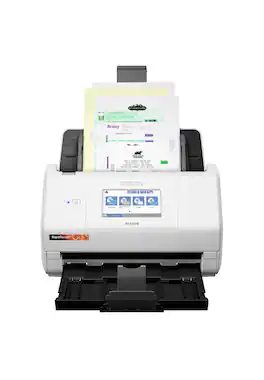
Get organized — quickly and easily — with the WorkForce ES-580W wireless duplex desktop document scanner. This reliable performer makes it easy to scan to your smartphone, tablet or online storage account1 from your desktop or your mobile device. You can even scan directly to a USB memory drive without using a computer. A 4.3" touchscreen enables quick, effortless navigation, while a 100-sheet Auto Document Feeder allows you to breeze through stacks of documents. Scan pages at up to 35 ppm/70 ipm2, capturing both sides in one pass. Intuitive Epson ScanSmart Software1 means you can easily preview, email and upload your scans. The included TWAIN driver ensures compatibility with most document management software. Wirelessly scan to cloud storage accounts1, create searchable PDFs, and get remarkable image quality with Epson Image Processing Technology.
- Easy wireless scanning: Large 4.3" touchscreen and wireless connectivity allow you to easily scan to smartphones, tablets, computers and online cloud storage accounts1 from your desktop, scanner LCD or Epson Smart Panel mobile app
- Quickly scan stacks of paper: Robust 100-sheet Auto Document Feeder easily accommodates multiple paper types and sizes in one batch
- Easy sharing and collaboration: Save directly to a USB drive; email or upload to popular cloud storage services1 such as Dropbox, Evernote, Google Drive and OneDrive; no computer required
- Get organized in a snap: Scan up to 35 ppm/70 ipm3; Single-Step Technology captures both sides in one pass
- Simplified file management: Create searchable PDFs with Optical Character Recognition (OCR); convert scanned documents to editable Word and Excel files
- Easy wireless scanning: Large 4.3" touchscreen and wireless connectivity allow you to easily scan to smartphones, tablets, computers and online cloud storage accounts1 from your desktop, scanner LCD or Epson Smart Panel mobile app
- Quickly scan stacks of paper: Robust 100-sheet Auto Document Feeder easily accommodates multiple paper types and sizes in one batch
- Easy sharing and collaboration: Save directly to a USB drive; email or upload to popular cloud storage services1 such as Dropbox, Evernote, Google Drive and OneDrive; no computer required
- Get organized in a snap: Scan up to 35 ppm/70 ipm3; Single-Step Technology captures both sides in one pass
- Simplified file management: Create searchable PDFs with Optical Character Recognition (OCR); convert scanned documents to editable Word and Excel files
Whats Included
- WorkForce ES-580W Wireless Duplex Touchscreen Desktop Document Scanner
- WorkForce ES-580W Wireless Duplex Touchscreen Desktop Document Scanner
Product Manuals
Q: Can I scan to a USB drive directly without a computer?
A: Yes, you can save scans directly to a USB drive without needing a computer.
Q: What is the maximum number of sheets the automatic document feeder can hold?
A: The automatic document feeder can hold up to 100 sheets.
Q: What is the maximum length of document this scanner can handle?
A: The maximum document length this scanner can handle is 53 inches.
Q: Does this scanner have a duplex scan function?
A: Yes, this scanner has a duplex scan function, allowing it to scan both sides of a document in one pass.
Q: Does this scanner come with software?
A: Yes, the Epson Workforce ES-580W scanner includes software.
Q: How fast can this scanner scan documents?
A: The Epson Workforce ES-580W can scan documents at a speed of up to 35 copies per minute.
Q: Can it scan photos? If so what will the quality be like. If not do you recommend a different model?
A: I do not recommend this as a photo scanner
Q: is it wireless or do you have to hook it up to the computer?
A: Yes this scanner is wireless. And you can also scan to a USB drive plugged into the rear of the machine. Don't need a computer.
Compare similar products
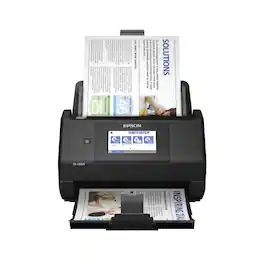
Get organized — quickly and easily — with the WorkForce ES-580W wireless duplex desktop document scanner. This reliable performer makes it easy to scan to your smartphone, tablet or online storage account1 from your desktop or your mobile device. You can even scan directly to a USB memory drive without using a computer. A 4.3" touchscreen enables quick, effortless navigation, while a 100-sheet Auto Document Feeder allows you to breeze through stacks of documents. Scan pages at up to 35 ppm/70 ipm2, capturing both sides in one pass. Intuitive Epson ScanSmart Software1 means you can easily preview, email and upload your scans. The included TWAIN driver ensures compatibility with most document management software. Wirelessly scan to cloud storage accounts1, create searchable PDFs, and get remarkable image quality with Epson Image Processing Technology.
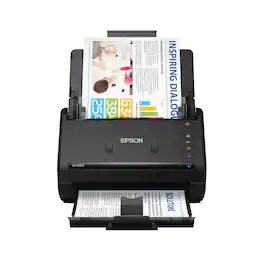
Get organized fast with the WorkForce ES-400 II duplex desktop document scanner. This reliable, easy-to-use performer speeds through scans up to 35 ppm/70 ipm1, capturing both sides of each sheet in one pass. Its 50-sheet Auto Document Feeder allows you to breeze through stacks of documents of varying sizes. Intuitive Epson ScanSmart Software2 means you can easily preview, email and upload your scans. The included TWAIN driver ensures compatibility with most document management software. Scan to cloud storage accounts2 or searchable PDFs. Color and image adjustment features such as auto crop, dirt detection, staple protection and paper-skew correction help ensure remarkable image quality, whatever the scan.
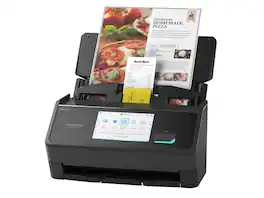
Unleash the power of AI¹ with the Epson RapidReceipt RR-600W dedicated business scanner. Driven by Epson ScanSmart AI PRO technology, you’ll quickly and intelligently convert scanned information into smart digital data – making your documents AI-ready for Microsoft Copilot, Apple Intelligence, ChatGPT workflows and more. Going beyond simple document capture, the RapidReceipt RR-600W scanner utilizes an extensive data model of various invoices and receipts to quickly turn stacks of unorganized paperwork into categorized digital data that easily integrates into financial applications such as QuickBooks and TurboTax². The RapidReceipt RR-600W helps increase your productivity with fast scanning up to 35 pages per minute³, delivering 10 times faster duplex scanning than a multifunction printer⁴. Plus, advanced features like a 100-page Automatic Document Feeder and the ability to create searchable and editable PDFs. While the built-in 4.3" color touchscreen allows for PC-free scanning directly to an email account, cloud service⁵ or USB drive. One of the smartest investments you can make for your business, the Epson RapidReceipt RR-600W business scanner, powered by ScanSmart AI PRO, enables you and your business to stay organized and efficient by unleashing the power of AI.
| Pros for Epson - WorkForce ES-580W Wireless Duplex Touchscreen Desktop Document Scanner - Black | |||
|---|---|---|---|
| Ease of use, Touchscreen, Scan Speed, Overall Performance, Size | There were no pros for this product— | There were no pros for this product— | Ease of use, Touchscreen, Speed, Scan Quality, Wireless |
| Cons for Epson - WorkForce ES-580W Wireless Duplex Touchscreen Desktop Document Scanner - Black | |||
| Price, Jamming, Paper Handling | There were no cons for this product— | There were no cons for this product— | Price, Instructions, Compatibility |
Specs
Reviews
Customers are saying
Customers frequently mention the WorkForce ES-580W Wireless Duplex Touchscreen Desktop Document Scanner's impressive scan speed and ease of use. The overall performance and touchscreen are also well-received. However, some customers have expressed concerns regarding the price, occasional jamming, and paper handling.
- Scan Speed (250)
- Ease of use (151)
- Overall Performance (61)
- Price (7)
- Jamming (5)
- Paper Handling (3)
Customer Images
The vast majority of our reviews come from verified purchases. Reviews from customers may include My Best Buy members, employees, and Tech Insider Network members (as tagged). Select reviewers may receive discounted products, promotional considerations or entries into drawings for honest, helpful reviews.
- Rated 5 out of 5 stars
Excellent Performance and User-Friendly
The Epson WorkForce ES-580W has significantly improved my workflow. The wireless capability means I can place it wherever it’s most convenient, and the duplex scanning ensures that I can quickly and efficiently handle all my scanning needs. The touchscreen is a game-changer, making the scanner incredibly easy to operate, even for those who aren’t particularly tech-savvy. The build quality feels robust and durable, and the sleek design looks great in my office setup. It’s clear that Epson has paid attention to both functionality and aesthetics with this model. In summary, the Epson WorkForce ES-580W Wireless Duplex Touchscreen Scanner is an outstanding product that offers excellent performance, ease of use, and high-quality results. Whether for personal use or a busy office, this scanner is a fantastic investment that I wholeheartedly recommend.
Craig Posted
- Rated 5 out of 5 stars
Great product
Great scanner for my mobile notary business. Scans back fast and clear.
AmberJ Posted
- Rated 5 out of 5 stars
Mobile Notary Must Have
Great product! I use this mobile scanner for my mobile notary business and it truly makes everything easier to navigate! Set up to my phone and laptop was very easy!
TiffanyC Posted