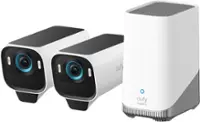
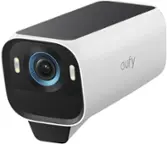
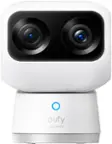
eufy - eufyCam S4 Triple Lens Wireless Solar Security Camera with 360° View, Auto Tracking, No Monthly Fees - White
Related Item

Highlights
- Key Specs
- Video Camera Resolution: 4K (2160p) (Refers to the number of pixels, both horizontally and vertically, used to capture video/images. The higher the resolution the finer the detail that can be seen.)
- Field Of View: 130 degrees (The area of a target, measured as an angle from the location of viewing, that can be observed.)
- Night Vision: true
- Number Of Cameras Included: 1
- Camera Power Source: Battery-powered, Solar powered
- Works With: Amazon Alexa, Google Home, Apple Home (Compatible with or able to be connected to other smart devices or applications.)
- Wireless Connectivity: Wi-Fi (The manner in which a device sends data to another device over a short distance without the use of wires or cables.)
- Storage Type: Memory card
- Indoor Or Outdoor Use: Outdoor (Indicates the appropriate environment product was designed to be used in.)
- Audio Communication: 2-way (1-way communication devices allow a user to hear detected audio, while 2-way communication adds the ability for a user to talk back through the device.)
- General
- Brand: eufy
- Model Number: T81721W1
- Product Name: eufyCam S4 Triple Lens Wireless Solar Security Camera with 360° View, Auto Tracking, No Monthly Fees
- Color: White
- Camera
- Video Camera Resolution: 4K (2160p) (Refers to the number of pixels, both horizontally and vertically, used to capture video/images. The higher the resolution the finer the detail that can be seen.)
- Camera Resolution: 3840 x 2160 (Refers to the number of pixels, both horizontally and vertically, used to capture video/images. The higher the resolution the finer the detail that can be seen.)
- Field Of View: 130 degrees (The area of a target, measured as an angle from the location of viewing, that can be observed.)
- Night Vision: true
- Night Vision Distance: 50 feet
- Night Vision Image: Color
- Camera Movement: Pan, Tilt
- Zoom Mode: Optical, Digital
- Number Of Cameras Included: 1
- Frame Rate: 15 frames per second (The frequency at which consecutive images can be captured. The higher the frame rate, the more detail that can be captured.)
- Day/Night Mode: true (Captures images/video with optimal clarity by automatically adjusting settings to various light levels.)
- Number of IR LEDs: 2 (Quantity of infrared (IR) LED lights for emitting IR light and allowing the camera to detect objects in low light.)
- Power
- Camera Power Source: Battery-powered, Solar powered
- Compatibility
- App Compatible: true (The product can be connected to a program or software application on a mobile device, which then receives collected data from the product.)
- Compatibility: Compatible with eufy Security HomeBase S380
- Operating System Compatibility: Apple iOS, Android
- Works With: Amazon Alexa, Google Home, Apple Home (Compatible with or able to be connected to other smart devices or applications.)
- Voice Assistant Built-in: Amazon Alexa, Google Assistant (A digital assistant built into the device that uses voice commands to answer questions and control smart devices.)
- Connectivity
- Camera Connectivity: Wireless (Security system cameras can be set up in several ways. Wired cameras require cables for power and footage transmission, while wire-free cameras don't need cables for either. Wireless cameras still require cables for receiving power but are able to transmit footage via a wireless network.)
- Wireless Connectivity: Wi-Fi (The manner in which a device sends data to another device over a short distance without the use of wires or cables.)
- Storage
- Storage Type: Memory card
- Memory Card Type: microSD
- Performance
- Indoor Or Outdoor Use: Outdoor (Indicates the appropriate environment product was designed to be used in.)
- Protective Qualities: Water resistant
- Features
- Audio Communication: 2-way (1-way communication devices allow a user to hear detected audio, while 2-way communication adds the ability for a user to talk back through the device.)
- Dimensions
- Product Height: 3.62 inches (The out of box height of the item. Height is measured as the vertical distance from the bottom of the item to the top as it would be primarily used or placed.)
- Product Width: 6.48 inches (The out of box width of the item. Width is measured as the horizontal distance from one side of the item to the other as it would be primarily used or placed.)
- Product Depth: 6.5 inches (The out of box depth of the item. Depth is measured as the distance from the front of the item to the back as it would be primarily used or placed.)
- Product Weight: 2.76 pounds (The out of box weight of the item.)
- Warranty
- Warranty - Parts: 1 year
- Warranty - Labor: 1 year
- Other
- UPC: 194644269333
Experience clear visibility and zero blind spots with the eufyCam S4 outdoor camera kit. Combining a 4K bullet lens camera for focused views with 2K dual-lens PTZ camera for 360° coverage, you can see more, instantly track people, and zoom in on them up to 164 ft. The solar-powered wireless camera features SolarPlus™ 2.0 for year-round charging with just an hour of sunlight a day. Smarter AI, expandable on-device storage**, and built-in lights with siren stop threats in their tracks—no fees, no compromises.
- testTri-Lens Tracking with Auto-Framing: testThe fixed bullet lens never misses the big picture, while the PTZ dual lenses instantly locks and zooms on visitors or unwanted guests up to 164 ft, showcasing critical details. When multiple people enter, the camera automatically reframes so everyone stays in view—delivering coverage without blind spots.
- Year-Round SolarPlus™ Power: Just one hour of direct sunlight a day keeps eufyCam S4 powered thanks to a 5.5 W high-efficiency solar panel.† The SolarPlus™ 2.0 detachable design, praised in reviews for flexibility, makes installation easy on walls, poles, or eaves.
- Smart and Self-Sufficient: Works right out of the box—no HomeBase S380 required. On-device AI provides fast, reliable human, vehicle, and pet detection. Built-in 32GB storage is expandable up to 256GB, keeping recordings local and private.
- Even Smarter with HomeBase S380: Unlock additional camera functions if you want to pair outdoor camera with you existing HomeBase S380. Innovative BionicMind™ AI recognizes familiar faces and alerts you to strangers; it also detects and alerts you to people, vehicles, and pets detected. Enjoy large-scale capacity for all your video storage and data with expandable storage up to 16 TB for extra peace of mind.
- Accurate Alerts, Strong Deterrence: Dual radar + passive infrared (PIR) sensors cut false alarms more accurately over single-sensor systems. When a threat is confirmed, red/blue strobe lights flash and a 105 dB siren activates automatically to send intruders packing.
- testTri-Lens Tracking with Auto-Framing: testThe fixed bullet lens never misses the big picture, while the PTZ dual lenses instantly locks and zooms on visitors or unwanted guests up to 164 ft, showcasing critical details. When multiple people enter, the camera automatically reframes so everyone stays in view—delivering coverage without blind spots.
- Year-Round SolarPlus™ Power: Just one hour of direct sunlight a day keeps eufyCam S4 powered thanks to a 5.5 W high-efficiency solar panel.† The SolarPlus™ 2.0 detachable design, praised in reviews for flexibility, makes installation easy on walls, poles, or eaves.
- Smart and Self-Sufficient: Works right out of the box—no HomeBase S380 required. On-device AI provides fast, reliable human, vehicle, and pet detection. Built-in 32GB storage is expandable up to 256GB, keeping recordings local and private.
- Even Smarter with HomeBase S380: Unlock additional camera functions if you want to pair outdoor camera with you existing HomeBase S380. Innovative BionicMind™ AI recognizes familiar faces and alerts you to strangers; it also detects and alerts you to people, vehicles, and pets detected. Enjoy large-scale capacity for all your video storage and data with expandable storage up to 16 TB for extra peace of mind.
- Accurate Alerts, Strong Deterrence: Dual radar + passive infrared (PIR) sensors cut false alarms more accurately over single-sensor systems. When a threat is confirmed, red/blue strobe lights flash and a 105 dB siren activates automatically to send intruders packing.
Whats Included
- eufycam S4 camera
- eufycam S4 camera
Q: Does this camera need the homebase?
A: No, the eufyCam S4 can be used by connecting directly to a router. HomeBase 3 is not required for use.
Q: Does this one plug in for 24 hour recording?
A: Yes, please connect the camera directly to a power source using a 5V/2A (or higher) adapter. This feature requires camera firmware version V1.0.5.4 or later. A microSD card or hard drive is needed for storage (when connected to HomeBase 3, firmware V3.7.2.8 or later is required). The package includes a 1.2m power cable, which can be combined with the 3m solar panel extension cable to form a 4.2m medium-length Type-C to USB-A power cable for constant power mode. Please note: you need to purchase the USB adapter separately (must support 5V/2A or higher). Do not connect multiple extension cables.
Compare similar products
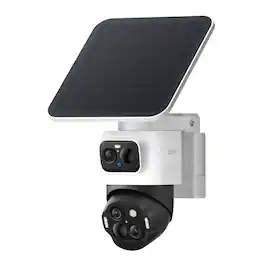
Experience clear visibility and zero blind spots with the eufyCam S4 outdoor camera kit. Combining a 4K bullet lens camera for focused views with 2K dual-lens PTZ camera for 360° coverage, you can see more, instantly track people, and zoom in on them up to 164 ft. The solar-powered wireless camera features SolarPlus™ 2.0 for year-round charging with just an hour of sunlight a day. Smarter AI, expandable on-device storage**, and built-in lights with siren stop threats in their tracks—no fees, no compromises.

Introducing eufy SoloCam S340, a secure, smart, and sustainable home security solution. The outdoor camera allows you to keep an eye on family, monitor deliveries, and simply stay aware of your home’s surroundings when away. Equipped with dual cameras, enjoy unparalleled 3K resolution and highly detailed views with 8X zooming capabilities. Goodbye blind spots as the camera covers front yards, backyards, porches, and the sides of your home with 360° pan and 70° tilt coverage. Ideal for day and evenings, the f/1.6 aperture lens captures 20% more light, delivering vivid images up to 26 ft (8 m) away. Gain only relevant notifications as onboard AI intelligently detects then tracks humans, pets, and vehicles, zooming in to keep the subject in focus. Just 2 hours of direct sunlight daily is all that’s needed to keep it continuously powered. For overcast weather days, the built-in battery provides up to 3 months of reserve power ensuring you're always covered.
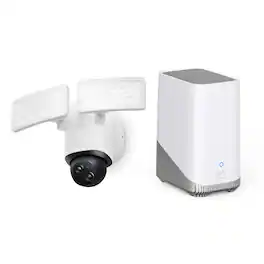

Upgrade to a new era of home protection with HomeBase 3 and manage your entire eufy Security ecosystem from one central location. Featuring exclusive BionicMind self-learning AI. connected eufy Security devices can recognize and distinguish familiar faces from strangers so you’re always aware of who is at your door. Enjoy no monthly fees as footage is stored locally within your home, and remains securely under your control with advanced encryption.
| Pros for eufy - eufyCam S4 Triple Lens Wireless Solar Security Camera with 360° View, Auto Tracking, No Monthly Fees - White | |||
|---|---|---|---|
| There were no pros for this product— | Overall Performance, Ease of use, Camera Quality, Battery Life, Motion Detection | There were no pros for this product— | Ease of use, Overall Performance, Storage, AI |
| Cons for eufy - eufyCam S4 Triple Lens Wireless Solar Security Camera with 360° View, Auto Tracking, No Monthly Fees - White | |||
| There were no cons for this product— | Connectivity, App Performance, Customer Support | There were no cons for this product— | There were no cons for this product— |
Specs



Reviews
Customer Images
The vast majority of our reviews come from verified purchases. Reviews from customers may include My Best Buy members, employees, and Tech Insider Network members (as tagged). Select reviewers may receive discounted products, promotional considerations or entries into drawings for honest, helpful reviews.
- Rated 5 out of 5 stars
WIDE-ANGLE 4K + AUTO-TRACKING PTZ 2K CAMERA
I have been using Eufy security cameras for several years, including a 2K video doorbell, eufyCam 2 Pro 2K security cameras, eufyCam 3 - 4K Security cameras and eufyCam S3 Pro 4K cameras. Good performance and the advantage of not being required to have a subscription cloud storage account is important to me. The eufyCam S4 camera attracted me because of the PTZ auto-tracking features. Another important consideration is that the S4 easily integrates with my current Eufy ecosystem. My past experience with Eufy cameras has typically been good, although I have experienced some hardware and some software/firmware issues. The eufyCam S4 Solar Security Camera (Model T81721W1) includes the IP-65 rated solar charged 4K camera and a 7”x7” solar panel, which can be remotely mounted using the included USB extension cable if the camera is mounted in a location with insufficient sunlight to maintain the battery charge. My existing S3 Pro cameras with their superior IP-67 rating have survived severe tropical weather. Hopefully the IP-65 rated S4 proves adequate in similar storms. The eufyCam S4 camera can store 32GB of videos internally or up to 256GB with the addition of a microSD card, but it is better to use an S380 HomeBase 3 hub which adds additional AI functionality and very importantly stores the videos inside your home rather than in the camera body which could potentially be removed or destroyed along with the stored video files. The package includes all the necessary camera and solar panel mounting items, including mounting brackets and the screws and plastic plugs. A USB-A to USB-C cable for charging the camera is also included. The eufyCam S4 combines a wide-angle fixed view bullet camera with a pan-tilt-zoom turret. The S4 has a fixed position 4K f/1.6 aperture bullet camera with a 130° field of view and two 2K turret mounted pan-tilt-zoom (PTZ) lenses including a 121° FOV wide-angle and 46° FOV telephoto lens with 8x hybrid zoom. Dual technology motion detection includes both radar (up to 40’) and PIR (Passive Infrared, up to 30’). A static wide-angle image is produced by the bullet camera simultaneously with the PTZ turret cameras actively tracking and zooming in on the moving person, animal or vehicle that triggered the recording event. The AI tracking does a good job of framing the subject and keeping it centered while following. Tracking generally performs well but has been somewhat inconsistent. Some visitors are tracked to my front door after passing the camera position, while others do not get followed the full distance. I find that the tracking frequently (but intermittently) tends to lose someone who passes very close to the camera. The motion detection and tracking are very good at acquiring the subject and continuously tracking under most circumstances. There is manual control of pan/tilt during livestreaming, as well as four user-defined preset target locations. The EufyCam S4 has color night video capability in well illuminated locations and also includes white LED “spotlights” which can be selected for color night videos at the expense of additional power consumption and calling attention to the camera. (If you intentionally want to call attention to the camera, there are red and blue flashing LEDs and a built-in siren which can be optionally activated upon motion detection). Unfortunately, the MaxColor Vision feature which significantly elevates the nighttime performance of my eufyCam S3 Pro cameras is not included in the eufyCam S4. MaxColor Vision produces video images which appear as bright as if they were shot during daylight! The lack of MaxColor Vision is a disappointment, since the difference is truly “night and day”! The S4 also has LED IR emitters (3 on the fixed camera & 4 on the PTZ) for night videos in monochrome, infrared mode. One of the appealing attributes which differentiates many Eufy camera models from other brands is that videos can be stored locally on the Eufy HomeBase 3 hub which is equipped with 16GB of built-in eMMC flash memory. No cloud storage account is required with a recurring fee. 16GB of storage will hold many videos before older files will be overwritten by new videos. To store lots of videos for extended periods of time, the HomeBase 3 has a hard-disk slot which will accept any 2.5” hard disk drive (HDD) or solid-state drive (SSD) up to 16TB. Setup of the EufyCam S4 Solar Security Camera System is very simple and straightforward. Initial setup and all device configuration and management functions are accomplished with the Eufy Security smartphone app (Android or iOS). The Eufy Security smartphone app and HomeBase 3 provide step-by-step setup instructions, including audio guidance. The EufyCam S4 features and capabilities are extensive and robust. Well implemented Artificial Intelligence (AI) software with Eufy “Bionic Mind” AI learning, accurately and effectively differentiates humans, animals/pets and vehicles, and supports creation of a Facial Recognition database. Eufy has augmented the motion detection mechanism of the S4 camera by adding radar detection to the passive infrared (PIR) technology. The use of dual-technology motion detection helps reduce false activations for triggers like windblown foliage. Camera features include user-defined motion detection zones, privacy zones (motion exclusion) and detection sensitivity and range settings. I am finding that activity beyond the limits of my carefully defined detection zone is still triggering events. However, if the detection zone is contracted too much, it results in missing events that should have been triggers. Among the important features and options which can be configured are those of motion detection boundaries and sensitivity, video quality, power management, notification options and much more. I like the “Automation” option to activate recording from multiple security cameras when motion is detected on one. Other nice features which are available when an S380 Homebase is used, are “24/7 Smart Snapshots” which creates a quasi-time-lapse record, and a “Cross Camera Tracking” AI feature which stitches together videos from multiple cameras for the same event. In motion activated video mode, there is a latency interval while the camera awakens for video recording, as well as for linked cameras to start recording after the triggered camera. There is also a variable, sometimes lengthy delay for the transmission of the smartphone alerts. Resultantly, some recordings begin too late to capture the initial several seconds of the triggering event, and the phone notification is sometimes delayed even further. The eufyCam S4 camera has a removable 10,000 mAh Li-Ion battery. If options such as “Optimal Surveillance” mode, which allows for clip length up to 60 seconds is used, battery drain is increased. There is also a “Customize Recording” selection for even greater flexibility, but with additional power consumption. The SolarPlus 2.0 technology is claimed to improve solar efficiency to where one hour per day of adequate sun exposure will maintain a full charge, however my experience with the eufyCam S3 Pro cameras which also have SolarPlus 2.0 has not aligned with that claim. However, their integral solar panels are a fraction of the size and power output of the large 7”x7” eufyCam S4 solar panel. So far, the S4 solar panel, despite many camera activations, albeit with plentiful direct sun exposure, is impressively maintaining a nearly or completely full charge on the battery, which in addition to the video camera power demand is also powering PTZ DC servo motors. Live streaming is supported, as well as bidirectional audio via the cameras built-in speaker and microphone. However, it experiences latency, and effective real-time communication can be difficult. Live camera feed also encounters a delay. Eufy cameras communicate with the Homebase on a private 2.4 GHz network, and the Homebase 3 connects to only 2.4 GHz channels of your Wi-Fi network. 5 GHz Wi-Fi is not supported as evidently range is prioritized over bandwidth. Eufy represents utilizing 256 bit AES encryption for both video transmission and storage on the HomeBase 3. However, decryption is apparently a cloud server-based operation along with the thumbnail image creation for activity alert notifications, thus unencrypted data apparently travels on the Internet. The eufyCam S4 has crisp, clear high-resolution 4K video from the fixed camera and the 2K video from the PTZ camera is also clear. This allows enlargement/zooming-in (8x digital zoom via screen pinch), but with loss of detail. Infrared video during hours of darkness is sharp, and the LED IR emitters appear to have good illumination range. The camera also has four white LED “spotlights”, the use of which is selectable in the app. These LEDs allow full-color night videos. The LED lights have good reach. The camera specifications and features are impressive, and integration with the HomeBase 3 and configuration and utilization with the Eufy smartphone app are all very good. I like the eufyCam S4 Camera. EufyCam S4 with Homebase 3 supports integration with other Eufy devices as well as Amazon Alexa, Google Assistant and Apple Homekit (limited to 1080p video by Apple). Continuous video recording (rather than motion activated) is supported when the camera is connected full-time to an external power source. A large disk drive will be essential in the HomeBase 3 when serving as an NVR around the clock. Overall, the eufyCam S4 performs very nicely and is an excellent addition to my current eufyCams! The combination of PTZ active tracking of moving subjects along with the wide-angle perspective of the fixed position bullet camera is terrific! This combination bullet camera / PTZ camera provides a lot of surveillance coverage with just one device. It would be great to have another S4 on the rear of my house as well, for better coverage.
Posted by Curmudgeon1
- Rated 5 out of 5 stars
Solar Powered 360° Protection
eufyCam S4 Triple Lens it's kind of become one of those gadgets I forget even exists in a good way. It's just sitting there, and it's just doing its business, and then only pops into my life when something needs to be informed or i wish to see the live feed.Right out of the box, the camera is sturdy and well made not flimsy or cheap. The triple lens set up looks a bit futuristic compared to your normal one lens cameras, but it's not weird or ugly. The solar panel that comes with this is nicely integrated as well, which doesn't appear to look like you bolted a random science project to your walls. Setup is very straightforward, Download eufy Security app. Scan the QR code on the camera. Connect it to Wi-Fi. Mount it where you want it. The only "hard" part was where to put it so the solar panel can get good sun, and the camera has a view. Once I chose a location for it, it was a matter of installing it which just included a couple screws and small angle fixes. Power and solar performance One of the primary factors driving my choice of this camera were the combo wireless plus solar. I really didn't want to be running cables around walls or remembered to wriggle the camera down to the recharge it every few months. At least to date the solar panel has done exactly what it's supposed to do. The battery essentially remains full despite having a fair amount of motion. On sunny days, I can actually literally watch the battery percentage go up in the app. On cloudy or rainy days it might dip a little but the battery is big enough it's never come close to dying.If you live somewhere super dark and gloomy for half the year it may be different with you, but under more normal conditions it's pretty much Set it and Forget it. Video Quality and Triple lens coverage The triple lens set-up is the main achievement here. Rather than using one lens that attempts to do everything, the S4 makes use of multiple lenses to cover a greater area to keep things sharp. You get all this wide field of view -almost a 360 degree field of view due to the way you use that. Way fewer blind spots. I have this one camera that I can see my driveway, front walk, part of my yard, and from this one camera. It can change lenses/focal lengths to keep people and cars clear when they walk about. Daytime video looks great sharp, clear and normal looking colors. Zooming in on a person or a license plate actually is useful, At night, it still holds up well especially if you've got some ambient light, like a porch or street light. It's miles better than these cheap cameras where everything becomes just a blob of grey color. 360deg view and auto-tracking The combo of a near 360 degree coverage AND auto-tracking though, is where the smartness instead of the gimmick is found.When a person walks on the property, the camera locks on his or her person and moves completely around them. Right so, if a car pulls into the driveway, it's then tracking it and it ends up focused right where the driver gets out which is where you want to be for video. In the app, you can swipe around the live view in the same way as a PTZ camera if you are inclined to manually look around, but most of the time the auto-tracking does it. It's not perfect - if there are several people, or cars for that matter, appearing at the center simultaneously, it's going to choose one to follow and may miss the others but for one person, or vehicle, it's a pretty good job. You are also able to dial up the sensitivity or dial it down to make sure that the surveillance device is not freaked out every time a tree branch moves. Motion detection and alerts Motion detection is one of those things which you don't really appreciate until you live with the camera for a few days. The S4 does a nice job here. It can distinguish between people and random motion and it often recognizes vehicles as well. You can set up activity zones, and so it's not the car that drives by on the street every second bugging you. Sensitivity is adjustable, which is helpful in reducing false alarms due to shadows, bugs or plants. Person detection has worked for me. I get a ping when somebody walks up to the door, walks up through the driveway, but I'm not getting that every time there's a bird flying past. Notifications are pretty quick usually within a couple of seconds so if someone rings the doorbell I can tap the notification and I will still see them there live. Experience in the App and Local storage The eufy Security application is in a good place right now. It's clean and easy to navigate and the important stuff is not buried under a million menus. Timeline view: Scroll through your day and tap on any one of the events so that you can watch it immediately. Filters: Quickly change "person", "vehicle" or "all motion" to learn more about what it is that you are interested in. Live view controls - controls to pan, tilt and zoom as well as turn auto-tracking on and off at any time. Notifications: Change tones to suit your preferences, eliminate noise during quiet hours as well as choose which nots you really want. One of the thing i like is local storage and no forced subscription. Eufy allows you to store clips locally (either built-in storage or hub) instead of forcing you into a monthly cloud storage just to have access to your own footage. If your fed up with all your devices asking for a subscription this is a breath of fresh air. Privacy and security With any security camera there is always that tipping point between security and privacy. Eufy is quite heavy handed when it comes to local storage and encryption, so it does not feel like you are just streaming your life into some random cloud forever. If privacy is a big issue, you'll still want to give the rules a read, but day to day, it does feel more private than the cloud-only brands. What I'm really into: Super wide covering with triple-lens and near 360 degree view. Auto-tracking which is useful, not just for bragging points on the box Solar power, so you almost have never to think about charging. Good quality of the video in day and night. Local storage, no needs for subscription Smart motion detection and person vehicle recognition and activity zones. Clean up app with fast and reliable notifications. What could be better: You do require a sensible amount of sunlight if you are hoping for the battery to both remain fully topped up (especially in busy areas). Auto-tracking may get lost on a subject with much going on. The camera is larger than the basic single lens ones so you do have to be a little strategic if you want it to keep a low profile. The eufyCam S4 Triple Lens Wireless Solar Security Camera is what you can feel like a legit upgrade from basic cams. You get smarter coverage, better tracking, good video and quantified close to no hassle with power or subscriptions. It's not the cheapest thing out there and it's not perfect but it hits a really nice sweet spot between performance, convenience and long term cost. If you are looking for a camera that covers a wide area, follows movement intelligently, and for the most part just minding its own business in the background, the S4 is an easy one to recommend. After a week or two, it is no longer as if it is a gadget, but part of the house and that is exactly what you want from a security camera.
Posted by
- Rated 5 out of 5 stars
Like Two Fantastic Cameras in One
I have been in the Eufy Ecosystem for several years now for my outdoor cameras, and the strengths of why I bought my original cameras, and why I continue to use them, are very present in this new S4 camera. Namely, three major things: wireless self-charging via solar, no subscription fee for local storage, and excellent video quality. In the case of solar charging, if you have used a previous generation of eufy solar camera, then you know what this is. The camera comes with a separate solar panel which you connect to the camera via usb-c, but can either attach directly to the camera, or you can mount separately in a different location for better light collection. This means you can have the camera under an overhang (like I do), but have the solar collection around the corner facing the sun during peak hours for charging. I have only been using this new S4 camera for around a week, and it has been overcast all of these days in winter, so it is tough to judge its charging capabilities, but so far I have only been sitting around 95% charge, which is fantastic for being out in the cold 24/7. It does have an external removable battery, which you can take off and charge separately, so you also don’t need to remove the whole camera to charge it if you want to charge it manually. You always have the option to bring it in easily with the detachable mount and charge it yourself if you wish. For the no subscription fee, this to me is the big one. I have a Eufy Homebase 3 which I had gotten previously, and that acts as the central storage and connection unit for all of my cameras. What this means is that all of the video processing and storage stays local, with no cloud transfer or subscription for storage fees. I can clean out storage when I want for more space, expand it if I need, or if I really want, I can certainly subscribe for cloud storage to back-up my devices. The key thing here though is that cloud storage subscription is optional, not required, and the Eufy app does a great job of not pushing it on you. That is, in my opinion, how you get customers into your ecosystem and buying more products. The app itself is also very simple to use, but works great for event notifications, real-time monitoring, using the speakers on the camera, adjusting night vision settings, surveillance settings, motion detection, object and face recognition, and more. With the S4. you can also use the app to set presets for the 360 degree camera view, so if you want to have different states for the camera position, you can, while also allowing you to manually pan & tilt. It does a great job with object tracking too, identifying people and moving with them. What makes this really nice though is that third lens, which is fixed and operates like something of an ultra-wide lens. So you can have the fixed lens facing one direction, covering the field of view, while the other lens faces another way to give you even wider coverage. If either lens detects movement or a person, it will swivel the camera to face them and then track their movements to ensure it keeps them in-frame. This works equally well at night and during the day. The camera has a spotlight setting or an infrared setting, which is the one I preferred as I found the motion resolution to be better overall, although you can turn off both if you already have enough light in the space at night. The camera itself captures in 4K, although I do find that result to look pretty compressed when I view recordings. It is still far and above most wireless cameras I have used, so I can’t really complain, but I do wish the bitrate for the video stream was a bit higher for more detail. Thankfully the zoom works well and does allow you to really focus in on details as needed. Even after recording, zooming in on the recording results in really good video capture on the whole, with high detail even from the wide angle fixed lens. The only area where I have a slight complaint is in some false positives in motion detection, but these are by no means deal breakers. I have found that heavy winds/moving foliage will trip it as well as heavy snow fall. At times it will say it detected a person when it is just something like a leaf, and it isn’t great at picking up on correct faces if you label people (although to be fair its also not always easy to tell in winter when people are bulked up). Honestly though, to me these are very minor complaints because the whole product just feels so complete. You get a 360 degree camera which can look in more than one place at once, has great night vision, can charge itself with solar, can provide local storage, is wireless, has a nice app, and doesn’t require an additional subscription to get the value out of. If someone asked me to recommend just one security camera to them, it would be this one, because it really is a jack of all trades, and in this case, is a master of many of them in my testing. I really love it so far, and is the best wireless security camera I have ever used.
Posted by Jacbo14