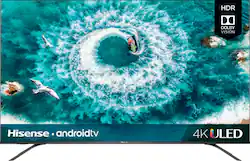
Hisense - 55" Class H8F Series LED 4K UHD Smart Android TV
- Key Specs
- Display Type: LED
- Resolution: 4K (2160p) (Refers to the number of pixels, both horizontally and vertically, used to capture video/images. The higher the resolution the finer the detail that can be seen.)
- Screen Size Class: 55 inches (The group size measurement of a screen. This differs from a screen size measured diagonally from corner to corner.)
- High Dynamic Range (HDR): true (An HDR-compatible 4K TV or other HDR-compatible product displays HDR video content when it's available from sources like 4K Ultra HD Blu-ray Discs and 4K streaming services.)
- High Dynamic Range Format: Dolby Vision, HDR 10 (There are a few HDR formats that tell the TV or other HDR-compatible product how to best utilize its capabilities to display HDR content. HDR technology can support one or multiple formats, each with various benefits to picture quality.)
- Refresh Rate: 60Hz (The number of frames per second the device can produce natively without enhancement. Higher rates help produce smooth, seamless pictures.)
- Motion Enhancement Technology: Motion Rate 240 (Proprietary technologies produced in addition to the Refresh Rate that smooth out faster moving pictures to reduce blur and pixelation.)
- Specific Manufacturer Technologies: 4K Upscaling, Noise Reduction, Wide Color Gamut (This is technology that's specific to a TV brand (sometimes called proprietary technology). Here you'll see terms related to picture quality, brightness, processors and more.)
- Smart Platform: Android TV (Just like a computer, a smart TV needs an operating system (also called a smart platform) in order to access the Internet, connect with entertainment apps, and play streaming content. Some common TV smart platforms are; Roku TV, Android TV, and Chromecast.)
- Works With: Amazon Alexa, Google Assistant (Compatible with or able to be connected to other smart devices or applications.)
- Voice Assistant Built-in: Google Assistant (A digital assistant built into the device that uses voice commands to answer questions and control smart devices.)
- General
- Product Name: 55" Class H8F Series LED 4K UHD Smart Android TV
- Brand: Hisense
- Model Number: 55H8F
- Dimensions
- Product Height With Stand: 30.7 inches
- Product Width: 48.4 inches (The out of box width of the item. Width is measured as the horizontal distance from one side of the item to the other as it would be primarily used or placed.)
- Product Depth With Stand: 9.2 inches
- Product Height Without Stand: 28.1 inches
- Product Depth Without Stand: 2.8 inches
- Product Weight With Stand: 29.8 pounds
- Product Weight Without Stand: 28.7 pounds
- Display
- Display Type: LED
- Resolution: 4K (2160p) (Refers to the number of pixels, both horizontally and vertically, used to capture video/images. The higher the resolution the finer the detail that can be seen.)
- Screen Size: 54.6 inches (Size of the screen, measured diagonally from corner to corner.)
- Screen Size Class: 55 inches (The group size measurement of a screen. This differs from a screen size measured diagonally from corner to corner.)
- High Dynamic Range (HDR): true (An HDR-compatible 4K TV or other HDR-compatible product displays HDR video content when it's available from sources like 4K Ultra HD Blu-ray Discs and 4K streaming services.)
- High Dynamic Range Format: Dolby Vision, HDR 10 (There are a few HDR formats that tell the TV or other HDR-compatible product how to best utilize its capabilities to display HDR content. HDR technology can support one or multiple formats, each with various benefits to picture quality.)
- Picture Quality Enhancement Technology: HDR Compatible
- Curved Screen: false
- Refresh Rate: 60Hz (The number of frames per second the device can produce natively without enhancement. Higher rates help produce smooth, seamless pictures.)
- Motion Enhancement Technology: Motion Rate 240 (Proprietary technologies produced in addition to the Refresh Rate that smooth out faster moving pictures to reduce blur and pixelation.)
- Language(s) Displayed: English, French, Spanish (The available language options for displayed text or captions.)
- Features
- Remote Control Type: Standard
- Specific Manufacturer Technologies: 4K Upscaling, Noise Reduction, Wide Color Gamut (This is technology that's specific to a TV brand (sometimes called proprietary technology). Here you'll see terms related to picture quality, brightness, processors and more.)
- Smart Capable: true (Smart, or smart-capable devices are able to connect directly to your home network in order to stream content from the Internet, run Internet-based apps, or connect to other smart devices.)
- Smart Platform: Android TV (Just like a computer, a smart TV needs an operating system (also called a smart platform) in order to access the Internet, connect with entertainment apps, and play streaming content. Some common TV smart platforms are; Roku TV, Android TV, and Chromecast.)
- TV Tuner: Digital (The ATSC TV Tuner is a component built into conventional TV sets or other devices for receiving over-the-air broadcast TV without a cable/satellite box. Digital tuners may be purchased separately and connected to a device if it does not have one built in.)
- Connectivity
- HDMI Audio Return Channel (ARC): true
- RF Antenna Input: true (This input is used to connect devices such as antennas or cable boxes to a TV via a coaxial cable.)
- Number Of USB Port(s) (Total): 2 (The total number of USB ports including all generations and versions.)
- Headphone Jack: true (The device features an interface that allows for the connection of headphones.)
- Compatibility
- VESA Wall Mount Standard: 300mm x 200mm (VESA wall mount standards refer to the spacing of screw holes built into a TV in order to fit with standard TV wall mounts. These standards are implemented into most TVs and monitors.)
- Works With: Amazon Alexa, Google Assistant (Compatible with or able to be connected to other smart devices or applications.)
- Voice Assistant Built-in: Google Assistant (A digital assistant built into the device that uses voice commands to answer questions and control smart devices.)
- Audio
- Built-In Speakers: true
- Speaker Output: 20 watts
- Power
- ENERGY STAR Certified: false (Devices carrying the ENERGY STAR service mark, such as computer products and peripherals, kitchen appliances, and other products, generally use 20% to 30% less energy than required by federal standards.)
- EPEAT Qualified: false (The Electronic Product Environmental Assessment Tool (EPEAT) was designed to provide an environmental assessment tool for purchasers. In order to qualify for EPEAT, a product must meet all 23 required criteria.)
- Estimated Annual Operating Cost: 28 United States dollars (Predicted cost of operating the product under average conditions for one year.)
- Estimated Annual Electricity Use: 233 kilowatt hours (Predicted amount of electricity needed to operate the product under average conditions for one year.)
- Rechargeable Battery (Remote Control): false
- Number Of Batteries Required (Remote Control): 2
- Number of Batteries Included (Remote Control): 2
- Included
- Stand Included: true
- Warranty
- Manufacturer's Warranty - Parts: 1 year
- Manufacturer's Warranty - Labor: 1 year
- Box Dimension
- Height: 33.7 inches
- Width: 53.9 inches
- Depth: 6.4 inches
- CubicDimension: 11625 inches
- Other
- UPC: 888143005461
Watch sports and movies on this 55-inch Hisense H8F Android smart TV. The Dolby Vision High Dynamic Range adds vivid color, brightness and contrast to every image, and the built-in Google Assistant provides control of this TV with voice commands. This Hisense H8F Android smart TV has Motion Rate 240, decreasing eye-strain and creating smooth motion.

- ULED TV: Hisense's ULED technologies amplifies color, contrast, brightness and provides smooth motion. Raising the bar for picture quality.
- Dolby Vision HDR and HDR10: High Dynamic Range reveals important details, dramatic color, contrast and brightness in your HDR content.
- Wide color gamut: This 55" TV has an expanded range of a billion+ colors, which displays a more lifelike picture.
- Full array local dimming: Up to 60 local dimming zones provides a higher contrast range and color accuracy.
- Voice remote: Speaking commands to power on and off the TV, change channels and other TV related tasks is just as fun as it sounds.
- 54.6" screen: Large enough to provide an immersive experience for everyone in the room.
- 2160p resolution for breathtaking HD images: Watch 4K movies and TV shows at 4x the resolution of Full HD, and upscale your current HD content to gorgeous, Ultra HD-level picture quality.
- Watch high dynamic range (HDR) content on your TV: With an HDR-compatible 4K TV, you can enjoy HDR movies and TV shows, in addition to all your current content.
- Android TV with voice control: Android TV smart platform has all your favorite content including Netflix, Hulu, Sling TV, Youtube and more. Watch live sports and news from popular channels. Or gather around to watch videos from 1,000+ Chromecast capable apps.
- Built in Google Assistant: With Google Assistant built in, you can quickly access entertainment, get the weather and control devices around your home- all with just your voice.
- Motion Rate 240: Keep up with all of the fast-action scenes with smooth motion technology.
- Advanced TV sound: Two 10W main channel speakers, dbx-tv.
- 4 HDMI inputs for the best home theater connection: High-speed HDMI delivers picture and digital surround sound in one convenient cable. HDMI cable not included.
- 2 USB inputs: Easily connect your digital camera, camcorder or other USB device.
- Variable feet position: Enjoy more tabletop options for your TV. The H8F Series is designed with a total of 4 slots to choose from to insert the TV feet.
Whats Included
- Hisense 55H8F
- Quick start guide
- Variable Feet Position Stand
- Voice Remote Control with batteries
Product Manuals
A: This tv out performs all other TVs under $1000. Picture quality for the ULED is the best I’ve seen on a tv also.
Q: Does this TV use an 8 bit or 10 bit panel?
A: This TV offers a 10 bit panel for great quality from HDR 10 and Dolby Vision.
A: You don't "program" the remote to control the soundbar, there is no "remote code" to enter into the H8F's remote. The soundbar needs to be HDMI-ARC connected to the H8F (HDMI1 on the H8F, and an HDMI2,0 port on the soundbar). HDMI Control needs to be enabled in both devices, ARC Audio needs to be enabled on the H8F. Then, the H8F remote will automatically raise/lower/mute volume on the soundbar, via HDMI-ARC/CEC; not via a "code." If the soundbar is connected via optical audio or analog audio, then the H8F remote will never control it. In this case, if the soundbar has its own remote, there might be a control code to get the soundbar remote to exert some measure of control over the H8F. That control, if possible, will likely be incomplete and disappointing, if not frustrating. Good luck.
A: Hey there, stylist! Yes, the Hisense H8F has built-in dual band wireless connectivity and supports 802.11 a/b/g/n//ac (2x2). Stream to your heart's content!
A: if you have a roku/apple tv/ android tv, I believe that xfinity has an app you can install and connect your account to. I am not an xfinity subscriber, so I can't walk you through it, but I do believe that I have seen the apps available for those platforms.
Q: Has anyone noticed a problem where whites flicker on the TV when viewing HDR content over HDMI?
A: No, i have seen a YouTube video where someone was reporting this issue. However I have not seen it on my set.
Q: Does this tv connect to the internet via WiFi?
A: Yes, it connects to the internet via WiFi.
A: HDR gaming is capable with this TV with HDR compatible consoles.




















