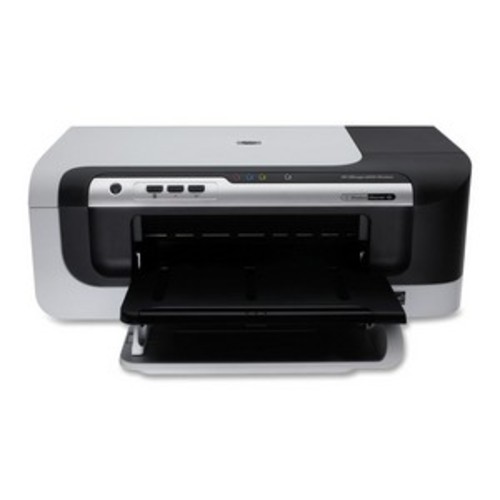
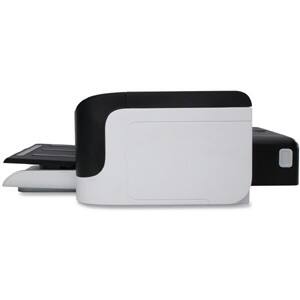


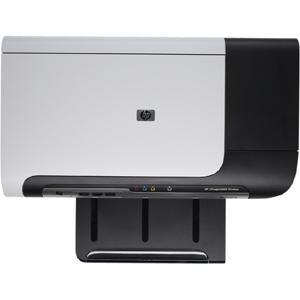
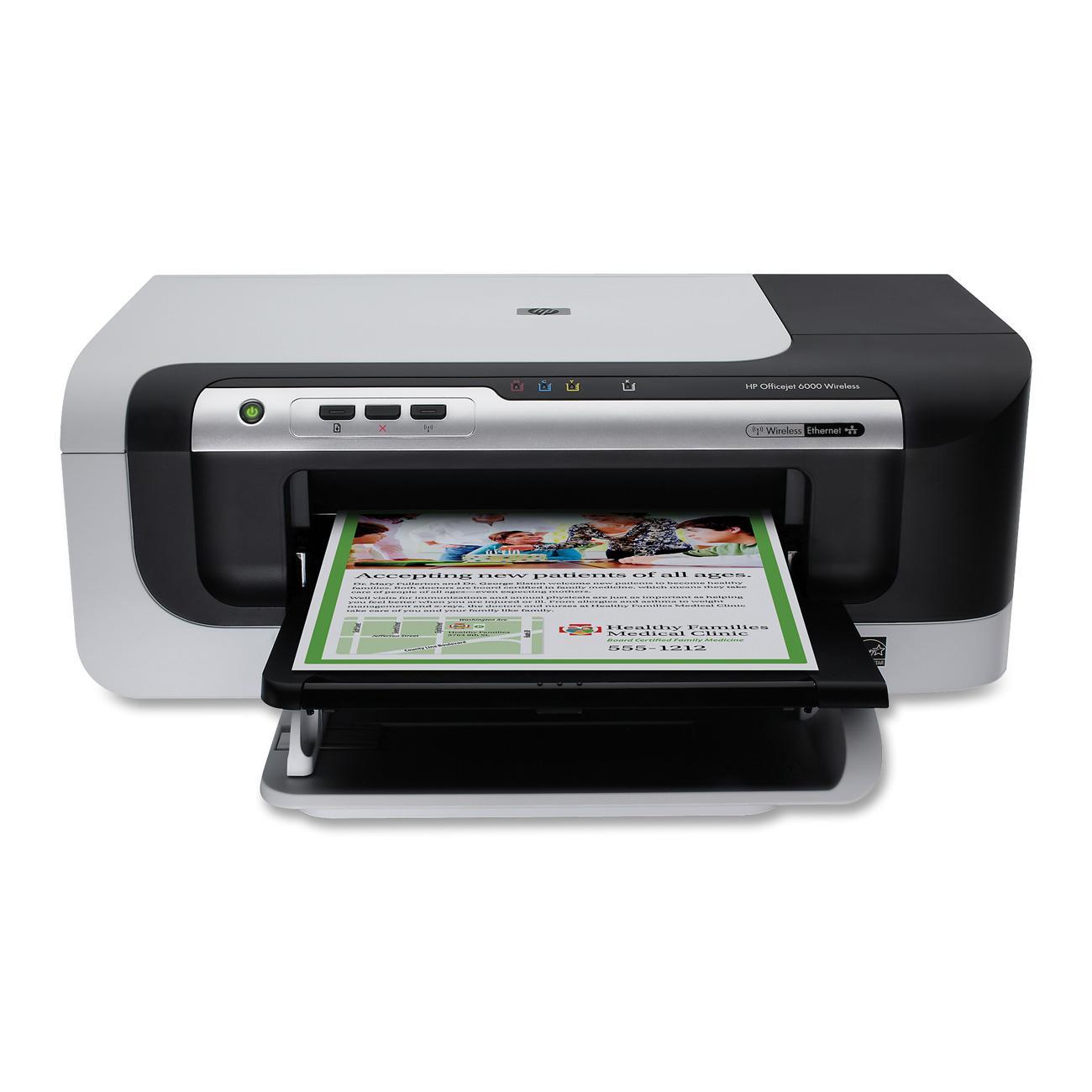
HP - Officejet Inkjet Printer - Color - 4800 x 1200 dpi Print - Plain Paper Print - Desktop
This item is no longer available in new condition.
See similar items below.
Description
Features
Recommended Use: Plain Paper Print
Print Color: Color
Maximum Mono Print Speed (ppm): 32
Maximum Color Print Speed (ppm): 31
Maximum Print Resolution: 4800 x 1200 dpi
Duplex Printing: Automatic
Processor Speed: 192 MHz
Standard Memory: 32 MB
USB: Yes
Ethernet: Yes
Ethernet Technology: Ethernet
Wi-Fi: Yes
Media Type: Borderless Media, Brochure Paper, Envelope, Greeting Card, Index Card, Inkjet Paper, Label, Photo Paper, Plain Paper, Transparency
Media Size: 3" x 5", 4" x 10", 4" x 11", 4" x 12", 4" x 6", 5" x 7", 5" x 8", 8" x 10", 8.27" x 11.69", 8.50" x 11", Custom Size, DL Envelope, Envelope No. 10, Executive, Legal, Letter, Monarch Envelope, Statement
Number of Input/Multipurpose Trays Installed: 1
Number of Input Trays Supported: 1
Standard Input Media Capacity: 250 sheets
Maximum Input Media Capacity: 250 sheets
Duty Cycle: 7000 pages per month
Form Factor: Desktop
Height: 6.5"
Width: 18.0"
Depth: 18.7"
Weight (Approximate): 12.10 lb
Platform Supported: Mac, PC
Assembly Required: No
Green Compliant: Yes
Green Compliance Certificate/Authority: Energy Star
Country of Origin: Malaysia
Limited Warranty: 1 Year
What's Included
Officejet 6000 E609N Inkjet Printer
Automatic duplexer
Print Head Assembly
1 x Black Officejet Ink Cartridge
1 x Cyan Officejet Ink Cartridge
1 x Magenta Officejet Ink Cartridge
1 x Yellow Officejet Ink Cartridge
Power Supply
Power Cord
Setup Poster
Wireless Setup Guide
Software CD
USB Cable
Other
- Assembly RequiredNo
- Energy Star CompatibleYes
- <a href="javascript:winopengld('1087340571468','pcmcat38200050027','cat12080')">Print Speed (B&W)</a>Up to 32 ppm (Print speeds vary with use. See manufacturer for info on print speeds.)
- <a href="javascript:winopengld('1087340571541','pcmcat38200050027','cat12080')">Print Speed (Color)</a>31 ppm
- <a href="javascript:winopengld('1087340571577','pcmcat38200050027','cat12080')">Black Printer Resolution</a>Up to 4800 x 1200 dpi
- <a href="javascript:winopengld('1087340571611','pcmcat38200050027','cat12080')">Color Printer Resolution</a>Up to 4800 x 1200 dpi on premium photo paper
- <a href="javascript:winopengld('1087340571658','pcmcat38200050027','cat12080')">Media Types</a>Borderless Media, Brochure Paper, Envelope, Greeting Card, Index Card, Inkjet Paper, Label, Photo Paper, Plain Paper, Transparency
- <a href="javascript:winopengld('1087340571708','pcmcat38200050027','cat12080')">Media Sizes</a>3" x 5", 4" x 10", 4" x 11", 4" x 12", 4" x 6", 5" x 7", 5" x 8", 8" x 10", 8.27" x 11.69", 8.50" x 11", Custom Size, DL Envelope, Envelope No. 10, Executive, Legal, Letter, Monarch Envelope, Statement
- <a href="javascript:winopengld('1087340571743','pcmcat38200050027','cat12080')">Input Paper Capacity</a>Up to 250 sheets
- <a href="javascript:winopengld('1087340571783','pcmcat38200050027','cat12080')">Output Paper Capacity</a>Up to 50 sheets
- <a href="javascript:winopengld('1087340571817','pcmcat38200050027','cat12080')">Memory</a>32MB
- <a href="javascript:winopengld('1087340571851','pcmcat38200050027','cat12080')">Type of Interface</a>USB,
- <a href="javascript:winopengld('1087340572115','pcmcat38200050027','cat12080')">Total Ink Tanks/Cartridge</a>1 black, 1 cyan, 1 magenta, 1 yellow (included)
- <a href="javascript:winopengld('1087340572271','pcmcat38200050027','cat12080')">Print Quality</a>For documents
- PC-Free PrintingNo
- Two-Sided PrinterYes
- <a href="javascript:winopengld('1087340809469','pcmcat38200050027','cat12080')">Duty Cycle</a>Up to 7,000 pages/mo.
- <a href="javascript:winopengld('1087340809515','pcmcat38200050027','cat12080')">Networking Capabilities</a>Yes
- Minimum System RequirementsIntel® Pentium® II, Celeron®, Xeon®, AMD Athlon™ or Opteron™ processor (or equivalent); Windows 2000 (SP4), XP (SP1), Vista or Windows 64 (SP1); 128MB RAM; 200MB hard drive space
- Wireless NetworkingWi-Fi,
- UPC884420680673
Customer reviews
Rating 3.7 out of 5 stars with 3 reviews
(3 customer reviews)to a friend
Rated 1 out of 5 stars
Cheap wireless printer, not worth it!
Posted .This reviewer received promo considerations or sweepstakes entry for writing a review.Often negative reviews are complaints that the item they have broke or is defective. This negative review is not due to a defective or broken piece but how the product functions when it is running as HP made it. POOR PAPER FEEDER: Whenever I print on this printer, it never feeds paper in initially. I have the stack of paper in and completely butted up against the spool as directions show. But the feeder for some reason, just doesn't pick up the paper. I've tried different kinds of paper as well. So basically every time I print I have to go to the printer and hit the "feed paper" button a few times until it picks up the first page. I get about 5 errors on my HP printing software. TOO MANY APPLICATIONS: Speaking of, not sure why HP needs TWO printing applications in order to print. This is outside your standard printing dialogue on Mac OS X or Windows. There is an Office Jet print status window and an HP Message Center. SLOW PRINTING: Printing a PDF color document that is 2 sided and about 18 pages (9 when double sided) will take you about 15+ minutes. No joke. There's about 10 moving parts that make all sorts of noises and weird things happening inside even before it starts printing and half way thru printing and minutes after your done printing. I have no idea what's going on with this printer. SELLING YOU INK: The amount of ink they provide you with is enough to print about 20 pages. About 10 pages in you get you 10,000 messages from the HP message center encouraging you to go buy more ink (even though it is still printing fine.) Within a week you'll receive a separate message of low ink for each color ink. You can not disable these messages. Basically, this printer is a way for HP to get you to BUY INK. So it prints slow, loads your computer with unnecessary programs, doesn't feed paper all for the low low price of $100!
No, I would not recommend this to a friendRated 5 out of 5 stars
HP Printer
Posted .This reviewer received promo considerations or sweepstakes entry for writing a review.Very easy to install especially the wireless part; works well and prints great!!
I would recommend this to a friendRated 5 out of 5 stars
Great printer
Posted .This reviewer received promo considerations or sweepstakes entry for writing a review.I think it has been a great acquisition for our house making our printer needs a lot more simple than what it use to be.
I would recommend this to a friend
Q: QuestionWhat type of ink cartridges does this printer use?
Asked by Anonymous.
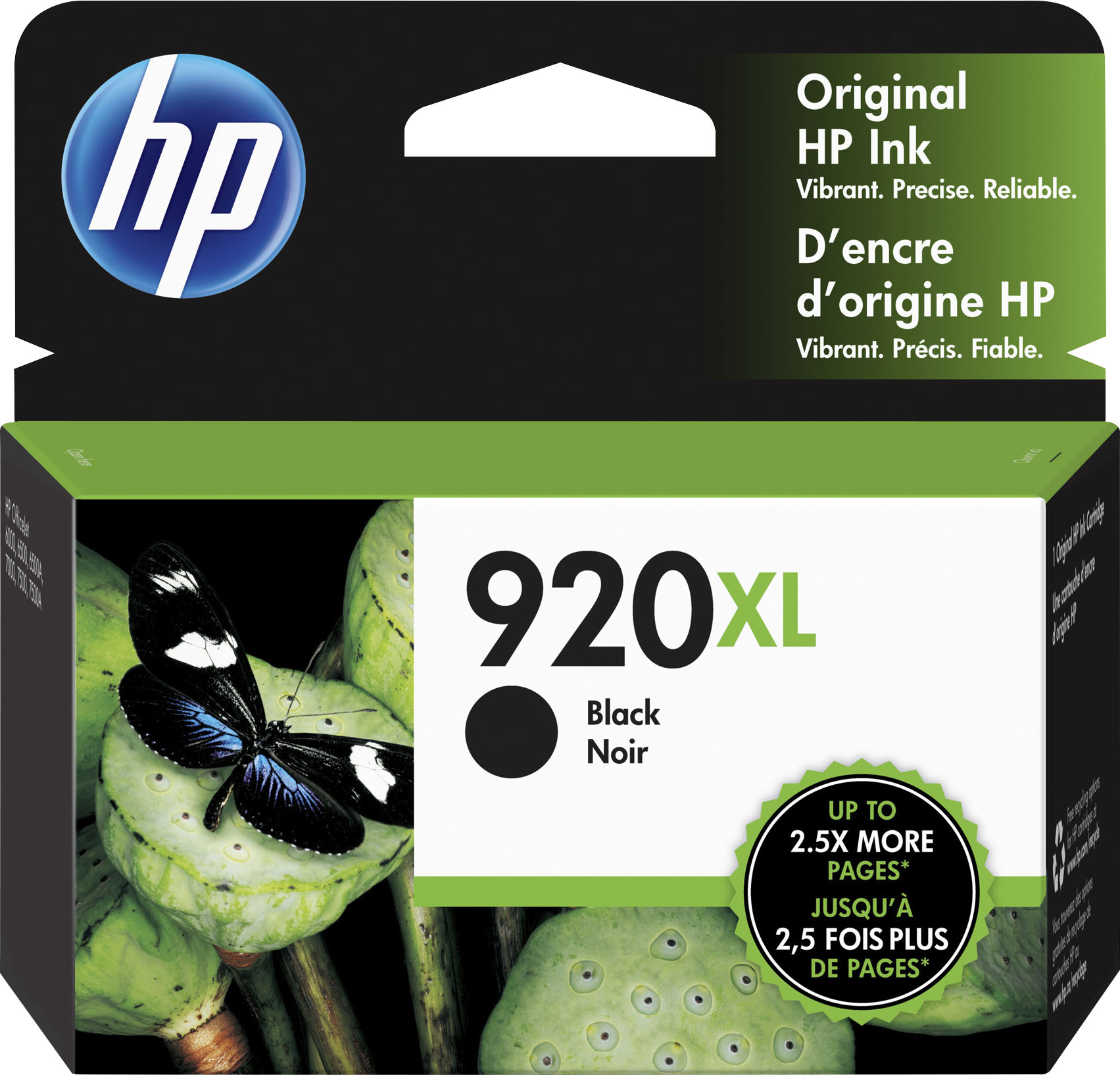
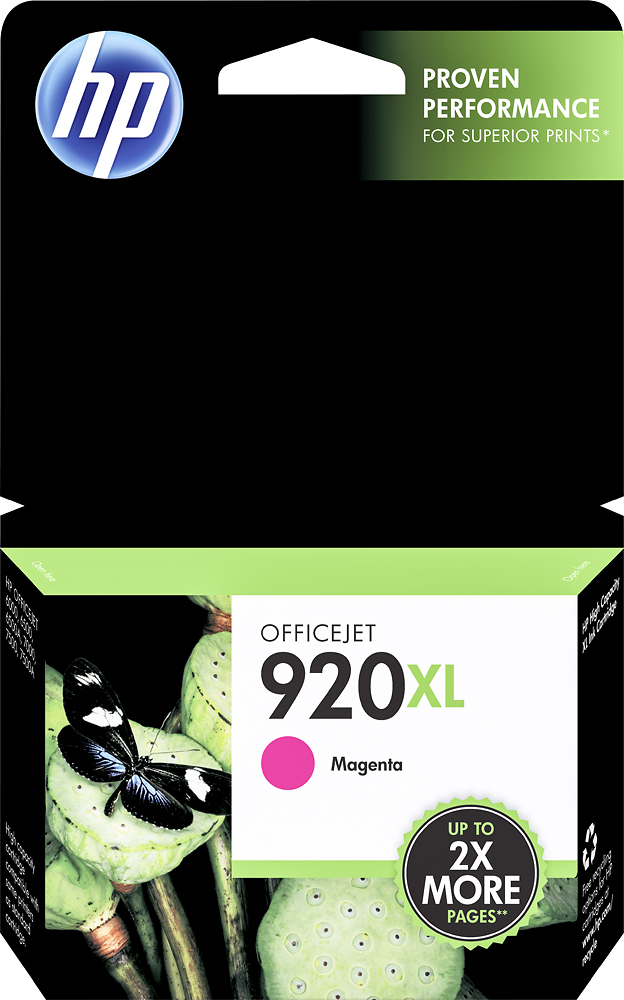
- A:Answer The HP Officejet 6000 Wireless Network-Ready Printer is compatible with the HP 920 and 920XL series ink cartridges.
I would recommend:
Answered by HP Team

Q: QuestionAre you able to remove the automatic 2-sided printing option?
Asked by Anonymous.
- A:Answer The automatic duplex (double-sided) printing accessory of the HP Officejet 6000 Wireless Network-Ready Printer is built into the printer and cannot be removed.
Answered by HP Team
Q: QuestionIs printer compatible with Windows 7?
Asked by Anonymous.
- A:Answer Current HP printers are compatible with Windows 7. If the drivers and software are not in the box, they can be downloaded from HP.
Answered by HP Team
Q: QuestionWill this printer take legal size paper?
Asked by Lisiate.
- A:Answer The HP Officejet 6000 Wireless Network-Ready Printer can print on paper sizes from 3" x 4" to 8.5" x 30". This printer is perfect for legal-size paper.
Answered by HP Team
Q: QuestionHow many pages will the ink cartidges print?As compared to the Laser HP printers (~1000 pages per cartridge).
Asked by just me.
- A:Answer This printer is compatible with the following ink cartridges: HP 920 Black Officejet Ink Cartridge (CD971AN) - approximately 420 pages HP 920 Cyan Officejet Ink Cartridge (CH634AN) - approximately 300 pages HP 920 Magenta Officejet Ink Cartridge (CH635AN) - approximately 300 pages HP 920 Yellow Officejet Ink Cartridge (CH636AN) - approximately 300 pages HP 920XL Black Officejet Ink Cartridge (CD975AN) - approximately 1,200 pages HP 920XL Cyan Officejet Ink Cartridge (CD972AN) - approximately 700 pages HP 920XL Magenta Officejet Ink Cartridge (CD973AN) - approximately 700 pages HP 920XL Yellow Officejet Ink Cartridge (CD974AN) - approximately 700 pages Page yields are for each cartridge individually and are tested on 8.5" x 11" paper with 5% page coverage (a normal document).
Answered by HP Team
Q: QuestionWhat are the dimensions of this printer?
Asked by Anonymous.
- A:Answer The HP Officejet 6000 Wireless Network-Ready Printer is 18.03”W x 18.7”D x 6.45”H.
Answered by HP Team
Q: QuestionConnectability Via USB cable?Can this printer be connected to my Mac via the USB cable?
Asked by Anonymous.
- A:Answer The HP Officejet 6000 Wireless Network-Ready Printer is compatible with Mac OS X 10.4.11 and higher and has one USB 2.0 port. As long as your Mac has an open USB port, you will be able to connect with a USB cable.
Answered by HP Team
Q: QuestionIs this printer compatible with Macs?
Asked by Anonymous.
- A:Answer The HP Officejet is compatible with Apple Mac Os X v.10.4.11 to 10.5 or higher.
Answered by HP Team

Most viewed
- $129.99Your price for this item is $129.99$149.99The comparable value for this item is $149.99
- $299.00Your price for this item is $299.00$349.00The comparable value for this item is $349.00
- $799.00Your price for this item is $799.00$999.00The comparable value for this item is $999.00
- $399.99Your price for this item is $399.99$499.99The comparable value for this item is $499.99
- $1,799.99Your price for this item is $1,799.99
- $799.00Your price for this item is $799.00
- $349.99Your price for this item is $349.99$529.99The comparable value for this item is $529.99
- $189.99Your price for this item is $189.99$729.99The comparable value for this item is $729.99
- $44.99Your price for this item is $44.99
- $499.99Your price for this item is $499.99
- $549.99Your price for this item is $549.99
- $329.99Your price for this item is $329.99$469.99The comparable value for this item is $469.99
- $160.99Your price for this item is $160.99
- $1,299.99Your price for this item is $1,299.99$1,869.99The comparable value for this item is $1,869.99
- $699.99Your price for this item is $699.99$1,049.99The comparable value for this item is $1,049.99
- $99.00Your price for this item is $99.00$129.00The comparable value for this item is $129.00
- $569.00Your price for this item is $569.00$849.99The comparable value for this item is $849.99
- $27.97Your price for this item is $27.97$82.37The comparable value for this item is $82.37
- $569.00Your price for this item is $569.00$799.99The comparable value for this item is $799.99