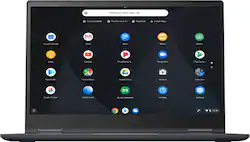
Lenovo - Yoga C630 2-in-1 15.6" Touch-Screen Chromebook - Intel Core i5 - 8GB Memory - 128GB eMMC Flash Memory
- Key Specs
- Screen Size: 15.6 inches (Size of the screen, measured diagonally from corner to corner.)
- Screen Resolution: 1920 x 1080 (Full HD) (Screens come in a range of resolutions (measured in pixels, horizontal x vertical). The higher the resolution, the greater the picture quality.)
- Touch Screen: true (Touch-screen devices make navigating more intuitive. Using a touch-screen display, you can do things such as tap to select, hold and drag to move items, swipe to scroll, and pinch to zoom.)
- Processor Model: Intel 8th Generation Core i5 (Your computer's processor is like its brain. Working in combination with system memory, the power of the processor determines the complexity of software you can run, how many programs you can have open at the same time, and how fast those programs will run. Most computers feature an AMD, Intel or Snapdragon processor.)
- Storage Type: eMMC
- Total Storage Capacity: 128 gigabytes
- System Memory (RAM): 8 gigabytes (Random-access memory (RAM) is a computing device's short-term data storage, which allows active information to be accessed quickly. The size and type of RAM determines how efficiently the device can handle large amounts of information at one time. For example, gaming or video editing requires more RAM for optimal performance.)
- 2-in-1 Design: true (A laptop and a tablet combined in one lightweight, portable device. Sometimes referred to as "convertible" or "hybrid" laptops, these devices deliver the processing power and keyboard of a laptop. When you're ready to play, either detach the screen or fold your 2-in-1 into tablet mode to comfortably watch movies, play games, read an e-book and more.)
- Backlit Keyboard: false (Integrated lights allow for visibility of the keys in low-light conditions.)
- General
- Product Name: Yoga C630 2-in-1 15.6" Touch-Screen Chromebook - Intel Core i5 - 8GB Memory - 128GB eMMC Flash Memory
- Brand: Lenovo
- Model Number: 81JX0000US
- Display
- Screen Size: 15.6 inches (Size of the screen, measured diagonally from corner to corner.)
- Screen Resolution: 1920 x 1080 (Full HD) (Screens come in a range of resolutions (measured in pixels, horizontal x vertical). The higher the resolution, the greater the picture quality.)
- Touch Screen: true (Touch-screen devices make navigating more intuitive. Using a touch-screen display, you can do things such as tap to select, hold and drag to move items, swipe to scroll, and pinch to zoom.)
- Processor
- Processor Brand: Intel
- Processor Model: Intel 8th Generation Core i5 (Your computer's processor is like its brain. Working in combination with system memory, the power of the processor determines the complexity of software you can run, how many programs you can have open at the same time, and how fast those programs will run. Most computers feature an AMD, Intel or Snapdragon processor.)
- Processor Model Number: 8250U
- Storage
- Storage Type: eMMC
- Total Storage Capacity: 128 gigabytes
- eMMC Capacity: 128 gigabytes (The amount of data that can be stored on the device's embedded Multimedia Card (eMMC). eMMC is a flash-based storage used in smartphones and personal computers; it typically has a smaller capacity than HDD or SSD storage.)
- Memory
- System Memory (RAM): 8 gigabytes (Random-access memory (RAM) is a computing device's short-term data storage, which allows active information to be accessed quickly. The size and type of RAM determines how efficiently the device can handle large amounts of information at one time. For example, gaming or video editing requires more RAM for optimal performance.)
- Type of Memory (RAM): DDR4 SDRAM (Each type of RAM delivers a different level of speed, bandwidth, energy efficiency and performance.)
- System Memory RAM Speed: 2400 megahertz (How fast the information-storing hardware operates. The faster the RAM, the faster memory can be transferred to other system components. Ultimately, faster RAM improves operational efficiency.)
- Number of Memory Sticks Included: 1
- Compatibility
- Operating System: Chrome OS (The operating system manages all software and hardware, including files, memory and connected devices. Most importantly, it lets you interact with your device and your programs in a visual way; otherwise, you'd be typing computer code to get anything done.)
- Connectivity
- Headphone Jack: true (The device features an interface that allows for the connection of headphones.)
- Ethernet Card: 10/100/1000 (Also known as an Ethernet adapter, this card plugs into a computer's motherboard and enables it to access an Ethernet network. Ethernet data transmission speeds are measured in Mbps (megabits per second) and Gbps (gigabits per second). For example, a 10/100 Ethernet port transmits 10 and 100 Mbps, while a 10/100/1000 Ethernet port transmits 10 and 100 Mbps and has a maximum speed of 1000 Mbps (1 Gbps).)
- Power
- Power Supply Input: USB 3.1 Gen1
- Power Supply Maximum Wattage: 45 watts
- Camera
- Front-Facing Camera: true
- Front Facing Camera Video Resolution: 720p (Refers to the number of pixels, both horizontally and vertically, used by the camera facing the user to capture video. The higher the resolution the finer the video detail that can be seen.)
- Built-In Microphone: true
- Features
- 2-in-1 Design: true (A laptop and a tablet combined in one lightweight, portable device. Sometimes referred to as "convertible" or "hybrid" laptops, these devices deliver the processing power and keyboard of a laptop. When you're ready to play, either detach the screen or fold your 2-in-1 into tablet mode to comfortably watch movies, play games, read an e-book and more.)
- Backlit Keyboard: false (Integrated lights allow for visibility of the keys in low-light conditions.)
- Touchpad Type: Multi-touch, buttonless
- Media Card Reader: true (A hardware device that allows for access to data on a memory card and enables the transfer of its files to a computer. These devices may have one or multiple slots for various types of memory cards, and may be integrated into the computer or available as an external device.)
- Speaker Type: Stereo speakers
- Casing Material: Aluminum
- Dimensions
- Product Height: 0.7 inches (The out of box height of the item. Height is measured as the vertical distance from the bottom of the item to the top as it would be primarily used or placed.)
- Product Width: 14.2 inches (The out of box width of the item. Width is measured as the horizontal distance from one side of the item to the other as it would be primarily used or placed.)
- Product Depth: 9.8 inches (The out of box depth of the item. Depth is measured as the distance from the front of the item to the back as it would be primarily used or placed.)
- Certifications Listings & Approvals
- ENERGY STAR Certified: true (Devices carrying the ENERGY STAR service mark, such as computer products and peripherals, kitchen appliances, and other products, generally use 20% to 30% less energy than required by federal standards.)
- EPEAT Qualified: false (The Electronic Product Environmental Assessment Tool (EPEAT) was designed to provide an environmental assessment tool for purchasers. In order to qualify for EPEAT, a product must meet all 23 required criteria.)
- Other
- UPC: 192940265059
Combine productivity and entertainment with this Lenovo Yoga Chromebook. Its 8GB of RAM and Intel i5 processor supply power for apps and media, and the 128GB eMMC flash memory provides fast access to files. This Lenovo Yoga Chromebook has a 360-degree folding screen that lets you use it in laptop, tent, presentation or tablet configurations.
- Google Chrome OS: Chrome OS is the speedy, simple and secure OS that powers every Chromebook. Chrome OS updates automatically every 6 weeks with the latest software and virus protection.
- 15.6" Full HD 10-point multitouch screen: The 1920 x 1080 resolution boasts impressive color and clarity. IPS technology for wide viewing angles. Energy-efficient LED backlight.
- 8th Gen Intel® Core™ i5-8250U mobile processor: Ultra-low-voltage platform. Quad-core, eight-way processing provides maximum high-efficiency power to go.
- 8GB system memory for advanced multitasking: Substantial high-bandwidth RAM to smoothly run your games and photo- and video-editing applications, as well as multiple programs and browser tabs all at once.
- 128GB eMMC flash memory: This ultracompact memory system is ideal for mobile devices and applications, providing enhanced storage capabilities, streamlined data management, quick boot-up times and support for high-definition video playback.
- 360° flip-and-fold design: Offers four versatile modes — laptop, tablet, tent and stand. Lenovo Transition automatically switches specific applications to full screen when changing from PC to tablet, tent or stand position.
- Intel® UHD Graphics 620: On-processor graphics with shared video memory provide everyday image quality for Internet use, basic photo editing and casual gaming.
- Weighs 4.19 lbs. and measures 0.7" thin: Thin and light design with DVD/CD drive omitted for improved portability. Lithium-ion battery.
- Aluminum chassis: Offers a sleek look.
- Built-in media reader for simple photo transfer: Supports microSD memory card formats.
- Wireless/Wired connectivity (WiFi 5 - 802.11 ac): Connect to a Wireless-AC router for nearly 3x the speed, more capacity and wider coverage than Wireless-N. Backward-compatible with all other Wi-Fi networks and hotspots.
- Built-in HD webcam with dual array microphone: Makes it easy to video chat with family and friends or teleconference with colleagues over Skype or other popular applications.
- Additional port: Headphone/microphone combo jack.
Whats Included
- Lenovo Yoga C630 2-in-1 15.6" Touch-Screen Chromebook - Intel Core i5 - 8GB Memory - 128GB eMMC Flash Memory
- Power adapter
Product Manuals
Q: Is there a way to upgrade the storage?
A: There are two easy options to upgrade storage. The first is to use a Micro SD card. By going this route, you can easily add storage capacity in a way that is compact and portable.. The second option is to add an external USB hard drive. I own this Chromebook and have been blown away by its blazing fast performance speed! Solid state hard drives do not have the large storage capacity of older hard disk drives, but they make up for in speed, smaller size and lower weight.
A: This model does not have a backlit keyboard.
A: Both of the USB C ports can be used to power and charge this device. This gives you the flexibility to use which ever side is closer to the plug.
A: There is no TPM chip on this Chromebook, security is handled on the Google server. No backlit keyboard. Part of the Micro-SD card will slick outside the slot on the device. There is a touch screen but it is not compatible with an active pen.
A: No...I tried some universal aftermarket Stylus and the screen didn't support it.
Q: Does this model support Linux apps? (must be enabled in the settings as shown in the attached image)
A: Sorry, Lenovo Product Expert. I asked about Linux apps, and not about Google Play Store apps. And thanks to the reviewer of this laptop, who noted the presence of Linux apps on this model.
A: Model number 81JX0000US ships with the Quad-Core/Eight-Thread Intel Core i5-8250U processor and a 128GB eMMC SSD hard drive.
Q: Compatibility with MS Word, Excel etc?
A: This is a Chromebook. It uses Google Docs for office type programs. Google Docs is completely compatible with Microsoft Office Programs and this is a free service through the Google Server. If you must have the actual Microsoft Office Programs, you can purchase Microsoft Office 365 for this Chromebook at the Google Play Store.





















