Logitech - Brio 100 1080p Full HD Webcam for Meetings and Streaming - Graphite
Color
Graphite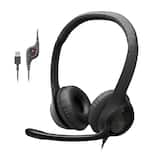 Logitech - H390 Wired USB-A On-Ear Stereo Headphones with Noise Canceling Microphone - Black$22.99$24.99
More Buying Options
Related Item

Specifications
- Video ResolutionFull HD (1080p)
- Key Specs
- Video Resolution: Full HD (1080p) (Refers to the number of pixels, both horizontally and vertically, used to capture the video. The higher the resolution the finer the video detail that can be seen.)
- General
- Brand: Logitech
- Model Number: 960-001580
- Product Name: Brio 100 1080p Full HD Webcam for Meetings and Streaming
- Color: Graphite
- Camera
- Video Resolution: Full HD (1080p) (Refers to the number of pixels, both horizontally and vertically, used to capture the video. The higher the resolution the finer the video detail that can be seen.)
- Maximum Video Frame Rate: 1080p (Full HD) @ 30 FPS (The maximum frequency at which consecutive images can be captured by a video recording device.)
- Megapixels: 2 megapixels (Measures the amount of graphic resolution that the product can capture.)
- Image Resolution (Display): 1080 (Refers to the number of pixels, both horizontally and vertically, used to either capture an image or display it. The higher the resolution the finer the image details.)
- Autofocus: false (Allows the camera to automatically focus through the lens, rather than by adjusting the lens manually.)
- Features
- Integrated Microphone: true
- Plug And Play Operation: true (The product can work when first used or connected, without reconfiguration or adjustment by the user.)
- 360 Degrees Rotation: false (The product is capable of turning freely about an axis, incorporating horizontal points of view covering 360 degrees.)
- Connectivity
- System Requirements: Required: Available USB-A port. Works with Windows, macOS, or ChromeOS and virtually any popular videcalling platform. (The software that a product must have for it to be able to integrate with another product.)
- Connectivity: USB-A
- Dimensions
- Product Height: 1.26 inches (The out of box height of the item. Height is measured as the vertical distance from the bottom of the item to the top as it would be primarily used or placed.)
- Product Width: 2.87 inches (The out of box width of the item. Width is measured as the horizontal distance from one side of the item to the other as it would be primarily used or placed.)
- Product Depth: 2.62 inches (The out of box depth of the item. Depth is measured as the distance from the front of the item to the back as it would be primarily used or placed.)
- Product Weight: 0.17 pounds (The out of box weight of the item.)
- Warranty
- Warranty - Parts: 1-year
- Warranty - Labor: None
- Other
- UPC: 097855188588
Look, sound, and meet better with Brio 100—a simple and affordable webcam that lets you show your best self in video calls. Full HD 1080p resolution and auto-light balance bring clarity and brightness to your calls, so you look your best. Sound better with a built-in microphone, and get total privacy with an integrated shutter.
- Full clarity: Look clearer in video calls with Full HD 1080p resolution.
- Auto-light balance: RightLight boosts brightness by up to 50%, reducing shadows so you look your best—compared to previous-generation Logitech webcams.
- Privacy with a slide: The integrated webcam cover makes it easy to get total, reliable privacy when you're not on a video call.
- Built-In mic: The built-in microphone lets others hear you clearly during video calls.
- Easy plug-and-play: The Brio 100 works with most video calling platforms, including Microsoft Teams, Zoom and Google Meet.
- Made with recycled plastic: The Brio 100 (Graphite) Full HD Webcam is made with 77% post-consumer plastic.*
Whats Included
- Webcam
- User documentation
A: Yes, this camera works with my outdated laptop and my new CyberPowerPC.
Q: Will it work on any Windows Version? 7,10 and 11
A: The Logitech Brio 100 webcam supports Windows 10 and 11 officially. It may work on Windows 7 if you install the required drivers manually, but functionality could be limited as Windows 7 is no longer actively supported by Logitech or Microsoft. For the best experience, use it with Windows 10 or 11.
Q: Does this webcam work with a MacMini?
A: Hey! Yes, the Logitech Brio 100 webcam is compatible with MacMini. It works with most video calling applications on Mac.
Q: Can this webcam be screwed on to a tripod?
A: No, sadly it does not, no doubt a cost-saving decision. All the webcams I'v used have had the required 1/4" threads, but all this has is monitor clip that is essentially worthless if the back of the monitor isn't flat, which mine is not. I'm using a phone-to-tripod adapter with an adjustable slider that can hold the non-detachable webcam mount. It works well enough so far, but if I decide that's not working out, I may try to design one and 3D print it. If you can't design and print one, there may be some ready-to-go print files on thingiverse.com that you can send to a printing service like craftcloud3d.com. I use them when I need to print with materials not compatible with the one I have and have always bee happy with the results.
Q: Does the software allow you to record video onto a desktop.
A: While the Brio 100 doesn't have dedicated "record to desktop" software built-in, you can easily use the standard tools on your operating system or download free software like Logitech Capture or OBS Studio to record video from the webcam onto your desktop.
Q: Will this clamp/sit on a curved monitor? My son's not sure if it'll work with his.
A: The Logitech Brio 100 has a monitor clip designed to fit a variety of monitor shapes, including some curved monitors.
A: Check to make sure that you click unmute and the the "video camera" right next to it. Your picture should come up.
Compare similar products

Look, sound, and meet better with Brio 100—a simple and affordable webcam that lets you show your best self in video calls. Full HD 1080p resolution and auto-light balance bring clarity and brightness to your calls, so you look your best. Sound better with a built-in microphone, and get total privacy with an integrated shutter.

Logitech C920s is a budget-friendly, work-from-anywhere webcam that delivers a professional video meeting experience. It includes features designed to make you look and sound great in your next meeting. A 78º diagonal field of view perfectly frames you and your space, while autofocus adjusts smoothly and precisely. RightLight 2 technology automatically adjusts to your lighting situation even in low-light or backlit conditions. And dual integrated mics accurately capture your voice from multiple angles for greater nuance. If you’re streaming or recording, use Logitech’s Capture app to edit and customize. Flip down the lens cover at any point to protect your privacy.

Logitech Pro Webcam Ultra Wide Angle brings pro-quality HD video and stereo audio to desktop video meetings, live feeds, webinars and more. Enjoy the widest field of view (90-degrees) in a business webcam, ultra-clear HD 1080p video and smoother video via in-camera H.264/SVC UVC 1.5 encoding. Pro Webcam delivers the most professional desktop video collaboration experience yet.

With the Logitech C270 Webcam, you can confidently join any video meeting knowing you’ll always have quality audio and video. Our most affordable camera, the C270 Webcam is an upgrade for your laptop or desktop with practical features that outperform most built-in laptop cameras. It supports crisp HD 720p/30 fps video calls with diagonal 55° field of view. Logitech’s RightLight technology adjusts to your lighting conditions, producing brighter images to help you look good even in low-light and backlit situations. And the noise-reducing mic makes sure your voice comes across clearly, even in busy environments.
| Pros for Logitech - Brio 100 1080p Full HD Webcam for Meetings and Streaming - Graphite | |||
|---|---|---|---|
| Ease of Use, Setup, Image Quality | Video Quality, Overall Performance, Ease of Use, Setup, Privacy Feature | Video Quality, Overall Performance, Ease of Use, Setup, Field of View | Overall Performance, Video Quality, Ease of Use, Setup, Resolution |
| Cons for Logitech - Brio 100 1080p Full HD Webcam for Meetings and Streaming - Graphite | |||
| Mounting, Focus, Field of View, Adjustability, Design | Focus, Cable Length, Compatibility, Field of View, Autofocus | Compatibility, Cable Length, Lighting, Color Accuracy, Rotation | Mounting, Compatibility, Field of View, Focus, Features |
Specs
Reviews
Customers are saying
Customers consistently note the excellent image quality and ease of use of the Brio 100 webcam. Many found setup quick and straightforward. However, some users reported challenges with the mounting solution and focus capabilities, particularly at close range. A few also mentioned limitations with the field of view and software features.
Customer Images
The vast majority of our reviews come from verified purchases. Reviews from customers may include My Best Buy members, employees, and Tech Insider Network members (as tagged). Select reviewers may receive discounted products, promotional considerations or entries into drawings for honest, helpful reviews.
- Rated 5 out of 5 stars
Good Budget Webcam
The Logitech Brio 100 is a 1080p webcam that is designed for everyday video calls and streaming. It has a number of features that make it a good choice for the price, including auto light balance, a built-in microphone, and a privacy shutter. Pros: Good image quality: The Brio 100 produces clear and sharp 1080p video, even in low-light conditions. The RightLight feature helps to balance the lighting in your video, so you always look your best. Built-in microphone: The built-in microphone is adequate for most video calls. However, if you plan on doing a lot of streaming or recording, you may want to consider using a separate microphone. If you have a microphone, make sure to disable the webcam's driver software to avoid echoing. Privacy shutter: The privacy shutter is a great feature that gives you peace of mind knowing that your camera is not on when you don't want it to be. It can be a bit awkward to move, but is very reliable. Easy to use: The Brio 100 is plug-and-play, so you can get started using it right away. Affordable: The Brio 100 is a good value for the price. Cons: No field of view adjustment: The Brio 100 has a fixed field of view, which means you can't adjust how much of your surroundings are shown in the video. No manual focus: The Brio 100 has autofocus, but there is no manual focus option. Software not as comprehensive as higher-end models: The Logi Tune software that comes with the Brio 100 is not as comprehensive as the software that comes with higher-end Logitech webcams. Overall, the Logitech Brio 100 is a good webcam for the price. It produces good image quality, has a built-in microphone and privacy shutter, and is easy to use. However, if you need a webcam with more features, such as a wider field of view or manual focus, you may want to consider a higher-end model. Here are some additional things to consider before purchasing the Logitech Brio 100: What is your budget? The Brio 100 is a good value for the price, but there are other webcams on the market that offer more features for a higher price. What are you going to use the webcam for? If you are just going to use the webcam for video calls, the Brio 100 is a good option. However, if you plan on doing a lot of streaming or recording, you may want to consider a webcam with more features. What are your computer's system requirements? Make sure that your computer meets the system requirements for the Brio 100 before you purchase it.
Posted by
- Rated 4 out of 5 stars
Logitech Brio 100 Review
Pros: Decent 1080p video, plug-and-play setup, privacy shutter, budget-friendly, and a noise-reducing mic. Cons: Fixed focus, basic low-light performance, and limited adjustability. Verdict: A solid, affordable webcam for meetings and casual streaming, but not ideal for professional content creation.
Posted by HELLO
- Rated 5 out of 5 stars
Impressive 1080p Webcam
My Laptop's camera stopped working so got this on sale from Bestbuy. Was pleasantly surprised with the clear, crisp video this 1080p camera provides even under low light. Use it primarily for office video calls, meetings. It's been exactly 1 year of usage and have absolutely no complaints so far. Pros: Decent 1080p video, plug-and-play setup, privacy shutter which gives peace of mind when you don't accidently want the camera to be ON and budget-friendly. Cons: Basic low-light performance, no focus adjustment and having trouble in syncing with Logitunes software (not sure if I am doing something wrong) but works fine with basic Logitech camera app so can't complain.. Verdict: Hands down one of the best 1080p webcam's you can get in the $25 - $30 range; personally would say don't even bother checking out the rest...
Posted by Akdamol