Logitech - ERGO K860 Ergonomic Full-size Wireless Scissor Keyboard for Windows and Mac with Palm Rest - Black
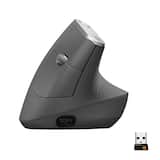 Logitech - MX Vertical Advanced Wireless Optical Ergonomic Mouse with USB and Bluetooth Connection - Wireless - Graphite$89.99$119.99

More Buying Options
Related Item

Specifications
- Lighting TypeNoneForm FactorErgonomic, Full-sizeKeyboard TechnologyScissorConnection TypeWireless
- Key Specs
- Lighting Type: None
- Form Factor: Ergonomic, Full-size (The size, arrangement, and physical configuration of the product.)
- Keyboard Technology: Scissor (Type of technology that detects a key press.)
- Connection Type: Wireless
- General
- Brand: Logitech
- Model Number: 920-009166
- Product Name: ERGO K860 Ergonomic Full-size Wireless Scissor Keyboard for Windows and Mac with Palm Rest
- Color: Black
- Features
- Lighting Type: None
- Numeric Keypad: true
- Touchpad: false
- Palm Rest: true
- Spill Resistant: false (Designed to resist some degree of accidental liquid spill. The level of spill-resistance is indicated by the product manufacturer, but the degree of protection may not be guaranteed after normal wear of the product.)
- Foldable: false
- Keycap Material: ABS
- Functions
- Form Factor: Ergonomic, Full-size (The size, arrangement, and physical configuration of the product.)
- Keyboard Technology: Scissor (Type of technology that detects a key press.)
- Dedicated Macro Keys: false (Perform shortcuts of key sequences to carry out commands with a single key. Key sequences may include key strokes, mouse actions, and/or menu actions.)
- Adjustable Tilt Function: true
- Multimedia Keys: false
- Internet Keys: false
- Number Of Programmable Keys: 0
- Connectivity
- Connection Type: Wireless
- Wireless Connectivity: Radio Frequency (RF) (The manner in which a device sends data to another device over a short distance without the use of wires or cables.)
- Maximum Wireless Range: 33 feet
- Number of Devices Connectable Simultaneously: 3
- Compatibility
- Operating System Compatibility: Windows, Mac
- Plug and Play Operation: true
- System Requirements: Windows 10, 11 or later, macOS (The software that a product must have for it to be able to integrate with another product.)
- Power
- Rechargeable Battery: false
- Battery Size: AAA (The battery size required for operation.)
- Number of Batteries Required: 2
- Battery Chemistry: Alkaline
- Batteries Included: true (Indicates whether the product comes with the required batteries for its operation.)
- On/Off Switch: true
- Dimensions
- Product Height: 1.89 inches (The out of box height of the item. Height is measured as the vertical distance from the bottom of the item to the top as it would be primarily used or placed.)
- Product Width: 17.95 inches (The out of box width of the item. Width is measured as the horizontal distance from one side of the item to the other as it would be primarily used or placed.)
- Product Depth: 9.17 inches (The out of box depth of the item. Depth is measured as the distance from the front of the item to the back as it would be primarily used or placed.)
- Product Weight: 40.92 ounces (The out of box weight of the item.)
- Mouse
- Mouse Included: false
- Warranty
- Warranty - Parts: 1 year
- Warranty - Labor: None
- Other
- UPC: 097855151667
Type more naturally with ERGO K860 – an advanced ergonomic keyboard that promotes a more relaxed typing posture – reducing wrist bending and offering wrist support. A curved keyframe helps reduce wrist strain, while a pillowed wrist rest keeps your forearms elevated to help prevent excessive bending. This Logitech ERGO keyboard features Perfect Stroke keys for quiet performance and responsiveness, and the 2-year battery life offers long-lasting use.
- Improved typing posture: Type more naturally with a curved, split keyframe and reduce muscle strain on your wrists and forearms thanks to the sloping keyboard design.
- Pillowed wrist rest: Curved wrist rest with memory foam layer offers typing comfort with 54% more wrist support; 25% less wrist bending compared to standard keyboard without palm rest.
- Perfect stroke keys: Scooped keys match the shape of your fingertips so you can type with confidence on a wireless keyboard crafted for comfort, precision and fluidity.
- Adjustable palm lift: Whether seated or standing, keep your wrists in total comfort and a natural typing posture with ergonomically-designed tilt legs of 0, -4 and -7 degrees.
- Ergonomist approved: The ERGO K860 wireless ergonomic keyboard is certified by United States Ergonomics to improve posture and lower muscle strain.
- Multi OS wireless keyboard and familiar features: Conveniently connect with the USB receiver or Bluetooth, customise Fn key use, and enjoy the quiet keys, full-size layout and CAPS LOCK indicator.
- Sustainability: Plastic parts in ERGO K860 include 71% certified post consumer recycled plastic. Uses FSC-certified paper for responsible packaging.*
- Powered by Logitech Options+: Customise Fn Keys, create custom shortcuts and get battery-life notifications with Logitech Options+ app, available on Windows and macOS.
Whats Included
- Logitech ERGO K860 Ergonomic Wireless Keyboard
- USB Receiver
- 2 X AAA batteries
- User documentation
Q: How many devices can be connected to the keyboard simultaneously?
A: The Logitech keyboard can connect with up to 3 devices simultaneously.
Q: What type of batteries does the keyboard use?
A: The Logitech ERGO K860 keyboard uses alkaline batteries.
Q: Is the Logitech keyboard spill-resistant?
A: No, the keyboard is not spill-resistant.
Q: Does this keyboard have a number pad?
A: Yes, this is a full-size keyboard and has a numeric keypad.
Q: What is the maximum wireless range of the Logitech keyboard?
A: The maximum wireless range of the keyboard is 33 feet.
Q: Does the keyboard come with a palm rest?
A: Yes, the keyboard comes with a pillowed wrist rest.
Q: How do you turn the Ergo 860 on/off?
A: If you flip the keyboard straight up and down, there is a small on/off switch mounted in line with the 'logi' branding that is on the top of the keyboard.
A: No, there are no lights on the keyboard. I use mine at work so not having lights is a plus.
Compare similar products

Type more naturally with ERGO K860 – an advanced ergonomic keyboard that promotes a more relaxed typing posture – reducing wrist bending and offering wrist support. A curved keyframe helps reduce wrist strain, while a pillowed wrist rest keeps your forearms elevated to help prevent excessive bending. This Logitech ERGO keyboard features Perfect Stroke keys for quiet performance and responsiveness, and the 2-year battery life offers long-lasting use.

X9 Performance X9ERGOKEY – Split Ergonomic Keyboard for Maximum Comfort and Productivity Enhance your typing experience with the X9 Performance X9ERGOKEY, a split ergonomic keyboard designed to boost comfort and efficiency. Say goodbye to wrist strain and fatigue with its integrated cushioned palm rest, ensuring optimal support during long hours of work. Whether you’re a professional, student, or avid typist, this ergonomic keyboard wired is built for seamless functionality and ease of use. Key Features: ✔ Ergonomic Split Design – Encourages natural wrist, palm, and forearm positioning to minimize strain, making it an ideal carpal tunnel keyboard. ✔ Built-In Wrist Cushion – Provides enhanced support and comfort for an improved typing experience. ✔ Full-Sized Layout with 110 Keys – Includes a 17-key numeric keypad for effortless data entry and calculations. ✔ 17 Shortcut & Multimedia Keys – Quick access to frequently used commands and applications. ✔ LED Indicators – Stay informed with clear indicators for Caps Lock, Num Lock, and Functions Lock. ✔ Adjustable Kickstand – Customize your typing angle for maximum comfort or lay it flat on your desk. ✔ Plug & Play Connectivity – Simply connect the 5ft USB-A cable to any laptop or PC (Windows, Chromebook, iOS) for instant functionality. Technical Specifications: ✔ Compatible with: Windows, Chromebook, and iOS ✔ Connection Type: USB-A (Wired, 5ft cable) ✔ Dimensions: 1.5" (H) x 19" (W) x 9.85" (D) ✔ Weight: 2.25 lbs Why Choose the X9ERGOKEY? Designed for ultimate comfort and efficiency, this split keyboard ergonomic reduces stress on your hands and wrists, making it ideal for extended use. The full-sized keyboard and shortcut keys allow for seamless navigation, while the plug-and-play USB connectivity ensures effortless setup. This curved keyboard supports natural hand positioning and is a great keyboard for carpal tunnel support. Worry-Free Warranty & Support At X9 Performance, we stand behind our products. Every purchase comes with friendly customer support and hassle-free returns for your peace of mind. Upgrade your workspace today with the X9 Performance X9ERGOKEY – the perfect corded keyboard solution for comfortable and productive typing! Whether you need a teclado ergonomico or a keyboard ergonomic keyboards, this model has you covered.

Turn your desk life into a feel-good story with an ergonomic keyboard and mouse matched for day-long comfort. Great for small to medium hands, Wave Keys and Lift Vertical Ergonomic Mouse are designed for day-long comfort and made with recycled plastic. A wavy keyframe design and cushioned palm rest place your body in a natural typing position and give your wrists the support they need. Meanwhile, Lift’s 57° vertical shape promotes a more natural forearm posture throughout the day - with a softly textured grip and snug thumb rest for extra comfy working.
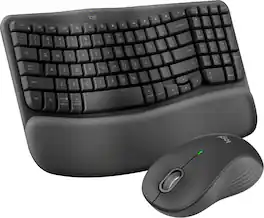
Experience day-long comfort and productivity with this wireless ergonomic keyboard and mouse combo. Typing feels instantly familiar on Wave Keys’ wavy keyframe design. The cushioned keyboard palm rest lifts pressure and improves wrist support. The Signature M550 L Wireless Mouse features a contoured shape and rubber side grip to keep medium- to large-sized hands comfortable throughout the day.
| Pros for Logitech - ERGO K860 Ergonomic Full-size Wireless Scissor Keyboard for Windows and Mac with Palm Rest - Black | |||
|---|---|---|---|
| Ergonomics, Ease of use, Wrist Rest, Bluetooth, Key Feel | There were no pros for this product— | There were no pros for this product— | Ergonomics, Ease of use, Palm Rest, Overall Performance, Connectivity |
| Cons for Logitech - ERGO K860 Ergonomic Full-size Wireless Scissor Keyboard for Windows and Mac with Palm Rest - Black | |||
| Price, Size | There were no cons for this product— | There were no cons for this product— | Keyboard Size, Key Spacing, Backlight |
Specs
Reviews
Customers are saying
Customers are impressed with the ERGO K860 keyboard's ergonomic design, comfortable wrist rest, and ease of use. Many appreciate its Bluetooth connectivity, pleasant key feel, and quiet operation, along with the surprisingly long battery life. The main drawbacks mentioned are its relatively high price and large size.
Customer Images
The vast majority of our reviews come from verified purchases. Reviews from customers may include My Best Buy members, employees, and Tech Insider Network members (as tagged). Select reviewers may receive discounted products, promotional considerations or entries into drawings for honest, helpful reviews.
- Rated 4 out of 5 stars
Excellent for productivity and casual gaming
Finally! I've been waiting for Logitech to design a keyboard similar in design to the Microsoft Natural keyboard. I've owned a range of Microsoft ergonomic keyboards, which include the 4000, Sculpt, Surface Ergonomic, etc. I've also owned many Logitech keyboards (gaming and ergonomic), but never found them as comfortable as the Microsoft keyboards. I've been using this keyboard for well over a month and must say that I am absolutely please with the comfort and responsiveness. The keys are soft, the wrist pad is comfortable, and includes all the functionality that I need in a keyboard. The only minor drawback that I experienced in the beginning was that the right side of the keyboard is spaced about 1/2" closer to the left side of the keyboard, which threw me off for the first few days. This just required some adjustments because my "muscle memory" had to be retrained. So what do I like about this keyboard? * It's wireless (unlike to 4000 Ergonomic keyboard) * It wakes up almost instantly as soon as I press a key (unlike my Surface Ergonomic Bluetooth keyboard which takes several seconds to wake up) * It doesn't intermittently stop responding when long pressing keys while gaming (unlike my Sculpt, which will become unresponsive for about 30 seconds at random times) * The keys are soft like the Surface and Sculpt * It's a split keyboard design like the Microsoft Natural designs for people like me who've grown accustomed to using this style keyboard * The wrist pad is soft similar to the Microsoft keyboards, but seems more durable and less likely to stain unlike the Microsoft keyboards * Includes a Fn key (unlike the Sculpt), making it easy to use the F1-F12 keys without a toggle switch * It supports Bluetooth (or their Unifying USB receiver) for wireless communication * It can be paired with up to three devices (PC, Macs, and anything with Bluetooth support) Regardless of its strengths, this also goes without saying that the keyboard also has some minor shortcomings. * The gap between the padding and the keyboard is a big enough channel that will allow dirt to get trapped * The padding cannot be detached (nor appears to be replaceable) * No Fn key on the left side of the spacebar (there's only one Fn key, which is to the right of the spacebar) * May take at least a couple days to adjust due to muscle memory being used to a previous keyboard * A little more pricey than comparable keyboards I can't comment on the ability to remap/customize the keys since I'm completely fine with the default setup, but I do know that it's possible. Overall, I was pleasantly surprised with this keyboard since I wasn't expecting it to feel like my previous Microsoft keyboards. I assure you that if you like the design and comfort of Microsoft keyboards, you will appreciate this keyboard even more. It's excellent for productivity, as well as for casual gamers. If you're looking for a Microsoft Natural keyboard replacement, look no further. I highly recommend this if you can deal with the minor shortcomings mentioned above.
Posted by kuya1284
- Rated 5 out of 5 stars
Best keyboard ever
This is the best keyboard I've ever used. I bought it a week ago for my home office and used it the last five days. I type all day for email, chat, making presentations and other documentation for my company. Tactile feel of the device is excellent, pressing the keys feels good, physical use of the keyboard is enjoyable. The keys available are good (no keys I use are missing, not many excessive keys I never use, though some, which was expected with a modern keyboard). Device is all one piece, which is great. Has an on/off toggle which is great, but I always forget to use, says it has 2 year battery life I think, we'll see in a year. Wrist rest feels great, we'll see how long it holds up. I have used a natural keyboard for the last year, but had bought one from Kensington because it only cost $50 and had a key arrangement closer to what I wanted. But sadly that felt cheap. I used it for almost a year before giving up and deciding to replace it. I tried both of Microsoft's natural (ergo) keyboard options in store and both were acceptable, but this Logitech was a clear winner, no contest. I'm really appreciative that the flip up clips to angle the keyboard are on the close side, so that the wrist wrest is elevated (rather than on the far side so the function keys are elevated). This is the correct ergonomic way to angle your hand/fingers. It's funny though, even on the box they couldn't deviate from industry norms and the icon they chose shows the flips on the wrong side. Not only are the flips on the correct side, they have two different size flips to choose from. Way to go Logitech. Great device!
Posted by Dave
- Rated 5 out of 5 stars
Worth every penny
I have used split ergonomic keyboards almost exclusively since the 1990s when I got the early stages of carpal tunnel syndrome. In recent years, I bought mechanical keyboards because I liked the old-fashioned feel, but this exacerbated my old injuries and required me to get another ergonomic keyboard. This took a little getting used to, but is just as comfortable, easy on the joints, and fast to type on as the old Microsoft Natural line of keyboards (that's a very high compliment from me). If you already have a Logitech Unifying receiver, you can download the Unifying software from Logitech and connect this keyboard to the Unifying dongle that you already have. If you can use that instead of USB, you'll find a better connection. As with all such wireless dongles, it is strongly recommended that you get a powered USB hub on your desktop (near your keyboard) and plug the dongle into the hub for the best reception for wireless devices on the desk. Some of the keys are programmable, but I only programmed the "lock" key in the upper-right because it seems inconvenient to have a key that might accidentally lock my computer and make me log back in. I don't know what material the palm rest is made of, but it's incredibly comfortable. The wrist rest also cannot be removed, so do keep that in mind. Like some Logitech mice (such as the Logitech MX Master 3), this can be paired to up to 3 devices, which is great as you can use your keyboard and mouse as a makeshift KVM switch and control multiple devices. The keyboard uses AAA batteries, and according to Logitech should last you about two years before you have to worry about replacing the batteries. While making the keyboard rechargeable like the G915 might have been nice, in a way, the AAA batteries are more convenient in my opinion as you don't have to worry about protecting the lifespan of the battery. This keyboard has not yet been added to Logi Options +, so you will have to install Logitech Options to gain full control over the keyboard's features. Does not work with G-Hub at all. The keyboard is admittedly a bit pricey, but worth every penny in my opinion.
Posted by Paul