Logitech - MX Master 3S Wireless (USB-A) Laser Mouse with Ultrafast Scrolling - Wireless - Black
Color
BlackFREE shipping to
More Buying Options

Specifications
- Lighting TypeNoneMaximum Sensitivity8000 dots per inchNumber of Buttons (Total)7Connection TypeWireless
- Key Specs
- Lighting Type: None
- Maximum Sensitivity: 8000 dots per inch (Mouse sensitivity is measured in dots per inch (DPI). The higher the DPI, the more sensitive the mouse is and may be more useful for high-density pixel screens. Lower DPI typically means more precision and accuracy in mouse movement.)
- Number of Buttons (Total): 7
- Connection Type: Wireless
- General
- Brand: Logitech
- Model Number: 910-006556
- Product Name: MX Master 3S Wireless (USB-A) Laser Mouse with Ultrafast Scrolling
- Color: Black
- System Requirements: Via Logi Bolt USB Receiver: available USB Port, Windows 10, 11 or later, macOS 10.15 or later, Linux, Chrome OS. Via Bluetooth Low Energy: Windows 10, 11 or later, macOS 10.15 or later, Linux, Chrome OS, iPadOS 14 or later, Android 8.0 or later (The software that a product must have for it to be able to integrate with another product.)
- Features
- Mouse Type: Standard
- Lighting Type: None
- Performance
- Mouse Operation: Button(s), Scroll wheel
- Mouse Grip Style: Ergonomic, Standard, Palm grip (In comparison to many palm and claw grips, ergonomic grip mice are designed for a specific handedness and put the hand and wrist in a position to promote comfort. Customizable grips feature buttons/keys that can be configured to perform specific actions and may also have customizable calibration and sensitivity settings.)
- Handedness: Right-handed
- Tracking Method: Laser (There are several types of computer mice, optical and laser being among the most common. Optical mice detect less detail and provide more precise and accurate movement. Laser mice detect more detail and can be used on a wider variety of surfaces, but are more sensitive to small movements.)
- Maximum Sensitivity: 8000 dots per inch (Mouse sensitivity is measured in dots per inch (DPI). The higher the DPI, the more sensitive the mouse is and may be more useful for high-density pixel screens. Lower DPI typically means more precision and accuracy in mouse movement.)
- Minimum Sensitivity: 200 dots per inch (Mouse sensitivity is measured in dots per inch (DPI). The higher the DPI, the more sensitive the mouse is. Lower DPI typically means more precision and accuracy in mouse movement, but higher DPI may be useful for high-density pixel screens.)
- Number of Buttons (Total): 7
- Number of Thumb Buttons: 2
- Number of Programmable Buttons: 7
- Adjustable Weight: false
- Connectivity
- Connection Type: Wireless
- Wireless Connectivity: Bluetooth, Radio Frequency (RF) (The manner in which a device sends data to another device over a short distance without the use of wires or cables.)
- Maximum Wireless Range: 32.8 feet
- Operating System Compatibility: Windows, Mac, Chrome, Linux, Apple iPadOS, Android
- Plug and Play Operation: true
- Power
- Mouse Power Source: Battery-powered
- On/Off Switch: true
- Rechargeable Battery (Mouse): true
- Wireless Charging: false
- Charging Interface(s): USB-C (The connection for transmitting power to charge the device.)
- Battery Chemistry: Lithium-polymer
- Included
- Mouse Pad Included: false
- Dimensions
- Product Height: 2 inches (The out of box height of the item. Height is measured as the vertical distance from the bottom of the item to the top as it would be primarily used or placed.)
- Product Length: 4.92 inches (The out of box length of the item. Length is measured as the longest dimension of the item.)
- Product Width: 3.3 inches (The out of box width of the item. Width is measured as the horizontal distance from one side of the item to the other as it would be primarily used or placed.)
- Product Weight: 141 grams (The out of box weight of the item.)
- Warranty
- Warranty - Parts: 1 year
- Warranty - Labor: None
- Other
- UPC: 097855174819
Introducing Logitech MX Master 3S – an iconic mouse remastered. Designed for designers and engineered for coders, now with Quiet Clicks and 8K DPI any-surface tracking for more feel and performance than ever before. It’s ergonomic silhouette is crafted to support your palm and fingers and allows you to work comfortably for hours across multiple computers and operating systems in one fluid workflow. With MX Master 3S, you can truly master what you make.
- Any-surface tracking - now 8K DPI: Use MX Master 3S cordless computer mouse to work on any surface - even glass - with the upgraded 8000 DPI sensor with customizable sensitivity.¹
- Introducing quiet clicks: MX Master 3S Bluetooth mouse introduces Quiet Clicks - offering the same satisfying feel but with 90% less click noise compared to MX Master 3 edition.
- Magspeed scrolling: A computer mouse with remarkable speed, precision, and near silence - MagSpeed scrolling is 90% faster, 87% more precise compared to a regular Logitech mouse, and ultra quiet.
- Ergonomic design: Work comfortably with a precision mouse featuring a silhouette crafted for a more natural wrist posture and optimally placed thumb controls.
- Upgraded customization software: Customize buttons and optimize your workflow with App specific profiles in the improved Logi Options+.²
- Flow cross-computer control: Work seamlessly on multiple computers or laptops, and transfer text, images, and files – between Windows & macOS.²
- Multi-device and multi-OS: Connect the comfort mouse with up to 3 devices via Bluetooth or the included Logi Bolt USB receiver on Windows, macOS, Chrome OS or Linux.
- Sustainability: Plastic parts in MX Master 3S include certified post-consumer recycled plastic (Black: 27%, Pale Gray: 22% (excludes plastic in printed wiring assembly (PWA), receiver, wire, FFC cable, and packaging).
- 1-month of Adobe Creative Cloud on us (a value of $59.99)*: Pair two of the world’s top creative tools. Buy one MX Master 3S and claim your free 1-month Adobe Creative Cloud membership. *Value calculated based on Adobe Creative Cloud All Apps monthly value of $59.99 valid on Adobe.com on Sept 12, 2024. Terms & Conditions apply.¹ ² ³
- Any-surface tracking - now 8K DPI: Use MX Master 3S cordless computer mouse to work on any surface - even glass - with the upgraded 8000 DPI sensor with customizable sensitivity.¹
- Introducing quiet clicks: MX Master 3S Bluetooth mouse introduces Quiet Clicks - offering the same satisfying feel but with 90% less click noise compared to MX Master 3 edition.
- Magspeed scrolling: A computer mouse with remarkable speed, precision, and near silence - MagSpeed scrolling is 90% faster, 87% more precise compared to a regular Logitech mouse, and ultra quiet.
- Ergonomic design: Work comfortably with a precision mouse featuring a silhouette crafted for a more natural wrist posture and optimally placed thumb controls.
- Upgraded customization software: Customize buttons and optimize your workflow with App specific profiles in the improved Logi Options+.²
- Flow cross-computer control: Work seamlessly on multiple computers or laptops, and transfer text, images, and files – between Windows & macOS.²
- Multi-device and multi-OS: Connect the comfort mouse with up to 3 devices via Bluetooth or the included Logi Bolt USB receiver on Windows, macOS, Chrome OS or Linux.
- Sustainability: Plastic parts in MX Master 3S include certified post-consumer recycled plastic (Black: 27%, Pale Gray: 22% (excludes plastic in printed wiring assembly (PWA), receiver, wire, FFC cable, and packaging).
- 1-month of Adobe Creative Cloud on us (a value of $59.99)*: Pair two of the world’s top creative tools. Buy one MX Master 3S and claim your free 1-month Adobe Creative Cloud membership. *Value calculated based on Adobe Creative Cloud All Apps monthly value of $59.99 valid on Adobe.com on Sept 12, 2024. Terms & Conditions apply.¹ ² ³
Whats Included
- MX Master 3S Wireless Mouse
- Logi Bolt USB receiver
- USB-C charging cable (USB-A to USB-C)
- User documentation
- MX Master 3S Wireless Mouse
- Logi Bolt USB receiver
- USB-C charging cable (USB-A to USB-C)
- User documentation
Q: How long does the battery charge typically last?
A: I’m not sure how long a single charge is supposed to last. I never check to see how much power is left because it’s designed so that you can use it and charge it at the same time. If I ever have one that gets low on power, I will just plug it in and keep using it. The charge seems to last several months. Running out of charge will never be a problem.
Q: Does this mouse have horizontal scrolling?
A: Yes with the thumb wheel.
Q: Is the dongle a "unifying receiver?
A: No, only works with the Bolt dongle or Bluetooth.
Q: Can I connect the mouse to my ipad?
A: Yes, you can connect the Logitech MX Master 3S to your iPad.
Q: Can you use it using Radio Frequency and not use Bluetooth?
A: Yes, the Logitech MX Master 3S can connect without Bluetooth using the USB adapter that comes with the mouse.
Q: Can I use this on Thinkpad with windows 10? I’m curious now due to the compatibility questions.
A: Hello, yes the Mx Master 3s will work with your Thinkpad. You can either connect it via the USB-A dongle or Bluetooth. -Danielle from Logitech
Q: Is this smaller than the other model?
A: Same size
Compare similar products

Introducing Logitech MX Master 3S – an iconic mouse remastered. Designed for designers and engineered for coders, now with Quiet Clicks and 8K DPI any-surface tracking for more feel and performance than ever before. It’s ergonomic silhouette is crafted to support your palm and fingers and allows you to work comfortably for hours across multiple computers and operating systems in one fluid workflow. With MX Master 3S, you can truly master what you make.
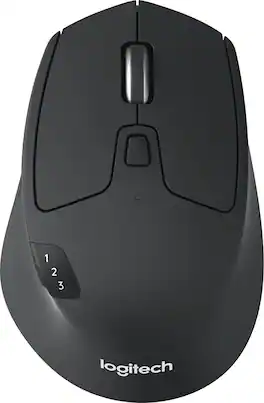
Ready, set go! Move between screens and straight through your to-do list with Logitech M720 Triathlon, the athletic mouse built for endurance, versatility, and comfort. With EASY-SWITCH technology you can pair your mouse with up to 3 computers and seamlessly switch between them with a click of a button. Reliable hyper-fast scrolling lets you fly through documents and web pages or switch to click-to-click scrolling when you need precision. A true athlete, this portable mouse is designed to endure, with buttons built to withstand up to 10 million clicks. Focus on what really matters thanks to the extended battery life of up to 24 months of power on a single AA battery. Simply connect M720 Triathlon wirelessly via the included Logitech Unifying receiver or via Bluetooth smart technology. Download Logitech Options Software to unlock the full range of personalization for your Logitech mouse.
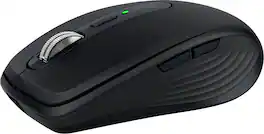
Introducing Logitech MX Anywhere 3S Mouse, a beloved compact wireless mouse with next-level precision and control – now with 8K DPI Any-Surface Tracking and Quiet Clicks so you can master your work anywhere.

Logitech MX Master 3S Bluetooth Edition – productivity and precision mouse. With Quiet Clicks and 8K DPI any-surface tracking for more feel and performance.
| Pros for Logitech - MX Master 3S Wireless (USB-A) Laser Mouse with Ultrafast Scrolling - Wireless - Black | |||
|---|---|---|---|
| There were no pros for this product— | Ease of use, Ergonomics, Size, Battery Life, Bluetooth | Ease of use, Battery Life, Size, Scrolling, Surface Compatibility | Ergonomics, Battery Life, Button Functionality, Overall Performance, Connectivity |
| Cons for Logitech - MX Master 3S Wireless (USB-A) Laser Mouse with Ultrafast Scrolling - Wireless - Black | |||
| There were no cons for this product— | Weight, Lag | Price, Click Noise | Weight |
Specs
Reviews
Customer Images
The vast majority of our reviews come from verified purchases. Reviews from customers may include My Best Buy members, employees, and Tech Insider Network members (as tagged). Select reviewers may receive discounted products, promotional considerations or entries into drawings for honest, helpful reviews.
- Rated 5 out of 5 stars
Excellent Mouse!
I've been using the MX Master 3S for years now as a programmer, and it's honestly the best mouse I've ever owned. The Bluetooth multi-device connectivity is a game-changer—being able to seamlessly switch between my work laptop, personal computer, and other devices without any dongles or re-pairing is incredibly convenient. The tracking is precise and responsive, which is essential when you're working with code all day. What really sets this mouse apart is the comfort—it even keeps my hand from getting fatigued during long coding sessions. The ergonomic design is clearly well thought out. The MagSpeed scroll wheel with infinite scroll is fantastic for navigating through long files and documentation. I can flip between precise click-to-click scrolling and free-spinning mode depending on what I need. The horizontal scroll wheel on the side is another feature I didn't know I needed until I had it - super useful for scrolling through wide code windows. While the mouse has several programmable buttons, I mainly stick to the basics—the back/forward buttons on the side are perfect for web browsing. Even without using all the extra features, this mouse delivers exceptional performance. If you spend a lot of time at your computer, especially for work, this is absolutely worth the investment.
This review is from Logitech - MX Master 3S Wireless (USB-A) Laser Mouse with Ultrafast Scrolling - Wireless - Black
Posted by ChrisW
- Rated 5 out of 5 stars
Game changer in Productivity!!
I absolutely love this thing. I was one of those people who didn’t think a mouse was that important. I just thought I needed something that moves A to B. None the less I tried this mouse after getting word of a trade in program and OMG!!! Productivity has with been with minimal effort from a hands. If you’re a person who deals with a lot of data and a lot of scrolling through tons of information this will be a game changer! At work I’m constantly in excel looking at a lot of rows with hundreds of rows of data. Yes, I create pivot tables and filters to organize it but it’s still tons to scroll even after minimizing the information. This mouse has the longest self scroll feature I never knew I needed. I just use a finger to push the roller and it just keeps on scrolling BY ITS SELF..When I see what I need I just stop it. On other computer mice I would need to continuously roll the button to scroll. The click is extremely quiet. Another feature I never knew I’d need and love. Also, the charge is long as well. I won’t have to charge it for atleast 2 weeks of using it for 8 full hours a day. Now when I let the battery die and I have to use my old plug in mouse it just feels really cheap and the mouse moves on the screen too slow. I guess I’ve become spoiled with this things performance. Although I didn’t pay full price for it because I traded in a broken Bluetooth Logitech mouse and paid a discounted price, I SOOOOOOOO WOULD buy it again at full price without thinking twice. Its worth the higher price. Another cool feature is you can quick connect 3 computers. You just press the button on the bottom
This review is from Logitech - MX Master 3S Wireless (USB-A) Laser Mouse with Ultrafast Scrolling - Wireless - Black
Posted by Patty
- Rated 5 out of 5 stars
Logitech MX Master 3S Wireless Laser Mouse
I’ve been using the Logitech MX Master 3S for a few weeks now, and I have to say, it has exceeded my expectations. The ergonomic design fits perfectly in my hand, making long work sessions much more comfortable. The standout feature for me is the ultrafast scrolling – it’s incredibly smooth and responsive, making navigation through long documents or webpages a breeze. The wireless connection is rock solid, and I love that I can seamlessly switch between multiple devices without any hiccups. The battery life is also impressive, lasting for weeks on a single charge. Plus, the precision of the laser sensor ensures that I get accurate tracking on any surface. Overall, the MX Master 3S is worth every penny for anyone who needs a reliable, high-performance mouse. Highly recommended!
This review is from Logitech - MX Master 3S Wireless (USB-A) Laser Mouse with Ultrafast Scrolling - Wireless - Black
Posted by Doctorbeat05