Questions & Answers
- Model:
- ME918LL/A
- |
- SKU:
- 6943097
Highly rated by customers for: Ease of use, Range, Speed
Page Showing 21-30 of 30 questions
Q: Questionwhat is the best modem to go with Airport Extreme router besides the airess?
Asked by kmiller.
- A:Answer The more important question is which modem is compatible with your Internet Service Provider. You need to lookup which modem handles the appropriate speed and protocols that your ISP requires. Any modem will work with the Apple AirPort Extreme or AirPort Time Capsule.
Answered by jpriv67
Q: Questionwhat generation
Asked by 3560.
- A:Answer This model is 6th generation.
Answered by CommunityAnswer
Q: QuestionDoes the Airport Extreme Base Station Router come in black?
Asked by Hollywood.
- A:Answer no, it only comes in white
Answered by MountainMan
Q: QuestionDo you have to pay in order to use it ?
Asked by Ken.
- A:Answer Once your purchase the base station and hook it up, there are no other fees. Of course you pay every month for the internet service you have. I believe this airport version is your wifi base and your back up drive. But by now, you probably have already figured this out. Hope it works well for you and lasts a long time.
Answered by December
Q: QuestionWill this work for a backup drive for 13inch MacBook Pro with TouchBar?
Asked by Generals.
- A:Answer No, Simply, this is not any type of backup device. What you need to use is called Time Machine/Capsule, another Apple Product.
Answered by Boatman181
Q: QuestionDoes this unit have good security and a user app for parental controls ?
Asked by Jaxxdaddy.
- A:Answer yes it does. very easy to use as well
Answered by bennett020202
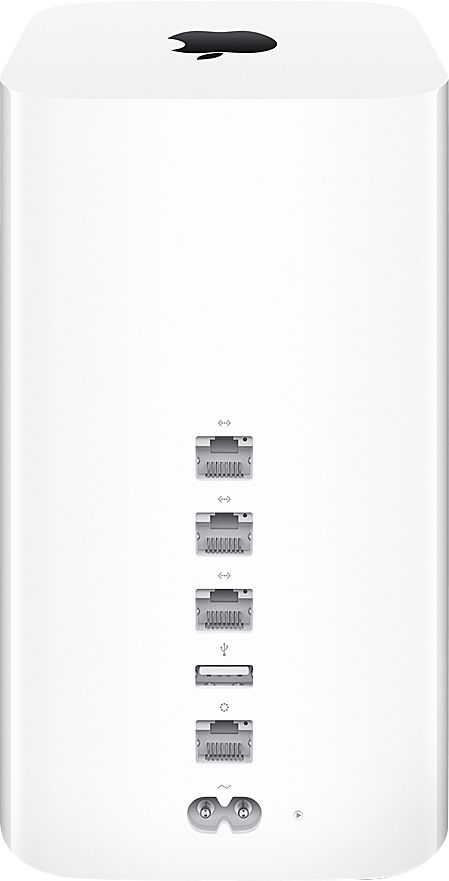
Q: QuestionIs there any way to plug cable internet into the Apple - AirPort Extreme Base Station?
Asked by ErikRhulen.
- A:Answer You will need to buy a separate modem, then you will use an ethernet cable and plug that into the Airport Extreme.
Answered by ReviewerR
Q: QuestionDoes the Apple ExtremeBase Station support native IPv6 connection on PPPoE?
Asked by Fer.
- A:Answer Yes
Answered by John
Q: QuestionHas anyone experience an unexpected error has occurred when setting up airport extreme?
Asked by aorta8403.
- A:Answer Yes - this is a common problem. I experienced the error after making configuration changes to my router (Netgear Nighthawk). My Airport Express no longer appeared on my network and the Airport Utility reported no AEs on my home network. So I went down the path of resetting (soft, hard and factory) the AE. Each time, I got this error. Interestingly the light on the AE was green, so I knew it was on the network, but just wasn't showing up on the Airport Utility or on my Apple TV (I use the AE for audio output for my projection screen). In the end, I reasoned that the router might be the problem because the AE was definitely configured correctly but was not being 'seen' on the home network. I restarted the router and a new IP address was assigned to the AE and it appeared on the Airport utility and on the Apple TV. Happiness.
Answered by SimonRowell
Page 2, Showing 21-30 of 30 questions
Best-selling Best Buy
- $329.00$329.00The price was $349.00
- $99.00$99.00The price was $129.00
- $14.99$14.99The price was $19.00
- $24.99$24.99The price was $29.99
- $329.99$329.99The price was $469.99
- $14.99$14.99The price was $19.00
- $174.99$174.99The price was $199.99
- $79.00$79.00The price was $99.99