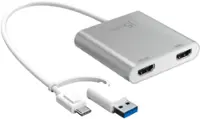
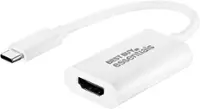
A:AnsweriPod's used a 30-Pin or lightning adapters. I'm not sure how to answer your question but this Is usually for plugging into your PC or MACBOOK to convert usb-C to usb-A and then you can use your existing cable (USB-A to Lightning / 30 Pin cable) to then allow it to synchronize with your iTunes library. Hope that helps
A:AnswerThis adapter is USB-C to USB-A, so according to the description you have me no.
You need a Lighting to USB-A, and it also depends on the pc you are using. Hope this helps.
A:AnswerAir print is the method that I only use, I do not believe the iOS has drivers to recognize a printer by USB, but can not confirm. Maybe you can get your WIFI fixed to address and get that process working instead
A:AnswerI don't believe so. Usually the keyboards use the apple connector. The one I have connects the new Macbook Pro which has no usb ports to a usb port on the adapter so C to USB
A:AnswerShould work - success might depend upon what version of Windows OS is installed.
I am a macOS Venture user - an old-school 2003 USB 1/2 keyboard plugged right in to this dongle adapter, and worked as expected, without hiccups.
A:AnswerIf your older iMac has a USB-C port it will work to connect a USB 3.1 device such as an external hard disk to your machine. But I don't think you'll get the read-write speeds you'd want for fast video editing.
I've used this to connect USB 3.0 Hard Disks and flash drives to my M2 Macboook Pro and it seems to be limited to USB 2.0 transfer speeds (~12mbps). That's fine for small files, but not for big video files.
A:AnswerYes this adapter is designed for connecting the Apple products to printers and other peripherials with direct connection. You have to enable in settings menu to add a printer but HP smart detected by USB.
A:AnswerYes, this will work with your Wacom Intuos. I tried it myself. However, I learned too late that Wacom is very hard to pair with Macbooks. I'm still trying to figure it out. I hope it works out better for you than it did for me.