A:AnswerYou would not need to in my opinion, but it depends what you want the listening experience to be. The Bose 5 has adjustable bass, which is decent but not movie theater booming by any means. We use ours for watching tv and movies without a subwoofer.
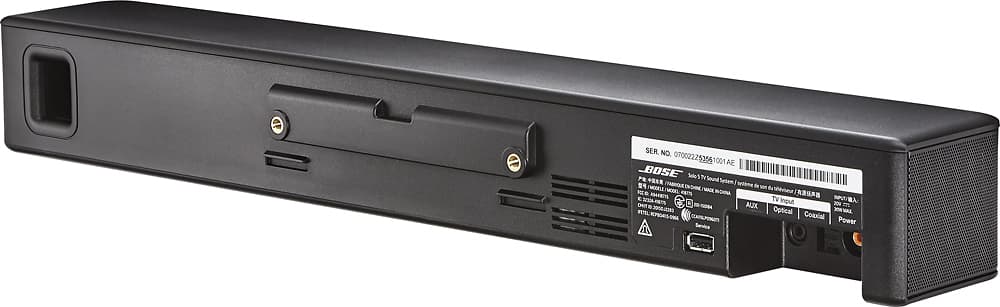
A:Answerno, inside the box comes with all necessary cables, Coaxial, RCA and Also an optical cable, they are a bit short about 3 feets, but will get the job done to hook it up to any tv. Bluetooth is built in for wireless transmission. it s easy to setup, one end goes to the tv, the other to the soundbar, connect the power cord and you done.
A:AnswerHello George, thank you for asking. On the Solo 5 you may adjust the level of the bass and you may enable the "dialog mode" to hear the voices more clearly.
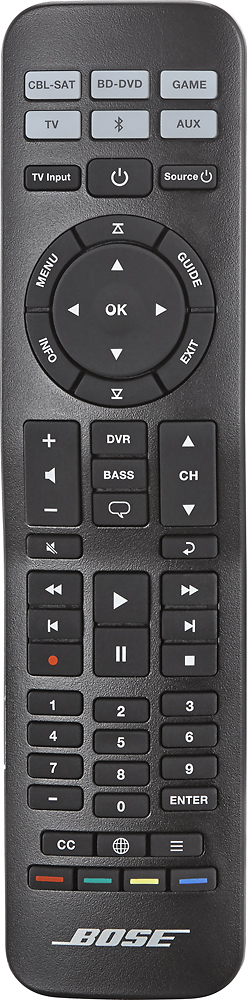
A:AnswerMost likely yes. Using IR codes you should be able to setup your remotes to control the soundbar's volume. For example, I setup my directv and apple tv remotes to control the volume.
A:AnswerHello there. Great questions. Usually the Cable box would connect to the TV first and then the Solo would connect to the TV's audio output. We have a video available here: http://bit.ly/21DoZGp that shows the setup. If you ever have any questions, we are here to help. Please do not hesitate to contact us at 800-380-4831.
A:AnswerThis system is designed to be a simple one speaker solution for customers who are not interested in having a separate bass speaker. Here is a link to a similar soundbar system that includes a bass module: http://www.bestbuy.com/site/bose-cinemate-15-home-theater-speaker-system-black/8082019.p?id=1219311892549&skuId=8082019
A:AnswerHi Ed, thanks for your interest in the Solo 5 TV Soundbar. If you are referring to the Bose Solo Soundbar sold at Club Stores like Costco, this is the same speaker as the Solo 5. The difference is that the Solo 5 comes with a universal remote and the Solo Soundbar comes with a standard 8-button remote. Hope this helps! Jesse - Bose Support
A:AnswerThis sound bar is not designed to give you theater sound, it enhances the sound, and voice clarity of what you are watching, unlike TV speakers which have no depth to their sound.
If you want theater like surround this is not for you.
A:Answerif the infrared 'control-center-lens' on the TV is blocked by the sound bar,
then,
yes,
the TV will not respond to the controller.
if the sound bar can be placed on the table in front of the TV such that this lens is not covered,
you should be "okay",
even if this-position skews the sound bar to the left or the right of 'center'.
can the sound bar be placed on the floor/carpet, beneath the "table"?
that is how i 'organized' mine.
best of good-luck!
CHEERS !!
A:AnswerYes, but it's tricky. After some searching I discovered how to do it. Read the "solved" post in green before you try to assign the Bose IR codes to the Directv remote. https://forums.att.com/t5/Remote-Controls/Bose-Solo-DTV-remote-help-please/td-p/4635709
A:AnswerHello there. Great question. Bose does not publish specifications such as output wattage for our products as we do not believe they help with understanding how loud a product is. The Solo 5 will put out plenty of volume with rich, deep bass and clear highs. We recommend trying it for yourself at home to see exactly how it will sound. The maximum power consumption of the system is 30 watts.
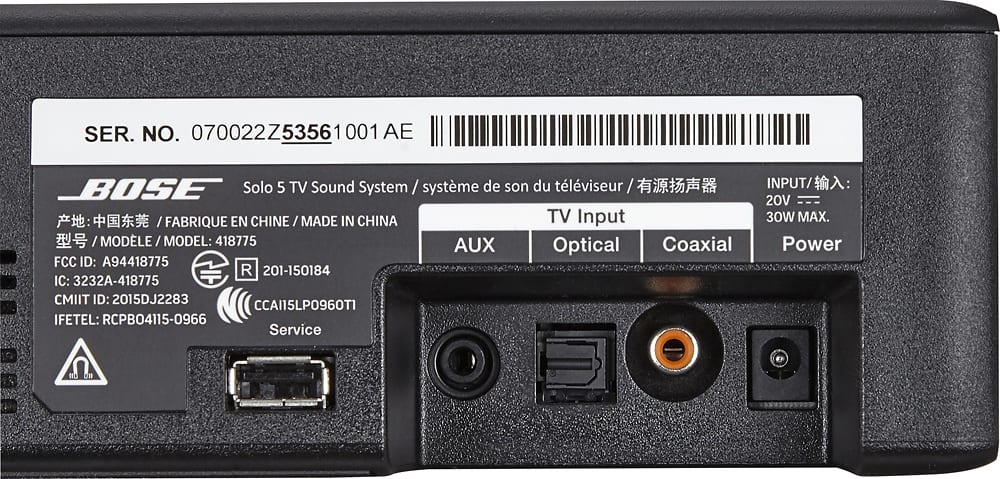
A:AnswerMost LG TV's have optical audio-out ports for connections to sound systems. If your LG TV has a coaxial audio-out port, obtain a digital coaxial audio cable (code color yellow) to connect the TV's audio-out port to the speaker's coaxial connector. What model number is your LG TV? If your TV has neither an optical or coaxial audio-out port, you may have to use the analog audio-out connector on your TV to connect to the AUX soundbar connector. This usually requires a 3.5 mm to RCA stereo cable, available from Best Buy.
A:AnswerThere are two screw holes on the back of the Bose Solo5. I mounted Bose Solo5 below my swing arm wall mounted TV using simple angle iron from hardware store. See my picture included.