A:AnswerYes. The Mini 2 now includes a "Return to Home" (RTH) button right on the face of the controller. It will return back to the GPS point where it was launched when you hit that.
But a couple of caveats on that:
1. The Mini does take 60-90 seconds from being powered on to the point where it acquires that initial GPS signal. The app will allow you to take off as soon as the controller and the drone are communicating, which is like 10 seconds. You really, really need to wait that extra few seconds until the app says (it will speak this), "The home point has been set. Please check it on the map." If you don't wait, and you're mid-flight when the GPS is acquired, THAT will be the "RTH" location. That could end up being over top a building, over water, in the middle of the woods, etc.
2. The Mini 2 has NO collision avoidance systems on it. So if you tell it to RTH, it will do so in a direct flight line from where it is now to the RTH home point. If there is any obstruction between you & the drone when you hit RTH, it will happily fly right into it. To avoid this, make sure you go into the settings in the app & set the RTH altitude. What this does is when you hit RTH, it will stop in its track, climb to the RTH height (maximum of 400'), THEN start the direct line back to the RTH point. So if you're around trees or buildings, you need to make sure that RTH height is HIGHER than the highest obstruction in the app settings. Otherwise, you risk losing the drone in a forward crash.
A:AnswerJust be careful and don't fly over anyone. This is in the FAA rules. Per FAA "Never fly over any person or moving vehicle." Also load FAA app B4UFLY from playstore or app store which will give u restricted airspace.
A:AnswerThe 4G does not matter. It will work on any android phone that you can download the DJI fly app on. Having internet access is not needed except during flight pre to check for updates to the drone, controller and battery. If that is all updated, the controller and drone use occusync to communicate, not 4G or 5G or any G.
A:AnswerYes, get one with a 100mb/sec write speed U3. Playing with mine you can save to your phone/tablet as opposed to the card but video will take a majority of your phone memory
A:AnswerEach battery is advertised at 31 per battery, I am getting about 21 minutes at around 45 to 50% use. I always land at around those percentages as this is optimal storage capacity, but it doesn’t hurt them to take them down to around 10%.
A:AnswerYou can download 2 apps that work with the mini 2. Litchi and Dronelink. Dronelink is only $20 for the basic download which will give you follow me and waypoints.it works very well.
A:AnswerThere are only a small number of Android phones that DJI has tested and advertised to run the DJI Fly App. here's their link https://www.dji.com/downloads/djiapp/dji-fly . I had the same unfortunate experience and had to return the drone (very disapointing). My Motorola E5 Play was not on their list. I have read of others who have been able to get unapproved phones to work, but they must have both a 64 bit processor and must be running a 64 bit version of the operating system (version 6.0 or later). Some phones (such as mine) have a 64 bit processor, but are running a 32 bit version of the operating system. Additionally, don't assume that you can run the DJI Fly App simply because your phone already runs one of the other apps. My phone runs the DJI go 3 App quite well, but will not run the DJI Fly App.
A:AnswerCellular function is handled by the phone, while drone remote control and connectivity is handled by the controller, not the phone.
The phone mainly serves as a video screen with extra bells and whistles like mapping, compass, special functions, etc.
The drone can fly without a phone or while on a call.
A:AnswerI have this same problem. I have a Samsung and I've switched everything to the magnetic cables. I haven't found a way around it. I've been looking for a cable that will work on both ends. I use them to charge the remote and the battery pack. I have to take out the plug and also take off my case in order to connect the cable to it. Not the end of the world, but would be nice. I question using them if I find them, id hate to lose connection when the drone is 400ft in the air.
A:AnswerDepends on area. 2.5 miles straight shot if you’re out somewhere flat but I’d recommend to learn your drone before taking it far. I haven’t flown past 700 feet because of birds. They will attack the drone thinking it’s an easy thing to catch. So keep at a range unless you trust it
A:AnswerIt uses a microSD card that you insert on the back side of the drone with a maximum size of 256GB. If you don't insert a card, it will save all the video & photos it captures directly to your phone, but the quality may be lower since it's having to transmit that back & may have interference. It's critical you get a card that is compatible (which really comes down to read/write speeds since the file sizes can get pretty big shooting in 4K). You can get a list of the currently supported cards on DJI's website: https://www.dji.com/mini-2/specs
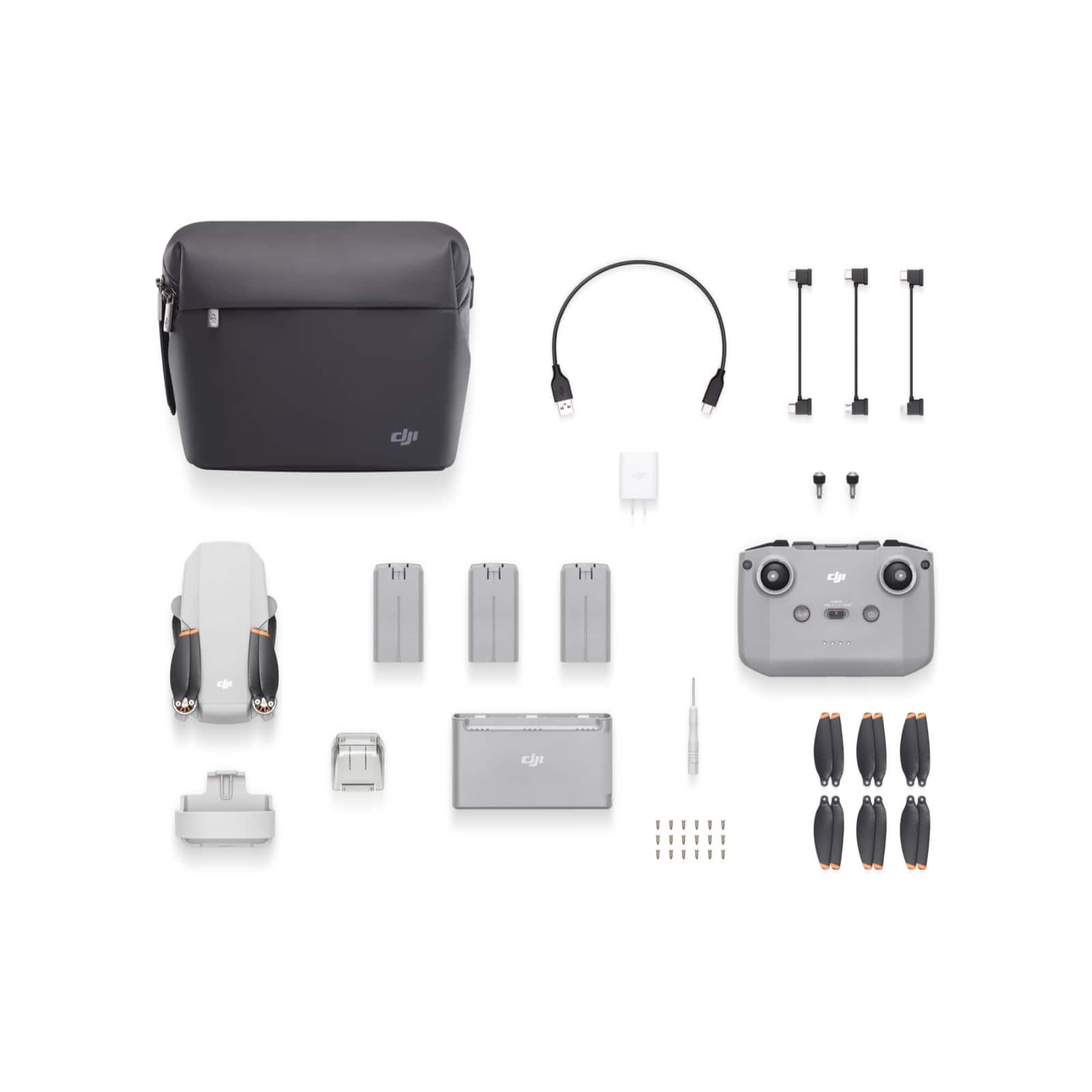
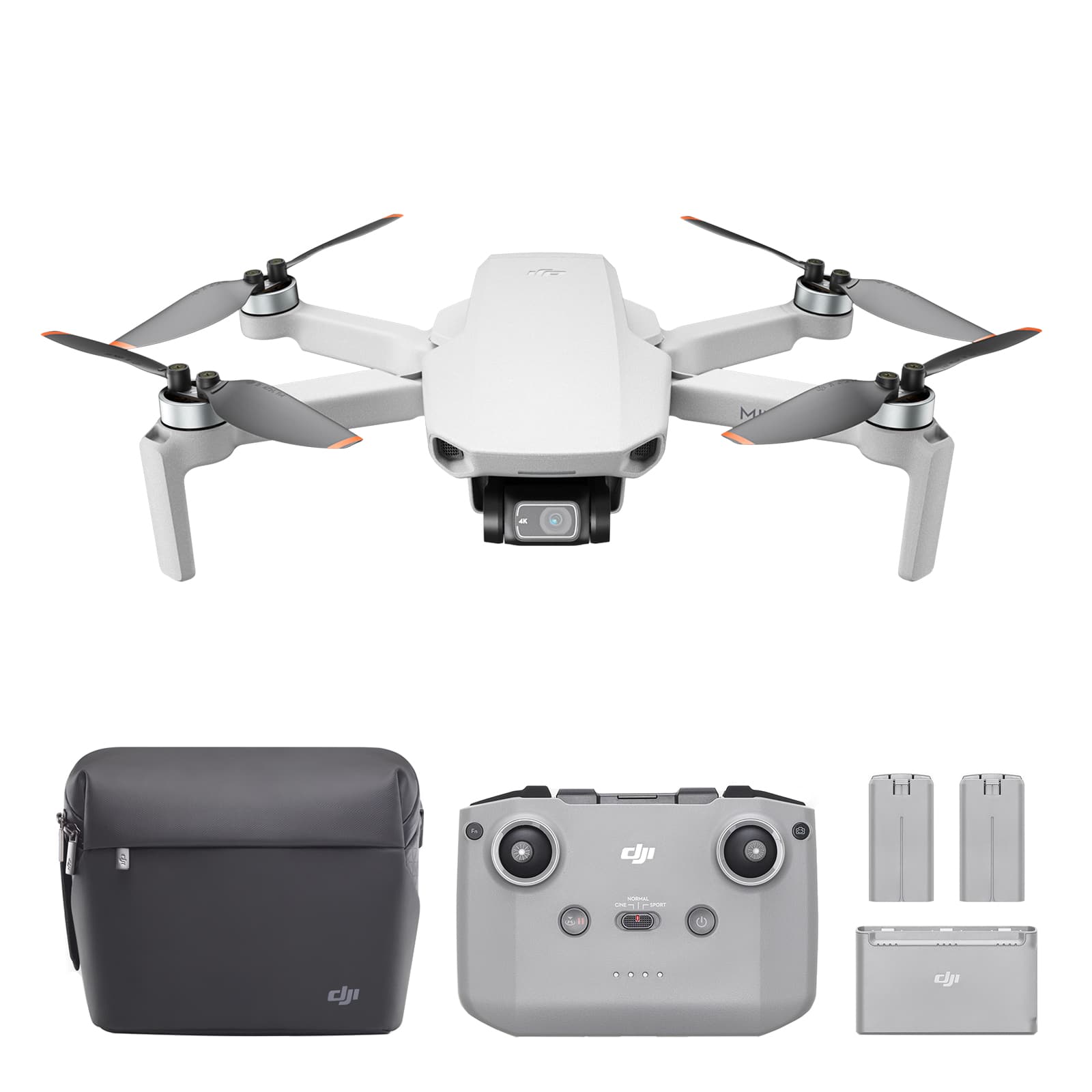
A:AnswerThe fly more package includes (over and beyond the basic set):
A.) 2 additional sets of propellers (and 12 screws for the propellers)
B.) 2 additional batteries
C.) Carrying bag
D.) A two way battery charging hub
E.) USB Charger
IMHO it is well worth the additional $150 and I am glad that I purchased the fly more.