A:AnswerYes, I say definitively, categorically, absolutely, without a doubt, the HP Pavilion TP01-0034 does NOT provide an ATX format power supply in the stock configuration. Nor will an ATX power supply readily fit into the chassis, mechanically or electrically, so the stock configuration cannot be readily upgraded to higher wattage. And by "ATX" I mean it will not fit ANY of the varieties of industry standard off-the-shelf PC power supply formats: ATX, SFX, Flex ATX, mini-ITX, TFX, etc. It is a physical format proprietary to HP that nobody else makes, is incompatible with everything prior, and which HP doesn't document, at least not yet. HP parts and documentation does not offer any power supply upgrades for their proprietary original part in this system, just an identical replacement part for failures.
HP specs correctly state that the PCIe x16 socket will accept a "discrete graphic card". That compatibility is restricted to graphics cards that take power entirely from the PCIe connectors, even though HP doesn't explicitly state that restriction. HP should clearly disclose this restriction; they do not, but that doesn't mean that they're promising no restrictions. The stock system has no power supply unused capacity, and does not provide connectors, for the separate 12V power connections that most graphics cards require. A few lower-performance graphics cards like Radeon 550 types do not require separate 12V power connections, so these are eligible upgrade candidates for this system.
The stock system provides a 180W power supply, which is already fully budgeted into running the CPU/motherboard, USB ports, upgrading PCIe cards, and upgrading M.2 or SATA drives. There is no spare capacity for any upgrade that demands additional power than these items.
Of course if you're a tinkerer you could wrangle and splice-in any 12V power supply. You could fit it in the space available, or run power in from an external power supply outside the case. My point is that there is no *ready* way to upgrade this with an off-the-shelf power supply that just bolts on and plugs in. In that scenario you'd also be fussing with air circulation and adding fans. And worrying about whether your modifications are reversible or voiding the HP warranty.
I'm not unhappy with the proprietary HP power supply. It is very efficient, compact, cooled, and quiet. The stock power supply runs the stock system fine, including my HDD drive upgrades. The case hardware is splendidly simple but effective. HP has well-done videos showing how to disassemble, repair, and install upgrades in the case. If HDD drives and PCIe cards are the only upgrades you'll need, this is an economical and high-quality design. I'm very happy with it because my application happens to fit those limitations, and it was a great bargain price of 500 bucks for Black Friday 2019. It makes a fine business or home computer with an i7 processor and built-in 4K UHD graphics. Just don't fool yourself that this is a mini-tower that you can plug in all sorts of power-demanding upgrades such as high-end gaming graphics cards, or that it is easy to work around this weakness of being non-standard in the power supply.
A:AnswerYes, you can add up to 2 additional hard drives or SSD drives.. There are 2 free SATA ports on the mother board (1 with SATA cable, 1 without SATA cable), and spots for both the 3.5" and 2.5" drives to be mounted internally. There are no external drive slots, only internal. Also didn't see another slot for M.2 drive either..
A:AnswerYes - I bought this computer today and am using dual monitors. One port is HDMI and the other is VGA so you'll need to make sure you have one of each cable.
A:AnswerThe general answer for identifying compatible RAM is to go to Crucial’s website to enter your computer’s model number to see RAM options that are guaranteed to be compatible. I have done that successfully before, and that is what the Best Buy salesperson did when I tried to buy though them. (I understand Corsair is similar, but have never used them.) Unfortunately, salesperson said that Best Buy did not sell singles RAM cards, only pairs. So I ended up buying a single card through Amazon. Specifically, I bought the following for my HP PAVILION - TP01-0034 - i7:
Crucial 8GB Single DDR4 2666 MT/s (PC4-21300) SR x8 DIMM 288-Pin
A:AnswerThis system has an Intel i7 processor which should be able to do everything you asked above. The memory can be expanded if needed, there is an empty slot for additional RAM. The limitation would be more on the Hard Drive space, the drive that is included is small by today's standards. It is possible to have an additional hard drive added or you will have to rely heavily on the cloud storage if you are dealing with lots of files. Lastly this computer does not have a dedicated video card and due to the limited power supply I am not sure if I would recommend installing one. If you are planning on doing any type of video editing I would recommend purchasing a computer with a dedicated video card. If you are only working with Word and Xcel type files this computer will be fine.
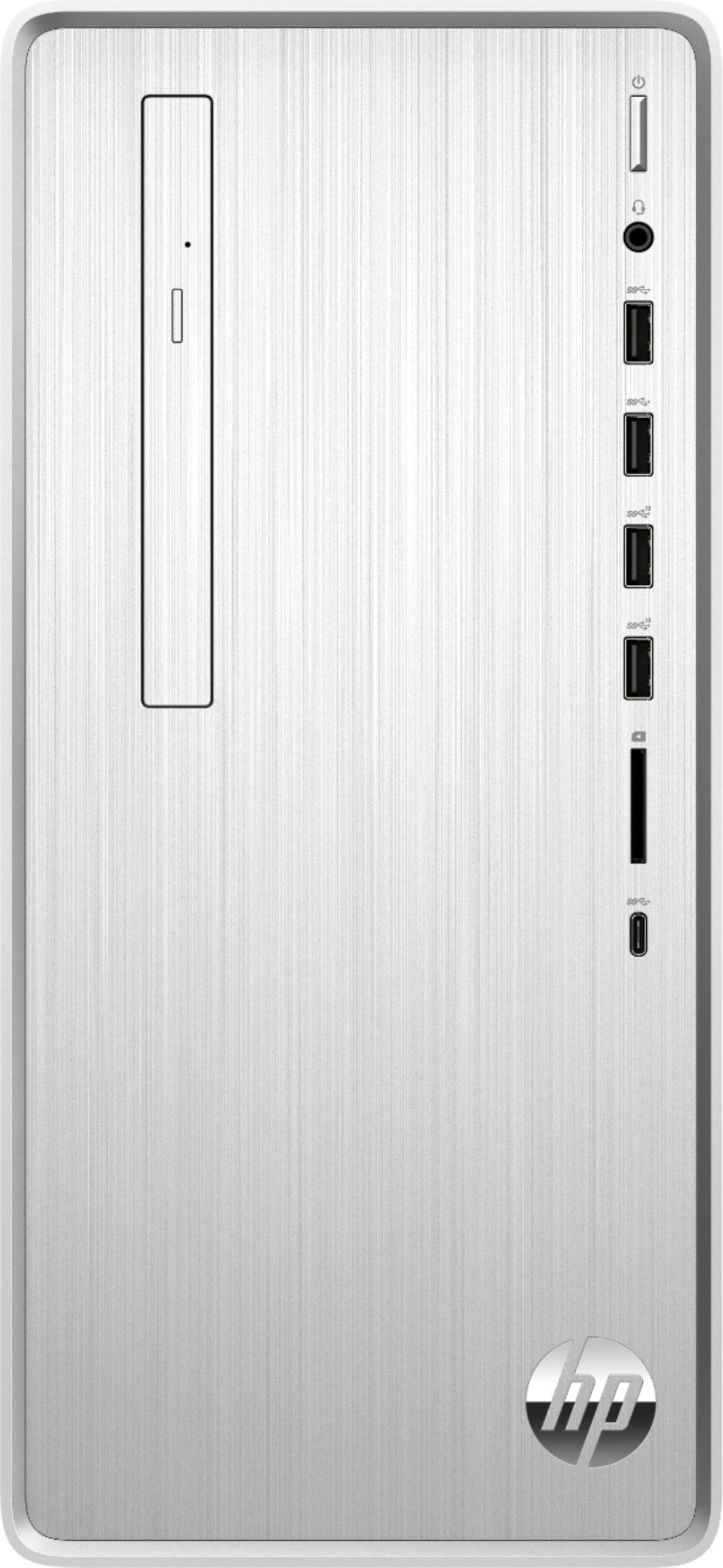
A:AnswerYou should be able to add both to this system. Note that this has M.2 slots as well so you may consider using an M.2 SSD vs the standard type. From the Spec Web page: Because its a smaller case you may want to check with the video card manufacture to make sure it would fit in the cabinet and also make sure that it is either a PCI-E x1 or x16 card.
Number Of Internal 3.5" Bays 2
Number of M.2 Slots 2
Number Of External 5.25" Expansion Bays 1
Number Of PCI-E x1 Slots 1
Number Of PCI-E x16 Slots 1
A:AnswerI researched the power supply form factor for the HP Pavilion TP01-0034. It is definitely proprietary, undocumented HP design and physical form factor, and no generic ATX variety will directly fit the unmodified case. HP does not sell or even specify an upgraded wattage version that fits. The SATA power connectors are sourced from the motherboard, not the power supply. So typical graphics cards that require separate power cables are out, although you CAN use a lower-power graphics card that requires only PCIe power, such as the XFX Radeon RX 550 that Best Buy sells.
Despite that stock limitation, custom modifications to upgrade the power supply are possible. On inspection I found that the only power supply connections to the motherboard are two cables with 12V 4-pin connectors that are always on and supply the motherboard. There is also a light-gauge third cable from the motherboard back to the power supply, which is simply the power returned by the motherboard to run the fan in the power supply at variable speeds. There are none of the conventional ATX connections for lower voltages or signals to switch the power supply on/off; all the various voltages needed by the motherboard are performed by DC-DC converters on the motherboard itself using the 12V supply. So it would be a simple modification to use any generic 12V DC power supply, if you can handle the wiring improvisations. This is interesting, in that you could hook up a 180W or larger 12V wall-wart, automotive 12V, SLA backup-batteries directly, or even 12V DC solar panels to run this computer.
A:AnswerMotherboard is an HP "Rother" (not sure what that means).
Here are the indicia found on my HP TP01-0034:
Motherboard Rother Rev A M11
SP#L56019-601 WIN
System board CT: PHZGP0ACYCN44D
AS# L56019-001
SSA#L56808-001 REV 0A
A:AnswerI've succeeded at what you're attempting. Not sure what you're missing. I was able to boot from a USB drive or an added SATA drive. Getting this done typically requires turning off Secure Boot in the BIOS settings, at least initially when installing a new drive and OS.
To get to the BIOS or boot-device menu, hold down the ESC key while turning on the power. This will bring up a menu for accessing the BIOS settings, or for selecting the boot device.
This system will even boot ancient non-UEFI drives, but you have to turn on the Legacy Boot option in the BIOS settings.
It's complicated these days, but it does work.
A:AnswerIt should drive two with the i7 and 8 gb ram.. they hook up both individually to the computer console.. the issue i have encountered is there is never two hdmi slots.. so one hooks to hdmi and the other to a blu or white vga slot.. assuming you are using at least one hdmi screen.. the computer will only respond to the lowest screen resolution and both screens will be viewable in the lowest resolution.. in settings you go to moniter/ screens . You can choose the screens to mirror or pick which screen you want as primary etc.. there are apps that help control the sizr of open windows you are using and which screen they ate on etc.. as far as the hdd..refer to the answer of my ? At the top about adding more storage and graphics.. Explore 42 knows whats up!! Thank you My good gentelman..
A:AnswerI would recommend reaching out to HP Support or Best Buy's Geek Squad. Here's the link for HP Support: https://support.hp.com/us-en/contact-hp . Alternatively, you can reach them by phone at 1-800-474-6836.
A:AnswerI plugged my old desktop’s speakers into this computer to get sound. Would not expect it to have integrated speakers the way a laptop would. I hope that helps.
A:AnswerThere are definitely two, yes two, M.2 sockets. One is populated (out of the box) with the SSD, the other is the WiFi/Bluetooth module. The other responses saying there is only one perhaps mistook that there is only one M.2 used for NVMe SSD.
A:AnswerThe single M.2 SSD socket is definitely NVMe, not SATA. It does not support both. It is populated with a SK Hynix HFM256GDJTNG-8310A module (256GB SSD).
However, as this TP01-0034 system is configured out of the box, there are two unused SATA ports on the motherboard, one of which has cables included. So you can add one or two SATA HDD or SATA SSD drives, just not in the M.2 socket.
A:AnswerYes, it contains a Realtek RTL8821CE WiFi/Bluetooth module in one of the two M.2 slots. Works well in Windows 10. For Linux in 2019, this module does not yet have mainline kernel support, so you need to manually install a driver to get WiFi working, or else use the Ethernet connection.
A:AnswerYou're correct, the power supply is 180W, and even that capacity is already taken up by the motherboard and drives (no spare capacity). Also, it does not provide any spare cables for separate power to a graphics card. You can add a graphics card, but only if it takes power solely from the PCIe x16 connections. Hence something like a Radeon RX 550 2GB should be feasible; this is a low-power card that runs entirely off the power available on the PCIe connector. The PCIe power is accounted for in the 180W power budget. This system cannot operate high-end graphics cards that require supplemental power cables. The power supply is an HP proprietary format, not any standard ATX variety, so there are no ready methods to upgrade the power supply with an aftermarket item.
A:AnswerI bought the HP 27f 27" IPS LED FHD FreeSync Monitor (model # 2XN62AA#ABA) with my HP TP01-0034 computer and this computer easily displays 4K video in full HD 1920 x 1080 resolution at 60Hz with this monitor.