A:AnswerNo, this replaces the audio only cable. The AV cable can be a component cable, red green blue which is older HD, or a HDMI cable with one plug to allow audio and video HD in one cable. Also there is composite cables which is standard definition which has three connections, yellow for video and red and black or white for audio connection. Depends on what type equipment you are using.
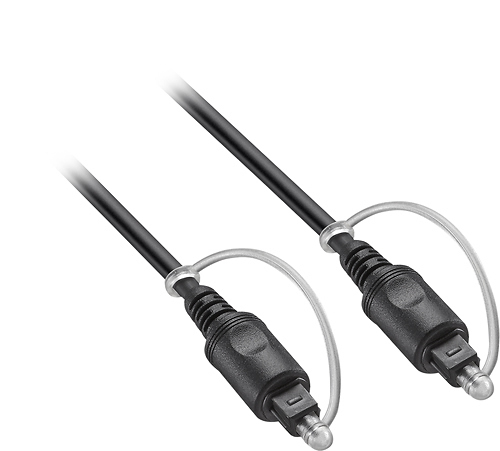
A:AnswerMaybe. It is difficult to answer this question without knowing exactly what model of TV and what kind of external speakers you are talking about. In general, if you are using your TV to watch "over the air" HDTV (in other words, not cable or satellite) or if you have a "smart" TV, you need a way to get the audio from your TV to your external speakers. The best way to do that is with an optical cable.
I have two TVs in my house that are hooked up to external speakers with an audio cable and both set-ups required the use of an optical cable to get the audio from the TV to be played through the external speakers. Check the back of your TV and external speakers for an optical audio port. In my first set-up, I have a Sony TV hooked up to a Denon receiver that powers a 5.1 speaker set-up. This is an older model TV and for years I used it with DirecTV, which was hooked up to my receiver via HDMI, so I never noticed that I "needed" an optical audio cable. However, last year I cancelled my DirecTV and couldn't get the audio from my TV's tuner to come out my home theater speakers, until I purchased an optical cable (Insignia). I plugged the optical out on my TV to the optical in on my receiver. I pushed a button on my receiver telling it that the TV was hooked up via optical input. The next thing I knew I was listening to amazing sound quality using an antenna. It's nice.
In my other set-up, I have a Sony Smart TV hooked up to a Sony Sound Bar (external speakers). In this set-up, I had to use an optical cable by hooking up the audio out on the TV to the audio in on the soundbar. However, my soundbar came with an optical cable, so I did not have to purchase one.
I know that I have different equipment than you asked about, however, I believe most manufactures have similar audio and video ports and set-ups. I hope this helps answer your question.
A:AnswerI used a
Insignia - Optical/Coaxial Digital-to-Analog Converter
https://www.bestbuy.com/site/insignia-optical-coaxial-digital-to-analog-converter-black/4226000.p?skuId=4226000&cmp=RMX&extStoreId=222&ref=212&loc=1&ksid=0d645d7c-aede-4166-9198-f4abfb16e9b7&ksprof_id=16&ksaffcode=pg252604&ksdevice=c&lsft=ref:212,loc:2&gclid=CjwKCAiApJnRBRBlEiwAPTgmxNnYzVxGnE483I-nsnlrhlWpYQZ4DnFvewuwHxmrsTNu_8eJWRUuHxoCRMwQAvD_BwE
and a optical cable to connect my older bose sound wave to my new tv. The tv only has an optical input and the sound wave only has a 3.5mm aux jack output. This two items work perfectly to allow me to play tv sound thru my sound wave. If your headphones plug in with a 3.5mm plug this should work for you.
A:AnswerYes..I have done this to my Samsung 8000 series..the sound quality is good...however, on your smart tv, go inside sound settings and pick the best setting.. I went with pcm or something similar verses hearing though HDMI and bit stream
A:AnswerI don't think you can just hook up speakers. I purchased a sound bar and optical cable for my Vizio TV and have been very happy with the results. This allowed me to reduce alot of clutter in my living room. I moved my Harmon Kardon sound system to the TV in my family room