Questions & Answers
- Model:
- JCD3199
- |
- SKU:
- 10757504
$119.99Your price for this item is $119.99
Comp. Value: $129.99
The comparable value price is $129.99
Page Showing 21-31 of 31 questions
Q: QuestionDoes this work with M3 Macs? Do I still need to install drivers?
Asked by SilvaHQ24.
- A:Answer I'm using it with an M2 Mac and I needed to install the drivers.
Answered by WENDYH
Q: QuestionWhat frames can I expect if i downgrade the resolution on the main HDMI port? For example can I get 144hz at 1080p or something higher than 60fps?
Asked by Almond.
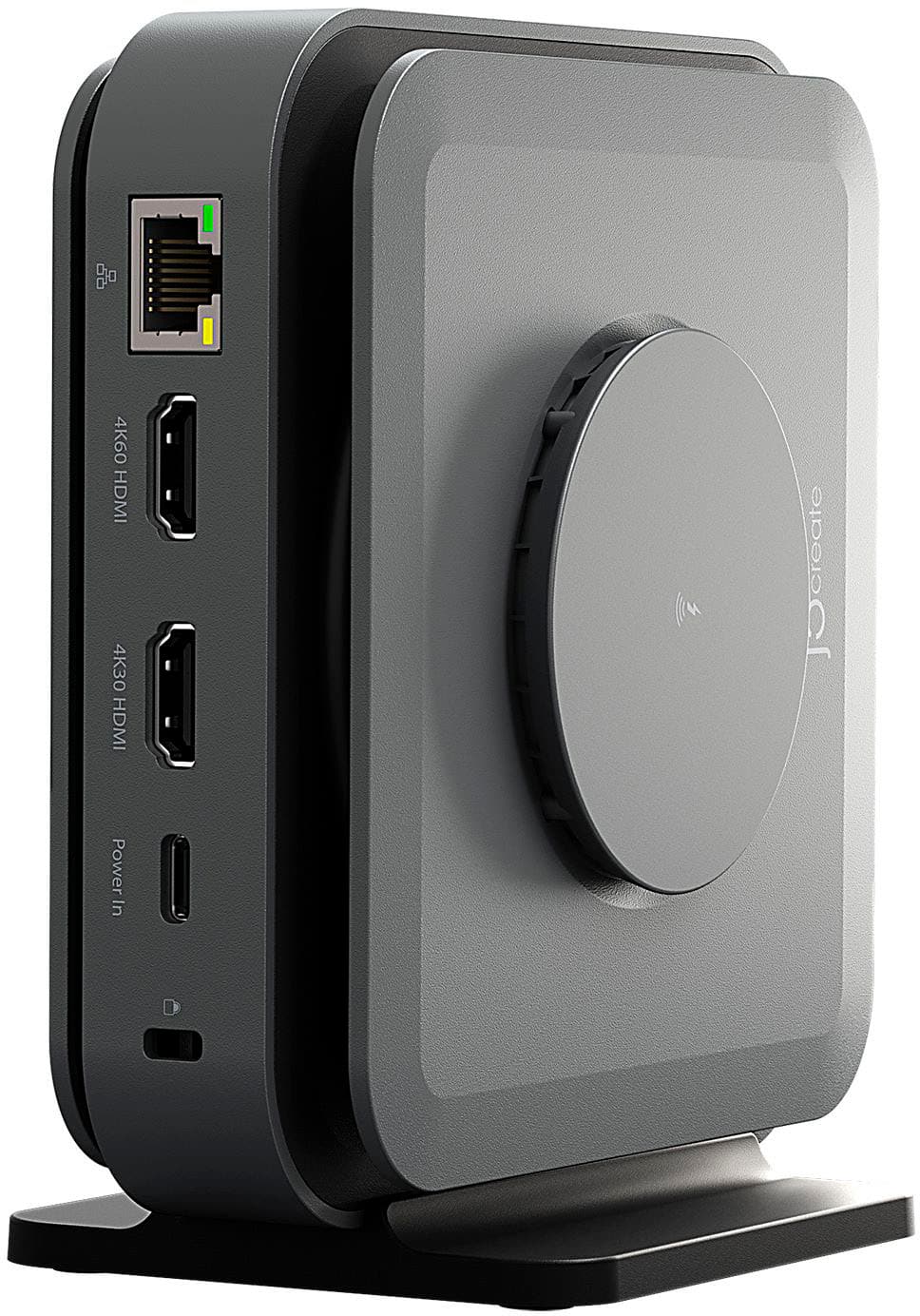
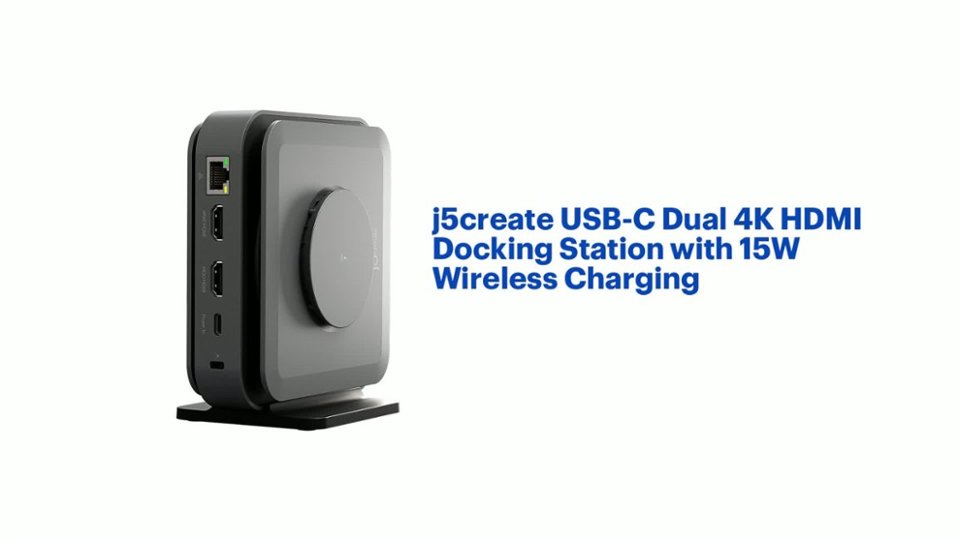
- A:Answer The docking station can achieve 120Hz at 1080p through the HDMI port that is under the "OR" bracket. Please note that your computer and monitor must support that resolution and refresh rate. If you have any other questions please reach out to our customer support team.
Answered by J5create Team
Q: QuestionPurchased the dock for a new Mac and I cannot get the product into the J5create site to allow downloading of necessary drivers. They do not find JCD3199 with SKU 6557480. The documentation mentions a power adapter included but there was none?
Asked by Roy.
- A:Answer To download the drivers for the JCD3199 visit the j5create website then click on the "SUPPORT" tab at the top right of the webpage. Then click on Downloads/Drivers and search for "JCD3199", your product should appear. If you have any other questions please contact our j5create customer support team. Thank you.
Answered by J5create Team
Q: QuestionIs it possible to use this hub to connect a Mac Mini and a hp elite book laptop to the same Video/keyboard/mouse?
Asked by Lmn11.
- A:Answer Unfortunately the docking station is not a KVM so this will not work. If you have any other questions please contact our customer support team by visiting the j5create website then click on the "SUPPORT" tab at the top right of the webpage. Thank you.
Answered by J5create Team
Q: QuestionMy wireless charging is not working even with a 100 watt power supply.
Asked by Juan.
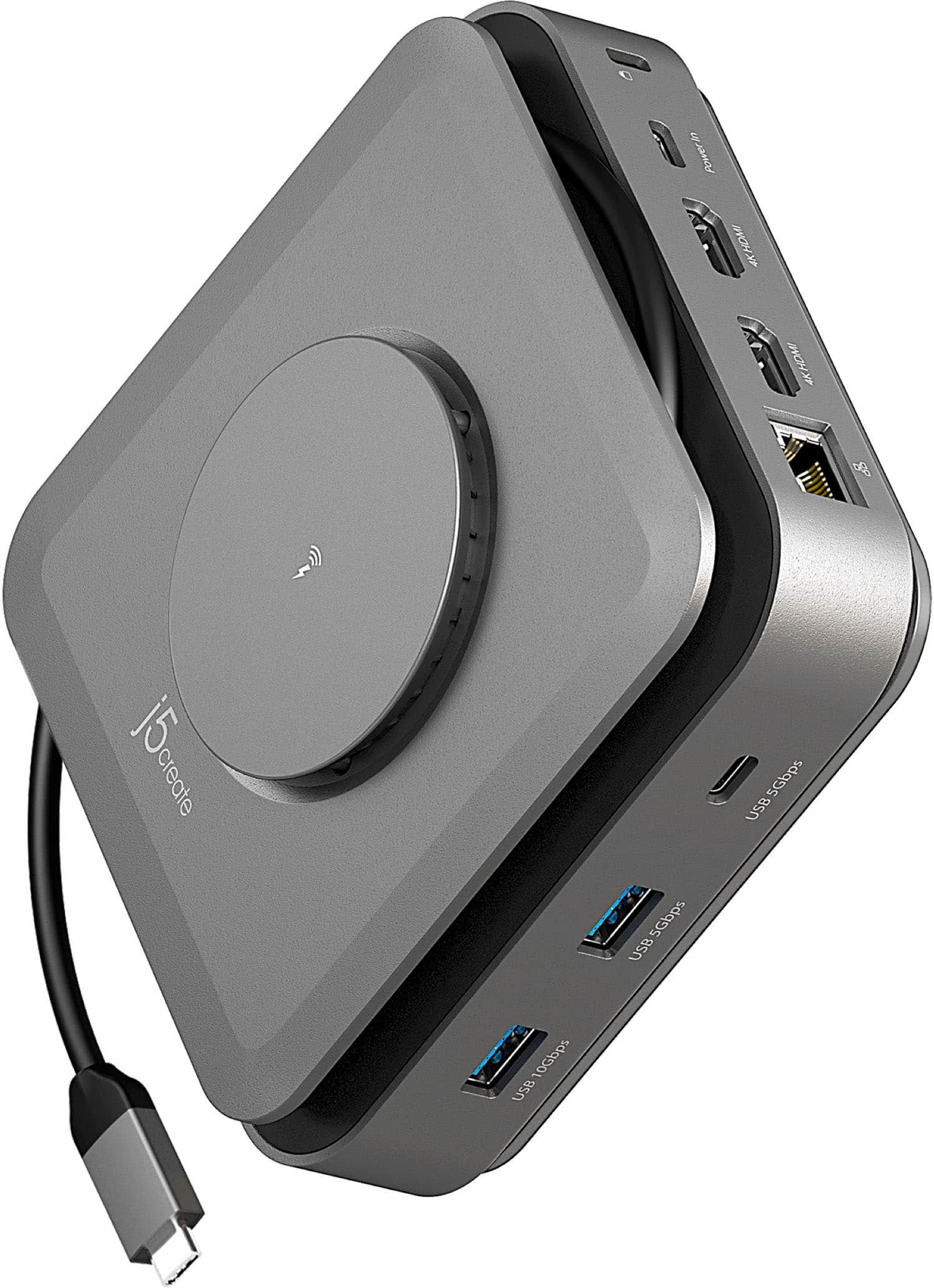
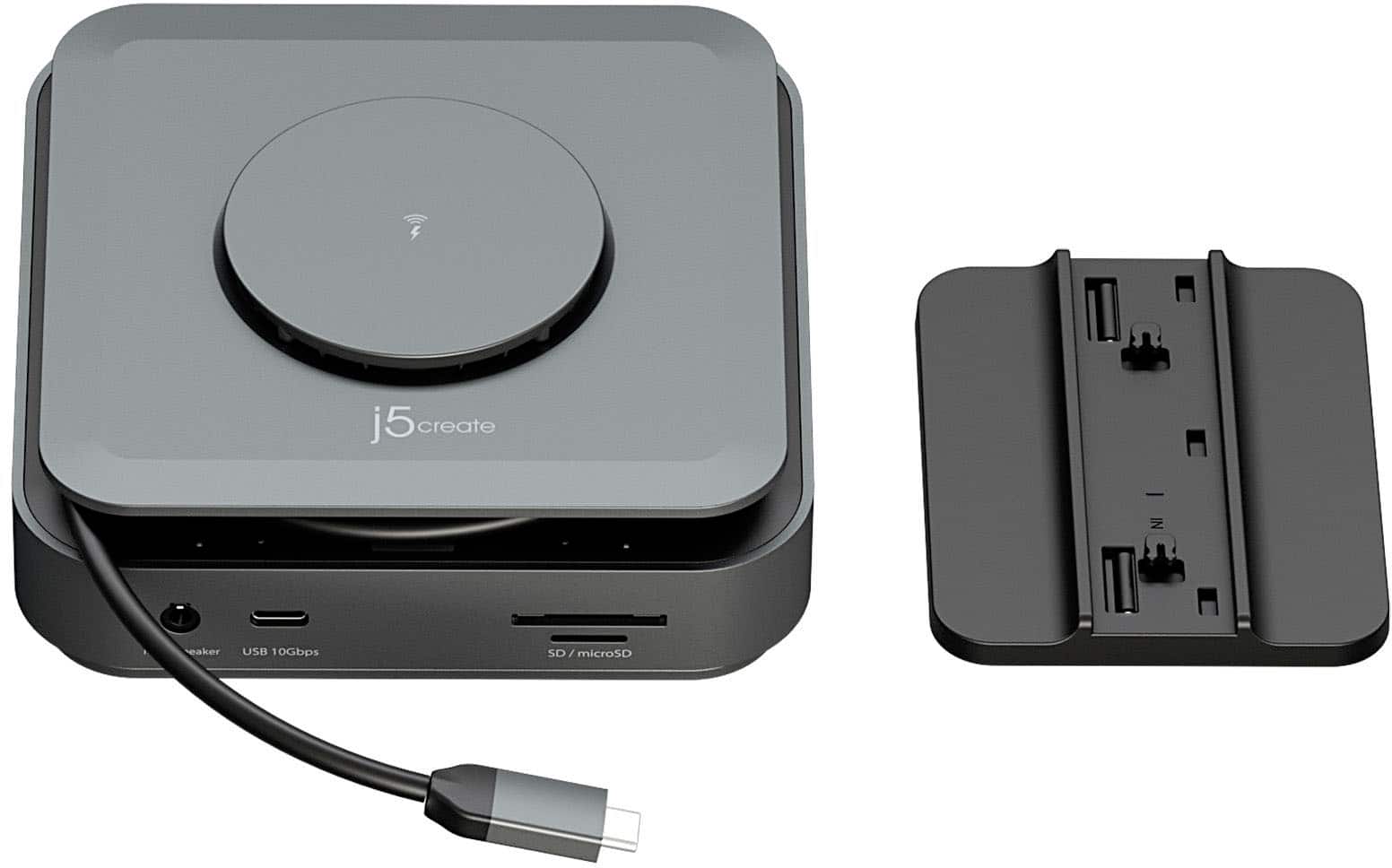
- A:Answer The USB-C Dual 4K HDMI Docking Station with 15W Wireless Charging requires that your phone supports wireless charging. Additionally if you are using a phone case that is not wireless charging compatible the wireless charging feature may not work. For additional assistance I recommend reaching out to our customer support team by visiting the j5create website then click on the "SUPPORT" tab at the top right of the webpage. Thank you.
Answered by J5create Team
Q: QuestionWOuld this also eliminate the power cord to the laptop?
Asked by bob.
- A:Answer It is possible to connect the power cord to the dock instead of the laptop for charging. In order for that to work your computer must support Power Delivery. Additionally for optimal charging it is recommended to pair a 140W power adapter to the docking station. You can either purchase the 185W GaN PD3.1 USB-C 3-Port Laptop Super Charger along with the docking station from Best Buy or buy the JCD3199P USB-C Dock Dual 4K HDMI with 140W GaN PD 3.1 Power Adapter from the j5create website. If you have any other questions I recommend reaching out to our customer support team by visiting the j5create website then click on the "SUPPORT" tab at the top right of the webpage. Thank you.
Answered by J5create Team
Q: QuestionWill this work with a desktop?
Asked by PHONEPOWER.
- A:Answer Definitely would not be able to power a desktop! But if using just as a USB/port hub, then maybe it would work for that. But there's much cheaper USB hubs than this.
Answered by AnthonyG
Q: QuestionPlace to charge watch
Asked by Anonymous.
- A:Answer It says it can do wireless charging, and it does wireless charge my phone. But it does not wireless charge my google pixel watch. But that's to be expected - the pixel watch will only charge from proprietary charging pod. I think apple is the same maybe? not sure about other watches, but I would say if the watch will charge from any wireless charging, then this will charge it. If watch needs proprietary charging pod, then no.
Answered by AnthonyG
Q: QuestionDoes this work with an HP laptop? Also, can I use the docking station to turn on the laptop?
Asked by Dboys.
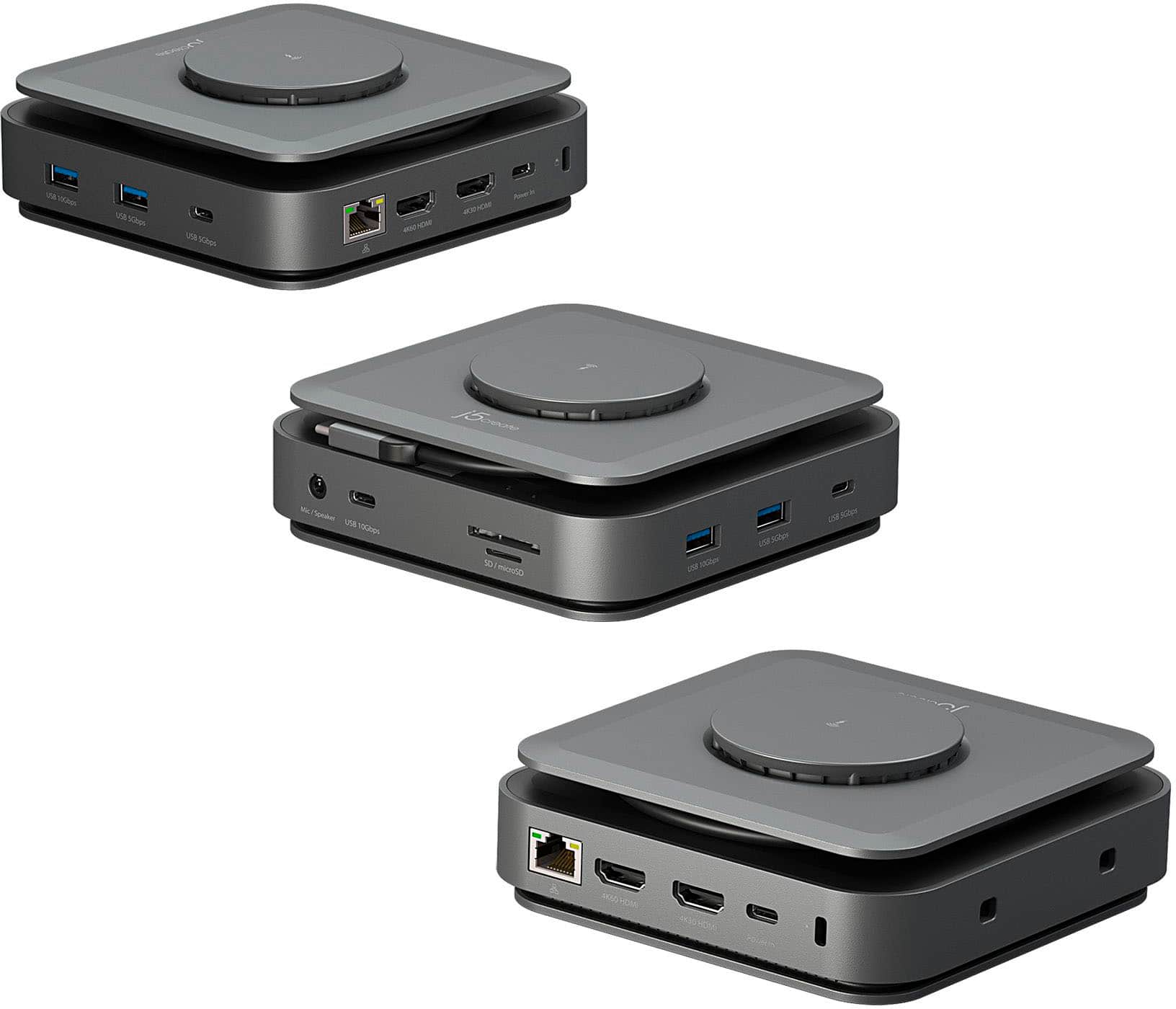
- A:Answer Your HP laptop must support an available USB-C port with DisplayPort v1.4 alternate mode to transmit audio and video signals via the 4K60 HDMI port and USB Power Delivery 2.0/3.0 or 3.1 to allow pass-through charge via USB-C power-in port. Please refer to the manufacturer of your computer for more information about your device. The 4K30 HDMI port will require an installation of a driver. Drivers are available on j5create website under the Support tab. Please have full admin rights to complete the installation process. Thank you.
Answered by J5create Team
Q: QuestionI'm trying to get the 4k60hz port to work. I've already downloaded the driver and my laptop supports DP-Alt. The 4K30hz port works, but the 4K60hz does not detect ANY monitors connected to it. How do I get this to work?
Asked by SallyMcSal.
- A:Answer The 4K60 support is plug and play as long as your laptop support DisplayPort Alternate Mode. You will also want to make sure that the docking station is plugging directly into the laptop and not into any other dock or adapter. For further assistance I recommend reaching out to our customer support team by visiting the j5create website then click on the "SUPPORT" tab at the top right of the webpage. Thank you.
Answered by J5create Team
Q: QuestionUnable to display the second monitor, the USB display driver shows "Port in Unknown State". I've removed and installed the driver second and nothing is working.
Asked by BrunoR.
- A:Answer In order to have two displays the USB-C port on the computer needs to support DisplayPort Alternate Mode (commonly found on Thunderbolt 3, Thunderbolt 4, and USB4 laptops). Additionally the computer must support Windows 10 or later / macOS 10.14 or later. If you require further assistance please reach out to our customer support team by visiting our website and clicking on the "Support" tab at the top right.
Answered by J5create Team
Page 2, Showing 21-31 of 31 questions
Top Rated
- $46.99Your price for this item is $46.99$49.99The comparable value for this item is $49.99
- $99.99Your price for this item is $99.99
- $139.99Your price for this item is $139.99
- $79.99Your price for this item is $79.99
- $149.99Your price for this item is $149.99
- $29.99Your price for this item is $29.99
- $51.99Your price for this item is $51.99$64.99The comparable value for this item is $64.99
- $14.99Your price for this item is $14.99
- $99.99Your price for this item is $99.99
- $49.99Your price for this item is $49.99
- $299.99Your price for this item is $299.99
- $199.99Your price for this item is $199.99
- $61.99Your price for this item is $61.99$70.00The comparable value for this item is $70.00
- $34.99Your price for this item is $34.99
- $59.99Your price for this item is $59.99
- $202.68Your price for this item is $202.68$229.99The comparable value for this item is $229.99
- $149.99Your price for this item is $149.99$259.99The comparable value for this item is $259.99