Questions & Answers
- Model:
- 34SR60QC-B
- |
- SKU:
- 6595424
Highly rated by customers for: Screen Size, Overall Performance, Resolution
$279.99Your price for this item is $279.99
Comp. Value: $349.99
The comparable value price is $349.99
Page Showing 1-20 of 60 questions
Q: QuestionWhat is the refresh rate of this LG monitor?
- A:Answer This LG monitor has a refresh rate of 100Hz.
This question and answer was generated by AI based on customer and product data.Q: QuestionIs this LG MyView Smart Monitor wall mountable?
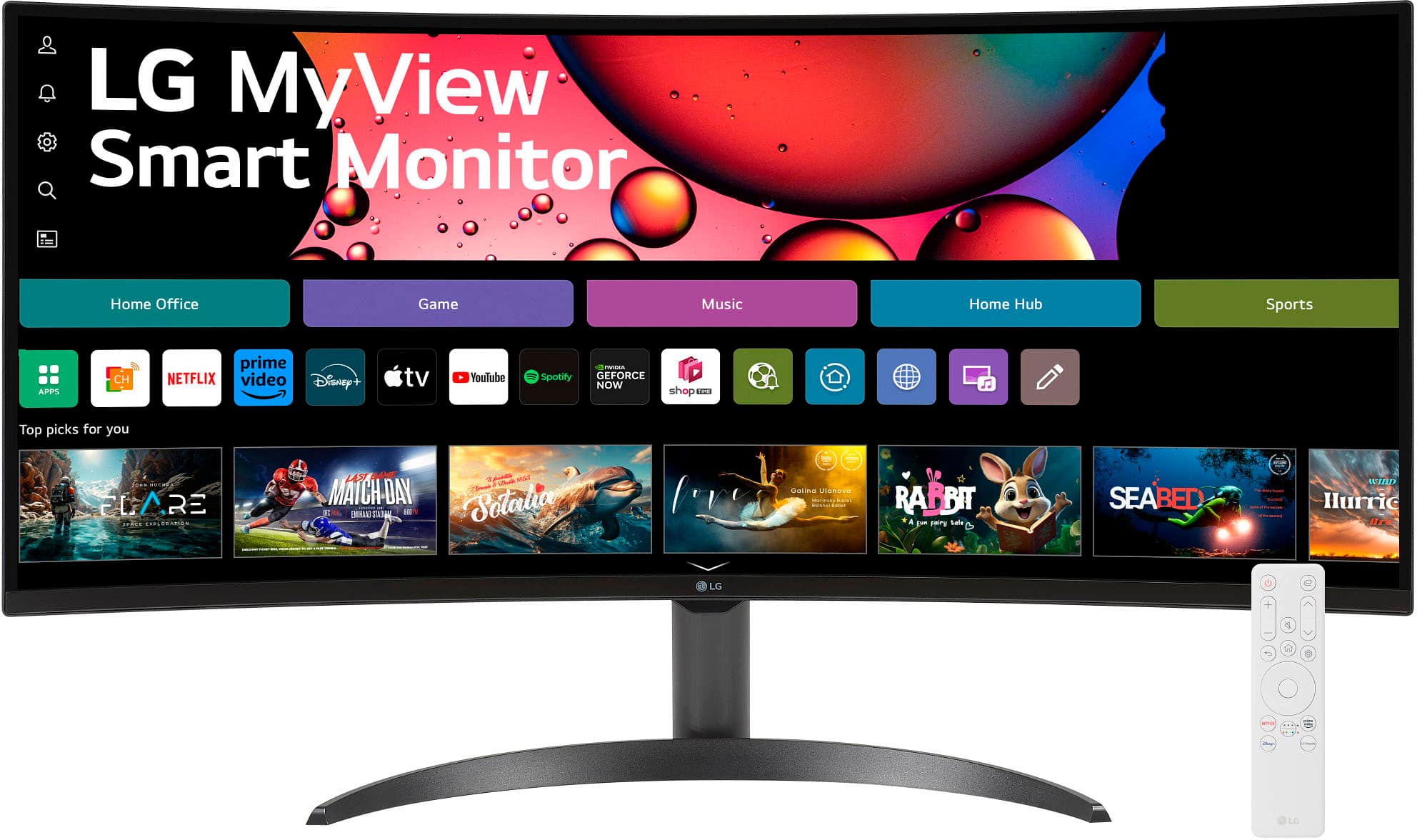
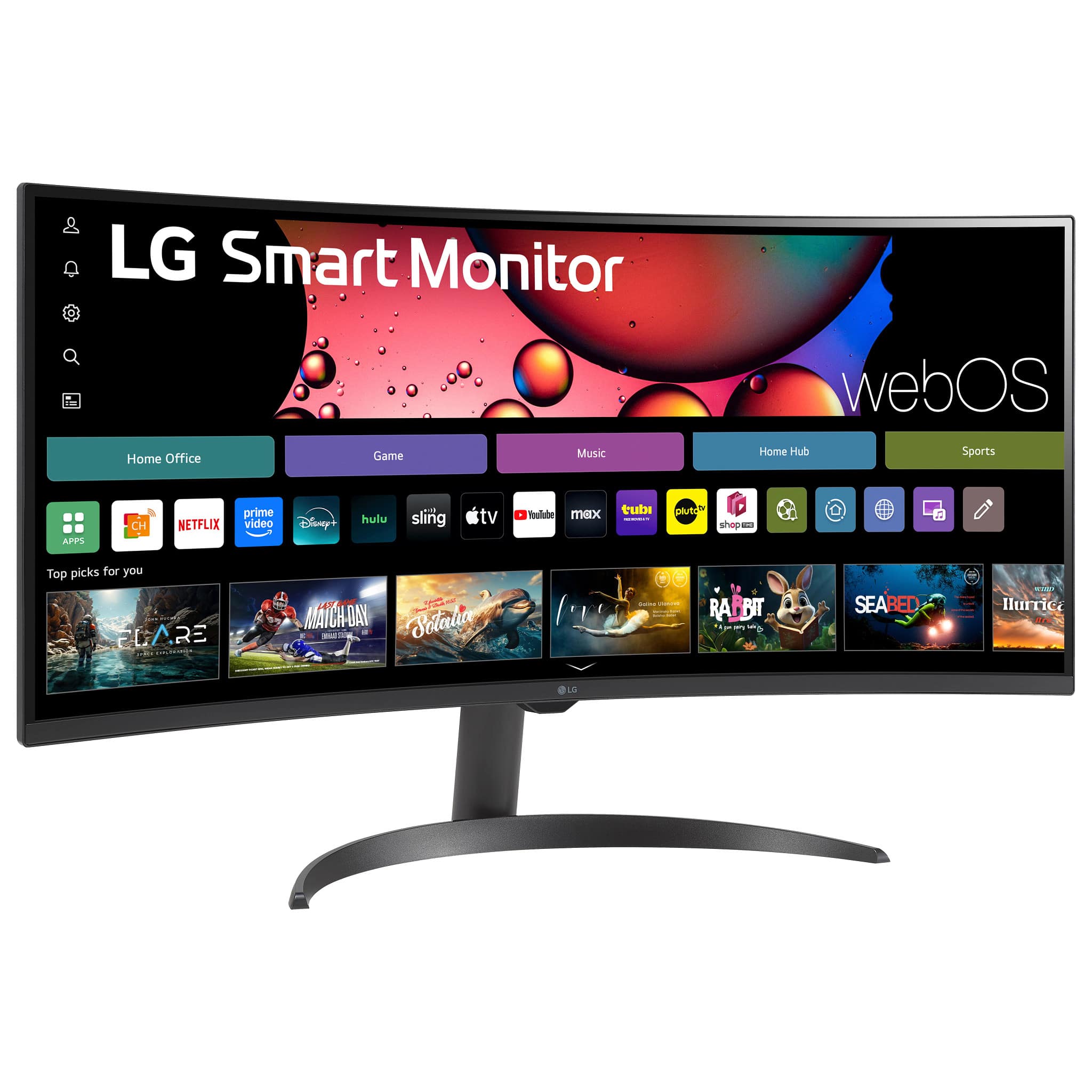
- A:Answer Yes, you can mount this monitor on the wall using a VESA compatible 100mm x 100mm mount.
This question and answer was generated by AI based on customer and product data.Q: QuestionDoes this monitor include a stand?
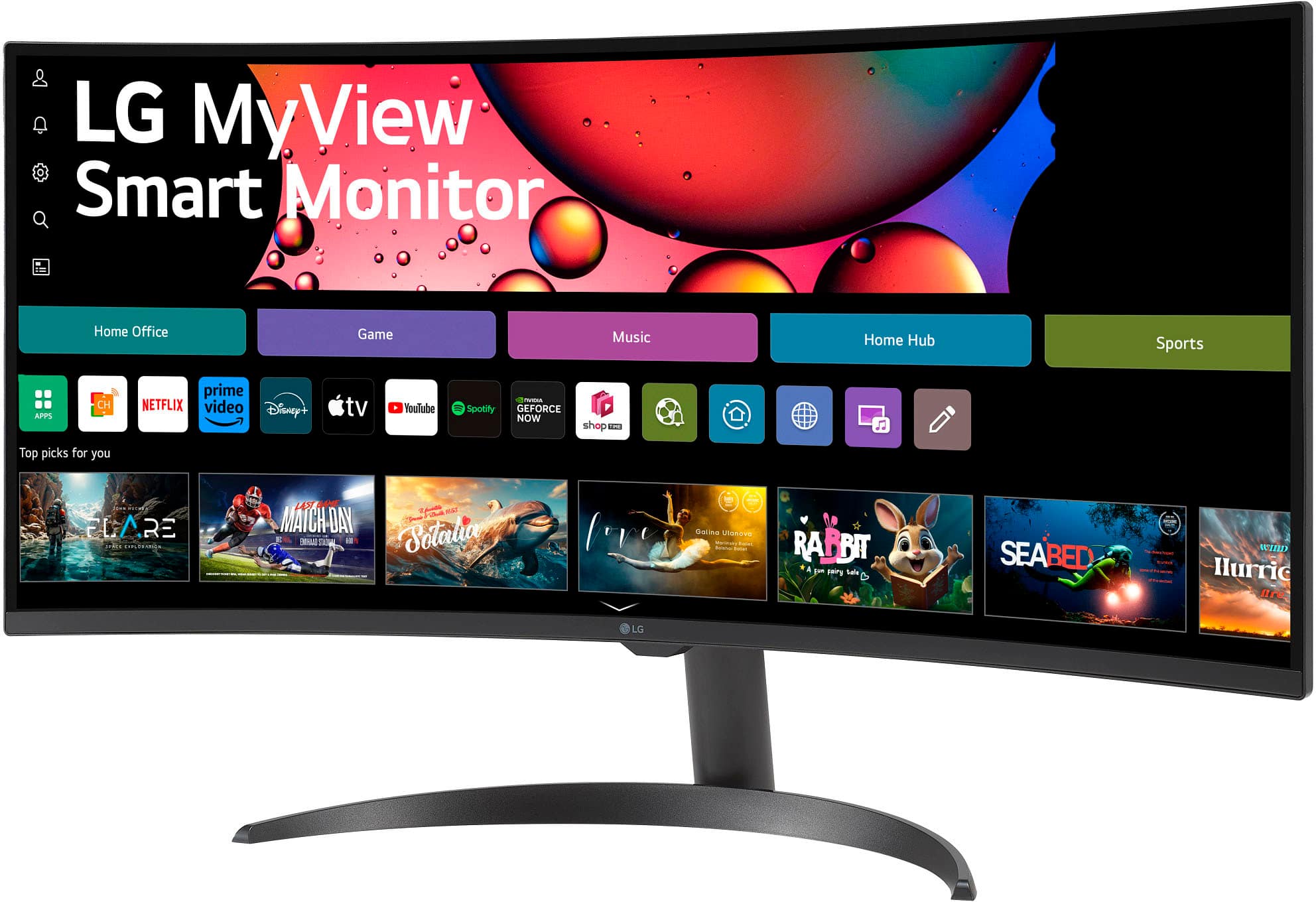
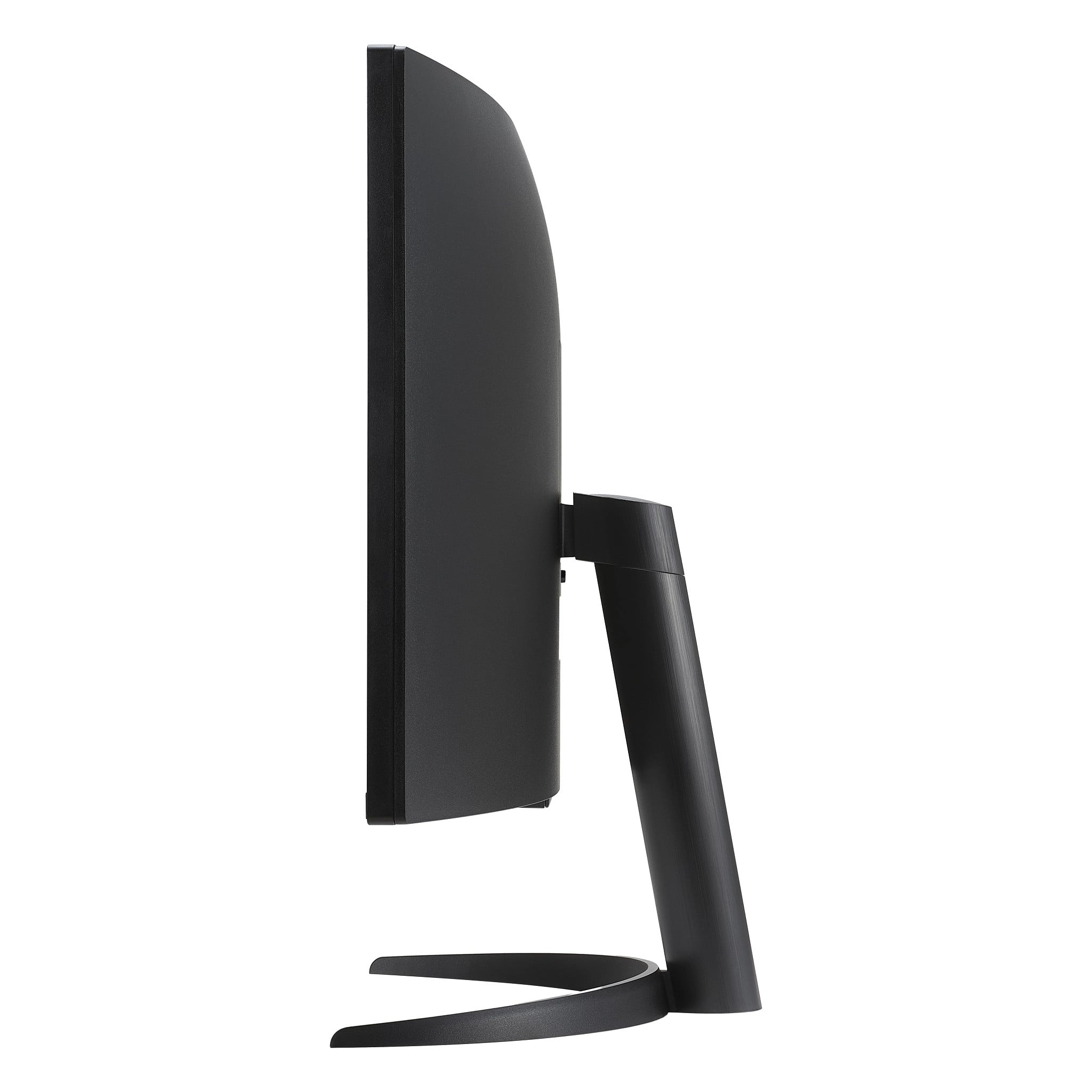
- A:Answer Yes, the LG MyView Smart Monitor comes with a stand.
This question and answer was generated by AI based on customer and product data.Q: QuestionWhat is the response time on this monitor?
- A:Answer The LG - MyView 34" WQHD monitor has a response time of 5 milliseconds.
This question and answer was generated by AI based on customer and product data.Q: QuestionHow many HDMI ports does this monitor have?
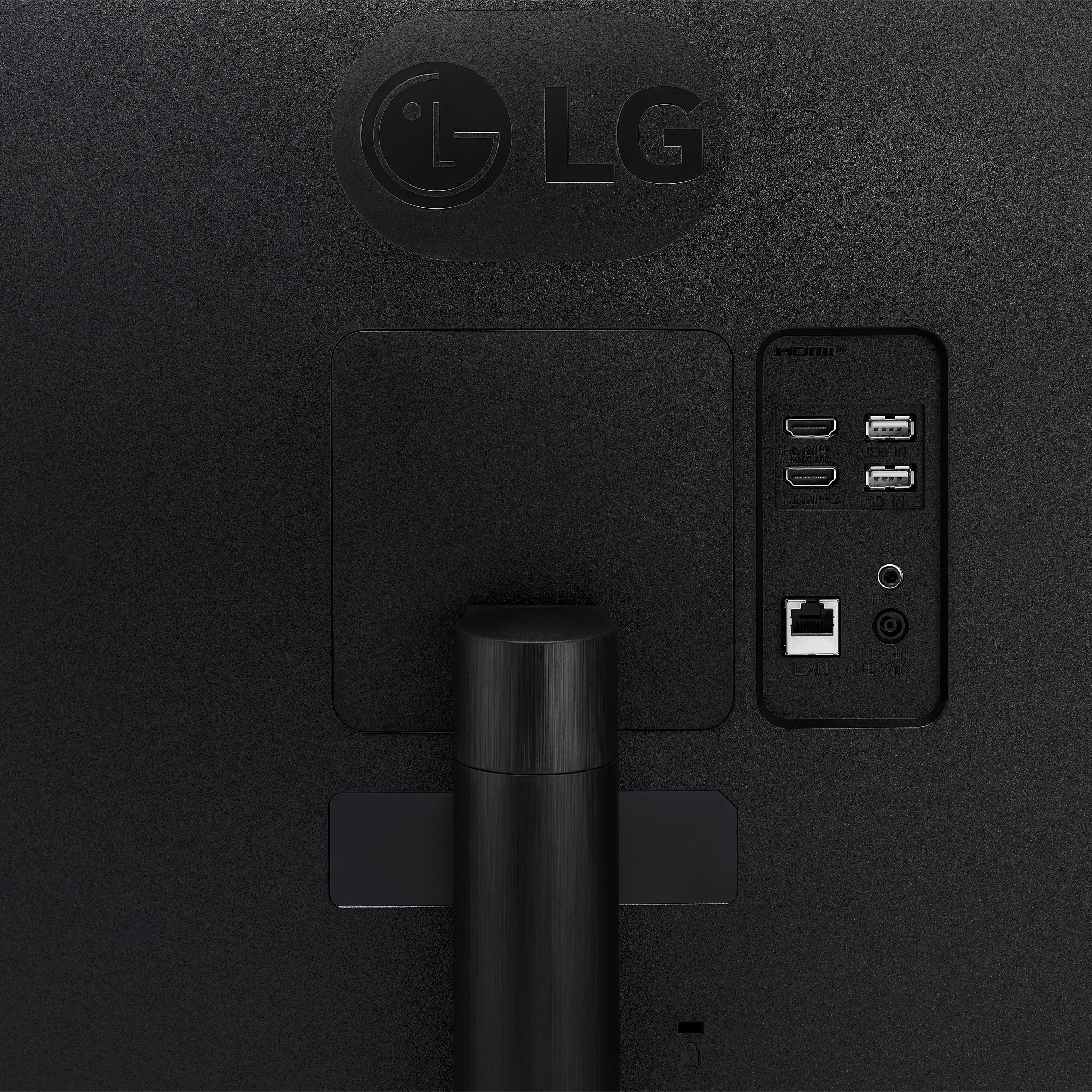
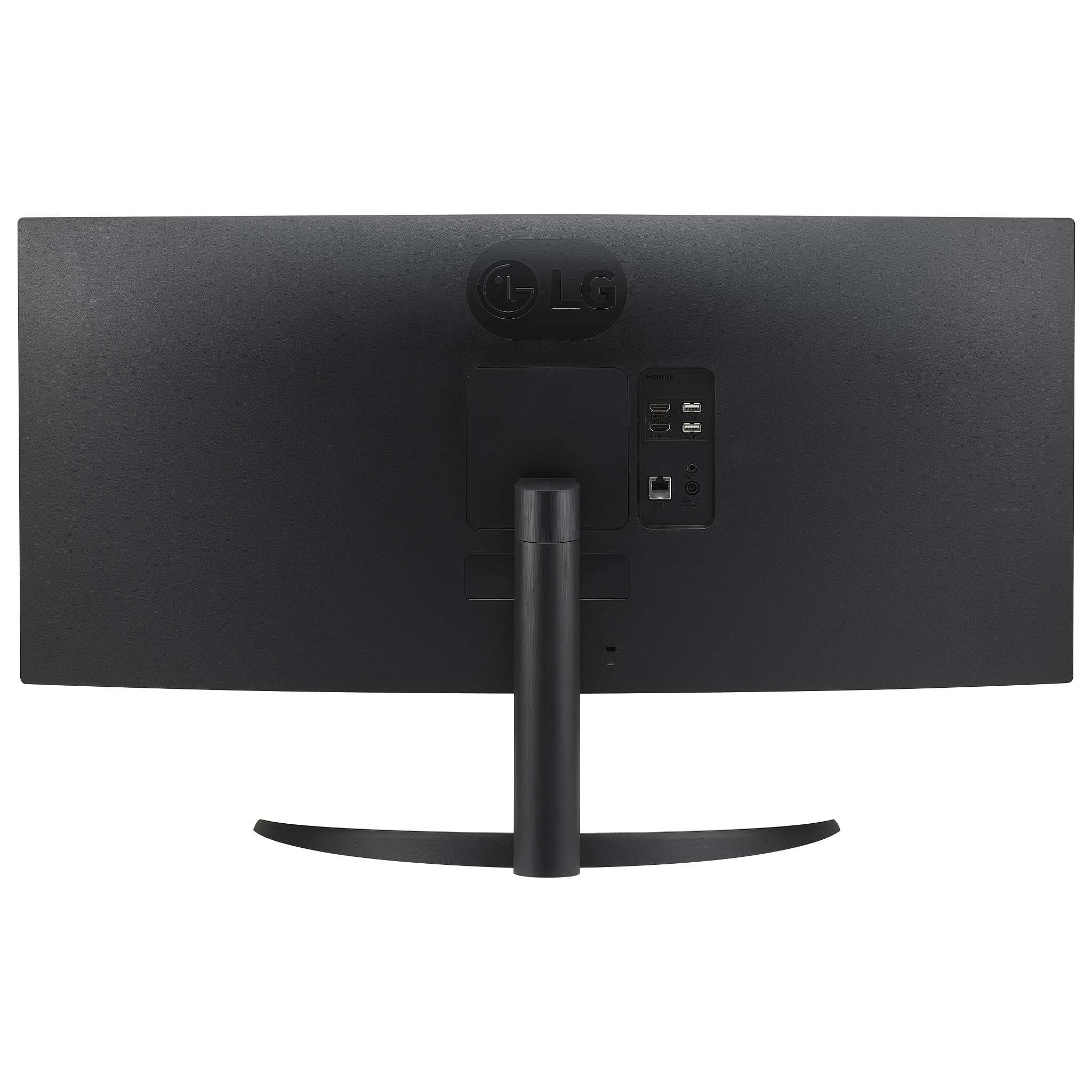
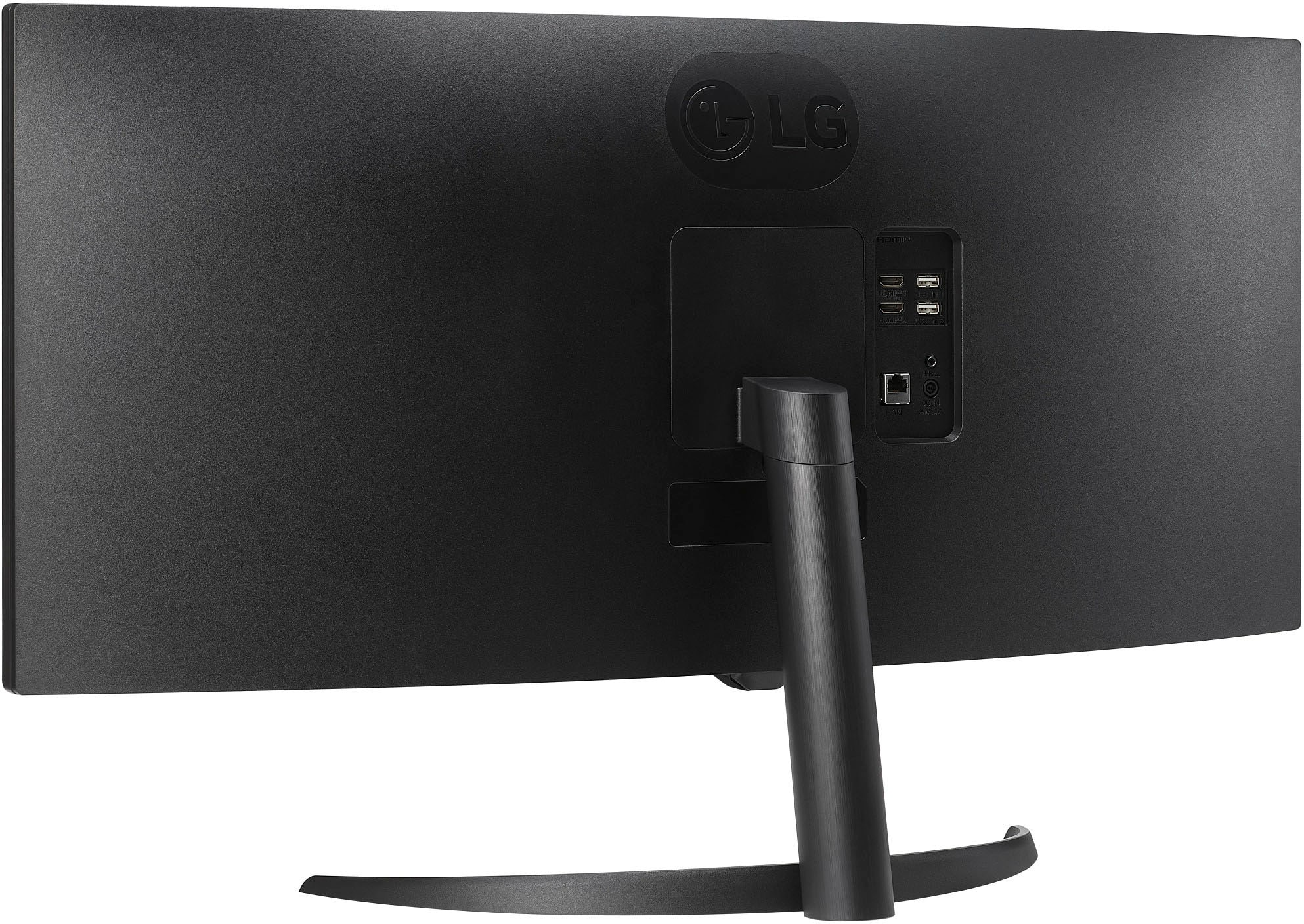
- A:Answer This monitor has two HDMI ports for connecting your devices.
This question and answer was generated by AI based on customer and product data.Q: QuestionDoes this monitor have built-in speakers?
- A:Answer Yes, the LG MyView Smart Monitor has integrated speakers.
This question and answer was generated by AI based on customer and product data.Q: QuestionDoes this screen offer split screen feature? I need to be able to use such feature.
Asked by JessLBaez004.
- A:Answer Hello there! Thank you for your question. We understand you're looking for a split screen feature for multitasking with the LG 34SR60QC-B ultrawide monitor. Yes, this monitor offers a split screen feature, which is available through the Screen Split functionality. This feature allows you to divide the screen into multiple sections, making it easier to work with several applications side by side. It is particularly useful on a 21:9 ultrawide display like this one, as it provides ample screen real estate for multitasking. To use this feature, you can access OnScreen Control (which can be downloaded from the LG website) to set up the screen divisions according to your needs. LG Monitor - How to Use On Screen Control - https://www.lg.com/us/support/help-library/lg-monitor-how-to-use-on-screen-control--20153186454352 https://www.lg.com/us/monitors/lg-34sr60qc-b-ultrawide-monitor#pdp_specs If you have any further questions or need assistance with setup, feel free to send us a private message on Social Media @LGUSSupport, and we'll be happy to help you out! We appreciate your patience. —Renzo
Answered by LG Digital Customer Care

Q: QuestionCan this monitor support dual screen, for displaying two different laptops?
Asked by UK.
- A:Answer Hello. PBP (Picture-by-Picture) is a function on a monitor that splits the monitor's screen in two so you can view two external video input sources (i.e. two laptops or other devices) simultaneously on the monitor. The LG 34" MyView Smart Monitor WQHD Curved Screen 100Hz with webOS, Model # 34SR60QC-B, does not support PBP, so you cannot view two laptops simultaneously on the monitor...^Ivan.
Answered by LG Digital Customer Care

Q: QuestionCan it work with two devices simultaneously, e.g. a computer and a smart phone?
Asked by VanSG.
- A:Answer Hi there. Thank you for your inquiry about the LG 34WQ500-B UltraWide Monitor. Yes, this monitor can work with two devices simultaneously, thanks to its Dual Controller feature. This allows you to control two devices, such as a computer and a smartphone, using one keyboard and mouse. You can also manage the screen setup via the OnScreen Control (OSC) feature. https://www.lg.com/us/monitors/lg-34wq500-b-ultrawide-monitor#pdp_specs For more information or assistance with setup, please send us a private message on Social Media @LGUSSupport. We’re happy to help! —Renzo
Answered by LG Digital Customer Care

Q: QuestionIs this a good monitor for streaming? Or good enough to make videos for my YouTube channel?
Asked by TAtkins.
- A:Answer Could you please clarify your inquiry about if the LG MyView 34" WQHD 100Hz 5ms Smart Monitor with HDR10 - Black, Model # 34SR60QC-B.is "good enough to make videos for your YouTube channel" The monitor's built-in LG webOS Operating System let's you can watch favorite shows from your favorite streaming apps that are preinstalled on the monitor. You cannot make videos on the monitor, you can create them on the PC/Laptop that is connected to the monitor and stream them through the YouTube app on the monitor...^Ivan.
Answered by LG Digital Customer Care

Q: QuestionWill this work using a Thunderbolt to HDMI cable connecting to an M3 13-Inch MacBook Air?
Asked by CARM.
- A:Answer Hi there. Thank you for your interest on our model. The LG 34SR60QC-B Ultrawide Monitor supports HDMI input, so it should work with your M3 13-Inch MacBook Air when using a Thunderbolt (USB-C) to HDMI adapter or cable. However, for the best compatibility and display performance, we recommend using a USB-C to DisplayPort adapter if your MacBook Air supports it, as it can provide better resolution and refresh rate support compared to HDMI adapters. https://www.lg.com/us/monitors/lg-34sr60qc-b-ultrawide-monitor#pdp_specs If you need further assistance, feel free to send us a private message on Social Media @LGUSSupport, and we'd be happy to help! —Renzo
Answered by LG Digital Customer Care

Q: QuestionCan this monitor be hooked up to a Mac mini
Asked by Q.
- A:Answer What connectivity does your Mac Mini have? Connectivity for the LG 34" WQHD 100Hz 5ms Smart Monitor with HDR10 (HDMI, USB-A) - Black, Model # 34SR60QC-B, includes two HDMI 2.0 inputs that are HDCP 2.2 compliant and two USB-A Down-Stream ports. The monitor has a native WQHD 3440 x 1440 resolution, so if the graphics card in your Mac Mini supports the monitor's native resolution, it can be connected to the monitor if you can make the necessary connections to the HDMI inputs on the monitor...^Ivan.
Answered by LG Digital Customer Care
Q: QuestionCan the remote control feature be turned off? The remote controls other devices and vice versa. I am using just as a monitor, not for the TV functions
Asked by GeorgeT.
- A:Answer Hello there. Thank you for sharing your experience with us. We understand your inquiry about disabling the remote control feature on your LG 34SR60QC-B monitor to prevent it from controlling other devices. Your LG 34SR60QC-B is a Smart Monitor with webOS, which means it functions similar to an LG Smart TV and typically uses an infrared (IR) remote. Unfortunately, there isn't a direct setting on the monitor itself to completely "turn off" the remote control's functionality or its IR signal. However, you can try some approaches to minimize interference: Physical Obstruction: If the issue is with the remote's signal reaching other devices, you might try covering the IR receiver on the monitor (usually a small dark sensor on the front) with a piece of electrical tape. This may reduce its sensitivity and prevent it from picking up unwanted signals. HDMI-CEC (Simplink) Settings: If your other devices are also LG or have HDMI-CEC (called Simplink on LG devices), they might be sending control signals over HDMI. You can typically find a "Simplink" or "HDMI Device Settings" option in the monitor's (or connected device's) settings menu. Disabling this feature might prevent unintended control. Using the Joystick: The monitor has a joystick button located under the center of the panel (where the LG logo is) that allows you to turn it on/off, switch inputs, and adjust the volume without needing the remote. https://www.bestbuy.com/site/lg-myview-34-wqhd-100hz-5ms-smart-monitor-with-hdr10-black/6595424.p?skuId=6595424 Your feedback is important, and we'd like to assist you further. Please send us a private message on Social Media @LGUSSupport and our team will be more than happy to explore possible solutions. We appreciate your patience. —Renzo
Answered by LG Digital Customer Care

Q: QuestionI'm sorry to bother you. Is this monitor TAA Compliant? Is there a list of TAA Compliant monitors so I don't have to ask about each one?
Asked by RhiLee.
- A:Answer Hello there, RhiLee. We understand your inquiry about whether the LG 34SR60QC-B.AUS monitor is TAA compliant and if there’s a consolidated list of TAA-compliant monitors. From LG’s consumer-facing specifications, the 34SR60QC-B.AUS is marketed as a smart ultrawide monitor but is not specifically listed among TAA-compliant models on LG’s Business/TAA pages. TAA compliance is generally designated for monitors intended for U.S. government procurement and requires that components and assembly meet Trade Agreements Act rules. Consumer/retail models typically are not TAA compliant unless explicitly stated. Contact LG Business Support: If you need formal confirmation or a letter of compliance for procurement, reach out through LG’s business or government sales channels. https://www.bestbuy.com/site/lg-myview-34-wqhd-100hz-5ms-smart-monitor-with-hdr10-black/6595424.p?skuId=6595424 If you’d like direct assistance in identifying a suitable TAA-compliant monitor or need official documentation, please send us a private message on Social Media @LGUSSupport. Our team can guide you to the correct business contact or share official resources. We appreciate your patience and are here to help you find the right solution. —Renzo
Answered by LG Digital Customer Care

Q: QuestionIs there anyway to flip the display in smartview mode to be upside-down i have a dual 34 setup and when it in the normal orientation my bottem monitor will block the remote sensor
Asked by Zach.
- A:Answer There is no setting on the LG 34" MyView Smart Monitor WQHD 1440P Curved Screen 100Hz with webOS, Model # 34SR60QC-B that will flip the display in smartview mode upside down. However, if your graphics card has the capability, some graphics cards allow users to rotate the screen by holding Ctrl+Alt and pressing one of the arrow keys. For example, pressing Ctrl+Alt+↓ inverts the image on your screen, turning it upside down, and pressing Ctrl+Alt+↑puts it back to normal. You can also check to see if your operating system has that capability. There is no guarantee that it will work with this monitor...^Ivan.
Answered by LG Digital Customer Care

Q: QuestionCan this monitor be mounted to a mounting bracket?
Asked by Mikhail.
- A:Answer Hi there, Mikhail. Thank you for reaching out to us! We understand you’re looking to find out if the LG UltraWide Monitor, Model 34SR60QC-B, can be mounted to a bracket. We’re happy to inform you that this monitor is indeed wall mountable and supports the VESA Wall Mount Standard of 100mm x 100mm. If you need assistance with mounting options or recommendations for brackets, please send us a private message on Social Media @LGUSSupport, and we’d be glad to help further. https://www.lg.com/us/monitors/lg-34sr60qc-b-ultrawide-monitor#pdp_specs We appreciate your time and look forward to assisting you! —Renzo
Answered by LG Digital Customer Care

Q: QuestionIs this compatible with apple mac mini?if so then which generation. Thank you .
Asked by Anonymous.
- A:Answer Hello there. Thank you for sharing your inquiry with us. We understand you're asking about the compatibility of the 34SR60QC-B monitor with an Apple Mac Mini. This monitor has HDMI 2.0 and supports AirPlay, which makes it compatible with most modern Mac Mini generations that also support these connections. However, for the best experience, we recommend checking the specific ports and software compatibility of your Mac Mini generation against the monitor's specifications. https://www.bestbuy.com/product/lg-34-wqhd-100hz-5ms-smart-monitor-with-hdr10-hdmi-usb-a-black/JJ8VPZHZVY If you have any further questions about its features, please send us a private message on Social Media @LGUSSupport, and our team will be more than happy to assist you. —Renzo
Answered by LG Digital Customer Care
Q: QuestionCan this monitor work with an Xbox?
Asked by Chuck.
- A:Answer The LG 34-inch Smart Monitor WQHD 1440P Curved Screen 100Hz with webOS, Model # 34SR60QC-B, has a native WQHD (3440 x 1440) resolution, which is a 21:9 Aspect Ratio resolution (commonly referred to as UltraWide Quad HD (UWQHD) or 1440p UltraWide, offering a 21:9 aspect ratio). Both the Xbox One and Xbox Series consoles can output this resolution through compatible TVs and monitors. However, they do not natively support Ultrawide Aspect Ratios, which means you will see black bars on the sides of the display when using an Ultrawide monitor, like this monitor. When connecting to monitors or TVs that support a high aspect ratio like 21:9, your Xbox device might stretch the display content due to this fundamental incompatibility between wide-format resolutions and typical screen hardware configurations. Xbox supports multiview, single, or dynamic stretch, modes while on various formats; while multiview enhances both video formats 3 different viewings options – dynamic stretches your full image up...^Ivan.
Answered by LG Digital Customer Care
Q: QuestionCan my son use this with his PlayStation 5?
Asked by Mike.
- A:Answer Yes you can cause I use this with my ps5 as well
Answered by OliverC
Page 1, Showing 1-20 of 60 questions
Best-selling monitors
- Black Friday Deal$104.99Your price for this item is $104.99
- Black Friday Deal$86.99Your price for this item is $86.99
- Black Friday Deal$89.99Your price for this item is $89.99
- Black Friday Deal$99.99Your price for this item is $99.99
- Black Friday Deal$79.99Your price for this item is $79.99
- Black Friday Deal$159.99Your price for this item is $159.99
- Black Friday Deal$259.99Your price for this item is $259.99
- Black Friday Deal$129.99Your price for this item is $129.99
- Black Friday Deal$179.99Your price for this item is $179.99
- Black Friday Deal$219.99Your price for this item is $219.99
- Black Friday Deal$209.99Your price for this item is $209.99
- Black Friday Deal$99.99Your price for this item is $99.99
- Black Friday Deal$149.99Your price for this item is $149.99
- Black Friday Deal$114.99Your price for this item is $114.99
- $69.99Your price for this item is $69.99$159.99The comparable value for this item is $159.99
- $279.99Your price for this item is $279.99$499.99The comparable value for this item is $499.99
- Black Friday Deal$99.99Your price for this item is $99.99
- No contentBlack Friday Deal$129.99Your price for this item is $129.99
- $134.99Your price for this item is $134.99
- Black Friday Deal$199.99Your price for this item is $199.99