Save up to 50% on 3-Day Sale deals.Ends 12/7.Shop now

Main Content

Questions & Answers

Your price for this item is $159.99
Clearance
The comparable value price is $799.99
Page Showing 1-20 of 146 questions
  • QuestionWhat is the refresh rate

    Asked by Anonymous.

    • Answer I asked multiple people at best buy this and they all hesitantly said 120 hz. Called Lg and they said the same thing, but no one sounded confident. I believe it is actually 60 hz , here is why... 1) crutchfield describes true motion 120 as 60 hz with backlighting. They don't have the same size for sale, but they do have the 60 inch version that lists the slower processor. Amazon describes the refresh rate as 120, but hedges that with the word effective, not actual. 2) The price, it is priced around the Samsung motion rate 120's which best buy will tell you is 60 hz. 3) lg also sells a tv with truemotion 240, yet I have heard there are no true 240 hz tv for sale this year. Ultimately it is up to your eyes. If you buy this tv, you have 15 days to put it to the test. Watch some blue rays and sports and decide for yourself

      Answered by Peete

  • QuestionHow do you turn on the Smart picture mode under the picture settings? Mine is blacked out to where I'm unable to click on it to change it out of the off postion

    Asked by Abcd.

    • Answer The Smart Picture Mode on the LG - 55" Class (54.6" Diag.) - LED - 2160p - Smart - 4K Ultra HD TV - Gray, Black, Model # 55UH6150 is only available with digital broadcasts. Channels connected to the Component and HDMI ports do not support Smart Picture Mode. IT will only be available if it works with the selected input. You can try changing the input...^IFV

      Answered by LG Digital Customer Care

  • QuestionIs this a 2016 model?

    Asked by DN.

    • Answer The LG - 55" Class - (54.6" Diag.) - LED - 2160p - Smart - 4K Ultra HD TV, Model # 55UH6150 is a 2016 model. The "UH" in the model number identifies it as a 4K UHD LED 2016 TV, last years models were identified by the "UF" in the model number...^IFV

      Answered by LG Digital Customer Care

  • QuestionWhat is the stand width from peg to peg?

    Asked by Anonymous.

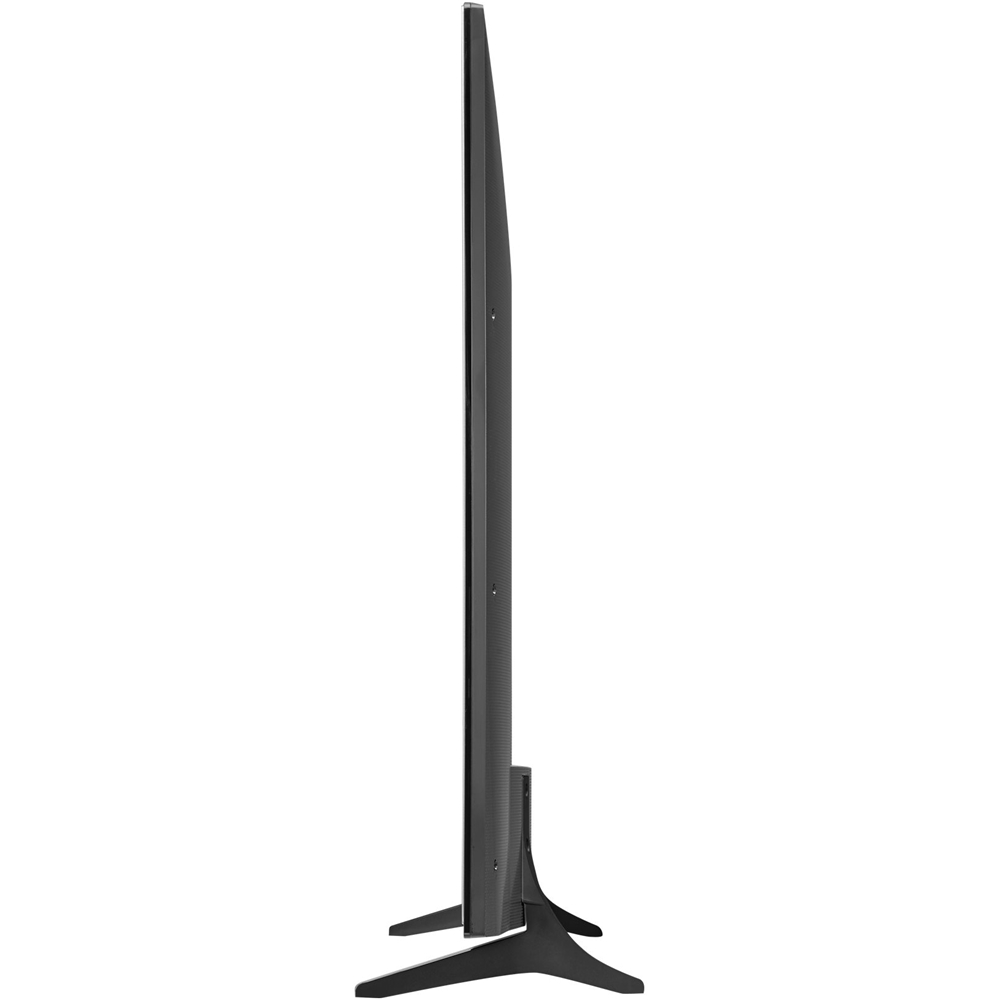
    • Answer From the tip of one peg to the other peg is 37 1/2 inches. I wanted to know this question also so I knew if it would fit on my current stand. TV was delivered today so answering for others that may need to know.

      Answered by Shannon

  • QuestionExplain the entire built in wifi, it makes no sense to me. Do I have to buy a plan for it to have Internet?

    Asked by KingCobrahh.

    • Answer The short answer is yes, you will need an internet subscription. The wifi works just like your roku player or apple tv. You will connect the tv to your wifi network and then you can watch the apps like Youtube, Hulu and Nextfilx. You do not need this to watch standard tv however.

      Answered by Christopher

  • QuestionI am considering buying this TV and am concerned about motion blur since this TV has a native refresh rate of 60hz. Has anyone experienced motion blur while watching sports or fast action scenes?

    Asked by Tony.

    • Answer I had a little bit of blur out of the box but I was able to get rid of it simply by changing the tv off of the Vivid picture and making sure my cable box was set to 1080p instead of 720.

      Answered by SitoriTenshi

  • QuestionStill not know what is better buy.Sony or Lg.Can you help ?

    Asked by Anonymous.

    • Answer I have had 4 LG TVs and never had a problem - everyone comments on the picture quality.

      Answered by Tonyda

  • QuestionDoes this tv come with the magic remote?

    Asked by bleedinblu05.

    • Answer I have been trying for a month now to get a magic remote and they are not available for this TV yet.

      Answered by Gary

  • Questionwhat are the best calibration settings?

    Asked by kyrie2.

    • Answer I'm not a calibration expert, but these are the settings that I am using: --Picture Picture Mode: Standard Energy Saving: Off Eye Comfort Mode: Off --Picture Mode Settings Backlight: 42 Contrast: 90 Brightness: 50 Sharpness: 12 Color: 68 Tint: 0 --Advance Controls Dynamic Contrast: Off Dynamic Color: Off -Preferred Color Skin Color: 3 Grass Color: 5 Sky Color: 3 Color Gamut: Extended Super Resolution: Off Gamma: Low --Picture Options Noise Reduction: Off MPEG Noise Reduction: Off Black Level: Low Real Cinema: Off Motion Eye Care: Off TruMotion: Off Hope this helps!

      Answered by Eric

  • QuestionWhat is the side viewing quality like.

    Asked by Anonymous.

    • Answer Great viewing without distortion from all angles in our living room

      Answered by parasolDeb

  • QuestionDoes it support Amazon, ,Netflix and HULA App? If other APPS are supported, which one's?

    Asked by Curious.

    • Answer The LG 55 Class LED - 2160p - Smart - 4K Ultra HDTV supports Amazon, Netflex, and HULU apps.

      Answered by CommunityAnswer

  • QuestionWhat is the difference between the LG-55UH6150 and The LG-55UH6090?

    Asked by Smiles.

    • Answer The main difference between the ENERGY STAR® Qualified LG LG - 55" Class (54.6" Diag.) - LED - 2160p - Smart - 4K Ultra HD TV - Gray, Black, Model # 55UH6150 and Model # 55UH6090 is that the UH6150 series TVs support HDR and the UH6090 series don't. The other difference is in the size offerings for the TVs. The UH6150 series is available as 65", 60" and 55" whereas the UH6090 series is available as 60", 55" and 49"...^IFV

      Answered by LG Digital Customer Care

  • QuestionDoes this tv have a built in tuner for an hd antenna?

    Asked by Chad.

    • Answer yes

      Answered by v7racer

  • QuestionHow to hookup sound bar to tv

    Asked by Carl.

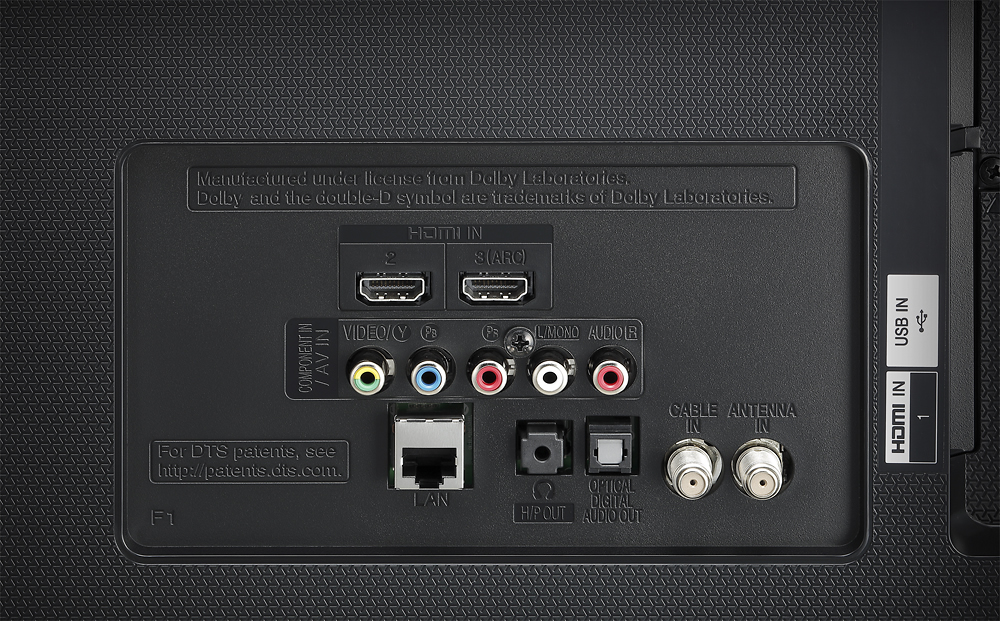
    • Answer The LG 4K UHD HDR Smart LED TV - 55" Class (54.6" Diag), Model # 55UH6150 has an Optical Digital Output Port on it that you can use to connect to any Sound Bar that has an Optical Digital Input Port on it with an Optical Digital cable. You will have to access the Sound Settings in the TV to specify the audio path that the TV needs to output sound through for it to play through the Sound Bar. The instructions can be found in your owner's manual for the TV...^IFV

      Answered by LG Digital Customer Care

  • QuestionI got this tv, set it up, and the first thing I noticed is on the right side there are bright light spots in the corners when the screen is dark. I know it's edge light coming through but it should not be this obvious. Has anyone else has this problem?

    Asked by Tabitha.

    • Answer Hi Tabitha. We regret to read about the issues that you are experiencing with your LG 4K UHD HDR Smart LED TV - 55" Class (54.6" Diag), Model # 55UH6150 and apologize for any inconveniences. The issue that you are describing is a black uniformity issue, also referred to as Clouding or Flashlighting, which can be only seen during dark scenes and only when the TV is being watched in a dark room. The diffuser layers and the LCD screen for the TV are somewhat flexible and a slight difference in pressure on the frame of the TV can change the uniformity on the TV. On some TVs it can be fixed if it is caused by an issue with the frame's pressure. For clouding, a simple fix will be to power on the TV and display a black image. This will allow you to see the lighter spots on the screen. Next, take a soft cloth and massage those brighter spots to improve the uniformity. You should only apply very gentle pressure, just barely touching the screen. You can also try a few different stroking patterns. If you are patient enough, this often works surprisingly well, especially on edge-lit TVs. Some models are more prone than others to having issues. Even within the same model, some units can have more of this issue, because of a slight variance in the manufacturing or the shipping process and you can always see about exchanging it for the same model...^IFV
      Answered by LG Digital Customer Care

  • QuestionWhat type of screws does the legs/pegs need for this tv? Mine were lost and now I can't stand my tv up

    Asked by Jessica.

    • Answer The size of the screws for attaching the stand legs on your LG 4K UHD HDR Smart LED TV - 55" Class (54.6" Diag), Model # 55UH6150 is given as M4 x L 14 on page 33 of your owner's manual. M4 is the diameter of the screw in millimeters (i.e 4 mm) and L14 is the length of the screw (i.e. 14 mm). You need four of the screws...^IFV

      Answered by LG Digital Customer Care

  • QuestionDoes this model have HDR, web OS 3.0? Thanks

    Asked by jcool.

    • Answer RECENTLY LG announce a list of tg's that support HDR (high dynamic range) and this tv WAS on the list. The other answer may have been correct at the time but now, it is not. there are 25 tv's on this list and lg says they are not done. read the article from digitaltrends.com also here is a spec list straight from LG It supports HDR and HDR pro and also listed is web os 3.0 http://www.lg.com/us/tvs/lg-55UH6150-4k-uhd-tv

      Answered by CORNDOG

  • QuestionWhy is this advertised at 600$???? By Best Buy?

    Asked by Carol.

    • Answer I'm not sure, but It may be "open box," which means it may be a return. If that is a deal breaker for you, I'd ask about.that. (My set was new and more than $600.)

      Answered by stpteach

  • QuestionCan Roku be added to this TV?

    Asked by JBrus.

    • Answer Yes you can plug in a roku stick. But you do not need to. It has netflix, hulu and others bulit right in to the tv

      Answered by Trebeck

  • QuestionHOW CAN I CONNECT HEADPHONE TO IT AND HEAR FROM BOTH HEADPHONE AND tv sPEAKERS AT THE SAME TIME? DOES BLUETOOTH sPEAKERS WORK FOR THIS PURPOSE?

    Asked by Anonymous.

    • Answer You can set the tv to have both speaker and headphone output. You might need an optical to rca adapter to plug in you headphones. This tv does not have bluetooth.

      Answered by Anonymous